








About | Privacy Policy | Terms of Use | Support | Contact Us
Copyright © 2026 Tipard Studio. All Rights Reserved.
Play high-quality Blu-ray/DVD and UHD videos with all formats & codecs.
 [4.9] 1946 Reviews
100% Clean & Safe
30-Day Money Back Guarantee
100% Clean & Safe
30-Day Money Back Guarantee
 Blu-ray Player
Tipard Blu-ray Player is designed to easily play Blu-ray discs, folders, and ISO image files on personal computers, with no limitations. It supports Blu-ray playback on Windows 7/8/10/11. If you want to watch a newly-released foreign movie that doesn't show in the theaters of your country, you won't be troubled with this problem again if you get Tipard Blu-ray Player. You can enjoy the newly-released movies and get the feeling of being in the theater.
With Tipard Blu-ray Player, you can easily play any DVD disc, folder, or ISO file with smooth, high-definition video. Featuring an intuitive interface and rich convenient functions, this player even enables you to play your DVD with the main menu and manage each chapter. You can adjust the audio track, subtitle and other settings effortlessly. And while playing DVD, you are able to capture any scene that you like with its handy screenshot feature.
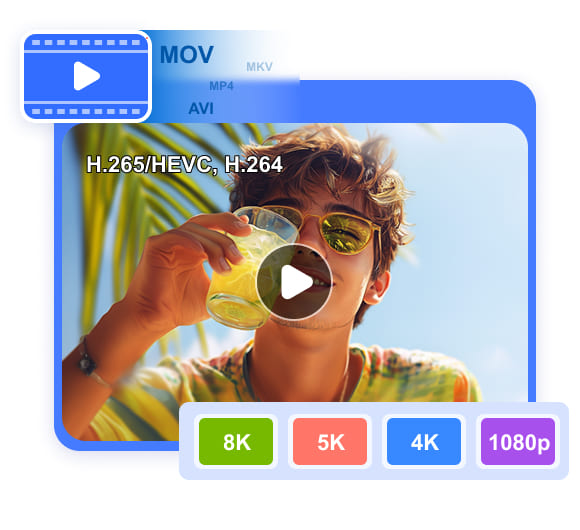
Tipard Blu-ray Player is a powerful media player, which is capable of playing various video formats and codecs, including MP4, MKV, AVI, WMV, FLV, MTS, and more. It handles 4K UHD, 1080P, and HD videos with top-notch quality and effects.
It supports so many video types while keeping original video and audio quality and giving you an immersive home theater experience. You will get blazing visual enjoyment as long as you get this Blu-ray playing software.
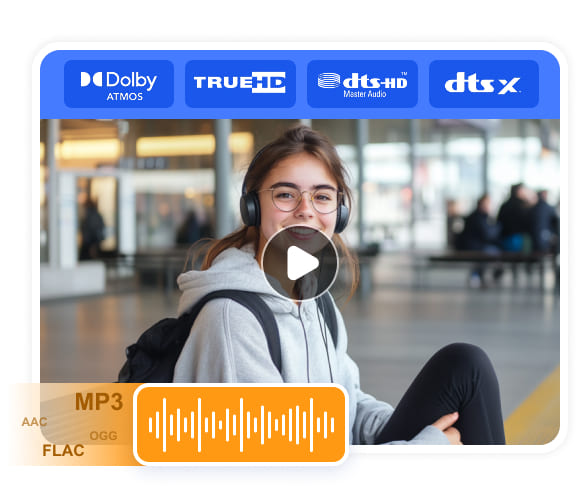
Tipard Blu-ray Player supports high-resolution audio formats, such as Dolby Atmos, Dolby TrueHD, DTS-HD Master, and DTS:X, offering up to 7.1 channel surround sound output. It supports many audio formats like MP3, FLAC, AAC, OGG, and more - no need for extra codec downloads.
If you want to enjoy a high-quality song on your computer, this player is just what you need. It can unleash the highest audio quality, bitrate, sampling rate, etc. to offer the best entertainment. Also, this player can convey the best audio quality in a video file. Perfect for audiophiles and movie lovers alike!
With Tipard Blu-ray Player, playing Blu-ray/DVD discs is seamlessly complemented by a variety of practical features that enhance your video playback, making it more convenient while improving overall video quality.

Hardware Acceleration
Hardware acceleration can offload video decoding from CPU to GPU video decoders, making the whole process faster and taking up fewer system resources.

Adjust Aspect Ratio
When playing Blu-ray discs, you can choose the window size and aspect ratio from Full Screen, Half Size, Fit to Screen, 16:9, 4:3, 1:1, and more.

Adjust Video Effects
After opening Blu-ray discs, you can use Tipard Blu-ray Player to adjust video effects, including hue, contrast, brightness, saturation, gamma, etc.

Capture Wonderful Moments
With the help of Snapshot function, you can grab your favorite moment and save it as image file in the form of JPEG, PNG, and BMP.

Customize Playlist
Tipard Blu-ray Player enables you to customize the video playlist. You can also view and choose each chapter in your Blu-ray or DVD disc/ISO/folder.

Deinterlace Video
Tipard Blu-ray Player offers many methods to deinterlace all types of videos to increase video quality, such as Blend, Discard, Mean, etc.
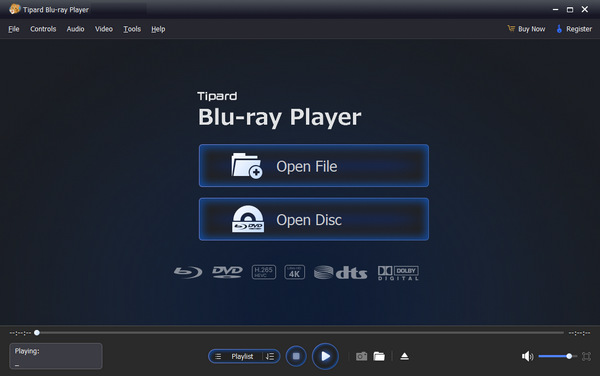
1. Choose File
Click the Open File button to open a video or audio file. or the Open Disc button to open a DVD or Blu-ray.
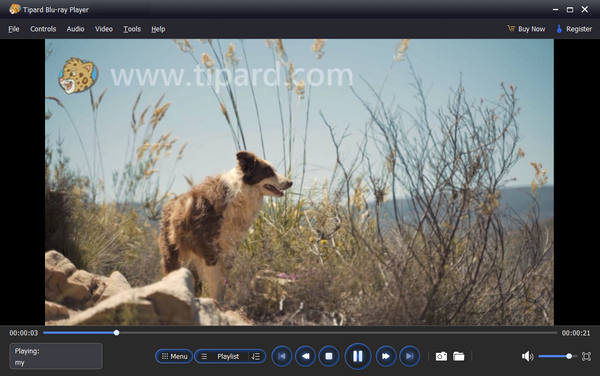
2. Play Video
Your video or DVD/Blu-ray is loaded. You can watch the video smoothly with excellent video and audio quality.
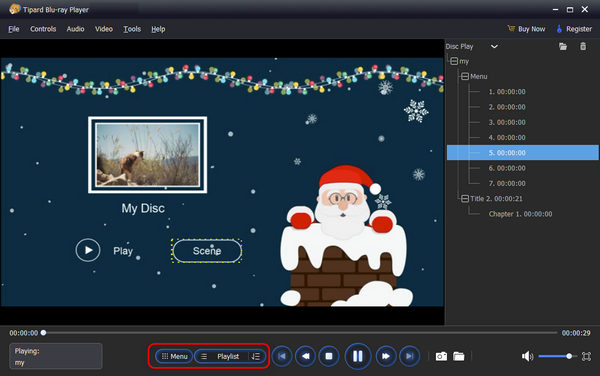
3. Manage Video/Disc
Click the Menu or Playlist button to manage your video or DVD/Blu-ray content. You can choose your desired video or chapter easily.

Emma
College Student

I didn't expect the quality to be this good! The playback is buttery smooth and the sound quality is amazing. I just popped in an old Blu-ray I hadn't watched in years and it worked perfectly.

Jason
Movie Lover
I can finally watch all my rented Blu-rays without fuss! Tipard Blu-ray Player saved my movie night! Super easy to use, even for someone who isn't very techy. My friends were impressed with how clear the video looked.

Daniel
IT Geek
I watched a bunch of classics last night and the quality was stunning. Tipard Blu-ray Player makes me feel like I'm in a cinema at home. Hoping for even faster updates for the newest releases!
Can I enjoy a cinema-like experience with my home theater system?
Yes. Tipard Blu-ray Player supports lossless audio passthrough, including Dolby Atmos, DTS-HD Master Audio, and DTS:X. When connected to your AV receiver, it delivers an immersive, multi-dimensional soundstage just like a professional cinema.
Is there a free Blu-ray player software on Windows 11?
Yes. Tipard Blu-ray Player can serve as a free Blu-ray player for Windows 11 PCs. It has great compatibility with different versions of Windows 11, 10, 8, and 7.
Can Tipard Blu-ray Player play commercial Blu-ray discs?
Yes, it can. Tipard Blu-ray Player can play all types of commercial Blu-ray discs while handling encryptions. Newly released and old disc collections can be played seamlessly.
Can Tipard Blu-ray Player play 4K videos?
Yes. Tipard Blu-ray Player can play 4K, 5K, and even 8K videos with high bitrates up to 200 Mbps and 10-bit HDR. There's no resolution restriction, and the GPU acceleration technology can ensure smooth playback without taking too much system resources when dealing with large 4K and 8K videos.

Get Your Best Disc and Video Player!
100% Clean & Safe
30-Day Money Back Guarantee
100% Clean & Safe
30-Day Money Back Guarantee