

Key Takeaways
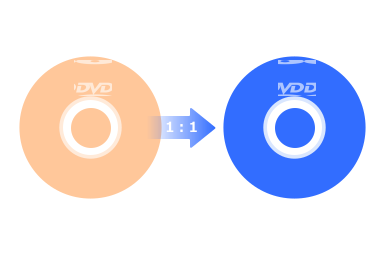
DVD copy software can copy a DVD to another DVD disc with 1:1 quality. To keep the original quality or compress DVD-9 to DVD-5 seamlessly, you can choose Tipard DVD Cloner. For copying non-protected DVDs, you can select DVD Shrink for simple and straightforward copying and burning.
Loving your DVD movie collection but terrified of scratches and permanent damage? You’re not alone. Digitize your discs with free DVD copy software is the smartest way to back up your favorite movies without spending a dime on blank discs or premium tools. To save your time, we’ve tested and rounded up the 10 best free DVD copy software for Windows 11/10/8/7 and Mac. Read on to find your perfect match!

Part 1: Shortlist of the 10 DVD Copy Software
Our Top 3 Choices
1. Tipard DVD Cloner: The absolute best DVD copy software for both beginners and pros. It offers ultra-fast speed and a perfect 1:1 ratio clone. Plus, it seamlessly compresses DVD-9 to DVD-5 without losing noticeable quality.
2. DVD-Cloner: It is a powerful DVD copy tool famous for its ability to bypass almost all latest DVD copy protections and region codes. It’s highly reliable if you have a massive library of commercial movie discs.
3. DVD Shrink: It is the ultimate classic free DVD copy software. While it hasn’t been updated recently, it remains the gold standard for shrinking dual-layer DVDs into single-layer files completely for free.
Other 7 Classic DVD Copy Software
4. DVDFab DVD Copy: It is a premium-level tool with a rich free trial. It provides 6 different copy modes, giving you full control over backing up the entire disc or just the main movie.
5. Xilisoft DVD Copy: This is a straightforward and stable DVD cloner. It makes copying your favorite movies to blank discs or hard drives a matter of just a few clicks.
6. AnyBurn: It is an incredibly lightweight DVD copy software that takes up almost no CPU space. Besides copying DVDs, it's perfect for burning audio CDs and creating bootable USB drives.
7. CDBurnerXP: Don't let the name fool you, it works perfectly on Windows 11. It is 100% free and ideal for users who want a clean, no-nonsense burning tool for ISOs and data.
8. WinX DVD Copy Pro: Built for speed and scratch recovery. It can read through damaged or slightly scratched dirty DVDs and create a sector-by-sector clean backup copy.
9. Freemake DVD Copy: Features the most colorful and modern user interface on the list. It is very intuitive and allows you to copy DVDs to local drives or directly burn them to another disc easily.
10. BurnAware: It is a full-fledged disc burning utility. While it focuses heavily on data and audio, its DVD-to-ISO and disc-to-disc copying features are highly efficient and completely free.
Our Test Standards
To give you the most accurate recommendations, we didn't just read product descriptions, we put every DVD copy tool to the test. Here is the standardized hardware and software environment we used for our benchmark:
- Test DVD Disc: Standard dual-layered DVD (DVD-9, 8.5 GB) with mixed video content.
- Windows Testbed: Intel Core i5-12400, NVIDIA GeForce GTX 1660 Super, 16GB DDR4 RAM, Windows 11 (Version 24H2).
- macOS Testbed: Apple M4 chip, 16GB Unified Memory, macOS Tahoe and macOS Golden Gate Beta (or latest macOS Tahoe and macOS Golden Gate Beta).
- External Drive: LG GP65NB60 Ultra-Slim Portable DVD Writer.
- What We Evaluated: Copying speed (minutes per disc), 1:1 image quality retention, decryption success rate on commercial discs, and CPU resource consumption.
- Verification: We tested whether the output DVD disc, ISO images, and DVD folders can be loaded, played, ripped, and copied again.
Part 2: Side-by-Side Comparison of the 10 DVD Copy Software
You can view this brief comparison table of the top 10 free DVD copy software programs on Windows and Mac.
| Copy Speed | Copy DVD to DVD | Copy DVD to Folder | Copy DVD to ISO | Other Features | |
|---|---|---|---|---|---|
| Tipard DVD Cloner | 13 min | √ | √ | √ | Copy Blu-ray; edit DVD video; re-author and compress DVD. |
| DVD-Cloner | 43 min | √ | √ | √ | × |
| DVDFab DVD Copy | 24 min | √ | √ | √ | Rip and burn DVD; edit DVD videos. |
| Xilisoft DVD Copy | 33 min | √ | √ | √ | Edit DVD videos; shrink DVD. |
| DVD Shrink | 41 min | × | √ | √ | Compress DVD. |
| AnyBurn | 26 min | √ | √ | √ | Copy Blu-ray. |
| CDBurnerXP | 31 min | √ | √ | √ | Burn CD and DVD. |
| WinX DVD Copy Pro | 22 min | √ | √ | √ | Edit DVD video; re-author DVD. |
| Freemake DVD Copy | 28 min | √ | √ | √ | Convert video and DVD; burn DVD. |
| BurnAware | 37 min | √ | × | √ | Burn CD and DVD. |
Part 3: Detailed Review of the 10 DVD Copy Software
Now, please check the detailed review of the 10 best DVD copy software in 2026. They all have great performance for DVD copying. Choose your desired one to copy disc to back up disc to ISO or folder.
1. Tipard DVD Cloner
Supported OS: Windows and Mac
Price: $45.00 for lifetime
Supported input formats: Old and new DVDs, protected DVDs, ISO, and DVD folder.
Supported output formats: DVD-/+R (DL), DVD-/+RW (DL), DVD RAM, ISO, DVD folder.
Supported encryption: Sony ARccOS and Disney X-project protection.
Tipard DVD Cloner is a good choice if you pursue a fast and stable copying process. It can copy a DVD to disc, ISO, and DVD folder in full original quality. Also, you can compress a DVD from DVD-9 to DVD-5 if your target disc has low capacity.
Moreover, you can copy a local DVD ISO or folder to a DVD disc. This free DVD copy software can also let you select the full DVD, main movie, or specific files to copy to another disc. From our test on a dual-layered disc, it can complete copying within 15 minutes.

- Provide a clear interface with understandable prompts and options.
- Supports both copy-protected and homemade DVDs.
- One-click copy a full disc or only the main movie.
- Allow you to select specific files to copy, like different videos, audio tracks, subtitles, and more.
- It's very easy to use.
- It supports original-quality copies.
- It can copy protected DVDs.
- You can copy the full DVD or specific files.
- The interface is not fashionable.
Testing Result
This program has great compatibility with different types of DVD discs. I encountered no issues or lags during my workflow. Also, its copying speed is the fastest among the 10 DVD copy software. I can easily and quickly copy a disc to another disc and save it as ISO or DVD folder.
How to Copy a DVD to a Blank DVD with Tipard DVD Cloner
Step 1 Get the Copy Software
Download and install Tipard DVD Cloner and launch it. Insert your source DVD and a blank DVD disc (target DVD) into different disc drives and connect them to your computer.
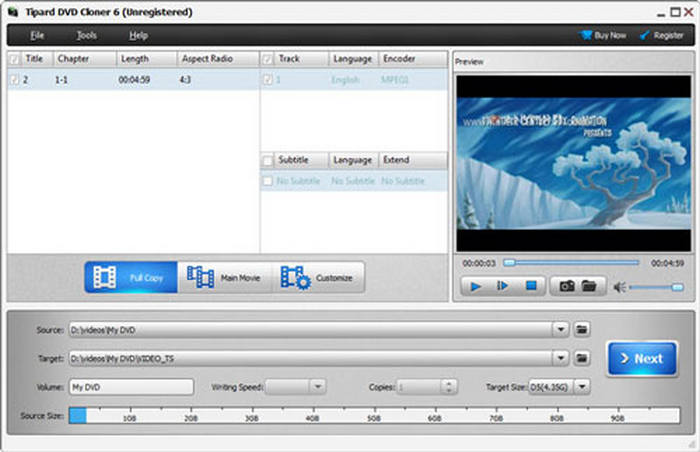
Step 2 Load the Source DVD
Click the File button on the top left side and then choose Select Source to load your source DVD disc.
Step 3 Select a Copy Mode
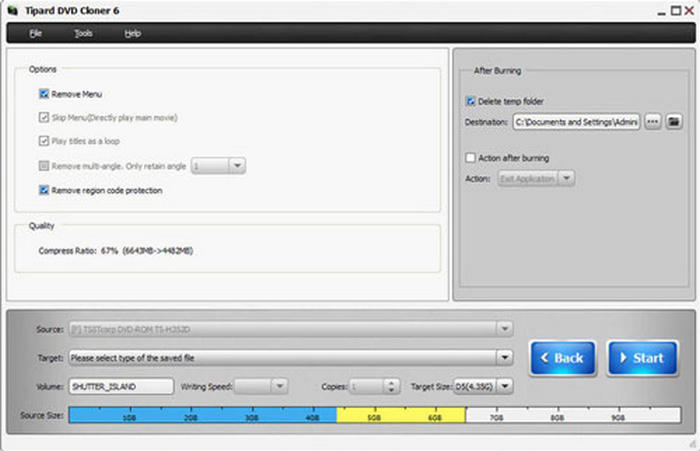
Click the Next button. Then, you will see three copy mode:
- Full Disc: Copy the whole DVD content.
- Main Movie: Only copy the main movie.
- Customize: Select your desired DVD content to copy.
Choose your desired copy mode and make further selection. Then, click the Next button.
Step 4 Start Copying DVD
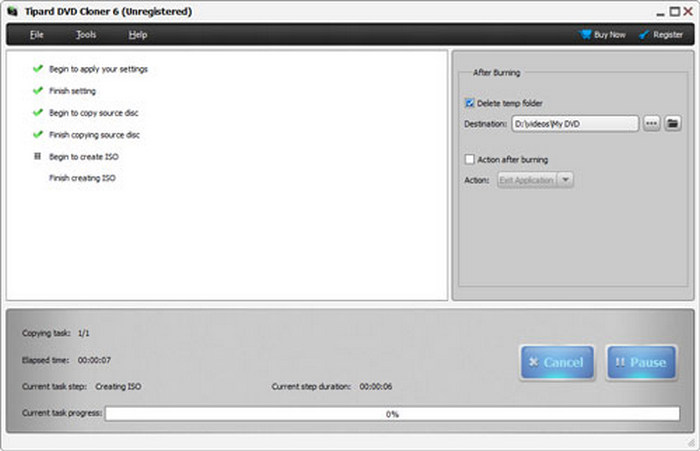
Finally, click the Start button to copy your DVD to the target DVD (or save as ISO image or DVD folder).
2. DVD-Cloner
Supported OS: Windows and Mac
Price: $299.99 for lifetime
Supported input formats: DVD disc
Supported output formats: DVD disc, ISO, folder, and videos
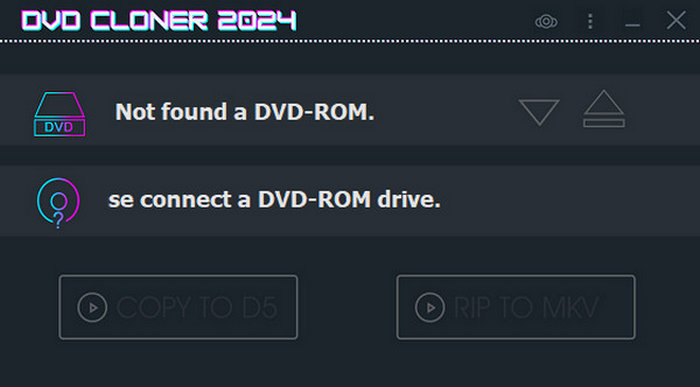
DVD-Cloner is a very powerful DVD copy software on Windows and Mac that can quickly copy a DVD. It has a simple and guiding interface that can help you operate easily. You can copy a DVD disc to another DVD disc, ISO, or DVD folder. This DVD copy software can also rip your DVD to video formats like MP4, MOV, MKV, etc.
Why DVD-Cloner is so expensive: Free tools are fine for home movies, but when dealing with encrypted discs, the hours spent troubleshooting errors cost more than a DVD-Cloner license. You're paying for a one-click guarantee.
- Support real 1:1 DVD copying.
- Offer full-DVD copy mode or customized copy mode.
- Keep updating to deal with new encryption methods.
- The free version limited and the price is high.
- It's difficult for new users to set it up after installation.
Testing Result
This DVD copy program can quickly detect my disc drive and DVD. Its copying process is also very stable. It's also very lightweight. The total CPU usage is only 31%.
3. DVDFab DVD Copy
Supported OS: Windows and Mac
Price: $84.99 for lifetime
Supported input formats: DVD disc, Blu-ray disc/ISO/folder
Supported output formats: DVD and Blu-ray disc/ISO/folder, and videos
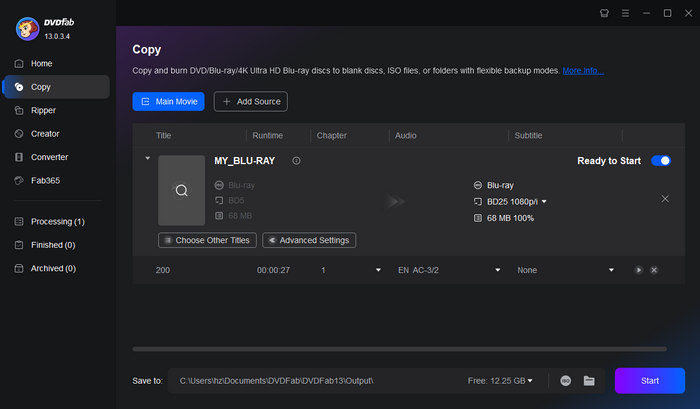
DVDFab is a popular DVD copy software. Although it's not a totally free program, you can use the free version with some limitations if that's acceptable. You can copy a DVD to another disc, ISO image, or a DVD folder. Moreover, this DVD-to-DVD copy software can copy Blu-ray discs, ISO, and folders. Although DVDFab is popular, when you use the program, you may encounter occasional crashes if your computer doesn't have high-end hardware settings.
- Support many copy modes.
- Change the DVD capacity between DVD-5 and DVD-9.
- The copy speed is very fast because of GPU acceleration.
- Support many new copy-protection methods.
- You may encounter crashes when using it.
- It doesn't support DVD ISO and DVD folder input.
Testing Result
DVDFab is a robust suite for disc management. It can quickly copy my DVD to a blank disc, ISO image, or Video_TS folder. However, when I use this program on a low-end PC, it usually lags and crashes.
4. Xilisoft DVD Copy
Supported OS: Windows and Mac
Price: $39.95 for lifetime
Supported input formats: DVD disc, ISO, folder
Supported output formats: DVD disc/ISO/folder
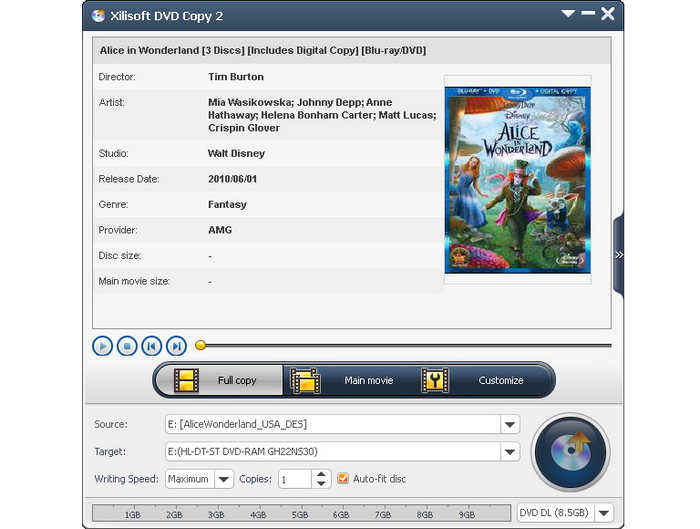
Xilisoft DVD Copy is a stable and powerful DVD copy software for Windows and Mac. You can copy a DVD/ISO/folder to another DVD/ISO/folder and even convert DVD-5 to DVD-9 or vice versa. This top-rated DVD copy software also offers multiple copy modes, such as full DVD copy and customized DVD copy. From our test, however, it doesn't perform well when dealing with newer DVD encryption methods.
- It's easy to use and can copy a DVD quickly.
- Batch copy multiple DVDs.
- Compress DVD-9 to DVD-5 or vice versa.
- Cannot copy protected DVDs.
- No advanced editing features.
Testing Result
This DVD copy software is not as satisfactory as the three ones above. However, it can still complete DVD copying on my PC. It usually fails to detect my disc drive, and I have to repeat so many times to start DVD copying.
5. DVD Shrink
Supported OS: Windows XP, 7, 8, 10, 11
Price: Free; they want user donations
Supported input formats: DVD disc, ISO, folder, video
Supported output formats: DVD disc/ISO/folder
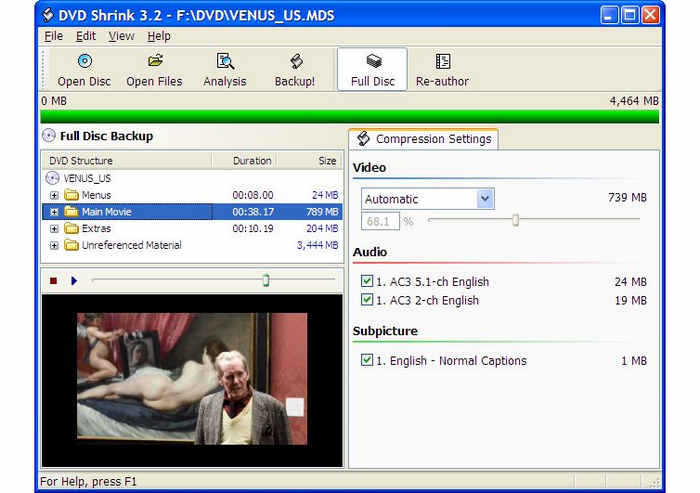
If you want a free DVD copy software for Windows XP or higher versions, DVD Shrink is your best choice. This program works well on old Windows versions like Windows XP. You can also run this free DVD copy software on Windows 11, but it may not work well due to low compatibility. It can copy DVDs, re-author DVDs, and even encrypt your DVD. If your computer runs old Windows versions, this free DVD copy software can be a good choice.
- Offer many advanced features like re-author and encrypt DVD.
- It's totally free.
- Support old Windows version like Windows XP.
- It may crash on Windows 11.
- It's difficult to download the official version.
Testing Result
DVD Shrink doesn't run stably on my Windows 11 PC. However, it can still perform a DVD copying process. Its user interface really needs to improve, as I cannot quickly figure out what on-screen options I should select to start copying my DVD.
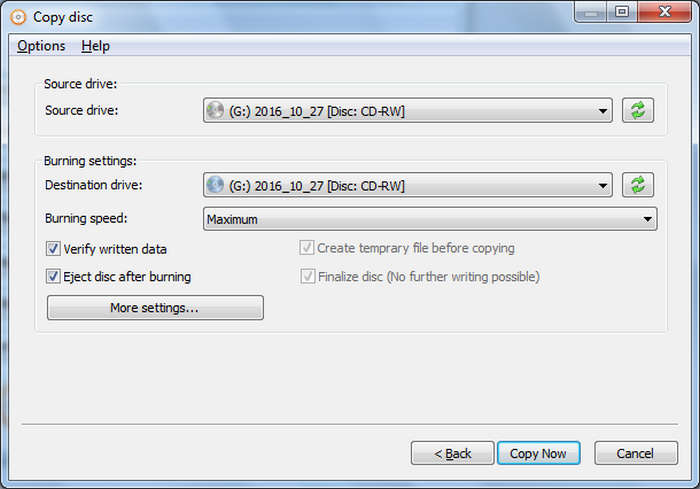
6. AnyBurn
Supported OS: Windows XP, 7, 8, 10, 11
Price: $39.95 for lifetime
Supported input formats: DVD disc, ISO, folder, video
Supported output formats: DVD, CD, Blu-ray, including ISO, and folder
AnyBurn is also a fantastic DVD copy software on Windows. Although its primary function is to burn CDs, DVDs, and Blu-rays, you can still use it to copy a DVD to another DVD, ISO, or folder. However, it still cannot copy-protected DVDs, and you cannot customize the copy mode. This DVD copy software is a straightforward disc-to-disc copy tool.
- It's lightweight and supports many formats.
- Copy DVD, CD, and Blu-ray.
- The copy speed is very fast.
- Cannot copy a protected DVD.
- Cannot customize the copy mode.
Testing Result
AnyBurn is very lightweight. It can quickly and silently copy my DVD in the background. I encounter no problems during the workflow. I can even continue my 4K video editing in the background.
7. CDBurnerXP
Supported OS: Windows XP, 7, 8, 10
Price: Free
Supported input formats: DVD disc, ISO, folder, video
Supported output formats: CD, DVD disc, ISO, and folder
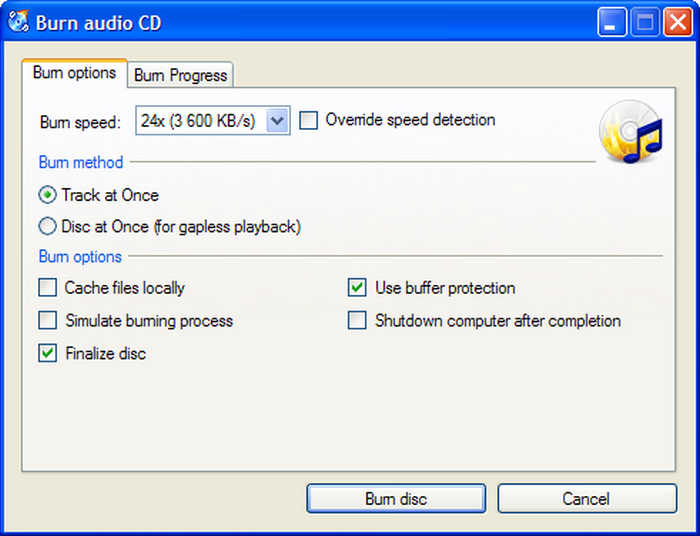
CDBurnerXP remains a go-to choice for users seeking a completely free, lightweight solution for DVD to DVD copy. While its name hints at its legacy support for Windows XP, you can still use it on Windows 11 (64-bit) with some limitations. Primarily a burning suite, it excels at 1:1 data disc copying and creating ISO images from existing DVDs or CDs.
However, you should note that CDBurnerXP is not a ripper in the traditional sense; it cannot decrypt copy-protected commercial movies. For non-protected media and data backups, this DVD copy software offers a clean, ad-free interface that outperforms many paid competitors, though legacy hardware users may experience occasional stability issues on the latest OS builds.
- It's free without a subscription or a free version limit.
- Copy DVDs and CDs to another disc, ISO, or folder.
- Work well on old Windows versions like Windows XP and Windows 7.
- It can only fully copy a DVD.
- Cannot copy a protected DVD.
Testing Result
The software proved that age hasn't slowed down its core functionality. While the interface feels like a relic of the Windows XP era, the sector-by-sector verification engine can still perform accurate DVD copying and backup. However, it's still recommended to use this DVD copy software on an old Windows PC.
8. WinX DVD Copy Pro
Supported OS: Windows XP, 7, 8, 10, 11
Price: $42.95 for lifetime
Supported input formats: DVD disc, ISO, folder, video
Supported output formats: DVD disc, ISO, and folder
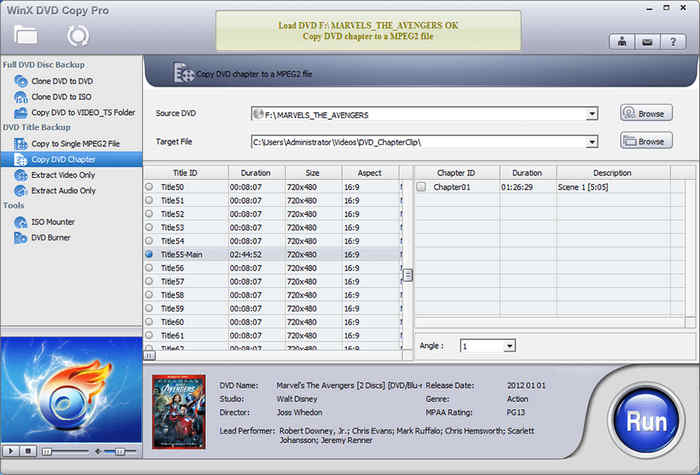
WinX DVD Copy Pro is an excellent paid DVD copy software. It supports many copy modes. You can copy the full DVD to another disc, ISO, or folder. You can also extract your desired DVD content for backup and DVD copying. By using sector-by-sector disc copy mode, WinX DVD Copy Pro can also copy a scratched DVD.
- Offer many copy modes to customize the DVD copy process.
- Copy scratched DVDs.
- Support encrypted DVDs..
- Utilize GPU acceleration to speed up the copying process.
- It may not work well on Windows 11.
- No DVD shrinking feature.
Testing Result
WinX DVD Copy Pro is very powerful. I can quickly copy my disc and back it up as an ISO image. Although this program is not lightweight, it runs silently in the background. I can finally get good and playable DVD content.
9. Freemake DVD Copy
Supported OS: Windows 11, 10, 8, 7, Vista
Price: $59.95 for lifetime
Supported input formats: DVD disc, ISO, folder, video
Supported output formats: DVD disc, ISO, and folder
Freemake can help you copy DVDs. This free DVD copy software can copy a DVD to another disc, ISO, or DVD folder. You can also choose your desired DVD content or directly copy the full DVD. Moreover, it can also convert DVD-5 to DVD-9 or vice versa.
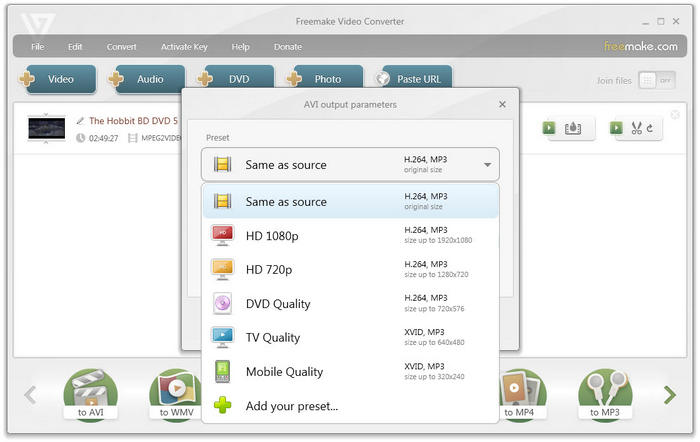
Note: When you download and install Freemake DVD Copy, you'll find that it's actually Freemake Video Converter. This program is a suite that has many different features. Also, the workflow is quite the same: add input (DVD) and then convert it to a desired output format(DVD).
- Copy DVD to disc, ISO, and folder.
- Compress a DVD from DVD-9 to DVD-5, or vice versa.
- Support full copy mode or customized copy mode.
- It cannot copy protected DVDs.
- The copy speed is slow.
Testing Result
Freemake can quickly perform DVD copying. However, its interface is not that friendly for customization. I need to read the panel carefully to find custom copy and ISO output options.
10. BurnAware
Supported OS: Windows Vista, 7, 8, 10, 11
Price: $39.95 for lifetime
Supported input formats: DVD disc, ISO, folder
Supported output formats: DVD disc, ISO, and folder
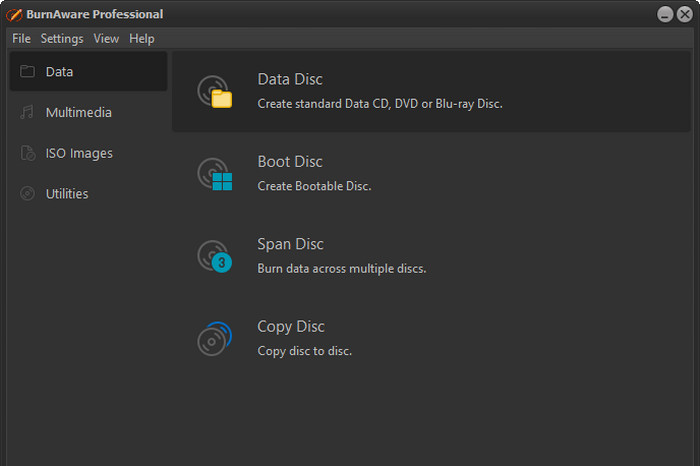
BurnAware is a popular free DVD copy software that can copy data and video DVDs to another DVD disc, ISO, or folder. If you want to copy a Windows OS boot disc, then this free DVD copy program is dedicated to you. Moreover, you can recover data from scratched and unreadable discs with BurnAware. However, this program doesn't support bypass copy protection on your DVDs.
- Copy data and video DVDs.
- Quickly copy the full DVD to another disc.
- Support ISO and folder outputs.
- Work fast and stable on newer Windows versions.
- Cannot re-author DVD or choose your desired DVD content.
- Cannot copy protected DVDs.
Testing Result
BurnAware can take very low CPU usage. It can perform steady and accurate copying or backup when I'm using other large programs. However, its copying speed is not that satisfactory.
Part 4: FAQs of DVD Copy
Does CVS make DVD copies?
Yes, CVS can make DVD copies, but only for personal, unprotected home movies and family media. They cannot make copies of commercial, copy-protected movie or television DVDs due to copyright laws.
What is the best way to copy a DVD?
The best way to copy a DVD is to use a DVD copy software that can bypass encryptions and region codes. You can use Tipard DVD Cloner to easily copy any DVD.
Does Walmart make copies of DVDs?
Yes, Walmart can make copies of DVDs, but like CVS, they strictly handle unprotected, personal home movies and family media. They will not copy commercial movies, TV shows, or copy-protected discs due to copyright restrictions.
Conclusion
With the 10 best DVD copy software options listed above, you can easily pick the one that best fits your needs. But if you are looking for the most versatile tool that can effortlessly copy protected DVDs, Tipard DVD Cloner is your best bet. Thanks to its powerful GPU acceleration, it delivers lightning-fast copying speeds while running smoothly and stably on Windows 11 and older OS versions.

Copy DVD to another DVD disc, ISO, or folder
100% Clean & Safe
100% Clean & Safe

More Reading



About the Author

 Click here to join the discussion and share your comments
 Tipard DVD Cloner