

- Part 1. Shortlist of 7 Best Free DVD Burning Software
- Part 2. How We Tested the Free DVD Burning Software
- Part 3. Side-by-Side Comparison of the 7 Free DVD Burners
- Part 4. Review of the Top 7 Free DVD Burning Software
- Part 5. What Is the Best DVD Burning Software
- Part 6. FAQs of Free DVD Burning Software
You do not want to spend money just to burn a DVD. That is why you are looking for a free option. But the question is simple. Is there really free DVD burning software?
The answer is yes. And right in this post, you will discover seven of the best options. Do not waste any of your time; please scroll down and check which one fits your needs and standards.
- Part 1. Shortlist of 7 Best Free DVD Burning Software
- Part 2. How We Tested the Free DVD Burning Software
- Part 3. Side-by-Side Comparison of the 7 Free DVD Burners
- Part 4. Review of the Top 7 Free DVD Burning Software
- Part 5. What Is the Best DVD Burning Software
- Part 6. FAQs of Free DVD Burning Software
Part 1. Shortlist of 7 Best Free DVD Burning Software
There are many free tools you can use if you need to burn DVDs for videos, music, or files. These free DVD burning software are simple, and most of them work even on older computers.
1. BurnAware: Burn DVDs, CDs, and Blu-ray discs with an easy layout.
2. DVDStyler: Create video DVDs with custom menus simply.
3. Tipard DVD Creator: Turn videos into DVDs, add easy menus, and do immediate basic editing before burning.
4. CDBurnerXP: Burns data and audio discs with simple steps.
5. WinX DVD Author: Made for video DVDs that support subtitles and simple menu creation.
6. AnyBurn: Burns discs and also helps create ISO files easily.
7. DeepBurner: A basic DVD burning program that is good for simple tasks like data and audio discs.
Part 2. How We Tested the Free DVD Burning Software
Before choosing the best free DVD burning software, we tested each program in the same setup to keep the results fair and accurate.
Testing Environment
We used a Windows computer, a DVD drive, blank DVDs, and the same video files for every test.
Testing Methods
We installed each program and burned videos to a DVD. We also checked how easy the program was to use and how well the burning process worked.
Verification
After burning, we played each DVD on a computer and a DVD player. We checked if the videos played smoothly and if the DVD worked properly.
Authentication Announcement
Our team completed all tests using the official versions of BurnAware, DVDStyler, Tipard DVD Creator, CDBurnerXP, WinX DVD Author, AnyBurn, and DeepBurner. The results are based on actual testing and hands-on experience.
Part 3. Side-by-Side Comparison of the 7 Free DVD Burners
This section presents a side-by-side comparison of the seven free DVD burners to help you immediately see which one stands out.
| Free DVD Burners | Key Use | DVD Menus | Video Editing | Subtitles & Audio Tracks | Supported Operating System |
|---|---|---|---|---|---|
| BurnAware | CD, DVD, Blu-ray, and ISO burning. | ✗ | ✗ | ✓ | Windows only. |
| DVDStyler | DVD video authoring and menu creation. | ✓ | ✗ | ✓ | Windows and Linux. |
| Tipard DVD Creator | DVD, Blu-ray, ISO, folder creation from MP4, MKV, AVI, MOV, WMV. | ✓ | ✓ | ✓ | Windows and Mac. |
| CDBurnerXP | CD, DVD, Blu-ray, ISO burning and creation. | ✗ | ✗ | ✓ | Windows only. |
| WinX DVD Author | Video to DVD burning with menu tools. | ✓ | ✓ | ✓ | Windows only. |
| AnyBurn | Data, audio CD, ISO, and Blu-ray burning. | ✗ | ✗ | ✓ | Windows only. |
| DeepBurner | CD/DVD burning and ISO creation. | ✗ | ✗ | ✓ | Windows only. |
| Show MoreShow Less | |||||
Part 4. Review of the Top 7 Free DVD Burning Software
1. BurnAware
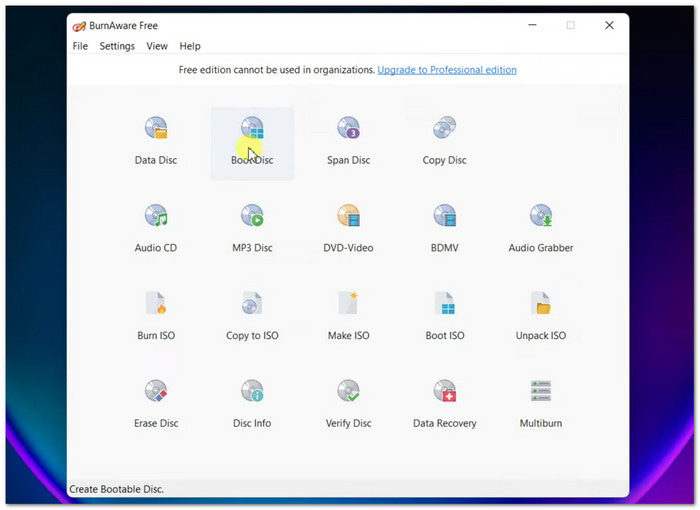
BurnAware is a flexible, free-to-use DVD burner program made for both simple and advanced users. It supports CD, DVD, Blu-ray, and ISO tasks. It also handles backup, copying, and large disc formats for different storage needs.
Key Features:
- Burns CD, DVD, Blu-ray discs.
- Creates ISO image files.
- Supports M-Disc and BDXL.
- Copies and verifies discs.
- Supports many disc types.
- Stable burning performance.
- Limited advanced DVD editing.
Testing Result:
BurnAware worked well during testing. It burned DVDs smoothly. The output disc played correctly on both the computer and the DVD player. It was really simple and stable to use.
2. DVDStyler
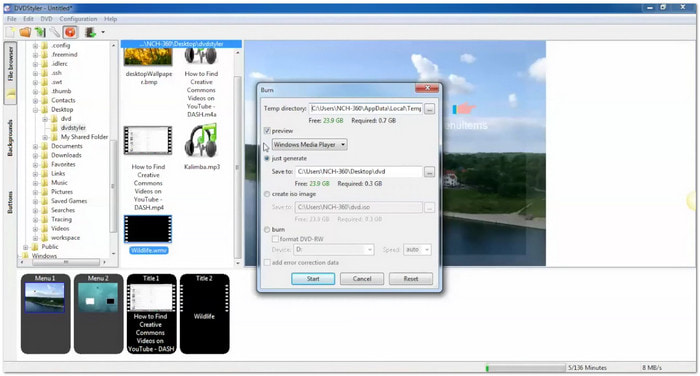
DVDStyler is a creative, free DVD authoring software built for users who want custom menus and interactive DVD design. It helps turn videos into playable DVDs with layouts and navigation features.
Key Features:
- Works as a DVD menu creator.
- Supports many video formats.
- Adds audio and subtitles.
- Drag and drop editing.
- Strong menu customization.
- Good format support.
- Interface feels outdated.
- Takes time to learn.
Testing Result:
DVDStyler successfully created DVDs with menus. The disc played well on a standard DVD player. Menu navigation worked properly during testing.
3. Tipard DVD Creator
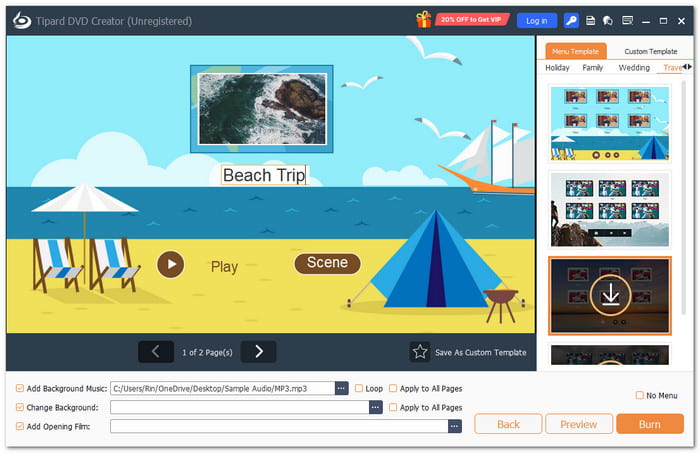
Tipard DVD Creator is a top free DVD burning software for fast disc creation. It offers a Fit-to-Disc feature that fits videos to disc size with no clarity loss. It also supports MP4, MKV, AVI, MOV, WMV, FLV, MP3, AAC, and more input formats. Moreover, it creates DVD, Blu-ray, ISO, and folder, and supports DVD-R, DVD+R, BD-R, BD-RE for wide playback.
Key Features:
- Make DVD/Blu-ray from MP4, MKV, AVI, and MOV.
- Merge or split chapters.
- Customize menu, buttons, text, music, and images.
- Rotate, clip, crop, effects, and watermark.
- Smooth user experience.
- Preview before burning.
- Fast DVD creation speed.
- Paid plan needed for extra menu templates.
Testing Result:
Tipard DVD Creator performed well in testing. It burned discs fast and stayed stable. Video clarity stayed clear. Menu tools were easy to use, and output was consistent.
4. CDBurnerXP
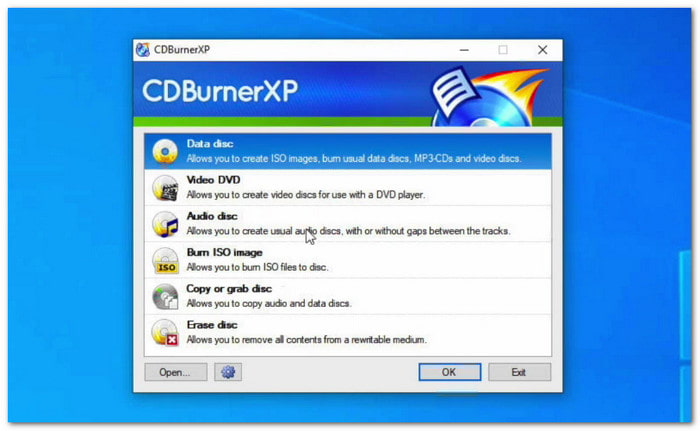
CDBurnerXP is a free DVD burning software for Windows 10 that handles data, audio, video, and ISO files. It is known for being free and ad-free while still offering strong burning features.
Key Features:
- Burns CDs, DVDs, Blu-ray.
- Creates ISO files.
- Supports bootable discs.
- Verifies burned data.
- No ads or spyware.
- Works on most Windows computers.
- Basic interface design.
- Lacks DVD menu features.
Testing Result:
CDBurnerXP worked reliably in tests. It burned discs without errors. The DVD played correctly on both the computer and the standalone player.
5. WinX DVD Author
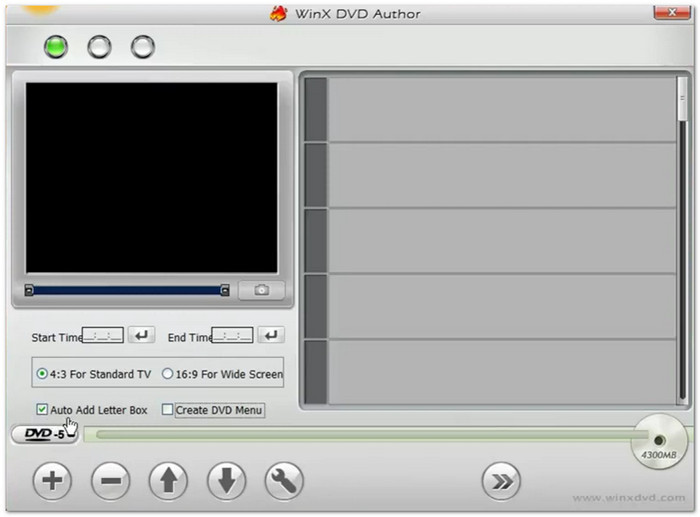
WinX DVD Author is a free program for DVD burning made for converting videos into DVDs. It supports menus, subtitles, and immediate burning with an easy workflow.
Key Features:
- Converts video to DVD.
- Adds DVD menus.
- Supports subtitles.
- Supports many video formats.
- No watermark output.
- Fast-burning process.
- Windows only.
- Limited advanced tools.
Testing Result:
WinX DVD Author created working DVDs during testing. Video playback was smooth. Menu and subtitle features worked as expected on DVD players.
6. AnyBurn
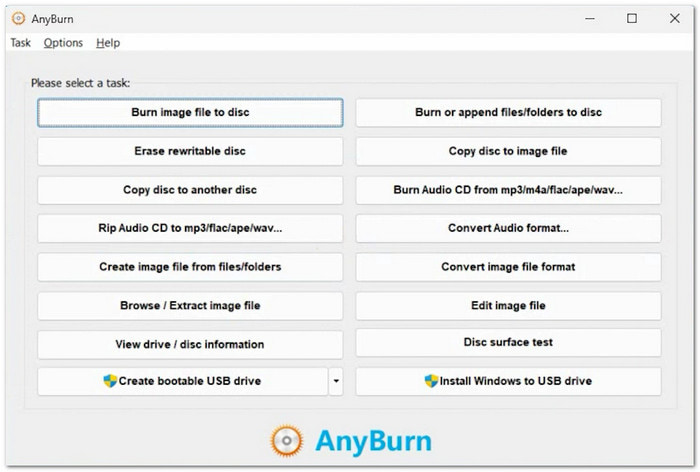
AnyBurn is a lightweight disc program that focuses on fast burning and ISO handling. For versatile use, it also facilitates file conversion and USB boot creation. It works as a free DVD burning software for Windows 11.
Key Features:
- Burns CD, DVD, Blu-ray.
- Creates and extracts ISO.
- Supports audio CD creation.
- USB bootable drive tool.
- Very light program.
- Supports many file tasks.
- Simple interface only.
- No DVD menu features.
Testing Result:
AnyBurn completed DVD burning without issues. The output disc worked properly. It was fast and stable during the test process.
7. DeepBurner
DeepBurner is a classic free DVD authoring program that focuses on data discs, backups, and ISO creation. It also supports DVD authoring through its DeepDVD Movie feature.
Key Features:
- Burns CD and DVD data.
- Creates ISO images.
- DVD movie authoring tool.
- Disc backup features.
- Good for basic disc burning.
- Supports disc backup.
- Old-looking interface.
- Few updates now.
Testing Result:
DeepBurner successfully burned test DVDs. Playback was stable on both the computer and the DVD player. Performance was basic but reliable.
Part 5. What Is the Best DVD Burning Software
Your needs will determine which free DVD burning program is best for you. Certain tools are easy to use and cost nothing. Others have a more sophisticated menu and editing tools. Tipard DVD Creator is the best overall after testing. Both novices and experts will find it easy to use.
Free vs. Paid DVD Burner
Free DVD Burners
Free DVD burners are made for basic disc burning like CDs, DVDs, Blu-rays, and ISO files. They usually have few editing tools and simple or no menu options. These are good for simple backup and easy burning tasks. Examples are BurnAware, CDBurnerXP, AnyBurn, and DeepBurner.
Paid DVD Burners
Advanced DVD and Blu-ray authoring tools are available with paid DVD burners. For improved control, they have integrated video editing tools. They also enable fully customized menus with enhanced design choices. They typically offer greater output clarity and quicker burning speeds.
Part 6. FAQs of Free DVD Burning Software
What makes an ISO file different from a Video DVD?
An ISO file is a single disk image. It stores all DVD data in one file. You burn it as a full copy of a disc. A Video DVD uses folders like VIDEO_TS and AUDIO_TS. It is made to play directly on DVD players.
Why do I get a "Not Enough Space" error on a blank DVD?
A normal DVD holds about 4.7 gigabytes or around 120 minutes of video. If your files are bigger, the disc will not fit. You can use a Dual-Layer DVD with 8.5 gigabytes of space. You can also use compression or "fit to disc" settings.
What are the four main kinds of DVDs?
DVD-R is a write-once disc. You cannot erase it after burning. It is highly compatible with most DVD players. DVD+R is also write-once but offers faster burning and good compatibility with newer devices. DVD-RW is rewritable. You can erase and burn it many times. DVD+RW is also rewritable and gives better editing control and flexible recording.
Conclusion
No matter if you use BurnAware, DVDStyler, Tipard DVD Creator, CDBurnerXP, WinX DVD Author, AnyBurn, or DeepBurner, each free DVD burner helps you make discs in different ways.
But if you want a more complete and easier program, Tipard DVD Creator will give better results. It supports editing, menus, and many formats in one place.

Burn and author media files to DVD disc, ISO, and folder
100% Clean & Safe
100% Clean & Safe

More Reading

About the Author

 Click here to join the discussion and share your comments
 Tipard DVD Creator