

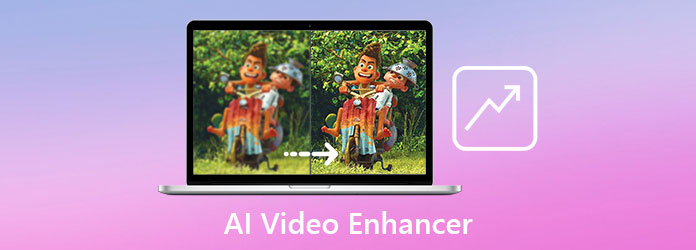
Searching for an excellent AI video enhancer? Well, these kinds of tools are ideal if you want to improve the quality of your videos instantly. It can even help you make the output clearer, detailed, and crisper. In addition, by enhancing your videos, you can perfectly reduce the shakiness, noise, blur, and more. So, if you are looking for the best video enhancer, see this post as we offer all the tools you need. Thus, read here and explore more.
Part 1. Comparison of the Best 7 AI Video Enhancers
Do you want to take a peek at the best AI video enhancers that can help you upscale your videos? Then, you can check the simple comparison table below.
| AI Video Enhancers | Ease of Use | Speed and Performance | Format Support | Pricing Model |
|---|---|---|---|---|
| Tipard Video Converter Ultimate | Simple | Fast | MP4, MKV, AVI, MOV, VOB, WMV, M4V, and more. | Free |
| HitPaw VikPea | Simple | Moderate | MP4, AVI, MOV, MKV, etc. | Subscription-based |
| PowerDirector | Complicated | Fast | MOV, MP4, AVI, FLV, etc. | Subscription-based |
| Adobe Premiere Pro | Complicated | Fast | MP4 (H.264), MOV (QuickTime), AVI, MXF, MPEG-2, HEVC (H.265), WMV, and more. | Free + Premium |
| AVCLabs Video Enhancer AI | Simple | Standard | MP4, AVI, and MKV | Subscription-based |
| Topaz Video AI | Complicated | Fast | MP4 (H.264/HEVC), MOV (ProRes), AVI, MKV, etc. | One-time purchase |
| Vivid Glam | Simple | Fast | Primarily MP4 and MOV. | Subscription-based |
| Show MoreShow Less | ||||
Part 2. Review of the Top 7 AI Video Enhancers in 2026
See this section and explore all the best AI video enhancers.
1. Tipard Video Converter Ultimate
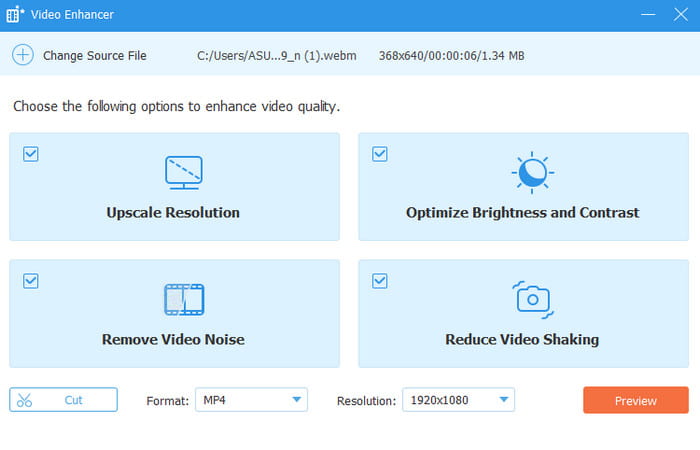
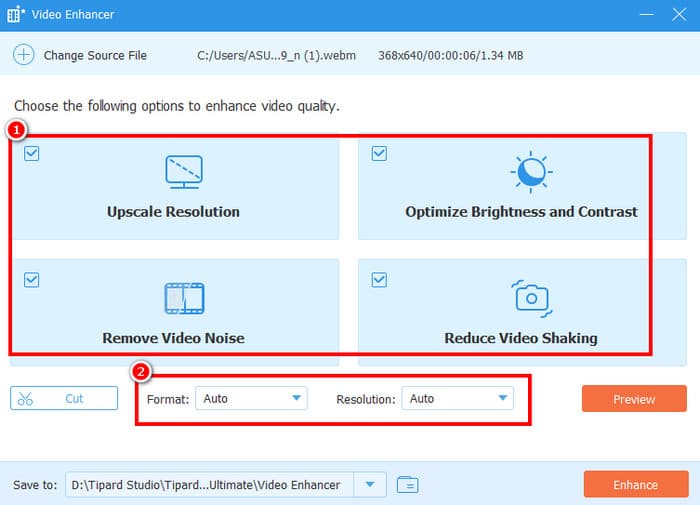
Are you looking for a free AI video enhancer? In that case, we recommend using Tipard Video Converter Ultimate. With this AI-powered video enhancer, there is no doubt that you can get the result you need since it can improve the quality of your videos. During the video enhancement process, the tool can automatically remove the video noise, correct the video color, upscale the resolution, and remove the shakiness of the video. The best part here is that you can even manually insert your preferred video resolution. You can also save/keep the final video to various formats, including MP4, AVI, WMV, MKV, and more. Thus, to get a better version of your video, consider using this program.
Why We Select this Program?
We recommend using this video enhancer since it can offer all the features you need to get the best video output. What makes it more ideal is that it can provide other features that can edit your file. You can access video cropper, trimmer, rotator, converter, and more. This is, if you need an all-in-one video editor and enhancer, using Tipard Video Converter Ultimate is a nice choice.
2. HitPaw
Best for: Users seeking affordability and simplicity.
Features:
- The program can offer advanced stabilization.
- It supports an 8K upscaling feature.
- The software can offer a customizable export.
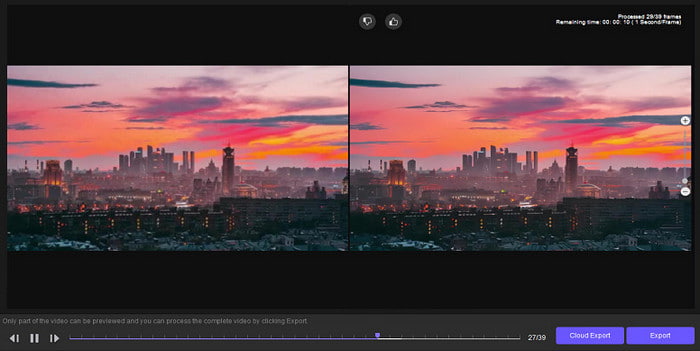
HitPaw is another helpful tool you can rely on to improve the quality of your video. With its AI-powered technology, you can upscale your video for better video playback.
- The tool is simple to access.
- It has a free version to check its capabilities.
- It is suitable for Mac and Windows.
- The full feature is available on the paid version.
3. PowerDirector
Best for: Video enhancement and editing.
Features:
- Enhance video quality with AI technology.
- It supports comprehensive editing and export options.
- It can offer both advanced and basic video editing tools.
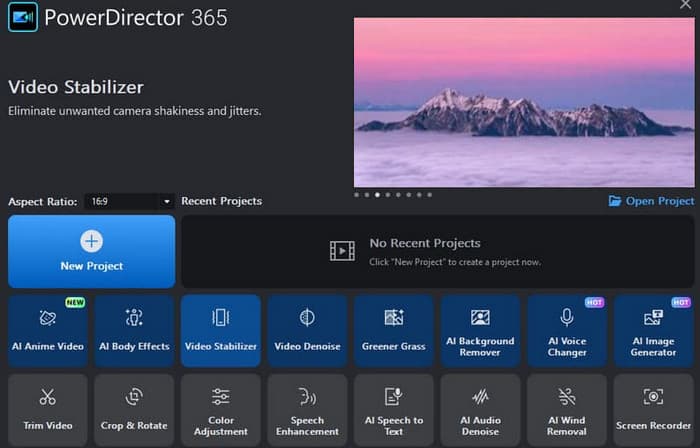
If you prefer an advanced AI video-enhancing software, look no further than PowerDirector. This program is perfect if you want to ensure to get the quality you want. It can even give you all the features you need to edit the overall appearance of your video.
- The layout has various advanced tools perfect for professionals.
- It can handle various video formats.
- It lets you improve the video quality on iOS and Android.
- The main layout might be confusing to some users.
4. AVCLabs Video Enhancer AI
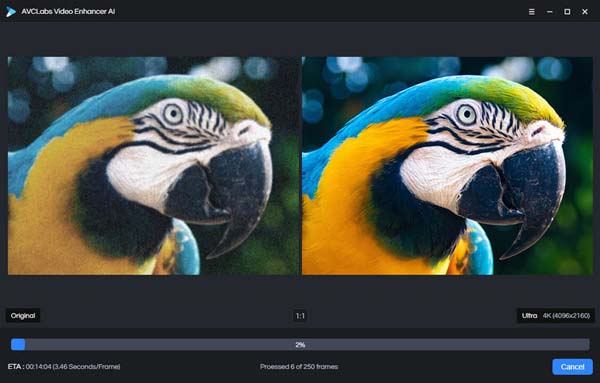
Best for: Video upscaling and face recognition.
Features:
- It can automatically reduce the grains using AI Video Denoise.
- It can blur faces for privacy.
- The black and white colorizer is available.
AVCLabs Video AI is among the programs you can access for the facial recognition feature. With its motion tracking and facial recognition combination, there is no doubt that getting your preferred result is a possible task.
- The video enhancer is simple to navigate.
- It has a fast video enhancement process.
- It requires a high-spec computer for better performance.
5. Topaz Video AI
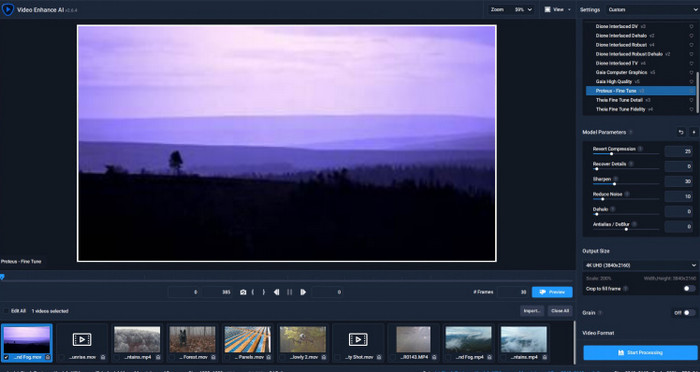
Best for: Video upscaling and adjusting video playback speed.
Features:
- Enhance various types of videos, such as anime, normal videos, vlogs, and more.
- It supports AI-powered technology for instant results.
- It can offer an intuitive layout.
Another AI video enhancer for PC that you can access is Topaz Video AI. When it comes to sharpening the video quality, there is no doubt that this software is ideal since it ensures to improve your video for up to 16K, resulting in better video playback.
- The program can offer a high level of accuracy.
- It can offer various video editing tools.
- The program is resource-intensive.
6. Adobe Premiere Pro
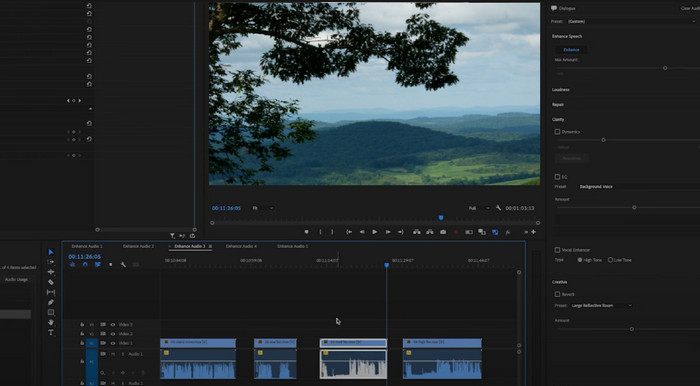
Best for: Advanced video editing and enhancement.
Features:
- It can offer all the best video editing tools for an effective video editing process.
- The Color Grading feature is accessible.
- Save the video with the best quality.
Adobe Premiere Pro is a subscription-based video editor that you can install on your PC to enhance your videos. What we like about this tool is that you can choose your preferred resolution and access various features for overall video enhancement.
- The color correction tool is on a professional level.
- The program has a fast rendering process.
- The main interface of the program is complicated.
- It needs a subscription to access the video enhancer and editor.
7. Vivid Glam
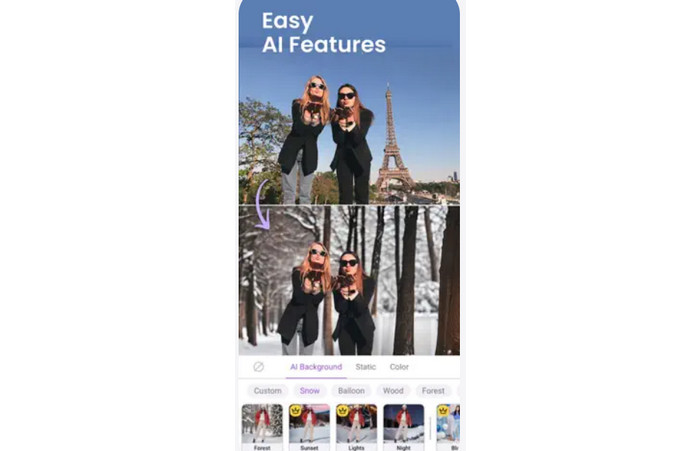
Best for: Ideal for face enhancement.
Features:
- It can upscale videos smoothly.
- The auto color correction feature is available.
- It can offer various styles for an engaging result.
For an effective AI video enhancement procedure, we also suggest using Vivid Glam. This app is ideal since it can give you various tools that can help you improve the video, such as color correction, video enhancement, and more. It is also simple to utilize, making it perfect for non-professional users.
- The user interface is straightforward.
- It can offer impressive AI effects.
- It is only available on iOS devices.
Part 3. How We Test Those AI Video Enhancers
See here and get more insights on how we test the best AI video enhancement tools.
- Video Selection - We use a mix of grainy, low-resolution, and compressed clips to see how well each tool enhances different types of clips.
- Enhancement Features - We test sharpening, noise reduction, upscaling, color correction, and motion smoothing to evaluate performance.
- Ease of Use - We check how simple the interface is, how fast the workflow feels, and whether beginners can use it without a steep learning curve.
- Processing Speed - We measure how long it takes to enhance videos, comparing quick edits versus longer, high-quality renders.
- Output Quality - We review the final video for clarity, detail, color accuracy, and whether it looks natural or overly processed.
- Compatibility - We test across different formats (MP4, MKV, FLV, MOV, AVI, etc.) and devices (desktop, mobile) to ensure flexibility.
- Cost vs. Value - We consider whether the features justify the pricing, including free vs. premium versions.
Part 4. How to Use an AI Video Enhancer
Do you want to learn how to enhance your video? Then, you can check the methods below as we teach you how to enhance your videos using Tipard Video Converter Ultimate.
Step 1 Install Tipard Video Converter Ultimate by hitting the Free Download buttons below.
Step 2 Then, from the user interface, proceed to the More Tools section and click the Video Enhancer feature.
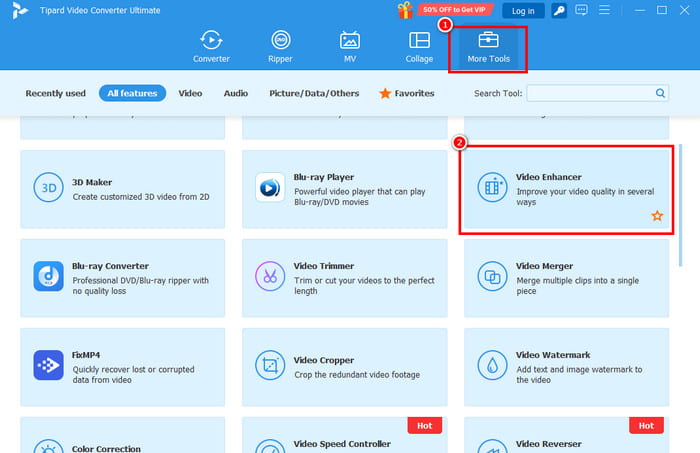
Then, tick the + button to add the video you want to improve.
Step 3 After adding the video, you can start clicking the boxes from the interface. You can also choose/select your preferred format and resolution.
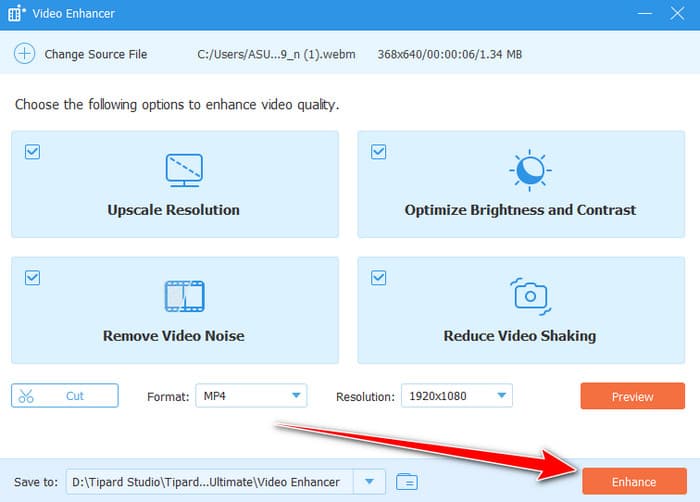
Step 4 Finally, tap the Enhance button below to start enhancing your video.
Conclusion
With these best AI video quality enhancers, you can ensure that you can improve the quality of your videos effectively. You can even access some video editing features to improve the overall appearance of your clips. Plus, if you need the most reliable and powerful video enhancer that is suitable for all users, we suggest using Tipard Video Converter Ultimate. This program can give you the best quality for your video, making it astounding as a video enhancer.
More Reading



About the Author

 Click here to join the discussion and share your comments
 Tipard Video Converter Ultimate