

Audio issues tend to be seen through lossless formats. FLAC files disclose low decoding and bad playback capability. These problems interrupt listening and increase system load. The right FLAC player creates quality sound with consistent functionality across devices. It is advisable to know how each of the options is applied in real life so as to avoid errors. In this article, a straightforward comparison of top tools is used at the start of the process, then it proceeds to explicit reviews, and finally, the concise answers to general queries will lead to the final decision.

Part 1: Comparison of the Top 7 FLAC Players
Choosing the right music player that plays FLAC can be challenging because each option offers different features, audio quality, and platform support. The table below provides a clear overview of the top 7 players, highlighting their strengths in library management, advanced features, ease of use, supported platforms, and audio performance.
| Features | Library Management | Advanced Features | Ease of Use | Platform Supported | Audio Quality |
|---|---|---|---|---|---|
| Tipard Blu-ray Player | Playlist support and easy organization | Track switching, stereo mode, output device selection | Easiest | Windows and Mac | Most Excellent |
| VLC Media Player | Basic library support | Simple audio adjustments | Easy | Windows, Mac, Android, and iOS | Good |
| Foobar2000 | Advanced tagging, custom layouts | Low resource usage, detailed controls | Average | Windows | Good |
| Vox Music Player | Fast library scanning | Playlist management | Easy | Mac | Good |
| MusicBee | Smart playlists, customizable views | Library sorting and filtering | Easy | Windows | Good |
| Poweramp | Quick library scanning | Advanced equalizer, sound tuning | Easy | Android | Good |
| Onkyo HF Player | Library browsing | Sound tuning for headphones and external devices | Easy | iOS | Good |
| Show MoreShow Less | |||||
Part 2: Review of the Top 7 FLAC Players on Desktop and Mobile
Finding the best FLAC player software can be challenging, as each option offers different features and platform support. The following reviews summarize the top 7 players, showing how they handle lossless audio, library management, and usability.
1. Tipard Blu-ray Player
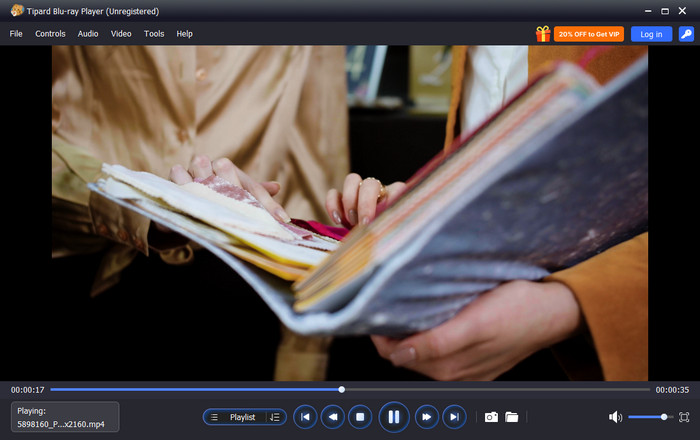
Tipard Blu-ray Player is a reliable FLAC player software that delivers precise, lossless audio playback on desktop systems. It maintains all the details without any artifacts or stutters. The integrated playlist supports an easy array of big music libraries. Audio tracks can be switched, stereo modes can be adjusted, and the output device can be chosen, making it appropriate with external speakers or a high-end audio setup.
It has a clean interface that is responsive and easy to navigate without making it seem like a professional audio review, so it can be used both by someone to listen to music and by someone to assess audio critically.
2. VLC Media Player
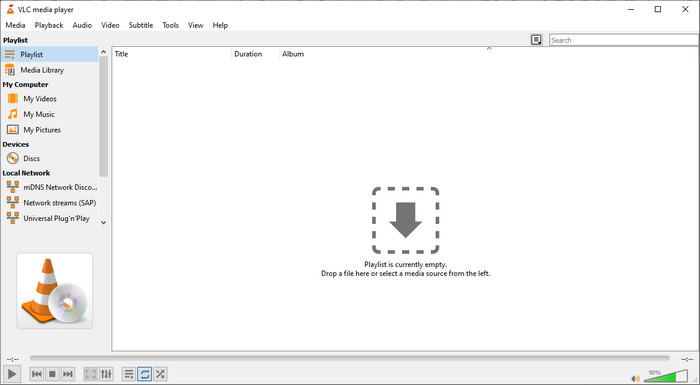
VLC Media Player is one of the most versatile players that play FLAC on desktop and mobile platforms. It is capable of playing lossless files without the need to use extra codecs and high-bitrate audio without any discontinuities. Simple audio settings are not complicated to locate, and performance is consistent across several operating systems. Although the interface is general-purpose, VLC is reliable to provide users with it as a well-playing and long-term solution, and, therefore, it is a reliable choice when needed.
3. Foobar2000
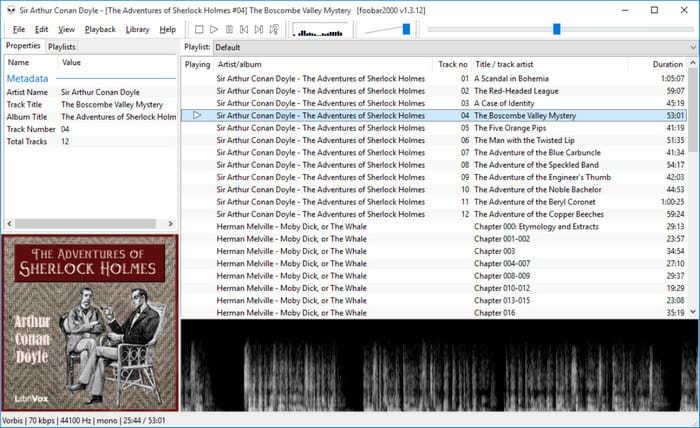
Foobar2000 is a lightweight and precise FLAC music player designed for advanced control. It consumes a few system resources, with large libraries. Further tagging and sorting, and layout customization enable users to create collections in the manner they require. The player is slow to configure, but once configured, it provides reliable, quality playback. Its technical capabilities render it applicable to users who focus on high-quality audio playback and elaborate library management on desktops.
4. Vox Music Player
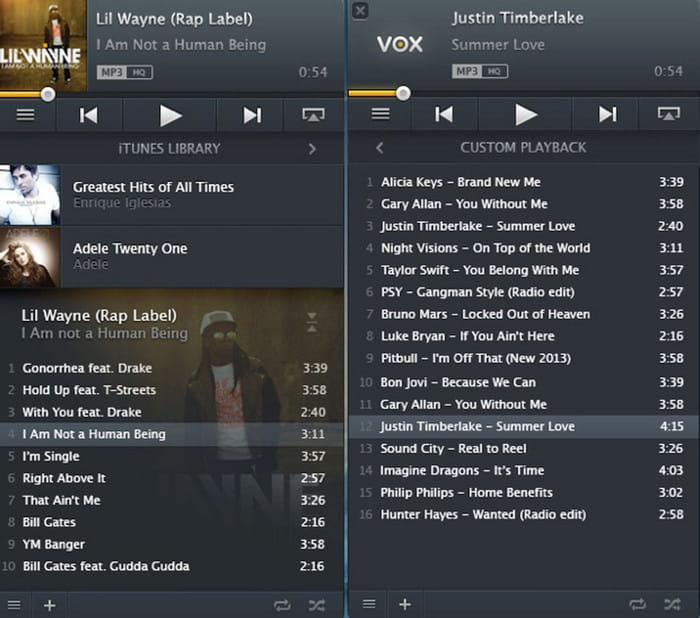
Vox Music Player is a premium FLAC player for Mac solution focused on high-quality audio and modern design. It supports high-resolution playback and integrates seamlessly with macOS system audio settings. The scanning of libraries is a quick process, and the management of playlists is easy. The bare bones interface minimizes distractions when listening to music. Basic playback functionality is consistent, though certain more advanced features need a paid subscription, and users of the macOS platform can rely on a great listening experience with clarity and ease of use.
5. MusicBee
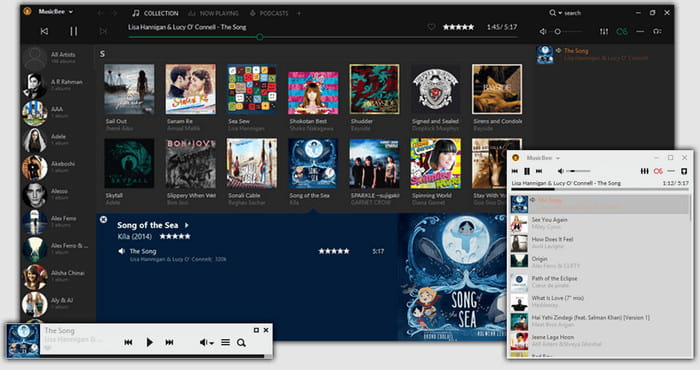
MusicBee is considered one of the best FLAC player options for Windows users. Even when the collections are large, performance is not affected, and the interface can be customized without instability. Its accuracy in delivering audio and its customizable structure make it a good option in terms of managing libraries over the long term and listening to high-quality audio on desktop computers.
6. Poweramp
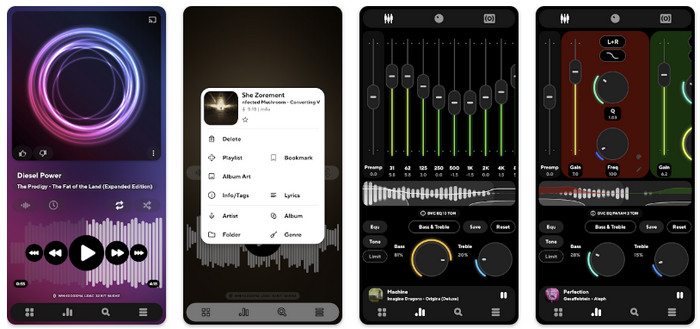
Poweramp is a highly configurable FLAC player Android app optimized for mobile listening. It provides high-resolution audio and clean sound, and it has a fine-tuning equalizer to shape the sound. The scanning of libraries is quick, and navigation is not affected by the size of the collection. Long listening sessions are well controlled in terms of battery consumption. Poweramp can be used by people who desire to have more precise sound control and constant playback, and listen to lossless audio on Android devices.
7. Onkyo HF Player
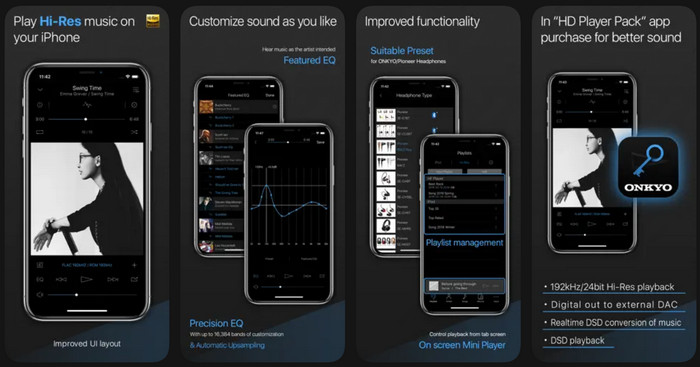
Onkyo HF Player offers high-fidelity playback for iOS devices, making it a reliable FLAC player iPhone solution. It supports lossless audio and includes tuning options for headphones and external audio equipment. The interface is basic and user-friendly, and core playback is consistent and precise. Even though certain enhanced features come at a cost of in-app purchases, the entire listening experience is centered on accuracy and consistency, and iPhone users, who put a premium on sound quality, will find it the perfect product.
Part 3: FAQs of FLAC Player
1.Does FLAC actually sound better than MP3?
Yes. FLAC is a lossless format, and this implies that it does not compress the original audio data. Instead, MP3 involves lossy compression to shrink files, which may eliminate minute audio detail. To the average listener, the difference can be minimal; however, when using quality headphones or audio equipment, FLAC produces a more coherent sound, more detail and reflects the recording more closely.
2.Can old MP3 players play FLAC?
Most of the older MP3 players fail to support FLAC files due to the fact that FLAC takes more processing power to decode, in addition to the fact that file indexing is different. Some newer or higher-end portable players may natively support FLAC; however, many of them need to be converted. Tools like FLAC to iTunes or other audio converters can convert FLAC files into formats compatible with older devices without losing too much audio quality.
3.What are the disadvantages of FLAC?
While FLAC offers excellent sound quality, it has some drawbacks. FLAC files are significantly larger than MP3 files, requiring more storage space and bandwidth for streaming. Also, comparing the formats such as APE vs. FLAC, it is possible to note that FLAC files are slow to encode and decode compared to some other lossless formats, but have a higher quality to be listened to. The users are advised to digest storage, device assistance, and working process to ensure a complete transition to FLAC.
Conclusion
The right FLAC player can make your music sound much better. The top 7 players reviewed here offer good audio quality, easy library management, and support for both desktop and mobile devices. Some focus on features, while others are simple to use. This guide helps you find the best software to play FLAC so you can enjoy your music clearly and reliably.
More Reading
About the Author

 Click here to join the discussion and share your comments
 Tipard Video Converter Ultimate