

Have you ever needed an M4A player because your device suddenly could not open a song, recording, or podcast you downloaded? This happens often when switching phones, transferring files, or dealing with unsupported audio formats. With so many options available, finding a reliable player matters if you want smooth playback and good sound quality.

Part 1. What is an M4A File?
An M4A file is a type of audio file saved in a specific format called MPEG-4. Such files are typically encoded using either AAC (Advanced Audio Coding) or ALAC (Apple Lossless Audio Codec). Apple was actually the first company to develop M4A files as a more high-quality and efficient alternative to MP3 files. Prominently, M4A files are more efficient and of higher quality than MP3 files. Other than audio, MP4 files can also contain videos, images, and subtitles, but M4A files contain audio only. M4A files are widely held in the Apple ecosystem and are also commonly used in music downloads, podcasts, and audio files due to their high quality and relatively small file size.
Part 2. Best M4A Players for Windows & Mac
1. Tipard Blu-ray Player

Tipard Blu-ray Player is a media player that is capable of supporting almost every format. This player is also designed specifically to provide high-quality playback for videos and audio, and is also designed for 4K and 8K videos. Because of the intuitive design and functionality, Tipard Blu-ray Player is regarded as a reliable M4A player for those seeking to hear smooth audio and provide theater-quality sound output.

- Supports MP3, FLAC, AAC, OGG, M4A, and Hi-Res audio with Dolby and DTS.
- Plays MP4, MKV, AVI, WMV, MOV, and more, including 4K and 8K.
- Opens Blu-ray/DVDs, folders, and ISO files with no limits.
- Adjusts aspect ratio, brightness, hue, subtitles, and audio.
- Creates playlists, adds subtitles, and takes snapshots.
- Supports almost every audio format, including M4A.
- Can open Blu-ray/DVDs, folders, and ISO files.
- Customizable effects, aspect ratio, and subtitle/audio settings.
- Beginner-friendly interface with keyboard shortcuts and playlist tools.
- Requires installation (no web-based version).
Rating: 4.9/5
2. VLC Media Player

Also, VLC Media Player is a completely free and open-source multimedia player, which specializes in handling varying audio and video formats with optimum efficiency, avoiding additional codecs entirely. It is a highly advanced program and operates effectively on a Windows or Mac operating system. VLC Media Player is a great choice for playing M4A files with great simplicity and performance reliability.
- No charge for usage and free for modification and distribution.
- Competently handles all audio and video files, inclusive of M4A.
- It can operate on older systems with low memory usage and compress audio files efficiently.
- No income-generating advertisements.
- Lack of a modern systematic interface.
- Failure to operate as intended with uncommon video or high-resolution files.
- No advanced features for music libraries.
Rating: 4.5/5
3. Macgasm
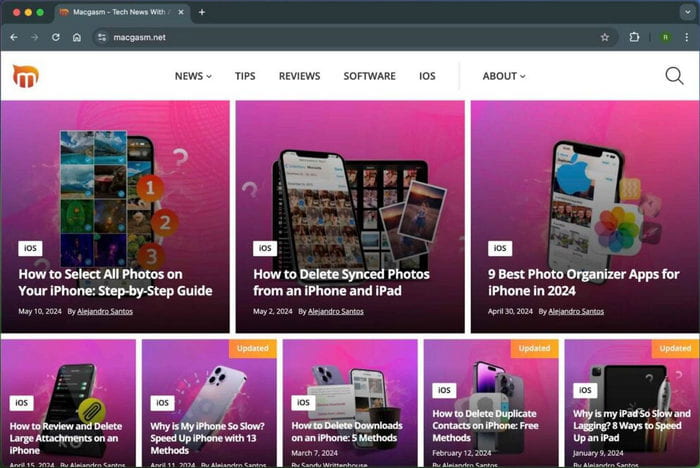
Among Mac users, Macgasm is one of the most commonly referenced online recommendation platforms for basic media playback options, and for M4A player solutions, Macgasm recommends Quicktime Media Player. Macgasm is a great choice for users seeking lightweight M4A media players, as Macgasm is a great choice for people seeking simple M4A players.
- Great for all Mac users who want either native or suggested 3rd party applications.
- Great playback quality for M4A and for audio in AAC.
- Playback is designed to fit into a Mac in an unpretentious way.
- Great for basic audio playback where resources are a concern.
- Availability is only for Mac.
- Less options for changing playback settings compared to advanced players.
- Not ideal for playback of complex files.
Rating: 3.8/5
4. Media Player Lite
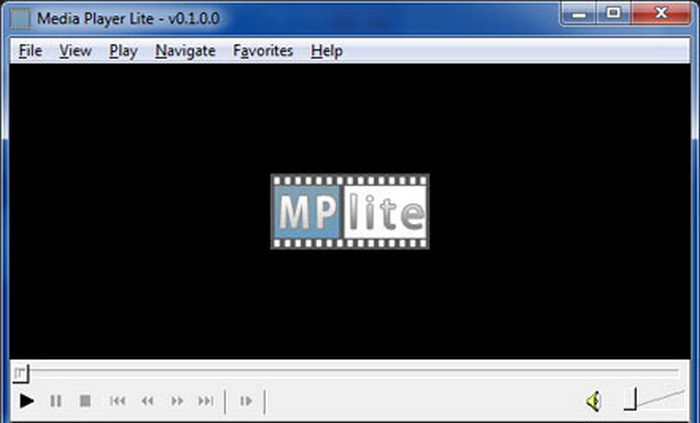
Media Player Lite is a simple and reduced multimedia player aimed at users who appreciate efficient and speedy, codec-friendly players for playing M4A, MP4, AVI, and MP3 formats at minimal system use and efficient playback, and do not wish to tinker with a variety of settings.
- Works extremely well and is quiet, and it has no bloatware.
- Great for people with older PCs.
- Very preset and bare minimal design to it.
- Not possible on Blu-ray, and/or DVD.
- More of a player in itself, the playlist options function in the sub-tools of smaller design.
Rating: 3.9/5
5. Windows Media Player Legacy
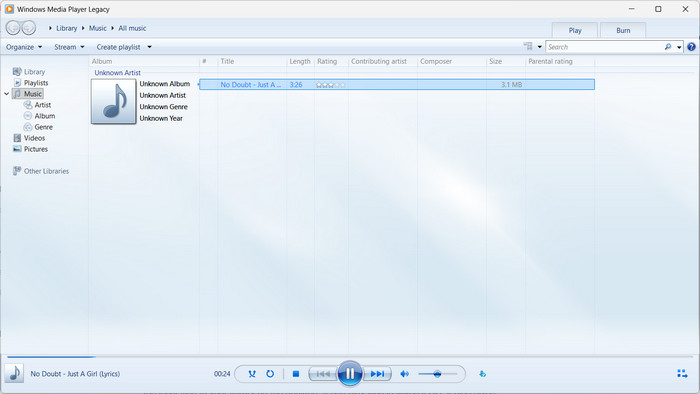
Windows Media Player (WMP) is an optionally built-in media player for Windows users, and is an inbuilt player and thus most cost-effective, with Custom, basic library management and player options at M4A play, and others of similar files.
- Comes pre-installed on most Windows versions.
- Easy to use with a clean, simple interface.
- Offers library organization for music collections.
- No ads or extra downloads needed.
- Supported codecs are relics of earlier days.
- Very few, if any, upgrades or improvements in the last few years.
- Cannot do Blu-Ray or newer high-res videos.
- Very few, even for standard customization for modern video players.
Rating: 4.0/5
Part 3. Best M4A Players for Android & iOS
1. Apple Music
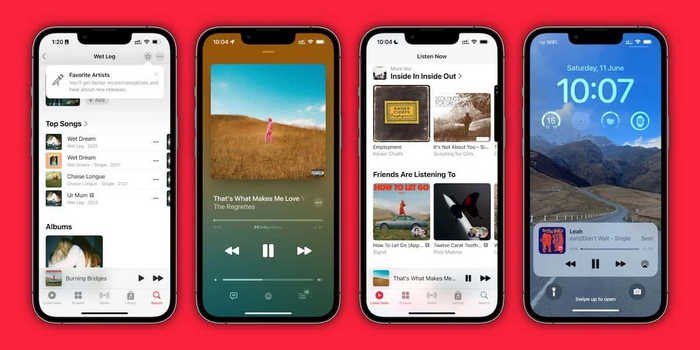
Apple's native streaming application also does local files, assuming you have added the local files to your library on the desktop. It can play files in M4A/ALAC. It also gives high-quality lossless streaming, making the service a strong contender\ when looking for a personal streaming service and personal music playback in the same application.
- It can play high-quality M4A files because, in streaming, it supports Apple Lossless (ALAC).
- Can control the quality of streaming (lossless/hi-res).
- Data usage and storage taken for lossless streaming or downloads.
- Lossless streaming or downloads take up more storage and data.
- On non-Apple devices, some local file features are more limited.
Rating: 4.2/5
2. Music Player (Smart Apps Smart Tools)
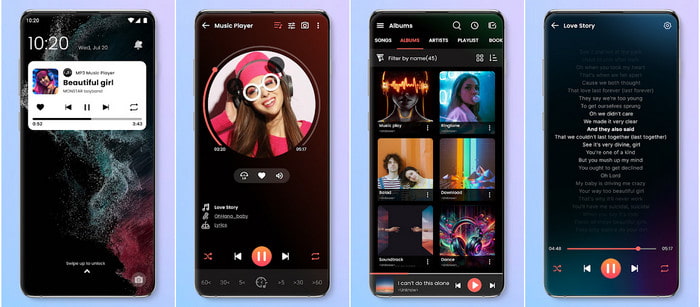
Music Player by Smart Apps Smart Tools is a lightweight, free Android app that supports a variety of local audio formats, including M4A. It is designed to allow seamless playback and access to files offline with a music collection.
- Let us play many audio files, such as M4A, and music files like MP3, FLAC, OGG, etc.
- Includes equalizer and lyrics.
- Lightweight and has a large user base.
- Only accessible to Android devices.
- Presents ads and offers a simple volume boost feature.
- Not able to sync with a cloud and has no option to stream from the internet.
Rating: 4.6/5, based on Google Play rating of 4.65/5
Part 4. Online M4A Player
Jumpshare is another tool that lets you listen to M4A audio files, but requires no downloads; instead, you upload a file to a browser and then stream it from there. It is a good option for audio listening because of its user-friendly playback interface and control options.
- You can use it to play M4A files and several other file types.
- Playback speeds can be adjusted between 0.5× and 2×.
- Some of the paid subscriptions allow for audio cutting.
- You can only upload files of 1 GB or smaller.
- The audio must be uploaded, which can be a problem for sensitive audio files.
- A link's validity can affect how to gain access to the file.
Rating: 4.3/5
Conclusion
If you want to enjoy podcasts, music, or other recordings, understanding how to play M4A files can prevent potential inconveniences. Smooth playback and other helpful characteristics can ensure that the sound is high quality, regardless of whether you are using an M4A player on an Android, Mac, Windows, iOS, or online device. Choosing the best option guarantees a seamless and enjoyable audio experience every time.
More Reading

About the Author

 Click here to join the discussion and share your comments
 Tipard Blu-ray Player