

M4A and MP3 are two of the most popular audio file formats worldwide. Both support metadata like album, artist, track number, album art, and title, and they are often encoded with AAC (Advanced Audio Coding). However, some M4A files may not be compatible with certain devices, for example, some Mac users may encounter playback issues with M4A files.
To ensure your audio can be played on almost any device, converting M4A to a widely compatible format like MP3 is a great solution. If you're looking to convert M4A to MP3, keep reading to discover the best M4A to MP3 converters available.
Part 1. Free M4A to MP3 Converters on Windows/Mac
Searching for the best M4A to MP3 converter takes work, especially when you have much to choose from the internet. So, we narrowed it down so that it will be easy for you to choose the best M4A to MP3 converter to convert your M4A file to MP3 with your Windows or Mac device.
1. Tipard Video Converter Ultimate
First on the list is Tipard Video Converter Ultimate. This converter allows you to convert your M4A file to MP3 and other formats, such as AAC, WAV, FLAC, AIFF, OGG, and many more. It can also convert video file formats. Tipard Video Converter Ultimate supports batch conversion, so that you can convert multiple M4A audio files to MP3 format with excellent audio quality.
Furthermore, this M4A to MP3 converter converts video and audio files losslessly. Therefore, you should not worry about your videos or MP3 audio quality. Plus, it can save you much time because it converts files with 120x faster than other converters.
How to Use the Best M4A to MP3 Converter:
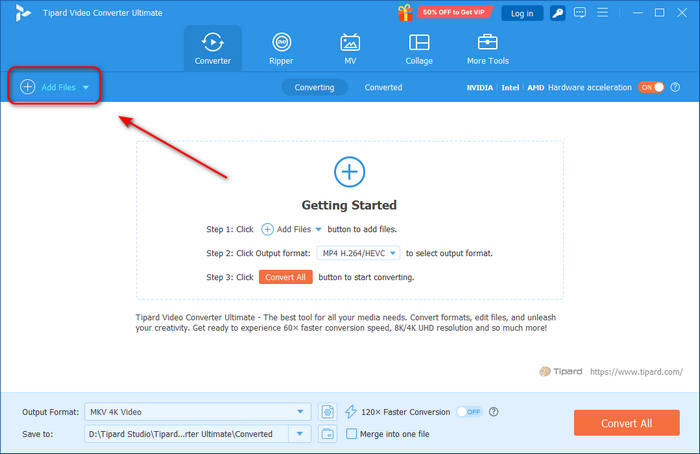
Step 1Download and install
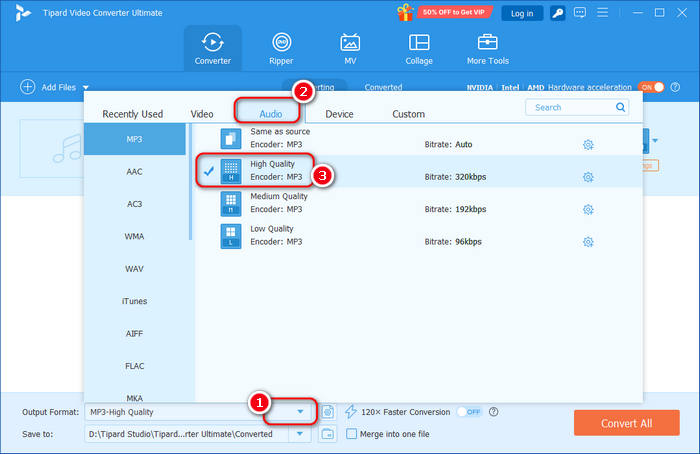
Step 2Click the Output Format dropdown button to select the Audio tab. Then, you can select your desired MP3 format preset.
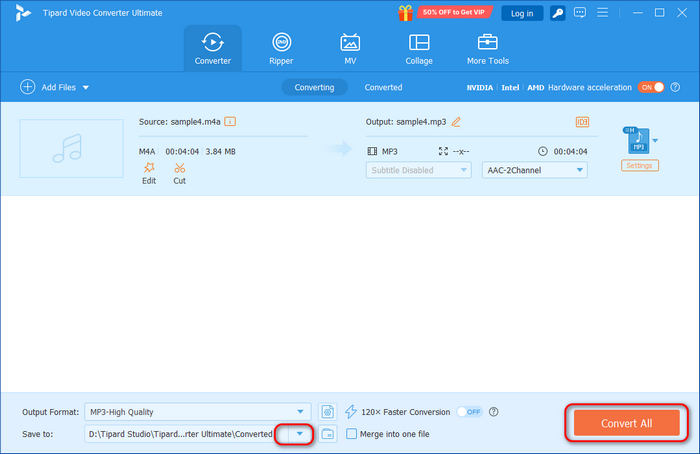
Step 3Finally, click the Save to dropdown button to choose destination folder for your MP3 file. Then, click the Convert All button to convert your M4A file with this M4A to MP3 converter.
2. iTunes
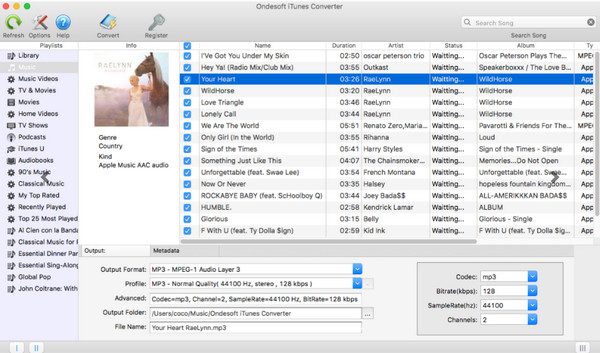
iTunes can be an M4A to MP3 converter. If you have M4A songs, podcasts, or audiobooks from the iTunes Store and manage them with iTunes, it can serve as a reliable tool to convert M4A to MP3. iTunes is free, user-friendly, and allows you to adjust MP3 quality by selecting different bitrates.
Note that on Macs, the Apple Music app has replaced iTunes, but it doesn't offer a simple M4A-to-MP3 conversion feature. By default, it exports audio in M4A format, requiring manual adjustment to change formats. While iTunes can work for free conversions, it may be more time-consuming and complex compared to specialized M4A to MP3 converters.
3. VLC Media Player
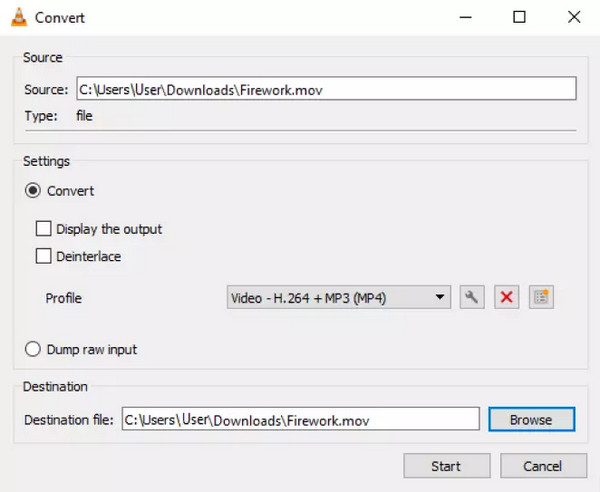
VLC is a well-known media player that also includes hidden features like basic video and audio conversion tools. If you already have VLC installed and don't want to use a separate M4A to MP3 converter, it's a convenient option for converting M4A to MP3. This feature works on Windows, Mac, and Linux. Thanks to its powerful playback capabilities and open-source nature, VLC supports nearly all codecs and can convert a variety of audio files, not just M4A.
However, VLC is primarily designed as a media player rather than a dedicated M4A to MP3 converter. It lacks advanced editing and conversion features, and you may occasionally encounter errors during the conversion process. Despite this, it remains a solid, free option for those looking to convert M4A to MP3.
Part 2. Paid M4A to MP3 Converters on Windows/Mac
There are reasons why some converters or applications are not free. Some of them have advanced editing features and can be converted by batch. Therefore, we listed some of the best-paid M4A to MP3 converters.
1. Switch Audio Converter
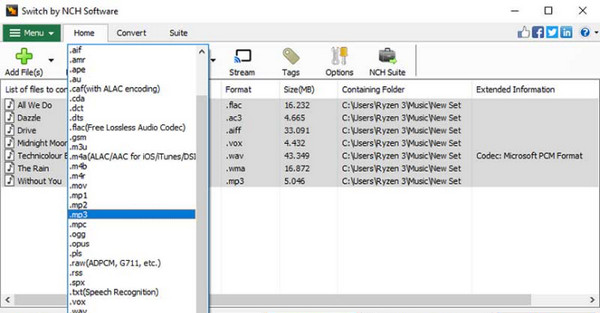
Switch is a convenient desktop M4A to MP3 audio converter available for both Mac and Windows. It makes converting audio files quick and effortless, simply select your file, drop it into the tool, choose your desired output format, and click Convert. You can also edit audio tags to better organize your music library. Whether you're converting files for compatibility or managing your collection, Switch offers a straightforward and user-friendly solution.
Price: $34.99 to $69.95
2. HitPaw Video Converter
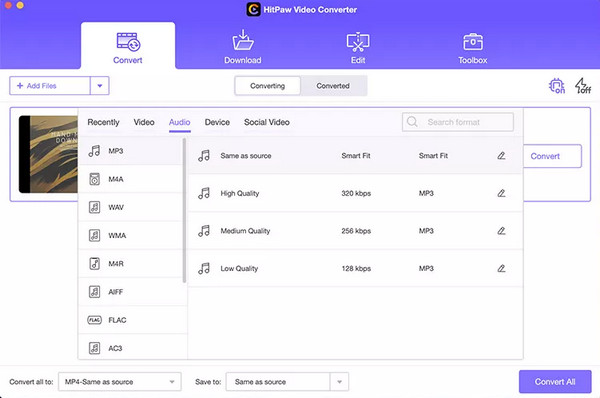
HitPaw Video Converter is an all-in-one tool that makes video and audio conversion simple for everyone. As an M4A to MP3 converter, it also supports a wide range of formats, ensuring seamless compatibility across various devices and platforms. With its clean, intuitive interface, even beginners can navigate it with ease. Beyond conversion, HitPaw lets you edit videos, extract audio, and adjust settings such as resolution and bitrate to suit your preferences.
Price: $19.95 to $79.95
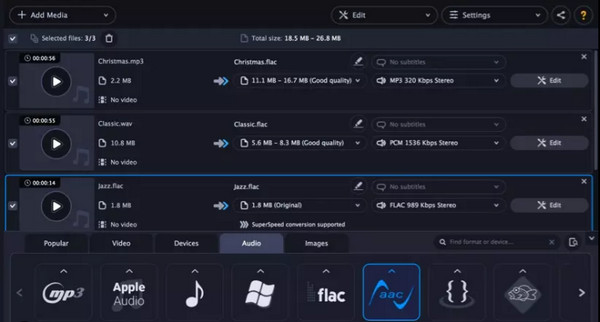
3. Movavi
Movavi offers a comprehensive suite of multimedia software tools for editing videos, converting formats, and recording screens, among other functions. It caters to users of all levels, from beginners to experts. You can use it as a powerful M4A to MP3 converter. It lets you adjust MP3 preset to make a high-quality audio file.
If you want more than an M4A to MP3 converter, Movavi can offer many other powerful features. However, it you only want the conversion feature, Movavi can be too heavy for you.
Price: $19.95 to $59.95
Part 3. Online M4A to MP3 Converters
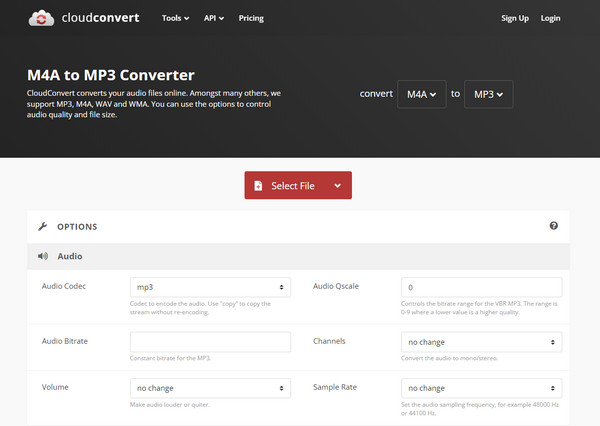
1. CloudConvert
Cloud Convert is a flexible web-based m4a to mp3 converter freeware for easily converting audio files into different formats. It runs directly in your web browser, eliminating the necessity for downloading or installing software. Users can effortlessly upload their audio files to the Cloud Convert platform, choose the preferred output format, and begin the conversion process with just a few clicks.
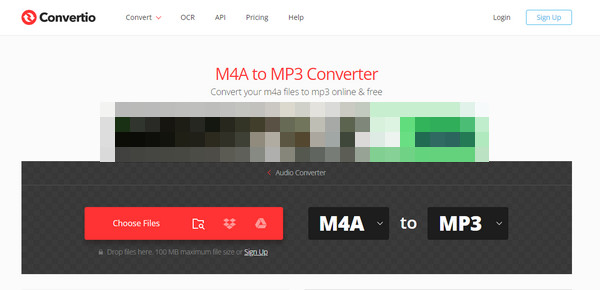
2. Convertio
If you want a more popular m4a to mp3 converter online, you might want to use Convertio. Convertio is an easy-to-use online application that converts audio files to various formats. This M4A to MP3 converter directly works in your web browser, so you don't need to install any software. Simply upload your audio files to Convertio's platform and choose from various output formats.
Part 4. FAQs about M4A to MP3 Converters
Does converting M4A to MP3 lose its quality?
When you convert to MP3, it uses a compression method that loses some audio data permanently. This results in a decrease in sound quality compared to the original M4A file.
Which is better, M4A or MP3?
M4A files generally sound better than MP3s because they use a higher bitrate. This means they often have larger file sizes. However, M4A files can be smaller in some cases because they use more efficient compression techniques.
Which audio file has the most outstanding quality?
WAV (Waveform Audio File) preserves all the original data, making it highly preferred by sound engineers.
Conclusion
This article offers 8 M4A to MP3 converters to download. You can easily choose the best converter for your device. All of these choices have different features. But if you prefer an audio converter that supports many formats and can convert files losslessly, try Tipard Video Converter Ultimate.
More Reading

About the Author

 Click here to join the discussion and share your comments
 Tipard Video Converter Ultimate