

Choosing the right tool for downloading and converting online videos is essential. Among the many options available, a few stand out as reliable and versatile solutions for users worldwide. In today's review, we take a closer look at ClipConverter, examining its features, functionality, pros, cons, and more, to see if it is a good choice to download videos from YouTube or TikTok.
Part 1. Detailed Review of ClipConverter
What Is ClipConverter?
ClipConverter.cc is a popular online tool for downloading and converting videos from various platforms. It's popular for its ability to download YouTube and TikTok videos and convert them into formats such as MP4, 3GP, AVI, MOV, and MKV, or extract the audio in formats like MP3, M4A, and AAC. ClipConverter.cc also provides options to customize output settings, including video resolution and audio quality, giving users greater control over their conversions.
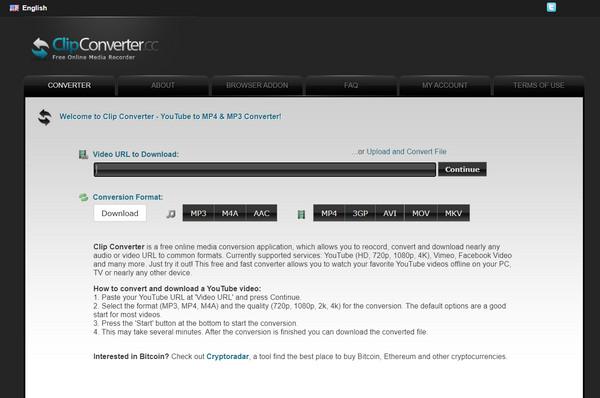
One of the standout features of the ClipConverter site is its user-friendly interface, which makes downloading and converting online videos simple and intuitive. Users can paste the link of the video they want to save, choose the desired format and settings, and start the conversion process with ease.
Copyright Concerns of the ClipConvert Site
ClipConverter.cc is widely used by people who want to download videos for offline viewing, build multimedia collections, or extract audio to create music libraries. However, the official website may pose safety concerns, as it can redirect users to potentially unsafe sites. In addition, ClipConverter video download is unable to convert videos that have copyright protection due to branding and content protection restrictions.
Main Features of ClipConverter
In this ClipConverter.cc review, we'll also highlight the best features you can enjoy when using the platform. Below are some of its key features.
1. Wide Range of Supported Platforms
ClipConverter.cc supports video downloading and conversion from a variety of popular platforms, including YouTube, TikTok, Instagram, Snapchat, and more, making it a versatile option for users who want to save online videos for offline viewing from different websites.
2. Multiple Output Formats
ClipConverter allows users to download and convert videos into formats such as MP3, MP4, 3GP, AVI, MOV, and more. This flexibility enables users to choose the format that best suits their devices and media players.
3. Adjustable Output Quality
ClipConverter allows you to choose your preferred video resolution and audio quality, ensuring the downloaded files meet your quality requirements or remain compact to save storage space on your device.
4. User-Friendly Interface
ClipConverter.cc features an intuitive and straightforward interface that makes the conversion process easy and accessible for users of all technical skill levels. Simply paste the video URL, choose the desired output format, and start the process without any complicated steps.
5. No Software Installation Required
As an online tool, ClipConverter doesn't require download or installation. This convenience allows you to download and save videos directly in your web browser.
- It works free of charge, and no account is needed.
- It offers multiple selections of output formats.
- Accessible on any web browser.
- Customizable output settings for adjusting the resolution of video and audio quality.
- It can not download copyrighted content.
- No editing feature is supported.
- It has a lot of pop-up ads and potential risk sites.
Current Situation of ClipConverter
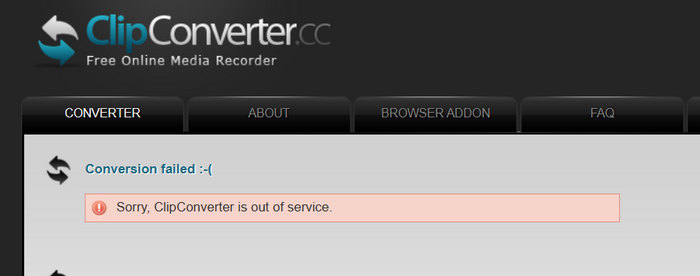
Today, ClipConverter has a mixed reputation due to its frequent failures to download videos and the prevalence of intrusive ad pop-ups. In our tests with YouTube videos, both copyrighted and non-copyrighted, ClipConverter.cc often failed to complete the downloads.
used to be good for 3 years for videos without music then suddenly since like 2 weeks ago started spamming so many porn ads its impossible to even download anything it spams ads before you even click once on the website
User review from Trustpilot
Part 2. Complete Tutorial on How to Use ClipConverter
Now that you're familiar with ClipConverter, you can continue reading to learn how to use the ClipConverter video downloader in detail.
Step 1 Visit the official ClipConverter.cc using your web browser.
2026 Update: The official webpage may redirect to www.clipconverter.cc/3/. However, this does not affect how you can use the tool.
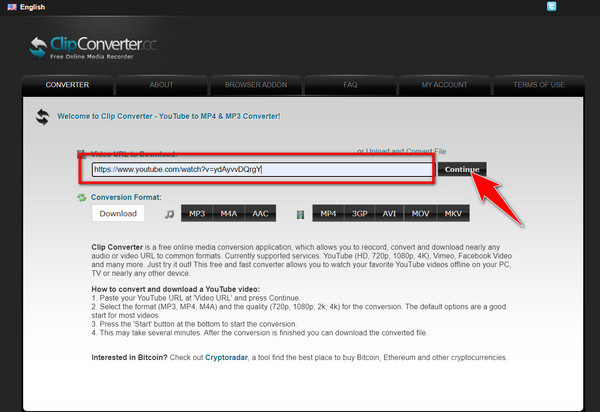
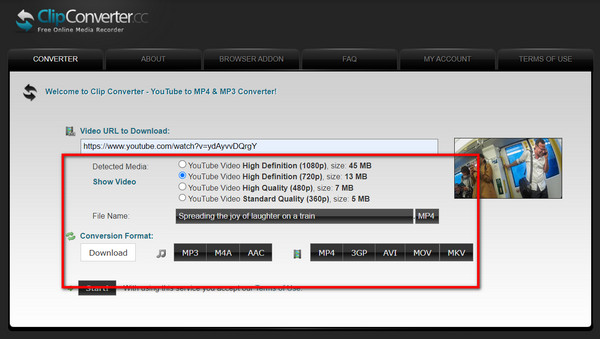
Step 2 After accessing it, find the online video you want to use and copy its URL. Then paste it on the Video URL to Download and click Continue to proceed.
Step 3 Next, choose the quality you want to achieve that is presented on the list and choose the output format you want it to be.
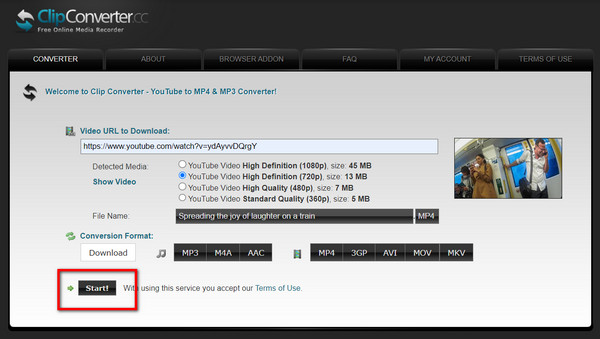
Step 4 When everything is done, click the Start button, and it will start to turn the online video to offline immediately. That's how easily you can download videos with ClipConverter.
Part 3. Top ClipConverter Alternatives Online and Offline
Top 1. Socialplug YouTube Video Downloader
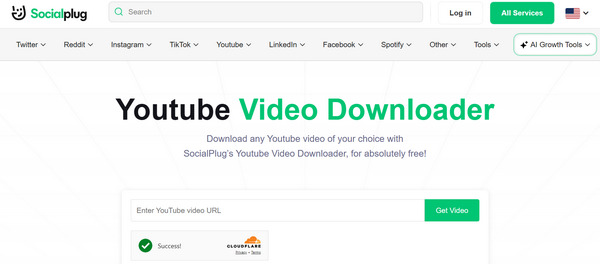
The first ClipConverter alternative is Socialplug YouTube Video Downloader, a rising video downloader this year. It features a clean, intuitive interface and a simple workflow. You can download videos from platforms like Instagram, YouTube, TikTok (without watermarks), Snapchat, and more. Its fast decoding speed is sure to impress you.
Top 2. Y2Mate
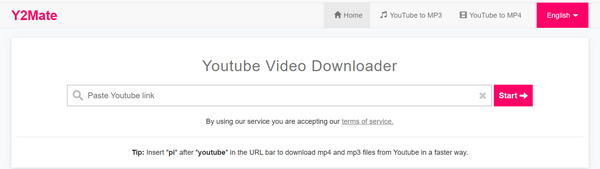
Another excellent alternative to ClipConverter is Y2Mate, a popular online video downloader and converter. You may notice multiple domains for this tool, as it is often taken down and relaunched. Y2Mate allows users to quickly download videos from platforms like YouTube, Facebook, and Dailymotion, and convert them into various formats such as MP4, MP3, AVI, and more. With its simple interface and fast conversion speed, Y2Mate makes it easy to save and enjoy online videos offline.
Top 3. Tipard Video Converter Ultimate
Using ClipConverter to convert videos to MP4 may have some limitations, such as the lack of support for modern codecs like H.265 and AV1, or the absence of editing features. That’s why we recommend Tipard Video Converter Ultimate as an alternative for converting your downloaded videos to the format you need.
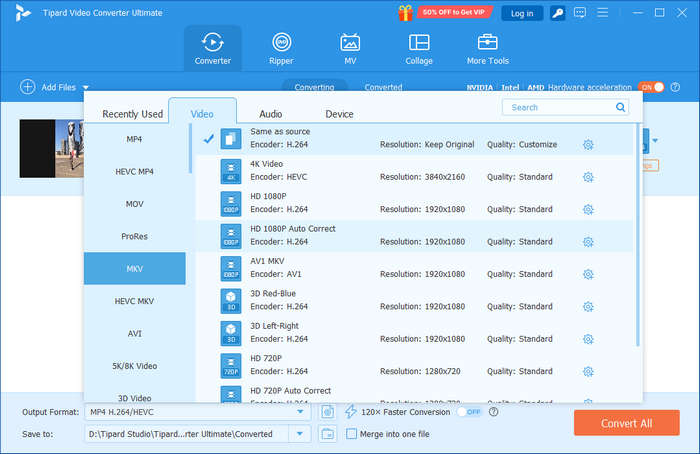
This versatile tool supports conversions to H.264, H.265/HEVC, and AV1 codecs in 1080p and 4K quality. As a powerful all-in-one media software, it allows you to convert, edit, create, and more with just a few clicks. Plus, since it works offline, you won't experience interruptions due to slow or unstable internet connections.
Another great feature of the app is that it has no pop-up ads that will annoy you while using it, even if you use the free version. With it, you can enjoy all of the features it has without needing to have an expert touch or experience. Even if this is your first time using an amazing app like this, you can manage to use it with ease and master it in less time. Want to know what are the other features it has to offer? Better download it now and see it for yourself!
Part 4. FAQs about the ClipConverter
Does the ClipConverter still work?
ClipConverter.cc is still up and accessible. However, it does usually fail to download and convert videos.
Is ClipConverter legit?
ClipConverter is legit, but it's not entirely safe because it frequently pops up ads. Also, It falls into a gray area. The tool itself is not illegal, but using it to download copyrighted material violates the Terms of Service of platforms like YouTube and may infringe on copyright laws.
Can you convert YouTube to MP3 legally?
It depends on what you are downloading and where you live, but for the vast majority of popular music, the answer is no.
Conclusion
ClipConverter.cc is a popular website for downloading videos from platforms like YouTube, TikTok, and Instagram. However, it often fails to work properly and frequently displays ads, making it less reliable for many users. You can turn to alternatives such as Socialplug or Y2Mate. If you want to enhance the quality of your downloaded videos, Tipard Video Converter Ultimate is an excellent choice. It supports modern video codecs like AV1 and H.265 and features AI-driven tools to improve video quality with just one click.

All-in-one video toolbox: convert, edit, upscale, enhance, and compress your videos easily
100% Clean & Safe
100% Clean & Safe

More Reading


About the Author

 Click here to join the discussion and share your comments
 Tipard Video Converter Ultimate