

Sometimes, we rely on subtitles to follow the dialogue and understand the plot of a movie or TV show. Watching a foreign film without subtitles can be frustrating. Therefore, if your video doesn't include subtitles, you may need to download them manually.
This post introduces 17 top-rated websites where you can download subtitles for a wide range of movies and TV shows. Explore them all and learn how to use these subtitles download sites with your videos.

Part 1. Comparison of the 17 Subtitle Download Websites
Take a look at this brief overview of the 17 most popular websites for downloading subtitles for movies or TV shows, and you might find the one you’re looking for right away.
| Supported Languages | Movies | TV Shows | |
|---|---|---|---|
| OpenSubtitles.org | 40+ | Yes | Yes |
| Subscene | 50+ | Yes | Yes |
| YIFY Subtitles | 30+ | Yes | No |
| Addic7ed | 30+ | No | Yes |
| Subtitle Search | 20+ | Yes | No |
| TVsubtitles.net | 30+ | Yes | Yes |
| MovieSubtitles | 20+ | Yes | No |
| Podnapisi | 30+ | Yes | Yes |
| English-subtitles.org | English | Yes | Yes |
| DivX Subtitles | 30+ | Yes | Yes |
| SUBDL | 30+ | Yes | No |
| TV Subs | 20+ | Yes | Yes |
| Isubtitles | 80+ | Yes | Yes |
| SubtitleCat | 30+ | Yes | Yes |
| Downsub | 20+ | Yes | Yes |
| Subtitle Seeker | 30+ | Yes | Yes |
| Subs4Series | 50+ | Yes | Yes |
| Show MoreShow Less | |||
Part 2. Review of Top 17 Websites to Download Subtitles
OpenSubtitle
OpenSubtitles.org is a comprehensive platform offering a vast collection of subtitles in multiple languages. Its user-friendly interface, along with features like user ratings and comments, makes finding the right subtitle easy and convenient. It's an excellent choice if you’re looking for a reliable movie subtitles download site.
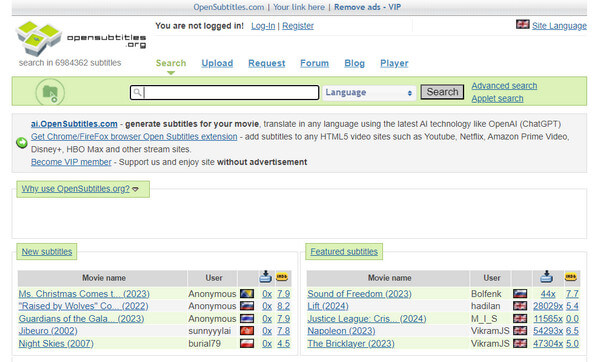
- Extensive subtitle library
- Active community
- User ratings and comments for quality assurance
- The website design may need to be updated by some users.
Subscence
Subscene is well-known for its extensive subtitles database and intuitive interface. Covering a wide range of movies and TV shows, it allows users to easily search by language and serves as a reliable resource for anyone who wants to download subtitles for movies, TV shows, and anime.
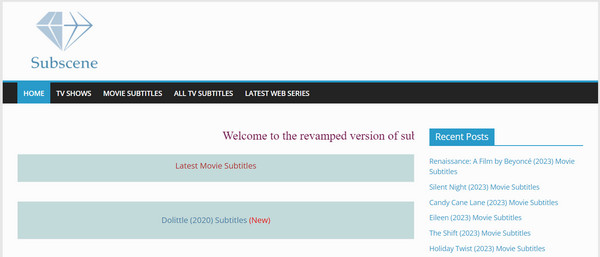
- Large subtitle repository
- User-friendly design
- It supports multiple languages.
- Intrusive advertisements on the website might be a drawback for some users.
YIFY Subtitle
YIFY Subtitles caters to fans of YIFY group releases, providing subtitles in multiple languages. While it focuses on a specific niche, it delivers high-quality subtitles for viewers who prefer YIFY content.
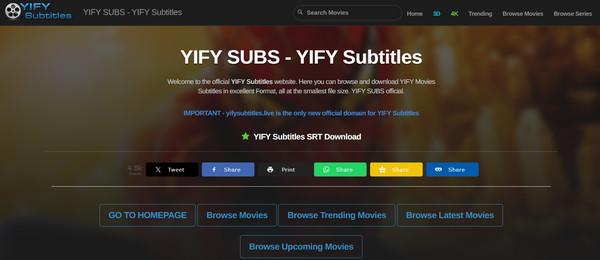
- Specialization in YIFY releases
- Diverse language options.
- Limited to subtitles for YIFY releases
- Potentially excluding other movie versions.
Addic7ed
Addic7ed is a collaborative, community-driven platform specializing in TV show subtitles. Its extensive collection, active user community, and straightforward interface have gained popularity. Also, it supports animation subtitle downloads if you are into anime.
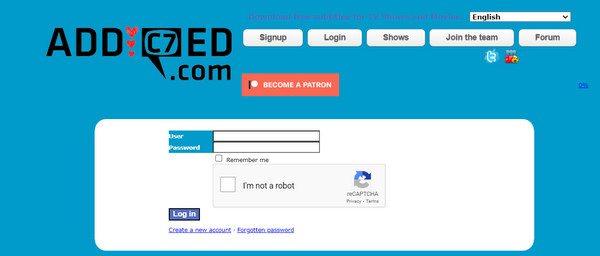
- Community engagement
- TV show specialization
- It has an active user base.
- It may have fewer subtitles for less popular or older TV shows.
Subtitle Search
Subtitle Search stands out for its simplicity, letting users quickly find subtitles by entering the name of a movie or TV show. It offers a straightforward, no-nonsense approach to subtitle retrieval. You can download subtitles with a fast and smooth workflow.
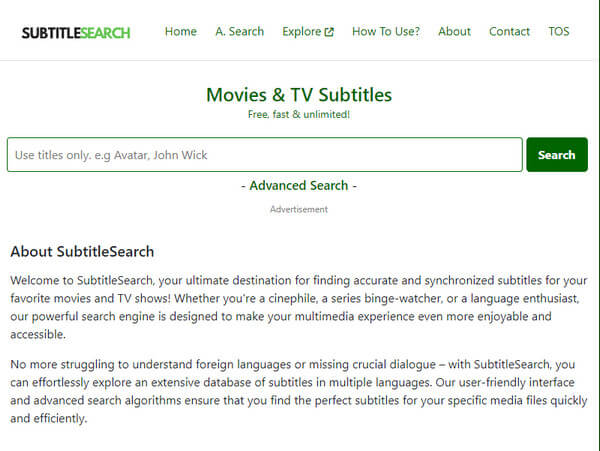
- Simple and quick interface for subtitle search
- The database might not be as extensive as some other platforms.
TVsubtitles.net
TVsubtitles.net focuses specifically on TV show subtitles, carefully organizing them by season and episode. This makes it easy to find subtitles for your favorite series quickly and efficiently. You can download subtitles for famous and rare movies and TV series.
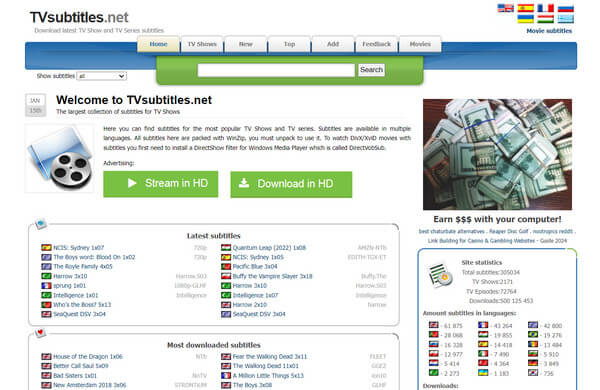
- Specialized in TV show subtitles
- It is well-organized by season and episode.
- Primarily focused on TV shows, movie subtitles may be limited.
MovieSubtitles
MovieSubtitles is a user-friendly website offering a wide variety of movie subtitles. Its simplicity and extensive selection make it a go-to site for downloading subtitles for movies and TV shows.
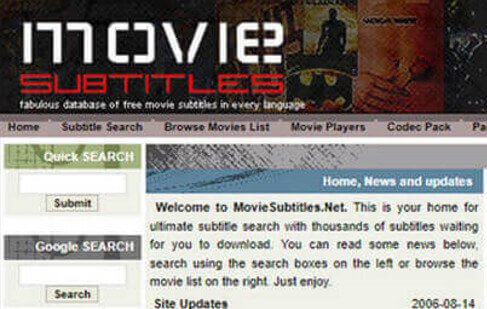
- User-friendly design
- Diverse subtitle collection.
- The subtitle collection may not be as extensive as some other platforms.
Podnapisi
Podnapisi offers subtitles in multiple languages and features a user rating system to ensure quality. With its wide language selection, it remains a reliable source for subtitles. You can download English subtitles, Japanese subs, French subs, and many others.
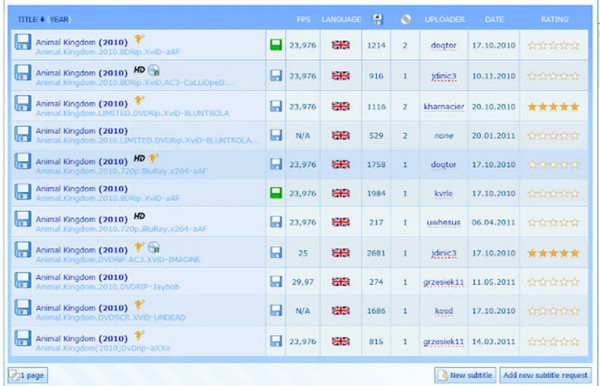
- Diverse language support
- Its user ratings for quality.
- Advertisements on the website may be considered intrusive.
EnglishSubtitles.org
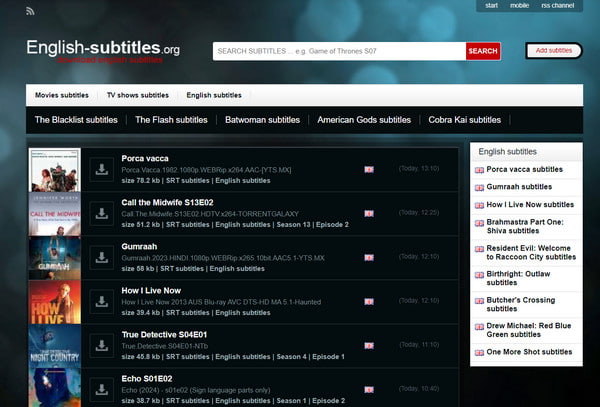
English-subtitles.org is a platform dedicated to downloading English subtitles. Its straightforward interface makes it easy for users who need English-language support. This subtitles download site also supports many file formats so that you can download subtitles in SRT, ASS, VTT, and more.
- Specialized in English subtitles
- It has a simple interface
- Limited language support
- It is not suitable for non-English speakers.
DivX Subtitles
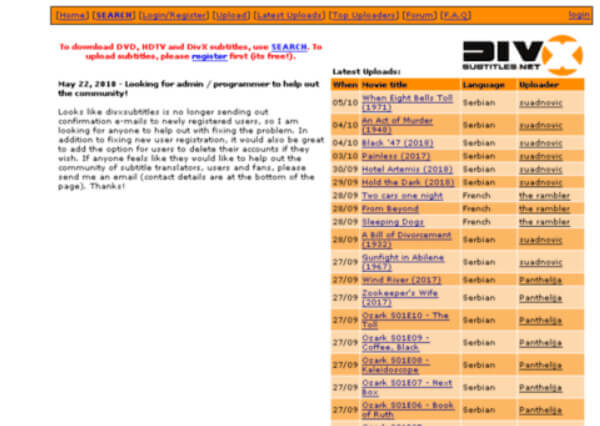
DivX Subtitles is a long-standing platform providing subtitles for a wide range of movies in multiple languages. While it has a solid library, the website’s design could use a modern update. This movie subtitles download site can help you quickly find your desired subtitles and download.
- A wide range of subtitled
- Diverse language support.
- Outdated website design
- Refinements in the user interface could enhance the experience.
SUBDL
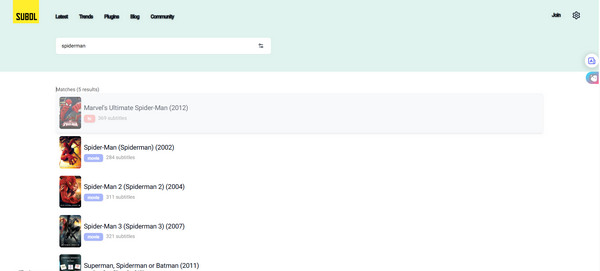
SUBDL is a popular website for downloading subtitles for well-known movies and TV shows. It covers a wide range of genres and lets you browse the latest and trending titles to find subtitles. The site also supports subtitles in around 30 languages worldwide.
- Support many languages.
- Offer subtitles for many movies and TV shows.
- Display the latest and trending movie subtitles.
- It's complicated to download subtitles.
- It doesn't support many latest movies.
TV Subs
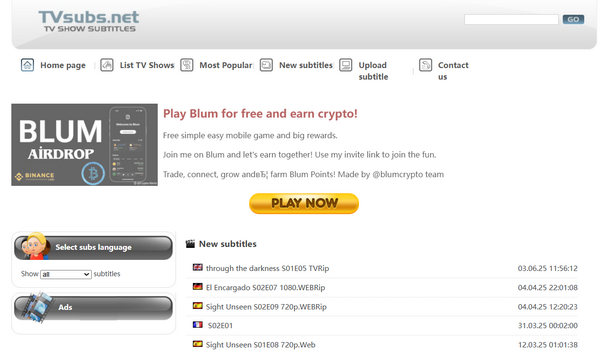
TV Subs provides a wide selection of subtitles for movies and TV shows. It highlights top-rated titles you might enjoy and lets you easily download their subtitles. The site features a simple interface while supporting a variety of languages and content.
- Support many languages and top-rated movies or TV shows.
- Offer subtitles of specific episodes.
- It doesn't support very many latest movies and TV shows.
- The interface is kind of outdated.
Isubtitles
Isubtitles organizes subtitles by release date, genre, duration, language, and more, making it easy to search and download what you need. However, it doesn't offer many of the latest movies or TV shows, but you can still download subtitles for those classic movies and series.
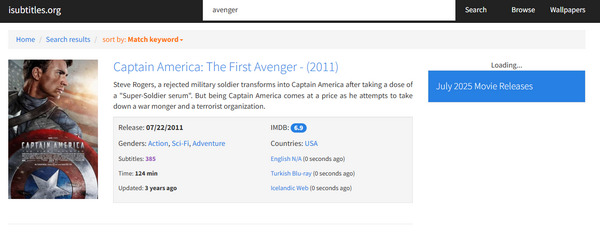
- Well organize all subtitles by date, genre, language, etc.
- It's easy to use with a simple UI.
- It supports about 80 languages.
- It doesn't support the latest movies and TV shows.
SubtitleCat
SubtitleCat features a modern interface and supports many trending movies and TV shows. While the site doesn’t specify the total number of subtitles available, it allows translations into over 30 languages. You can even upload a video to automatically generate subtitles.
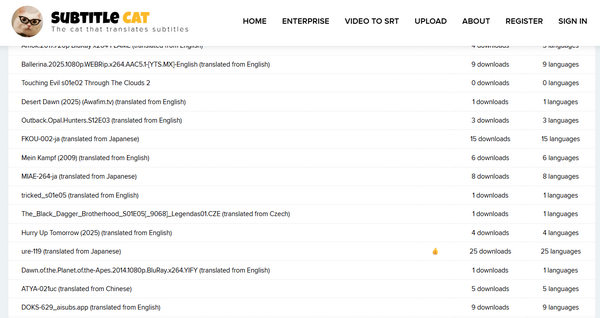
- Support many languages and trending movies.
- Offer many subtitle generation features.
- Allow you to translate subtitles to other languages.
- It's not a free website to download subtitles.
- It redirects to other pages when you click.
Downsub
Downsub is a free website for downloading subtitles for movies and TV shows. It also allows you to download subtitles directly from online platforms like YouTube, Viki, and VIU. To use it, simply copy the video URL, paste it on the site, and download the generated subtitles.
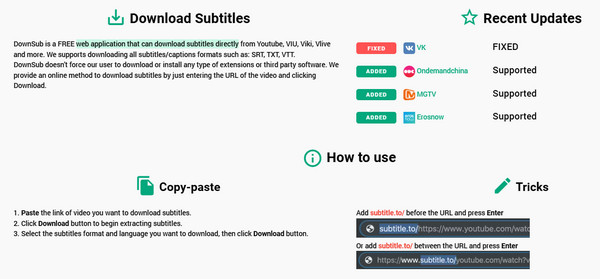
- Download subtitles from online video platforms.
- Download subtitles from all types of videos.
- It doesn't offer subtitles that you can directly download.
- It only supports 15 languages.
Subtitle Seeker
Subtitle Seeker doesn't host subtitles directly, but it lets you search across many popular subtitle sites, including Subscene and OpenSubtitles. This makes it easy to find the subtitles you need for any movie or TV show. Whether you want to download subtitles for YouTube and Netflix or local movies and series, Subtitle Seeker can help you.
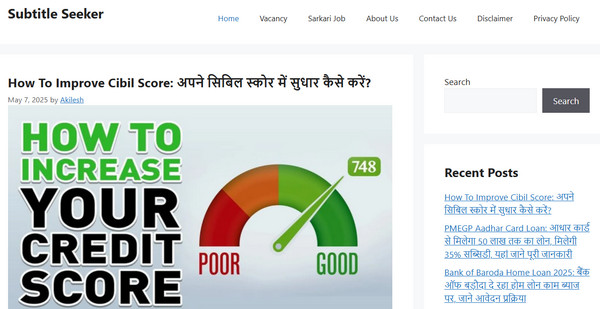
- Search for subtitles from many subtitle download websites.
- Support a wide range of genres and languages.
- It doesn't directly offer subtitles.
- It's not friendly to English users.
Subs4Series
Subs4Series provides a wide selection of free subtitles for movies and TV shows, including the latest releases in 2026. It also offers subtitles for games. However, the site does not specify how many languages are supported.
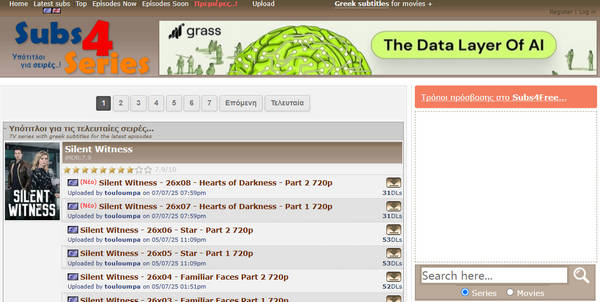
- Support the latest movie and TV show subtitles.
- Manage subtitles with a specific episode and resolution.
- Offer an accurate subtitle search feature.
- It doesn't show how many subtitles it supports.
- The interface is outdated.
Part 3. How to Choose the Best Websites for Downloading Subtitles
Choosing the right subtitle website can be the difference between a great movie night and a frustrating hour spent fixing out-of-sync text. With many sites filled with ads or outdated files, you can evaluate them based on four key aspects: library size, sync accuracy, safety, and community features.
Library size: How many ranges of media types a subtitle downlaod site can hold and specific movies or series you want.
Sync accuracy: Ensure the subtitles downloaded match the movies and TV series you have.
Safety: Check whether the subtitles download site is free from malware and intrusive ads to protect your device.
Community features: You can check user reviews, ratings from those popular forums and review platforms. The user comments and blogs in the website can also reflect if the subtitle download site is reliable.
Part 4. How to Load and Add Subtitles to Your Movies or TV Series
How to Add Subtitles to Video in Tipard Video Converter Ultimate
You can add subtitles and elevate your videos effortlessly with Tipard Video Converter Ultimate. This user-friendly software provides a seamless experience, letting you enhance your videos with precision and creativity. Whether you're a content creator, filmmaker, or simply personalizing your videos, Tipard's intuitive interface makes the process easy.
It supports various subtitle formats and offers customizable options for fonts, sizes, and colors, allowing you to create professional-looking videos without hassle. Take your video editing to the next level, bring your stories to life by adding subtitles to MP4, and enjoy a smooth, efficient subtitle-adding experience!

- Add downloaded subtitle to your video quickly.
- Remove previous subtitle on a video to change to a new one.
- Allow you to adjust the subtitle font, size, and color, and more settings.
- Export your video with basic video editing features and AI-based enhancement techniques.
Step 1Download and install Tipard Video Converter Ultimate and launch it on your computer.
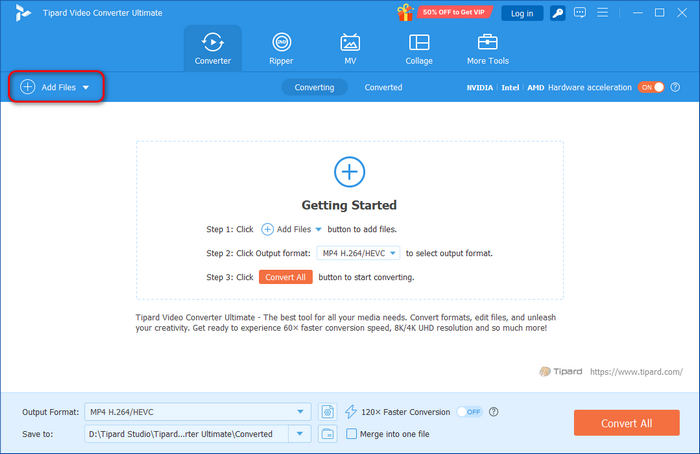
Step 2Click the Add Files button to add the video first in this software. This app supports a wide range of video formats, so you can easily add subtitles to your video.
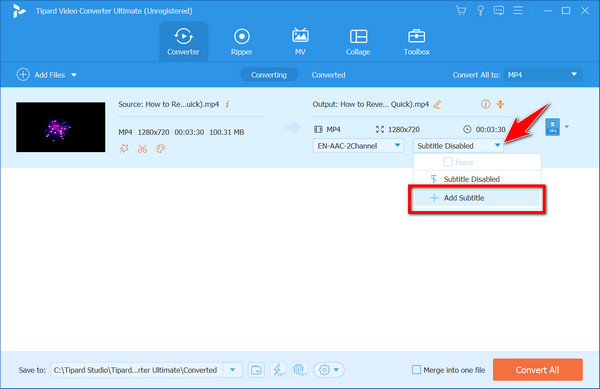
Step 3Click the Subtitle dropdown button and click the Embed subtitle button, then the Add Subtitle button to import your downloaded subtitle to this video.
After adding the subtitle, a prompt will appear on your screen, suggesting you edit the subtitle. Click Edit Now, and you will go to the area where you can edit the subtitle you uploaded. Alter the subtitle with the options available, and after that, click the OK button to save the changes.
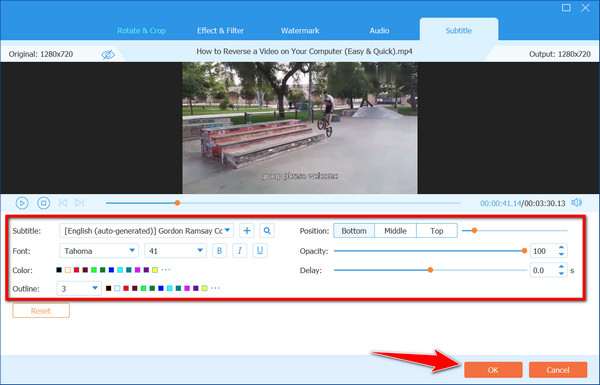
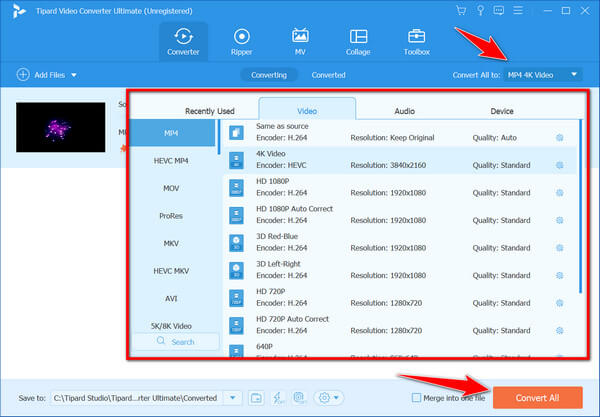
Step 4 When everything is done, choose the output format from the Output Format tab and click the Convert All button to start attaching forced subtitles to your video.
After you download subtitles from a free website, you can also embed subtitles into your video while playing in VLC.
How to Add Subtitles to Video in VLC
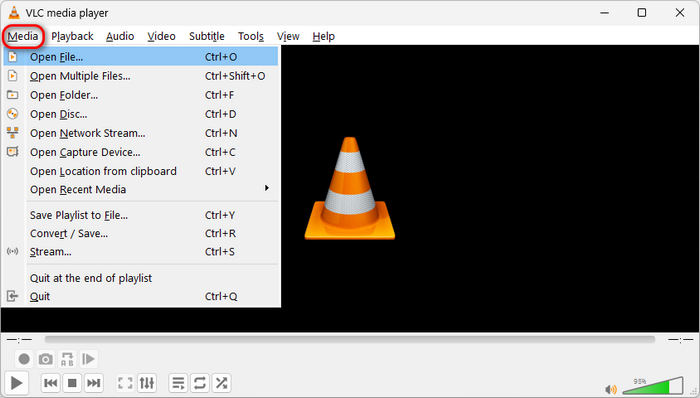
Step 1Launch VLC and click the Media button in the top left corner. Then, click the Open File button to load a video.
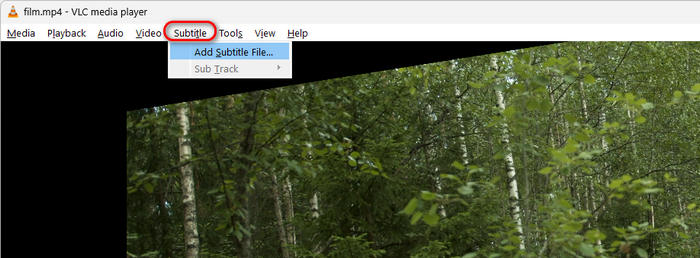
Step 2You can click the Subtitle button on the top ribbon. Then, click the Add Subtitle File button to add the downloaded subtitle to your video in VLC.
Part 5. FAQs about Subtitles Download
Can I download YouTube subtitles?
Yes, you can download subtitles for YouTube videos by visiting websites that offer subtitle downloads since there is no direct way to download YouTube subtitles on the platform.
Can you add or edit subtitles with DVD Creator?
DVD Creators can add and edit subtitles on your DVDs. Among these, Tipard DVD Creator is recognized as the top choice due to its powerful features and user-friendly interface.
Are there any alternative methods to add video subtitles without using dedicated software?
Yes, some online platforms and video editing software may offer basic subtitle addition features. However, dedicated software like Tipard Video Converter Ultimate often provides more flexibility and customization options for a seamless experience.
Can I request subtitles for a specific movie or TV show if they are unavailable on these platforms?
Some subtitle download platforms allow users to request subtitles for specific content. Check the website's community or support section for information on how to make subtitle requests.
Are these subtitle download websites legal to use?
Yes, most subtitle download websites are legal to use. They provide subtitles as a service, and users are expected to comply with their terms of service. However, it's essential to be cautious and avoid websites that may infringe on copyright.
Conclusion
This article lists 17 websites where you can download subtitles to enjoy movies or TV shows with clear, readable content. You can easily find the subtitle site that fits your needs. With Tipard Video Converter Ultimate, you can embed subtitle files into videos in formats like MP4, MKV, MOV, and more, ensuring that subtitles appear seamlessly when you play your videos.
More Reading
About the Author

 Click here to join the discussion and share your comments
 Tipard Video Converter Ultimate