


Can I play a DVD on a Wii? The short answer is: not directly out of the box. Unlike standard DVD players, the Nintendo Wii requires a bit of work to support movie discs. However, you can absolutely turn your Wii into a functional DVD player if you use the right method.
In this guide, we will show you exactly how to play DVDs on your Wii. Before we get started, there are a few important things you need to know to avoid errors, such as unlocking the console and handling different DVD region codes. Read on to find the best solution for you.
Part 1: Rip Your DVDs to Play DVDs on a Wii
The safest and most practical way to play DVDs on Wii should be Tipard DVD Ripper. You can simply rip a DVD to a Wii-compatible format so that you can play DVDs on a Wii Console. Besides, it is the most convenient method you can use to play DVDs on Wii, for you don't need to unlock your Wii or find a DVD player for Wii. Tipard DVD Ripper can also ignore the DVD region restrictions for your Wii.
Key Features of Tipard DVD Ripper:
- The best DVD ripper for you if you want to play DVD on Wii.
- Customize the video file with the optimal presets
- Rip DVD to MP4, AVI, FLV, MKV and more 100+ video formats.
- Only need a few steps to achieve your requirement easily.
- Support full GPU acceleration to rip DVDs to digital formats.
Step 1 Get Tipard DVD Ripper
Download Tipard DVD Ripper on your computer and install it on your computer. Don't forget to insert your DVD into your DVD drive and connect it to your PC or Mac.
Step 2 Load DVD to Tipard DVD Ripper
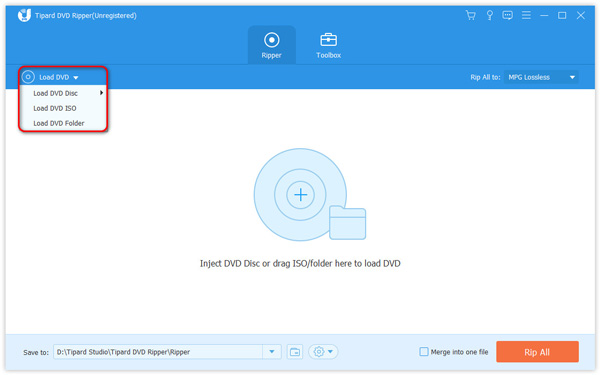
Launch Tipard DVD Ripper. Open the Load DVD menu and select Load DVD Disc, Load DVD ISO, or Load DVD Folder.
Step 3 Choose an Output Preset Optimized for Wii
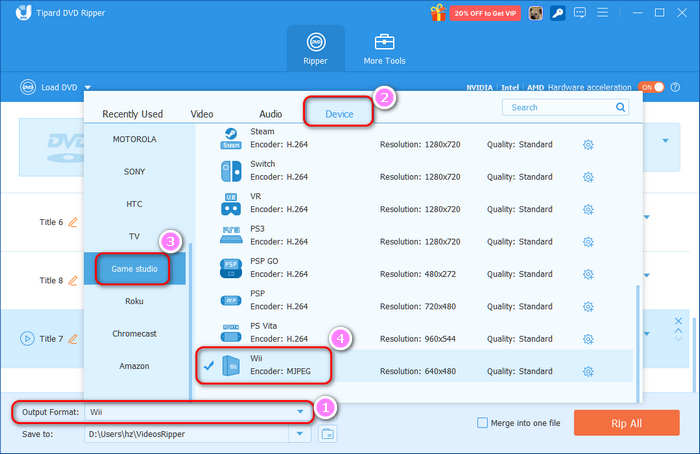
Click the Output Format dropdown button at bottom left. Then, select the Device category on the top side of the popup window. Then, select Game Studio on the left side. After that, scroll down to select Wii. This is an output video preset optimized for Wii game consoles.
Step 4 Rip DVD to Wii
Click on the Rip All button to rip the DVD file to format playable for the Wii Console. Then, you can copy the DVD to USB so that you can watch a DVD in a Wii.
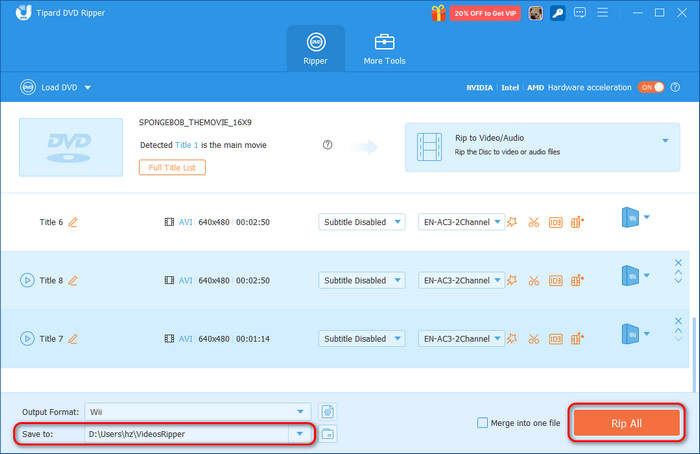
You can copy the file compatible with Wii console to the SD card and use the SD card to play DVD on Wii.
Part 2: Unlock Wii to Play DVD
When you want to unlock Wii, you can play DVD on Wii as well as other video and audio format, or use homebrew games/classic console on Nitendo Wii. But there are some risks for unlock Wii, it might also ruin the Wii. Does Wii play Blu-rays in this way? The answer is not.
When you select the program to unlock Wii to play DVD, you may consider the next four conditions.
- • The ease of use. If this software is hard to use, there is no doubt that it won't be very popular with users. It is better that the software you download have an easy guides or videos to follow.
- • The Bonuses that they provide. It is a service which can increase customers' goodwill. Even though no necessary, you can also try to get the best out of your buck.
- • The price. Every user wants to choose the best product in the lowest price, it should be a major factor of the price.
- • The customer service. A good customer service can show how considerate the company is. When you have some problems, the company has to help you and solve the problem thoroughly.
You can choose the most suitable software to unlock Wii according to these conditions we mentioned above. It is recommended to use the following programs for unlocking Wii to play DVD.
1. Wii Unlocker Ultra
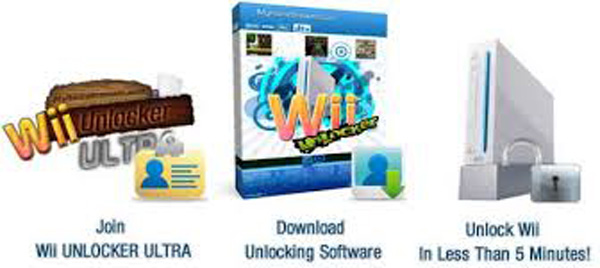
It is the best product on the Internet that provides a detailed guide to unlock Wii for playing DVD. And the guide is really an easy to use e-book so that you can unlock the Wii in an easy and simple way. Besides, Wii Unlocker Ultra can guarantee your Wii will be safe and unlocked period.
Rating: 5/5 - The Best There is.
Price: $37.95 - Limited Time Only (Retail: $75.00)
2. WII Unlock Plus
WII Unlock Plus is another excellent program for you to unlock the Wii and play DVD. It provides some extras, and a step-by-step guides to give you a detailed solution. And Wii Unlock Plus is a one-time program where you buy something and after that you will not have to do anything with their website.
Rating: 4.7/5
Price: $29.95 - Limited time (Retail Price: $59.95)
3. Wii Unlocker
Wii Unlocker can also help you unlock the Wii without any hassle. It is completely compatible with the latest system and it will never void your warranty. Additionally, you can access your Wii channel when you have Wii Unlocker installed. It is totally safe to update your Wii with it installed as well.
Rating: 4.5/5
Price: $24.99 - Limited Time only (Retail: $49.95)
Part 3: Play DVD on a Wii with Homebrewf
Homebrew is a channel or an app to play DVD on Wii, but it might be a little complicated to install Homebrew Channel. When you've installed Homebrew, it'll be very easy to watch DVDs on a Wii.
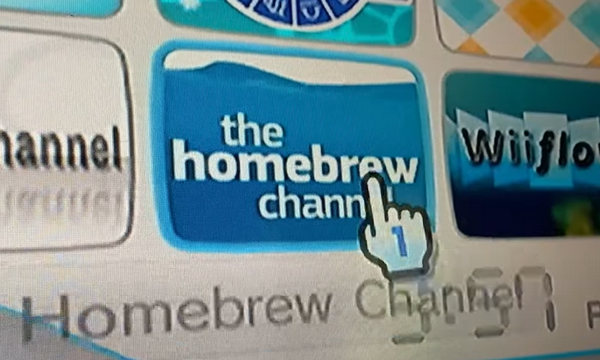
Step 1 Insert your DVD into your Wii, and open the Homebrew Channel on your Wii.
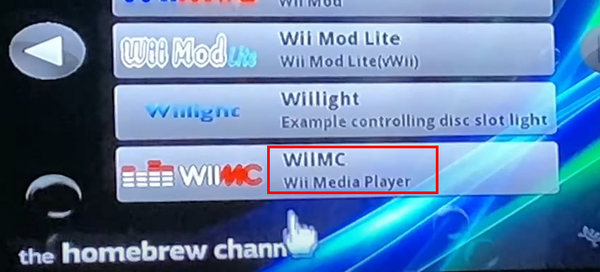
Step 2 Choose WIIMC, which is a media player in the Homebrew Channel to play a DVD on a Wii.
Step 3 Homebrew has detected your DVD, and you only need to click the Load button on the Homebrew Channel to watch the DVD on a Wii.
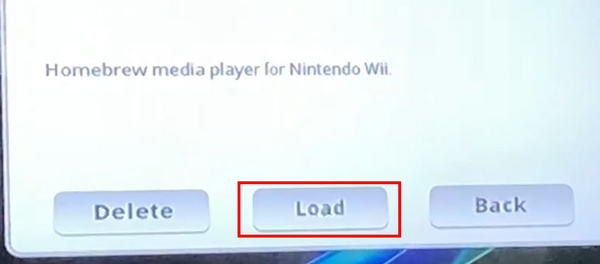
It might be complicated to install the Homebrew Channel. You can find that it is easier to use Tipard DVD ripper to rip your DVD to a computer and copy the file to Wii.
Part 4: FAQs of Play DVD on Wii
Why won't my Wii read a DVD?
This is because Nintendo uses a proprietary disc encoding format that differs from standard DVDs. In fact, most standard DVD drives cannot even detect a Wii disc.
How to know what DVD drive my Wii has?
You can see it on the DVD drive when it's removed from the Wii. It's printed on a yellow background. And it starts with A, AM, AMV, AMW, AMX, NMX, NMY, etc. The DVD drive chip is the essential part to identify the version of the console.
Can Wii play Blu-ray?
No. Wii does not play Blu-ray discs or DVDs, CDs, partly because Nintendo's game console is designed for video games but not video entertainment. Nintendo does not want to pay licensing fees. And although Wii U plays Blu-ray discs, it will not load the movies. So if you want to play Blu-ray on Wii, you need to rip Blu-rays to Wii u.
Conclusion
Will a Wii play a DVD? The answer is yes, but it's really difficult to do that, for you can't directly use your Wii as a DVD player. You can use a Wii Unlocker to bypass the restrictions that prevent you from playing DVDs. The Homebrew Channel on Wii can also help you play DVDs, but it's difficult to install. In that case, Tipard DVD Ripper is your best choice because you can rip your DVD videos to a USB drive and then insert it into your Wii. In that way, you can watch a DVD in a Wii and enjoy high-quality videos.
More Reading




About the Author

 Click here to join the discussion and share your comments
 Tipard DVD Ripper