

Key Takeaways:
While MakeMKV may struggle with the latest copy protections and disc types, Tipard Blu-ray Converter stands as the most powerful MakeMKV alternative. It effortlessly bypasses advanced encryptions and region codes for both Blu-rays and DVDs, fully backed by GPU acceleration. For a MakeMKV alternative free for Linux, Mac, and Windows, HandBrake remains the top choice for Linux, Mac, and Windows, capable of handling standard and non-standard discs, though it requires third-party workarounds for encrypted content.
If you are considering getting MakeMKV but want to make a smart decision, this article will provide you with all the factual information and key features you need. Ripping DVDs and Blu-rays is important if you want to keep your movies in high quality. However, not everyone is completely satisfied with MakeMKV, and some users have faced disappointments. Because everyone has different needs, a tool that is perfect for one person might not be right for another. That is why we also list some great choices below so you can see which MakeMKV alternative works best for you.
Part 1. All about MakeMKV
Before considering an alternative to MakeMKV, let us have its concrete description and features to meet.
What is MakeMKV
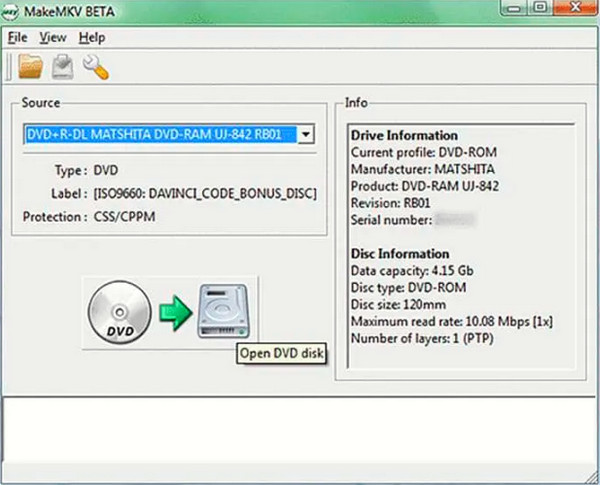
MakeMKV is a popular, one-click solution designed to rip DVDs and Blu-ray discs into lossless MKV files. It preserves all original video and audio tracks (including HD audio), chapters, and meta-information without altering the quality. Additionally, MakeMKV can stream decrypted video directly to various media players, eliminating the need for immediate conversion.
Basic Features of MakeMKV
- It has the ability to read DVDs and Blu-rays at the same time.
- MakeMKV is a free alternative to Blu-ray players with BD+ and AACS.
- It preserves the information of the chapters, meta information, and HD video and audio tracks.
- Ultrafast conversion speed.
- Flexible to various platforms such as Mac, Windows, and Linux.
Limitations of MakeMKV
As mentioned above, you can definitely use MakeMKV for free. However, you must know the limitations when downloading its beta for free.
- The service time is limited. The free version of the software comes with every 2-month change for its update. This will require you to download new versions to follow the update.
- MakeMKV cannot recognize some highly-customized homemade DVDs or Blu-rays. It can only handle discs with standard structure and format.
- If you are using a Windows-based computer, please note that the beta version of MakeMKV will require Windows administrator privileges.
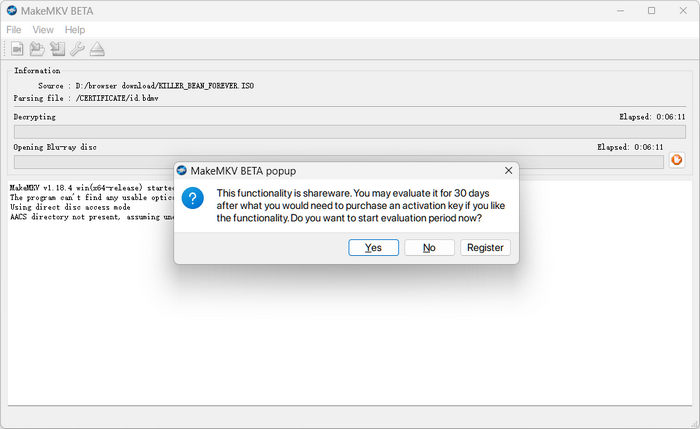
- From our tests, ripping a simple Blu-ray ISO iamge is not totally free, let alone 4K Blu-rays.
Part 2. Best Alternatives to MakeMKV
1. Tipard Blu-ray Converter
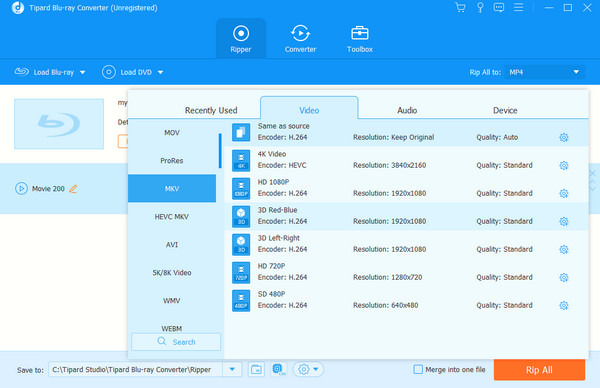
Tipard Blu-ray Converter is the best MakeMKV alternative for Windows, Mac, and Linux OS. It helps you convert any type of Blu-ray into more than 500 different video formats and devices. Aside from its ability to transform your Blu-ray into a much wider array of formats, it also allows you to convert bulk files simultaneously. This will absolutely lessen your time and effort in producing new MKV and other files. Furthermore, Tipard Blu-ray Converter provides you with extensive editing tools that you can use to make your videos more interactive. You can use its Toolbox, which holds the best video enhancer, which uses AI technology for every video it enhances. In addition, a video compressor, GIF maker, 3D maker, and media metadata editor are also present to do their job well.
Key Features:
- With a built-in media player that comes with a snapshot feature.
- Ultrafast conversion technology.
- Support for more than 500 video formats.
- Batch Blu-ray, ISO, IFO, and DVD file conversion.
- Built-in Video enhancer, 3D maker, and GIF Maker.
- Numerous effects and filter customization are available.
- No watermark embedded on outputs.
2. Tipard DVD Ripper
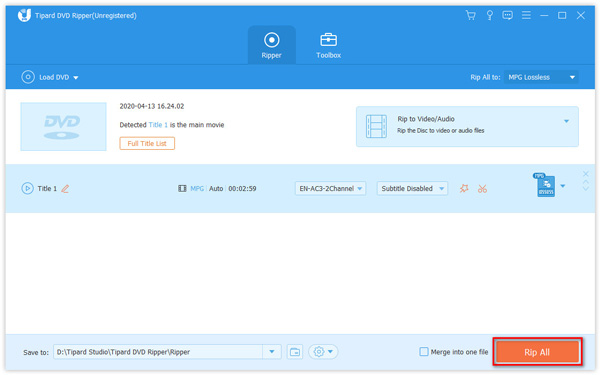
Another brilliant MakeMKV alternative on Mac and Windows is this Tipard DVD Ripper. It is one of the gems of Tipard that is dedicated to all DVD concerns. Furthermore, just like the first one, this ripper can rip your DVD file into 500 plus different video formats, including MKV, AVI, MP4, FLV, MPG, WMV, MPG, and many more. In addition, it also comes with a hardware accelerator that will help you copy and back up your DVD movie 30 times faster. Moreover, after copying your DVD movie, you can freely edit it by adding filters, adjusting its effects, adding audio tracks, subtitles, and watermarks, rotating, cutting, cropping, and merging them.
Key Features
- Hardware accelerator.
- More than 500 various video formats to choose from.
- Video compressor, metadata editor, and video enhancer.
- GIF and 3D maker.
3. HandBrake
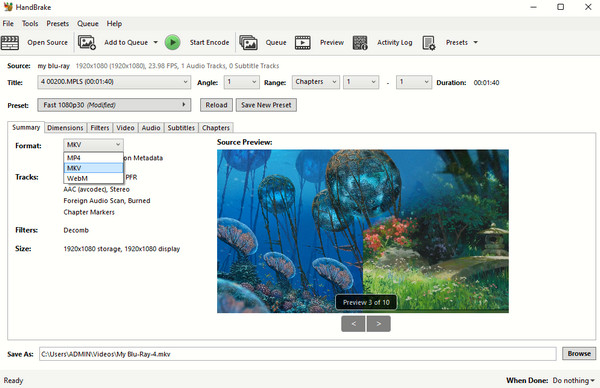
Next in the line is HandBrake. It is one of the most popular software tools that converts DVDs, files, and digital videos to MKV, MP4, and WebM, just like the first two software tools. Furthermore, HandBrake has been known not only for Windows and Mac but also as a good MakeMKV alternative for Linux. Surprisingly, HandBrake lets you deeply customize Blu-ray and DVD parameters like video/audio codec, bitrate, frame rate, and resolution. However, if you are about to work on encrypted DVDs and Blu-rays, you'll need to manually find and add decryption files, like HandBrake libdvdcss.
Key Features
- Batch queuing scan and conversion.
- Easily adjust chapters in videos and Blu-rays/DVDs.
- Provide a Live Preview feature.
- Rich output video presets and parameter customization options.
4. Freemake Video Converter
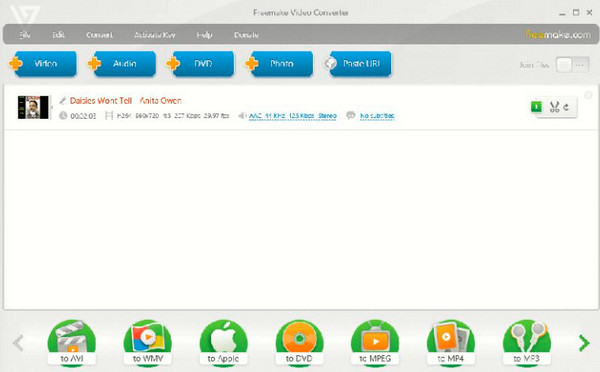
The last on the list is this Freemake Video Converter. It is, as it says it is, free software that converts digital videos to a wide array of output format selections. It makes it a good MakeMKV-free alternative since it also allows you to play Blu-ray movies. In fact, it provides you an option to clip out segments of the movies and edit them by adding subtitles, black rim, and rotating them.
Key Features
- Convert Blu-rays, DVDs, and digital videos massively.
- Share converted files online.
- Burn discs with audio tracks, subtitles, and authoring tools.
Choose the MakeMKV Alternative You Like:
Here is a comprehenive comparison table of the 4 alternatives and MakeMKV. You can consider it and make you choice.
| Feature | MakeMKV | Tipard Blu-ray Converter | Tipard DVD Ripper | HandBrake | Freemake Video Converter |
|---|---|---|---|---|---|
| Supported Input Types | Blu-ray, DVD, 4K UHD, ISO, BDMV/VIDEO_TS Folders | Blu-ray, DVD, 4K UHD, ISO, BDMV/VIDEO_TS Folders (including non-standard formats) | DVD, ISO, VIDEO_TS Folders | DVD, Blu-ray (unencrypted), ISO, BDMV/VIDEO_TS Folders, Digital Video Files | DVD, Blu-ray (unencrypted), ISO, Digital Video/Audio Files |
| Best For | Exact 1:1 lossless backup of physical discs into MKV format. | All-in-one professional Blu-ray/DVD ripping, editing, and hardware-accelerated encoding. | Dedicated, fast DVD backup and customization into mainstream formats. | High-quality, open-source video transcoding and compression for unencrypted files. | Basic, user-friendly digital video conversion and quick social sharing. |
| Disc Compression | No (Always outputs 1:1 raw data; files are massive, e.g., 50-100GB for 4K UHD) | Yes (Built-in video compressor and advanced codec settings to shrink output sizes) | Yes (Features flexible bitrate controls and a built-in compressor toolbox) | Yes (Highly efficient preset and manual compression configurations) | Yes (Allows users to adjust target file sizes before converting) |
| Copy Protection Decryption | Yes (Bypasses advanced encryptions like AACS and BD+ via LibreDrive) | Yes (Bypasses the latest commercial encryptions and regional codes natively) | Yes (Natively bypasses standard and commercial DVD CSS/region locks) | No (Requires third-party libraries like libdvdcss to handle basic DVD protection; cannot decrypt Blu-ray) | No (Does not natively support modern commercial disc decryption) |
Part 3. FAQs about MakeMKV and Its Alternatives
What is MKV, and why rip DVDs to MKV?
MKV is the short-term for Matroska, a video container that can hold unlimited audio, video, and subtitles tracks. For this reason, you would want to rip your DVD movies to MKV since movies have large files that MKV can hold.
Can I rip 4K movies with MakeMKV?
Yes. MakeMKV can work on 4K movies, Blu-rays, and DVDs.
Is MakeMKV safe to download?
Yes. MakeMKV has a good rating when it comes to safe downloading.
Conclusion
There are always MakeMKV alternatives that promote half-effort but yield better solutions. Choices are everywhere, but those in this post are more practical and reliable. If you need a tool that works on your 4K UHD Blu-rays, use Tipard Blu-ray Converter.
More Reading


About the Author

 Click here to join the discussion and share your comments
 Tipard Blu-ray Converter