

Key Takeaways:
A 4K video player should be able to seamlessly play large 4K files. Hardware decoding is necessary. Also, it should be able to open videos with high bitrates, resolutions, frame rates, and different codecs and formats. Based on those standards, we highlight the top 3 4K UHD players below:
- Tipard Blu-ray Player: Best for high-bitrate 4K files.
- PotPlayer: Best for customization (pro users).
- VLC Media Player: Best lightweight option.
Finding the right 4K UHD player in 2026 can be overwhelming with so many conflicting specs. A wrong choice doesn't just waste your budget, but also cause lag and high CPU usage when playing high-bitrate 4K videos. In this comprehensive guide, we put the top 4K players through rigorous, real-world stress tests. We've evaluated how they leverage GPU hardware acceleration to deliver seamless picture quality and lightning-fast usability. By the end, you'll identify exactly which players offer the smoothest 2160p experience and meet your own expectations.

Part 1: Comparison of the Top 10 4K UHD Players
| Features | Supported Resolution | Format Supported | Total CPU Usage | Hardware Acceleration |
|---|---|---|---|---|
| Tipard Blu-ray Player | 4K UHD, 1080p, 720p, and even 8K | MP4, MOV,AVI, MKV, AV1, HEVC, and many other formats. | 2% - 5% | Supported |
| mpv | 4K UHD | MKV, MP4, HEVC, H.264 | 2% - 6% | Supported |
| KMPlayer | 8K and 4K UHD | MKV, MP4, AVI, MOV, TS | 7% - 12% | Supported |
| CnX Media Player | 4K UHD | HEVC, H.264, AV1, VP9 | 6% - 11% | Supported |
| DivX Player | 4K UHD and 2160p | HEVC, MP4, MKV, AVI | 3% - 7% | Supported |
| Plex | 4K UHD | HEVC, H.265, MP4, MKV | 8% - 15% | Supported |
| PotPlayer | 4K UHD | MKV, MP4, AVI, MOV, WMV | 3% - 6% | Supported |
| 5KPlayer | 4K UHD, 5K, 8K | MKV, MP4, HEVC, MP3 | 4% - 8% | Supported |
| Media Player Classic - Home Cinema (MPC-HC) | 4K UHD | MKV, MP4, H.264, H.265 | 2% - 7% | Supported |
| VLC Media Player | 4K UHD | MKV, MP4, HEVC, H.264, AVI, MOV | 5% - 10% | Supported |
| Show MoreShow Less | ||||
Our Test Standards
We made a test to choose the best 4K UHD players. Below is how we do the test:
- Testing Environment: We use a Windows 11 computer (Intel i9, 32GB RAM, RTX 4080) and a MacBook with Apple M4.
- Testing Video Samples: Several high-bitrate 4K H.264 / HEVC (H.265) MKV and MP4 files with a bitrate peaking up to 50 Mbps.
- Our Goal: The video should be played without frame drop, stuttering, or audio-video desynced lag.
Part 2: Review of Top 10 4K UHD Players
1. Tipard Blu-ray Player
Tipard Blu-ray Player is a reliable 4K UHD player for home theater enthusiasts. Also, it is capable of supporting all popular 4K video files, such as MKV, MP4, and HEVC, and also Blu-ray discs and ISO files. Hardware acceleration will make sure that you have sufficient 60fps playback without straining your CPU. Its use of subtitles, audio track alternatives, and a user-friendly interface makes it acceptable to both the casual and the cinephile who require quality. If you pursue smooth playback with low total CPU usage, Tipard Blu-ray Player is your best 4K player.
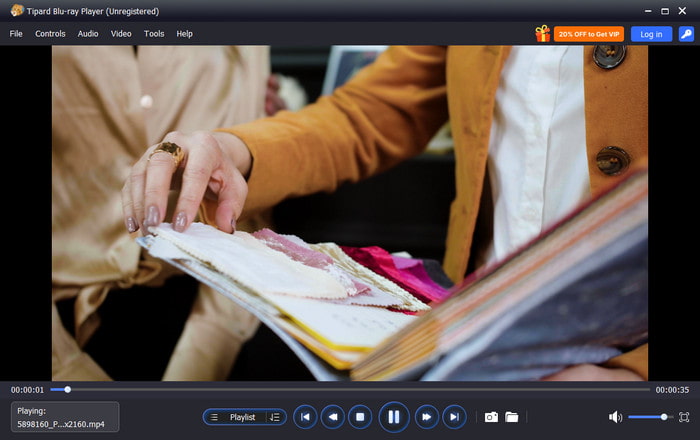
Platform: Windows & Mac
Best for: 4K UHD video and Blu-ray playback
Key Features of Tipard Blu-ray Player:
- 4K UHD, 1080p/720p support
- Blu-ray disc, ISO and folder playback.
- Full hardware acceleration for decoding.
- Audio track support and subtitle support.
- Smooth 4K playback
- Blu-ray compatibility
- Intuitive interface
- Advanced GUI settings
- No streaming feature.
2. mpv
mpv is a minimalist 4K media player designed for high-quality playback without extra frills. It also provides 4K HDR playback with Dolby Vision, in a GPU-accelerated version. Plus, this 4K video player is lightweight and, therefore, efficient, but cannot be customized without command-line expertise.

Platform: Windows, Mac, Linux, Android
Best for: Lightweight, highly configurable 4K playback
Key Features of mpv:
- GPU video decoding
- HDR and Dolby Vision support
- Frame timing and interpolation
- Minimalist design
- Highly configurable
- Excellent 4K video quality
- No GUI for advanced settings
- Cannot play DVDs or Blu-ray discs
3. KMPlayer
KMPlayer is a highly customizable 4K/8K UHD player engineered for power users. By leveraging advanced hardware acceleration, it ensures stutter-free playback even for massive 8K video files. Beyond standard controls like color, aspect ratio, and speed, it offers native support for 3D and 360-degree VR content, delivering a truly immersive home theater experience. While feature-rich and ad-supported, this 4K video player remains a top-tier choice for those seeking a versatile, all-in-one media solution.
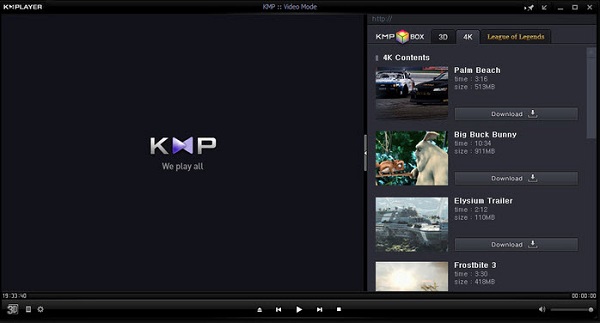
Platform: Windows & Mac
Best for: Customizable 4K playback with 3D and VR support
Key Features of KMPlayer:
- 4K/8K UHD playback
- Hardware acceleration
- Color and screen adjustments
- Playback speed customization
- 3D and VR support
- Excellent codec support
- Playback customization
- Ads in the free version
- Resource-intensive
4. CnX Media Player
CnX Media Player is a premier 4K UHD player tailored for cross-platform HDR playback. It offers seamless 4K casting to Chromecast, Roku, and Apple TV, with comprehensive support for modern codecs including HEVC, AV1, and VP9. Powered by robust hardware acceleration, this best 4K player guarantees stutter-free performance for high-bitrate files, while its intuitive interface makes premium UHD viewing effortless for every user.
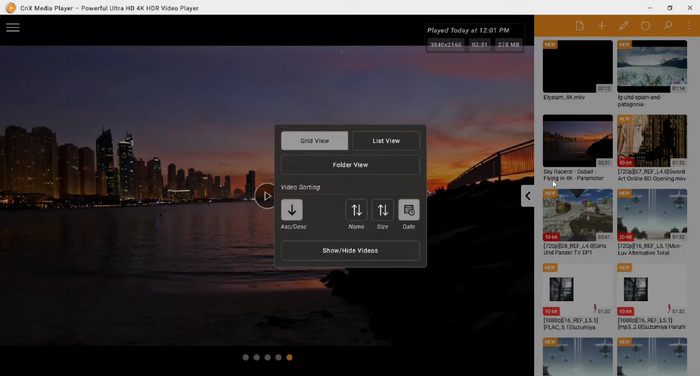
Platform: Windows, Mac, Android, and iOS
Best for: Cross-platform 4K playback with HDR support
Key Features of CnX Media Player:
- HEVC, H.264, AV1, VP9 support
- HDR10 playback
- Support casting 4K videos to smart TVs
- Hardware-accelerated playback
- Smooth 4K playback
- User-friendly interface
- Some premium features require a subscription
- Limited platform support
You May Also Like:
5. DivX Player
DivX Player is a high-quality 4K streaming media player that supports 4K UHD 60fps videos and HEVC encoding on Windows and Mac. The DivX Optimized technology provides an easy playback experience and allows users to cast, fast-forward, or rewind content and cast back to outside screens. The free version is operational, but more sophisticated features are available only in the Pro version. This 4K media player is best suited to those users who require streaming and high-definition local playback.
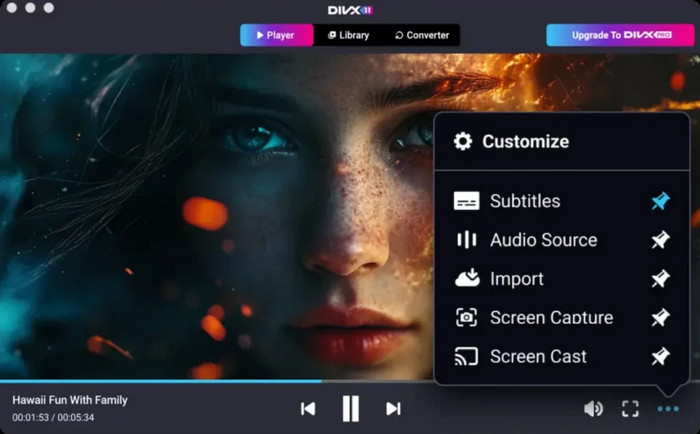
Platform: Windows & Mac
Best for: Advanced control 4K playback in a high definition
Key Features of DivX Player:
- 4K UHD 2160p 60fps support
- HEVC encoding support
- DivX Optimized technology
- AC3 audio support
- Casting to external screens
- Good codec support
- Enhanced post-processing
- Pro version needed for full features
- Installation can be slow
6. Plex
Plex is a comprehensive 4K media server and player designed to centralize and organize vast media libraries. It seamlessly handles HEVC and modern high-bitrate formats, enabling consistent 4K streaming across all your devices. Beyond simple playback, it offers robust subtitle management, custom playlists, and mobile syncing. While the core features are free, a Plex Pass is required to unlock premium capabilities like hardware-accelerated transcoding, ensuring smooth performance for large 4K files.
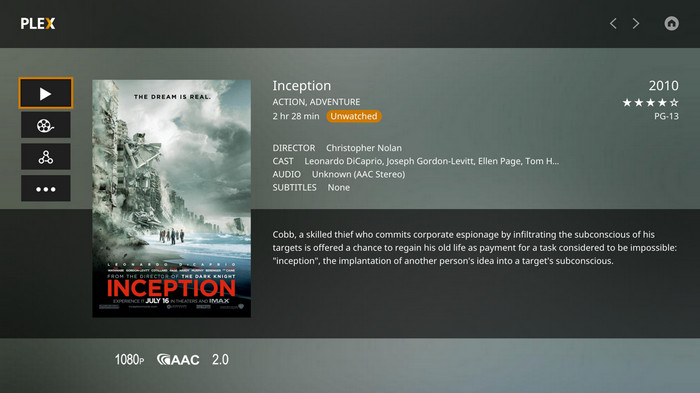
Platform: Windows, Mac, Linux, Android, iOS
Best for: Streaming and organizing large media collections
Key Features of Plex:
- HEVC and H.265 4K playback
- Cross-platform streaming
- Media library organization
- Playlist and subtitle support
- Mobile sync for premium
- Excellent library management
- Cross-platform support
- Premium features require a subscription
- Initial setup can be complex
7. PotPlayer
PotPlayer is a high-performance 4K media player for PC that bridges the gap between raw power and extensive customization. Leveraging advanced hardware acceleration, it guarantees fluid playback for high-bitrate content, while native support for 3D and 360-degree video expands your viewing possibilities. While its deep, fine-tunable settings are a dream for power users, beginners may find the advanced configuration options overwhelming when optimizing for 4K video resolution.
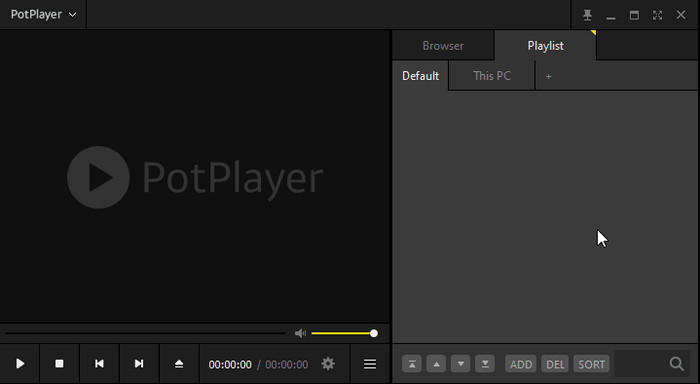
Platform: Windows
Best for: Feature-rich 4K playback with hardware acceleration
Key Features of PotPlayer:
- DXVA, CUDA, QuickSync hardware acceleration
- 3D and 360-degree support
- Extensive codec support
- Smooth 4K playback
- Smooth 4K playback
- Highly configurable
- Advanced settings may be complex
- No official Mac version
8. 5KPlayer
5KPlayer is a versatile 4K Ultra HD media player engineered to handle high-resolution 4K, 5K, and even 8K video across multiple formats. By utilizing GPU hardware acceleration, it ensures fluid playback for heavy media files, while built-in AirPlay and DLNA support allow for seamless wireless streaming to external screens. Beyond playback, it features a built-in downloader to save 4K content directly from popular video-sharing sites. As a free 4K video player, 5KPlayer delivers a high-performance, all-in-one experience for any 4K multimedia enthusiast.
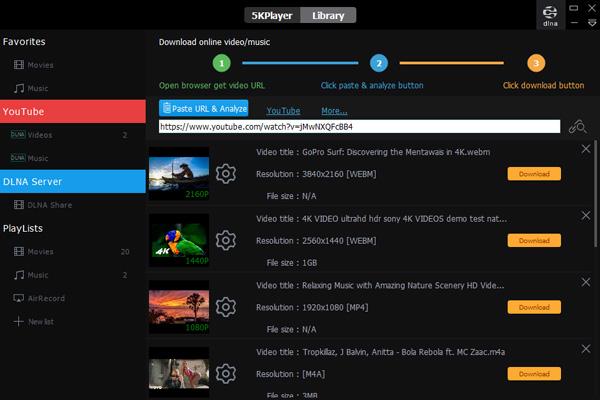
Platform: Windows & Mac
Best for: Free 4K playback with streaming capability
Key Features of 5KPlayer:
- 4K, 5K, 8K video and audio support
- Multiple video playback
- 4K HDR support
- AirPlay streaming
- GPU acceleration
- Smooth 4K playback
- AirPlay support
- Performance depends on hardware for HEVC files
9. Media Player Classic - Home Cinema (MPC-HC)
MPC-HC (Media Player Classic - Home Cinema) is a lightweight UHD player program renowned for its exceptional efficiency, making it the go-to choice for older PC hardware. When paired with the K-Lite Codec Pack, it flawlessly supports modern 4K formats, including HEVC/H.265. While its minimalist, ad-free interface appeals to purists, users should note that this 4K video player relies on third-party codecs for extended format support and is no longer under official development, though it remains one of the most stable 4K solutions available.

Platform: Windows
Best for: Lightweight 4K playback on older systems
Key Features of MPC-HC:
- Lightweight and ad-free
- Supports most modern 4K formats
- Customizable interface
- Open-source
- Lightweight, clean interface
- Wide format support
- Requires external codecs for HEVC
- No official updates
10. VLC Media Player
VLC Media Player is a globally recognized open-source 4K player, celebrated for its unparalleled universal compatibility. This 4K media player natively supports nearly all modern codecs, including HEVC (H.265) and H.264, without requiring external codec packs. Beyond its HDR-ready playback and 360-degree video support, VLC leverages GPU hardware decoding to ensure seamless 4K performance. While its minimalist interface is ad-free and reliable, power users may need to fine-tune advanced settings to unlock the most optimal 4K rendering.

Platform: Windows, Mac, Linux
Best for: Free, versatile 4K playback across platforms
Key Features of VLC Media Player:
- Supports almost all video/audio formats
- HDR and 360-degree video playback
- Chromecast compatibility
- Hardware decoding and 10-bit support
- Free and open-source
- Broad codec support
- Settings can be complex
- UI is less intuitive for some users
Part 3: FAQs of 4K UHD Player
Do I need a special player for 4K UHD?
You do not always need a special player, but a 4K streaming player ensures smooth playback. Regular players may work, but 4K files are large and need hardware support. Knowing the difference between 4K vs 2K shows why a good player helps keep videos smooth and clear.
Is VLC best for 4K?
VLC is a good 4K player because it supports most formats and HDR. But dedicated players like Tipard Blu-ray Player or 5KPlayer can give smoother 4K playback and extra features like Blu-ray support or streaming.
How many GB is a 2-hour movie in 4K?
A 2-hour 4K movie can be 15GB to 60GB, depending on compression and format. Using the best UHD player makes it easier to play these large files without lag or freezing.
Conclusion
If you want smooth and high-quality 4K playback, choosing the right 4K UHD media player is essential. With the players we reviewed, you can compare features, supported formats, and performance to find the one that fits your needs. For seamless 4K playback with low CPU usage, Tipard Blu-ray Player is a great choice. In our stress test, it maintained a consistent 3% CPU load, even when jumping between chapters of a 60GB 4K ISO file, surpassing VLC in multitasking stability.
More Reading




About the Author

 Click here to join the discussion and share your comments
 Tipard Blu-ray Player