

Making 3D movies has become increasingly popular over the past decade. You might need 3D videos to showcase your company's products or to add an extra touch to your project presentations. In that case, finding a reliable 3D movie maker is essential. Depending on your budget, you may prefer a free 3D movie maker or a paid option with more advanced features. To help you choose, we've compiled a comprehensive list of the top 10 3D movie maker programs for you.

Part 1. Top Free 8 3D Movie Makers
1. Tipard Video Converter Ultimate
If you're looking for the simplest and most effective way to learn how to make 3D movies, look no further than Tipard Video Converter Ultimate. This easy-to-use 3D movie maker, available for both Windows and Mac, delivers outstanding results and an intuitive user experience, allowing you to create stunning 3D videos without any advanced animation skills. If you enjoy producing content for social media, you'll be glad to know that this 3D movie maker supports all major platforms, including YouTube, Facebook, Vimeo, Instagram, TikTok, and more. Other key features include:

- Easily create 3D videos with a great number of editing tools, filters, and options.
- Convert your output video to over 300+ formats, automatically suits all major video platforms.
- Offer the powerful video editing features to edit video effects with ease
- Additional extra features such as Watermarks Remover, Video Compressor, Metadata Editor, etc.
How to Make a 3D Video with Tipard Video Converter Ultimate:
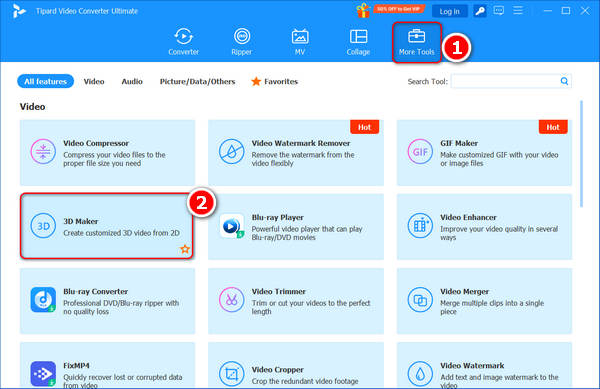
Step 1 Click on the More Tools tab on the top side of the main screen, in the options below, you will see the 3D Maker option on the lower left side. Click on the button to proceed.
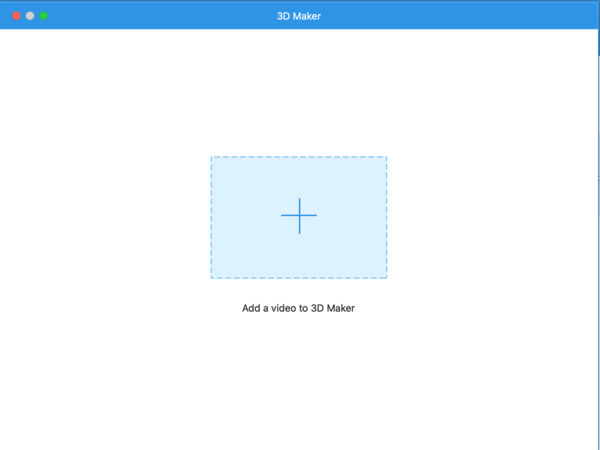
Step 2 You have started up the 3D Maker feature, click on the Add button in the middle of the screen, a dialog will pop up, select the desired video you want to convert to a 3D movie.
Step 3 After your video has been imported, you would be able to tweak the parameters of your video.
On the top side of the screen, a preview will be available for you to monitor the changes of your video after effects, giving you a glance at the final product.
If you wish to change the anaglyph of your video, click on the Anaglyph Menu on the lower left side to turn on the switch.
If you wish to create a split-screen 3D movie, click on the Split Screen menu for available options.
Click on the Format option on the lower right side, you would be able to select the desired format you want to export.
Click on the Quality menu to change the quality of your output video.
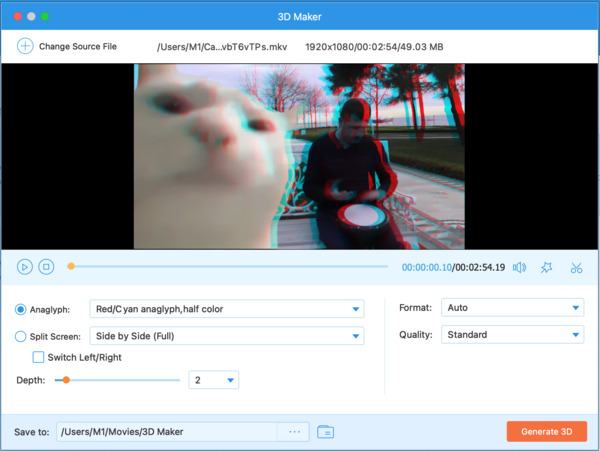
Step 4 After finishing tweaking your 3D movie, select the Save to option on the bottom of the screen to choose the path folder you want to save your video to. Click on the Generate 3D button on the lower right corner to complete rendering your final 3D movie.
2. VSDC Free Video Editor
VSDC Free Video Editor is a versatile, free video editing software for Windows that can also serve as a basic 3D movie maker. While primarily a video editor, it supports 3D and VR 360° video effects, allowing you to add depth and immersive elements to your projects. With its user-friendly timeline, visual effects, and 3D transformation tools, you can create engaging 3D-style videos without advanced animation skills. This 3D movie maker can also export your video to all major video formats, making it easy to share your 3D creations across platforms.

3. Blender
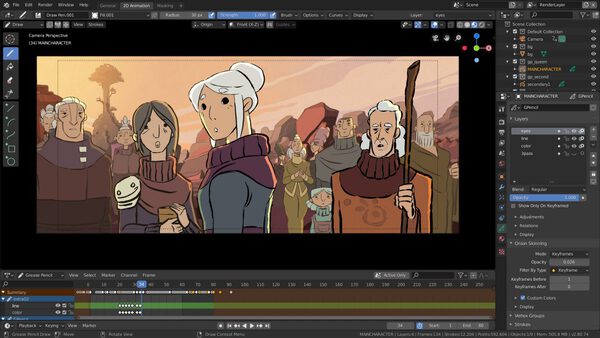
The award-winning 3D animation tool has been overwhelmingly welcomed within animation creator communities. Blender allows advanced features such as editing textures, colors, and 3D modeling tools. However, this 3D movie maker is designed for professional users rather than a 3D Movie Maker for the average consumer.
4. Wax
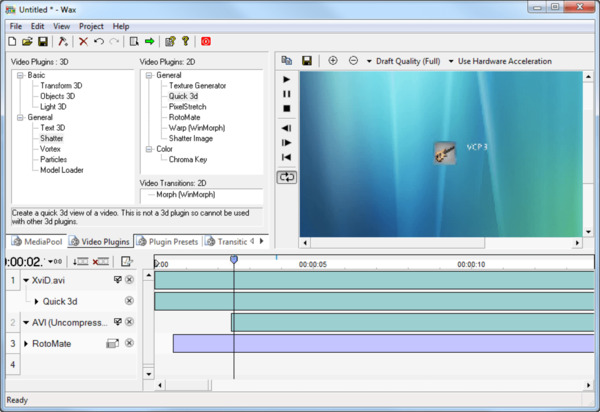
As open-source 3D movie maker software, Wax focuses its functionalities around video compositing. Its 3D Movie Maker features mostly work in conjunction with more professional movie maker tools, which is why Wax supports hardware acceleration.
5. Windows Movie Maker
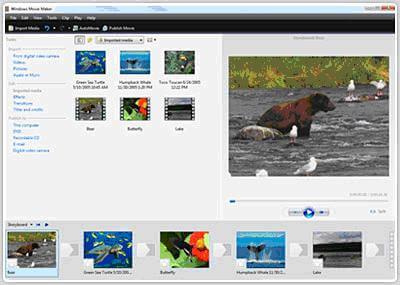
If you are still using the legacy version of Windows, you should try out Windows Movie Maker as your Windows 3D Movie Maker tool. It is very user-friendly with basic functions such as adding a music overlay to your video.
6. Xara 3D Maker
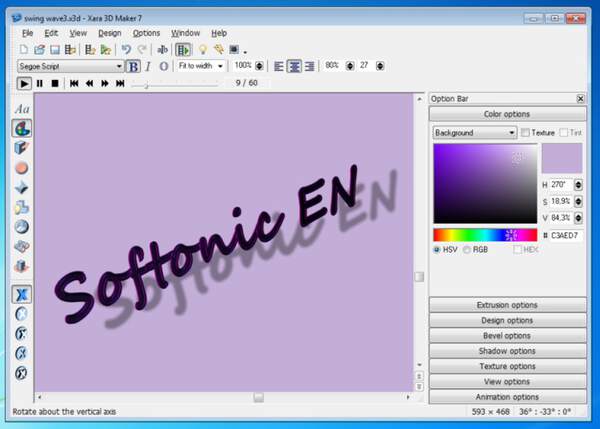
It is technically not fully free software; however, the trial version of Xara 3D Maker works great as a free 3D movie maker. It has a well-placed, straightforward interface and basic functionalities such as 3D text animations and 3D video effects.
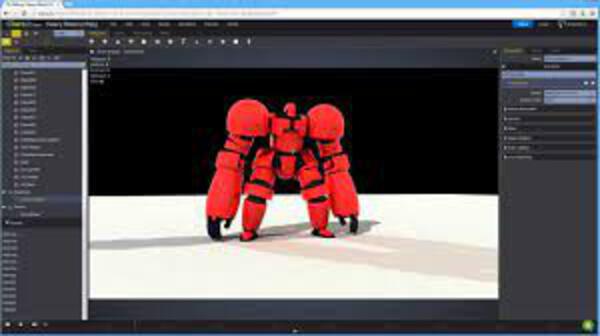
7. Clara.io
This is a web-based 3D Movie Maker tool. Since it's browser-based, it supports most platforms and costs fewer computing resources. This online 3D video maker is very powerful. For example, it can also create 3D models online.
8. K-3D
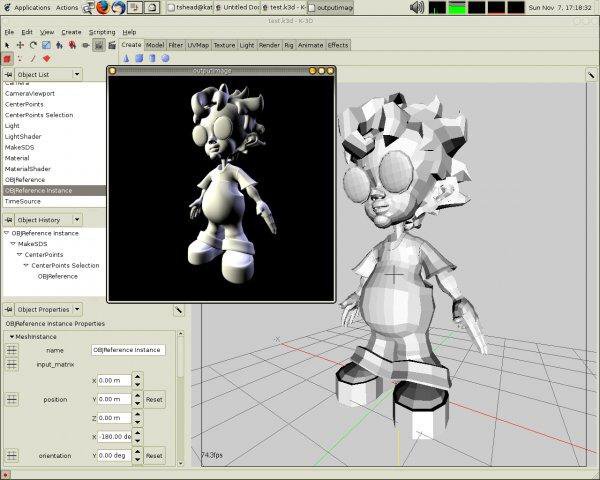
This is also a free but surprisingly good 3D movie maker software. Mainly for industrial design usage, K-3D supports many advanced features such as Visualization Pipeline Architecture and integration with the popular rendering software RenderMan.
Part 2. Top Paid 2 3D Movie Makers
1. Maya
Price: $255 per month
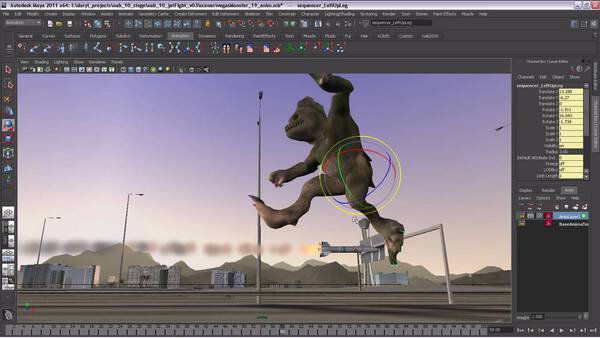
If you are looking for a paid 3D movie maker, Autodesk Maya is the industrial standard choice for professionals. As a professional 3D modeling, animation, and rendering software, Maya is widely used in film, TV, and game development. This 3D movie maker offers powerful tools for creating complex 3D characters, environments, simulations, and visual effects. Making 3D videos is very easy for this professional 3D maker.
2. Cinema 4D
Price: $109 per month
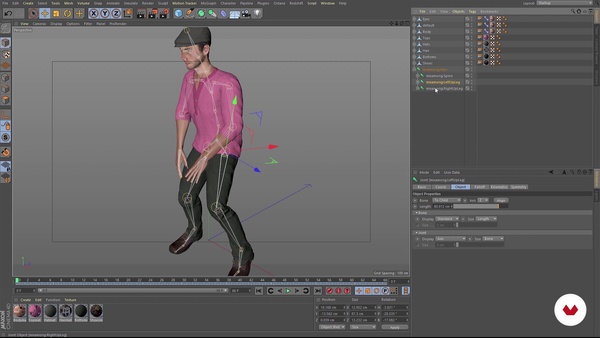
Cinema 4D is a professional 3D modeling, animation, and rendering software developed by Maxon. It's widely praised for its intuitive interface and ease of use, making it popular among motion graphics artists, designers, and visual effects creators. This 3D movie maker offers robust tools for 3D modeling, lighting, animation, and rendering. It integrates well with Adobe After Effects, which is ideal for creating high-quality 3D graphics and animations for film, TV, and digital media.
Part 3. FAQs of 3D Movie Maker
1. Which 3D movie maker software is the easiest to use?
Most 3D movie akers are designed for professional use, thus harder to learn. Try to find the most user-friendly option available.
2. Should I use 3D Movie Maker freeware or paid ones?
Depends on your budget and time. For most casual users, an easy-to-use free-of-charge option is always the better one.
3. Are creating 3D videos good for kids to learn?
Yes. Using a 3D Movie Maker tool is generally speaking a great idea for helping kids familiar with computer techniques.
4. What is 3D mod?
The 3D mod is the shortened form of three-dimensional model. It represents a physical body that uses a collection of points in 3D space. And these points are connected by various geometric entities such as triangles, lines, curved surfaces, etc.
Conclusion
If you're searching for a reliable 3D movie maker for Windows, we’ve compiled a list of 10 top options, including both free and paid tools. Among them, we recommend Tipard Video Converter Ultimate as the all-in-one solution for creating stunning 3D videos, and you wlll be impressed with the results!
More Reading
About the Author

 Click here to join the discussion and share your comments
 Tipard Video Converter Ultimate