

Videos are media files used for copying, recording, playing back, and more. The good thing about this file format is that you can transform its raw footage into an engaging story. It allows you to adjust its pacing, choose its best shots, and add video or audio effects.
Lightworks is considered one of the video editing software programs that can give justice to your videos. Users can professionally use it to edit their videos with its advanced features. This article lets you dig deeper into the tool, including its pricing, tech specs, key features, and more. Its three best alternatives are also included. Kindly scroll below to know more about the details of the topic.
Part 1. What Is Lightworks Video Editor?
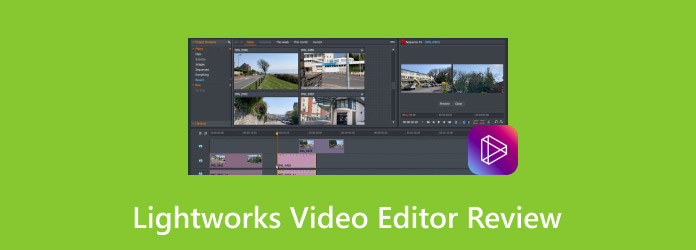
Lightworks is an NLE or non-linear video editing tool. It is known for its professional tools that can be used for editing, creating, and exporting multiple videos. It has an accessible interface that allows novices to experience an easy and smooth editing process.
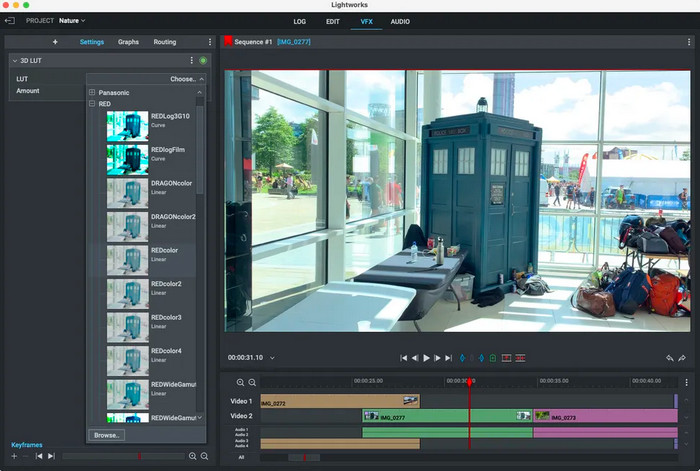
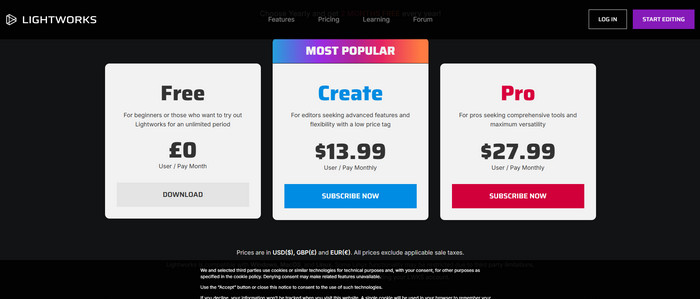
The Lightworks video editing app is commonly used for editing large projects, including major films. The tool is best for users who want to have full control in editing without going fully complex. It needs a minimum of 4 to 5 GB of RAM. Also, the installation size of the tool is 200 MB. The price of Lightworks ranges from $13.99 to $27.99, which is a bit expensive.
Part 2. Key Features of Lightworks
The features of Lightworks are indeed convenient because of their advancement. See its key features below to understand how it functions better.
1. Multiple Export Options
Lightworks allows you to export your videos to different platforms, including YouTube. You can choose different resolutions, including 720p, 1080p, and more. It is attainable without adjusting the video settings.
2. Various Real-Time Effects
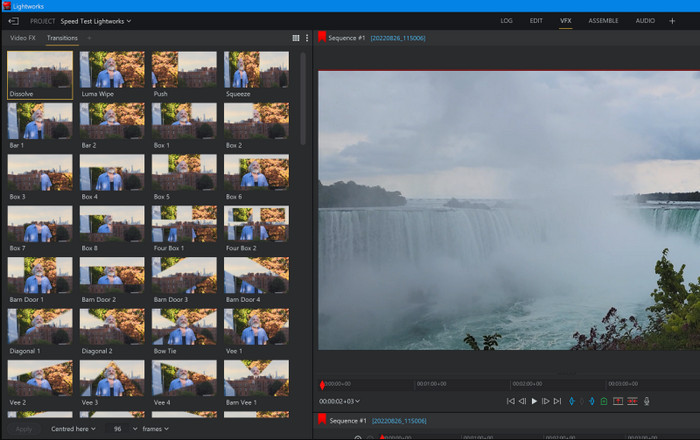
Real-time effects are used to see the changes in the video instantly while still editing it. You do not need to wait for it to render. You can adjust the color correction, transitions, etc.
3. Advanced Trimming Editing Tools
Lightworks allows you to use its advanced trimming tools in both its free and paid versions. You will have control over adjusting and cutting your videos. This way, you can perfectly align the audio and video files.
4. Media Formats Supported
It supports multiple audio and video formats. It includes MP4, MOV, WAV, AVI, and more. It only means that you do not need to convert the files before editing.
Part 3. Lightworks Video Editor Review 2026
There are more details you need to know about Lightworks! In this section, you will know its performance, pros, cons, and user experience.
1. Performance
Lightworks is considered a lightweight and efficient video editor. It does not slow down your computer with small or big projects. It is also designed for fast trimming. In short, it has a good performance for standard video editing.
2. User Experience
Beginners find Lightworks confusing due to its interface at first. Also, users rely on the trial-and-error technique when using it for the first time. To sum it up, it is difficult to use at the beginning, yet good after learning it.
3. Compatibility
Lightworks is available on Windows, Linux, and macOS. It is considered one of the few tools that is supported by native Linux support. It requires a dedicated GPU for smoother performance.
4. Advanced Editing Capabilities
The tool supports multicam editing for capturing different camera angles. You can also use frame-accurate editing. They are useful for broadcast and film work. It also includes timeline nesting.
5. Audio Editing Capabilities
Lightworks allows you to use multi-track audio editing. It includes the tools that can do basic audio mixing. Additionally, audio-video synchronization tools for aligning your clips are also accessible.
- Supports professional-level editing tools.
- It has lightweight performance.
- Supports a wide range of formats and codecs.
- Customizable shortcuts and workflow.
- It supports strong capabilities in its free version.
- Limited modern features.
- Less polished collaborations.
- Stability issues.
- Limited export options.
- Steep learning curve.
- Smaller plugin ecosystem.
- No strong cloud collaboration.
- It has limited motion graphics tools.
Part 4. Why Beginners Often Struggle with Lightworks
Most users who are beginners often report that they have struggled using Lightworks. This tool does not follow the typical layout of video editing tools. It is designed with professional editing logic, which is not intended for beginners. Also, Lightworks lacks built-in guidance on how to use its features. It does not guide users step-by-step. Users rely more on external manuals or tutorials.
Part 5. Top 3 Alternatives to Lightworks Video Editor
Lightworks software is indeed great for editing your videos. However, its required skills might not be suited for you if you are a beginner. Additionally, the software might be lacking in some aspects you are looking for in a video editing program. This section will show you the best alternatives to Lightworks.
1. Tipard Video Converter Ultimate
Tipard Video Converter Ultimate is a third-party tool that allows you to edit your videos as a novice. Its editing features do not require professional skills to be utilized. Additionally, it has a simple interface that beginners will find convenient. The best thing about it is that it does not require a strong internet connection to function.
Also, you can download it on your Windows and Mac computers. Some editing tools reduce the quality of the videos after exporting them. This tool is different because you can even adjust it.
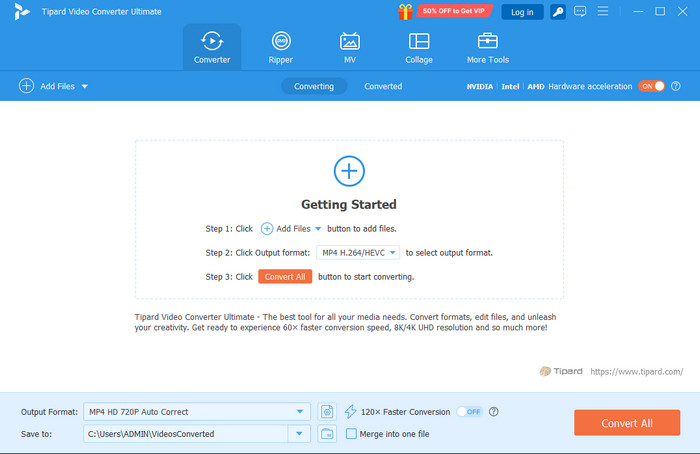
- It offers many easy-to-use editing features.
- It uses an AI-driven editing feature.
- You can use it to edit and convert videos at 120x speed.
- The tool supports countless audio and video formats for input and output.
- The software enables you to choose the destination path for the edited video.
- Its free version does not allow you to use all of its features.
2. Adobe Premiere Pro
Adobe Premiere Pro offers a panel-based and professional interface that is intended for professionals. It enables you to create multi-monitor setups, deep customization of layouts, timelines, and more. The tool uses a highly optimized version with GPU acceleration. It only means that it can render on capable systems with smoother playback.
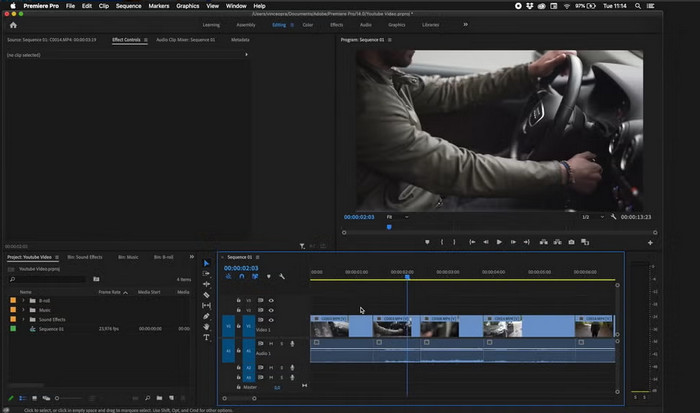
- It is convenient for professional-level projects due to its advanced video editing features.
- It supports a wide range of video and audio formats.
- It has a large-scale production.
- It can be used as a video merger.
- It can be integrated with Adobe tools, including Adobe Effects, Photoshop, and more.
- It requires powerful hardware for your computer.
- The tool has a steep learning curve.
- It is a subscription-based program.
- It experiences occasional bugs and glitches after updates.
- Resource-intensive tool.
3. CapCut
CapCut is one of the leading video editing tools nowadays. The reason is that it is associated with some of the best social media platforms. CapCut has a website where you can use its features without downloading it. However, a strong internet connection is needed to use it smoothly. So, the video editing procedure might be time-consuming compared to the previous programs.
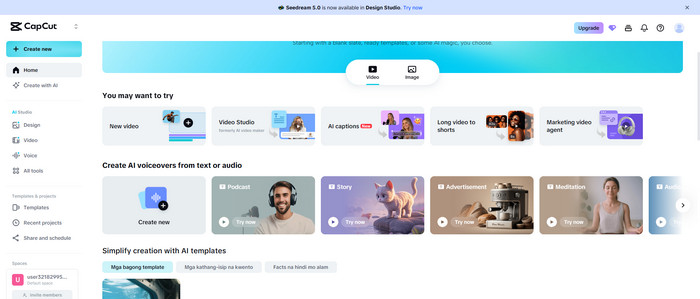
- This free online video editor supports a drag-and-drop interface.
- Its advanced features are low-cost.
- It supports fast editing workflows for videos that have a smaller file size.
- The tool is optimized for social media.
- It supports built-in templates and effects.
- It lacks professional editing features.
- Some features are region-based.
- It struggles with large projects.
- It has restricted control over detailed video editing.
Conclusion
All in all, Lighworks video editor is bound to edit videos, which requires professional skills. This article has shown you its pricing, tech specs, pros, cons, and three best alternatives. Tipard Video Converter Ultimate is the leading one. It offers many easy-to-use video editing features. Also, it offers AI-driven ones. Downloading it will help you discover more features of the tool.
More Reading
About the Author

 Click here to join the discussion and share your comments
 Tipard Video Converter Ultimate