

Key Takeaways
Creating a music video involves planning, filming, and editing.
- Pre-Production: Define genre, theme, storyboard, scout locations, and prep crew.
- Filming: Use proper settings, lighting, angles, and maintain energy.
- Post-Production: Trim, merge, adjust color, sync audio, and add effects.
- Tools: Tipard Video Converter Ultimate for MV creation, editing, collages, and high-quality export.
- Tips: Stay organized, preview edits, keep shots concise, and use effects sparingly.
A music video maker is essential for turning songs into captivating visuals. From planning and filming to editing, creating a professional music video requires creativity, proper techniques, and the right tools to engage viewers and showcase your artistic vision.

Part 1. Pre-Production of Making a Music Video
In order to make a successful video, a pre-production stage is needed, planning out the concept, theme, and locations with the crew is going to make the shoot a lot smoother.
1. Define the Video Genre and Theme
You can start with the video style. Are you going to make a high-energy dance video, a narrative, a video with a live performance, or a video with a dance or a performance? Now that you know the style, you can start with props, and also the places you are going to use to record.
2. Develop the Concept
You will want to work with the artist. You have to talk to them and see what ideas they have. You can try to figure out the story they want to tell, and how the visuals are going to go with the lyrics and the rhythm of the song. Also, think about your budget.
- If a concept has a lot of locations, people, or effects, it will be more expensive.
- Just because there are not a lot of locations or props does not mean the concept will not be good.
3. Storyboard Your Shots
Creating a storyboard is essential for every shoot. Draw a storyboard for each shot and include the following:
- Camera views (wide, medium, close-up).
- Transitions between scenes.
- Important moments and actions.
4. Scout Locations and Prepare Props
Select places that fit your theme. If you have a limited schedule and budget, shoot for one or two places. Gather props, costumes and additional clothes ahead of time so you do not have to rush on set.
5. Assemble Your Crew and Equipment
A dedicated crew is helpful, and even a small shot can benefit from a few extra hands. Important roles include:
- Director
- Camera operator
- Lighting technician
- Sound engineer
- Actors
- Performers
Part 2. Tips for Filming to Make a Good Music Video
Filming is where your vision materializes. Your music video will really stand out if you have the right camera settings, lighting, angles, and performance energy.
1. Choose the Right Camera Settings
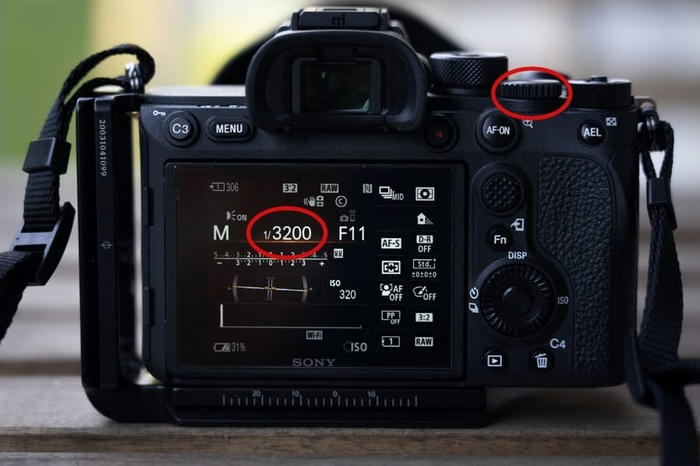
The most critical camera settings include resolution, frame rate, and aspect ratio. Make sure that you record at 1080p, 4k is preferable as you will have more editing options. A frame rate of 24-30 is ideal, but if you want smooth slow-mo, you can do 60. 16:9 is the most common aspect ratio used, but social media is vertical 9:16.
2. Master the Lighting
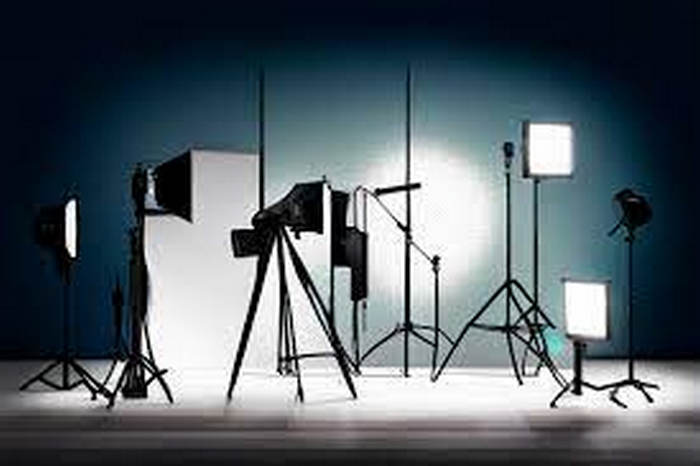
Lighting is very important, and can either improve your video or bring it down. If it is sunny, use natural lighting, but if you are recording indoors, you may need softboxes, ring lights, or just LED panels. Remember,
- Only use harsh lighting if that is the style you are going for.
- If you are shooting a green screen, make sure to light your background to keep your editing simple.
3. Capture Multiple Angles
Film each scene from several perspectives to keep the video dynamic and make a collage of multiple angles.
- Wide shots to set the scene
- Medium shots for storytelling
- Close-ups for emotion
- Tracking or over-the-shoulder shots for cinematic flair
4. Keep Energy and Performance High
The performers should give it their all, even if they have to do multiple takes. If the video involves dancing or lip-syncing, play the music on set to make it feel more natural. High-energy performers translate onto the camera and make the entire video more exciting.
5. Maintain Consistency and Subtlety
- Be uniform with the wardrobe, props, and the placement of the scenes.
- Do not use the zoom in and zoom out effect and any other effects too often. Professional videos do not look flashy; they look clean and subtle.
- To add depth, use sound effects such as footsteps, background noises, and city sounds.
6. Organize and Back Up Everything
Have your extra storage cards and batteries, and make sure you have a system for logging your footage. In the edit, you will have less work if you note the best takes. If you stay organized while shooting, you will make it easy on yourself for post-production.
Part 3. Post-Production of Making a Music Video
Post-production is the step that will make your music video truly shine. You will take the raw footage and turn it into a smooth and captivating final product. This is the time for you to trim videos, improve syncing, add audio, adjust color, and add in your effects. A great resource to use for this is Tipard Video Converter Ultimate.

- Trim, merge, crop, rotate, adjust color, apply filters, and fix audio for perfect sync.
- MV Maker turns clips into a music video with themes, music, and a real-time preview.
- Combine clips and photos into split-screen videos for multiple angles.
- Export in HD, 4K, 5K, or 8K for any platform; supports 500+ formats.

Step 1 Download Download and Install
You will want to first download Tipard for Windows or your Mac. Follow the provided instructions and then start up the program on your device.
Step 2 Download Add Media
What you will want to do is click on Add Files in order to upload the video clips and the audio, and any images you have. Tipard Video Converter Ultimate is compatible with over 500 different formats.
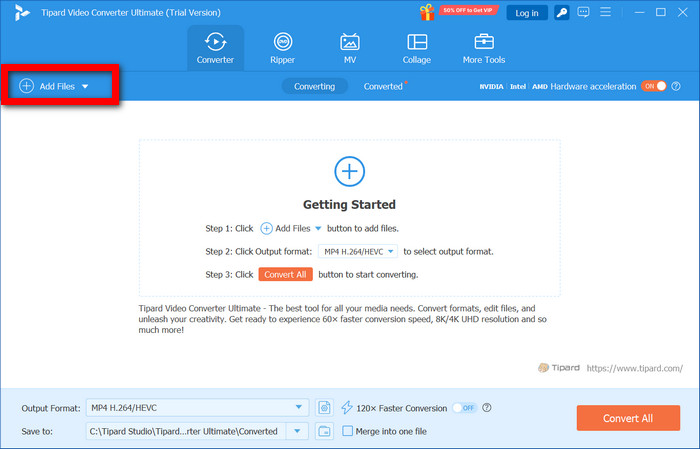
Step 3 Download Edit Your Videos
You are able to trim and merge, adjust the color, add filters, fix orientation, and even add audio that is out of sync.
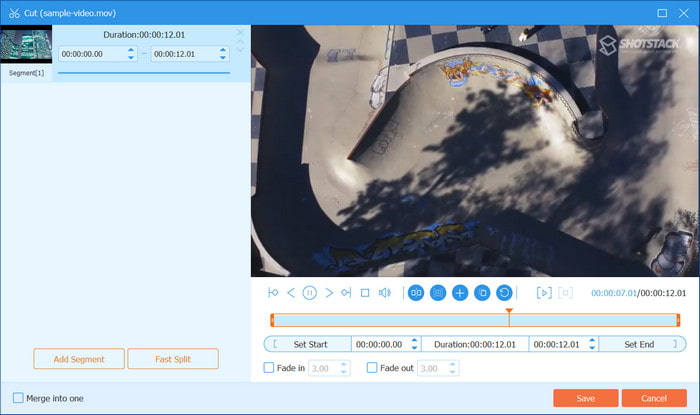
Step 4 Download Make Your Music Video
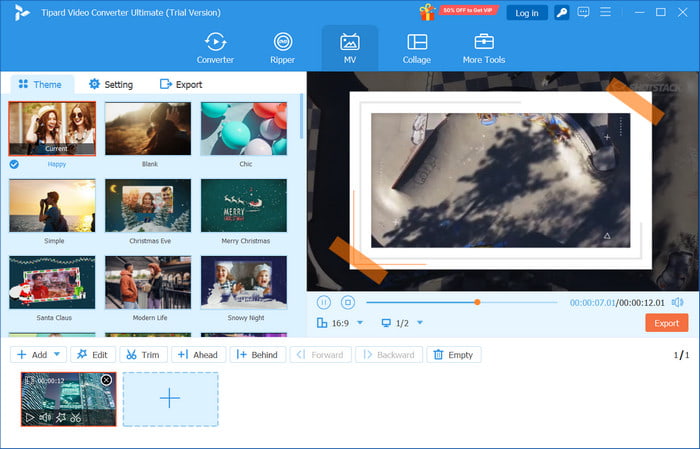
Make use of the MV to mix clips, create themes, use transitions and filters, add music, and preview your edits as you go.
Step 5 Download (Optional) Create a Collage
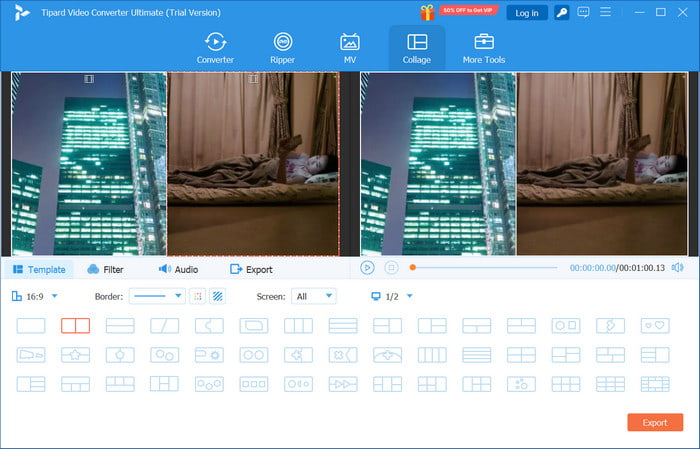
Use the Collage feature to merge photos and videos into a split-screen layout. You can modify audio and effects for a more captivating experience.
Step 6 Download Save Your Video
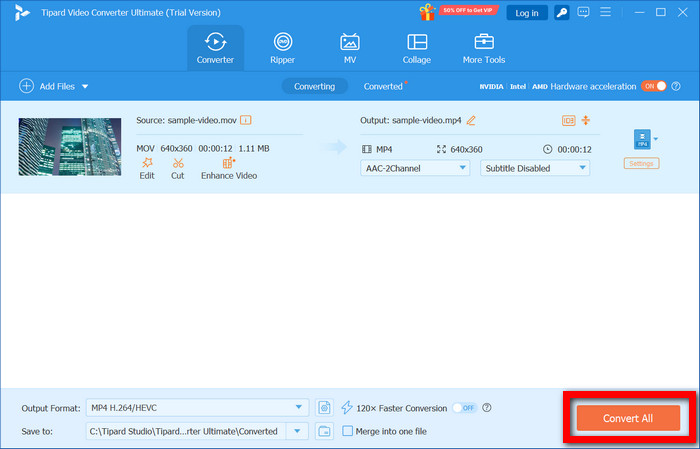
Select the desired format and resolution according to the platform you wish to upload to. Click Convert All and download your edited music video.
Tips for Editing Your Music Video
1. Sync to the Beat: Ensure that cuts, transitions, and effects are all crafted to happen in the corresponding parts of the song, especially if you plan to make reaction videos.
2. Avoid Static Shots: Long or unmoving video shots should be eliminated.
3. Use Color Grading: Try changing the saturation, contrast, and brightness to make a mood that fits the song.
4. Be Careful With Effects: Using too many effects can be overwhelming and distract from the content of the video, and would not make it better.
5. Check Your Audio: Adjust the levels to unbalance the dialogue, the music, and the instruments if needed.
Conclusion
Learning how to make a music video allows artists and creators to bring their songs to life with visuals that captivate and engage audiences. By focusing on pre-production, filming techniques, and post-production editing with tools like Tipard Video Converter Ultimate, anyone can produce a polished, professional music video that showcases creativity and leaves a lasting impression.
More Reading




About the Author

 Click here to join the discussion and share your comments