

Cutting a short clip should not feel like a full project, and that is why an MP4 trimmer is so important. Many tools promise fast trims, but only a few deliver smooth control and clean exports. This guide highlights the strengths and flaws of the leading options based on clear, practical factors. Users will learn how they handle speed, precision, and everyday editing needs. The article now moves into a detailed review of each tool.

The Best Video Cutter at a Glance
| Features | Ease of Use | Platform Availability | File Size Limit | Output Quality |
|---|---|---|---|---|
| Tipard Video Converter Ultimate | Easiest | Windows and Mac | No Limitations | 4K UHD Highest |
| DaVinci Resolve | Moderate | Windows and Mac | No Limitations | High |
| Shotcut | Easy | Windows and Mac | No Limitations | High |
| Adobe Premiere Pro | Moderate | Windows and Mac | No Limitations | High |
| Final Cut Pro | Moderate | Mac | No Limitations | High |
| 123apps (Online Video Cutter) | Easy | Web-Based | 500 MB for free | Average |
| FreeConvert | Easy | Web-Based | 1 GB for Free | Average |
| Clideo | Easy | Web-Based | 500 MB for free | Average |
| InVideo AI | Easy | Web-Based | 800 MB for free | Average |
| Zight | Easy | Web-Based | 250 for Free | Average |
| Show MoreShow Less | ||||
In-Depth Reviews of the Top MP4 Cutter Software
Editing MP4 videos can take a lot of time without the right tool. Desktop software gives more control, precise cuts, and high-quality results. This section reviews the top MP4 cutter programs for speed, stability, and ease of use.
1. Tipard Video Converter Ultimate
Designed for users who need speed and stability, this tool blends conversion power with practical editing features. As an effective MP4 video cutter, Tipard Video Converter Ultimate trim module provides you with a chance to obtain the necessary control over the segment extraction without excessive loading of your system. The software is also characterized by consistent performance in cases of large MP4 files and mixed-format libraries.
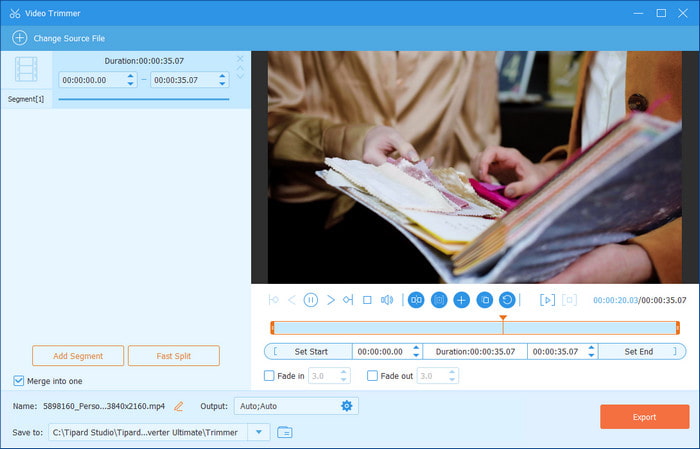
- Dependable playback of long videos with a steady preview
- Accurate trim markers, recycled clips and reused contents
- Large codec is best suited to cross-platform
- Advanced features require an upgrade to the paid tier
2. DaVinci Resolve
Known for its professional workflow, Resolve offers trim tools built for accuracy and creative control. As an MP4 cutter freeware, DaVinci Resolve goes beyond simple slice-and-export tasks by providing ripple trims, dynamic trimming, and smooth playback even in heavy timelines.

- Pro-level trimming modes with frame-by-frame accuracy
- Flawless performance courtesy of an improved media engine
- The free version provides much more functionality than consumer editors
- New entrants have a steep learning curve
- Fusion and higher-grade software might need faster hardware
3. Shotcut
This is an open source editor that provides a viable balance between power and availability. Shotcut is a native MP4 cutter free solution, so it does not require long import times, which is why it is perfect when making trims quickly, when the setup is kept to a minimum.
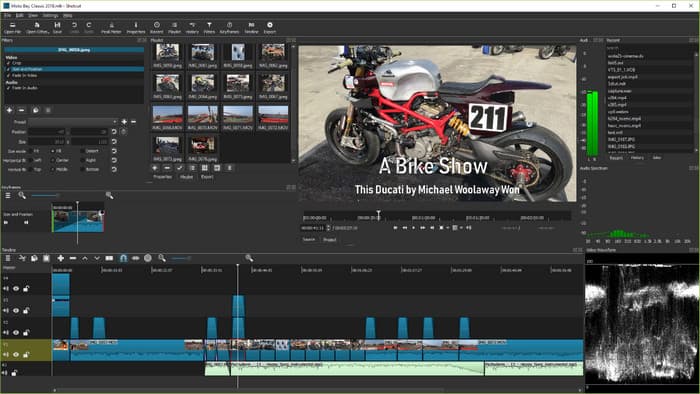
- Quick in-position editing with the native timeline engine
- All wide format support without paying to use the codecs
- Footprint by weight, Lightweight acceptable midrange
- UI is not a polished editor, unlike commercial editors
- There are more developed modules that need additional configuration
4. Adobe Premiere Pro
Built for precise editorial work, Premiere Pro offers advanced trimming modes and robust project management for long-form and short-form content. As an MP4 trimmer, it excels in workflows that demand accuracy, smooth jog control, and multi-track organization.
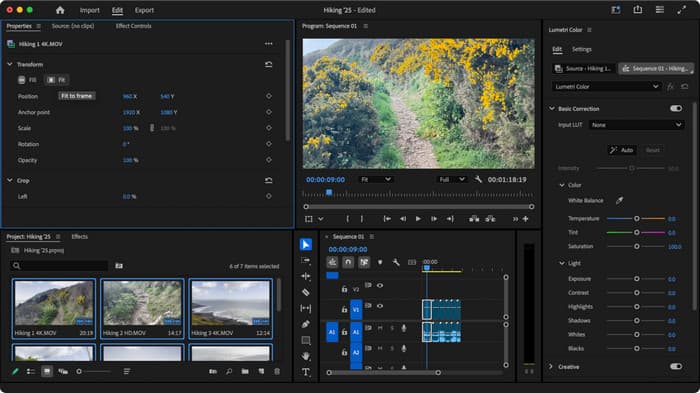
- Granular-controlled industry-standard trim tools
- Supports massive projects, proxies and multi-camera cuts
- A close partnership with Adobe Creative Cloud improves the quality of output
- Casual editors might not want the subscription model
- It is able to stress older hardware because it requires a lot of processing
5. Final Cut Pro
Final Cut Pro is optimized to work with macOS and provides quick rendering, smooth scrubbing and reactive trim actions. Being an MP4 cutter, it makes the simple work out of clip adjustments through its ideas of magnetic timeline and background processing. Due to its limited platform support, many users are looking for Final Cut Pro alternatives to do the editing without the need for transition into Mac.
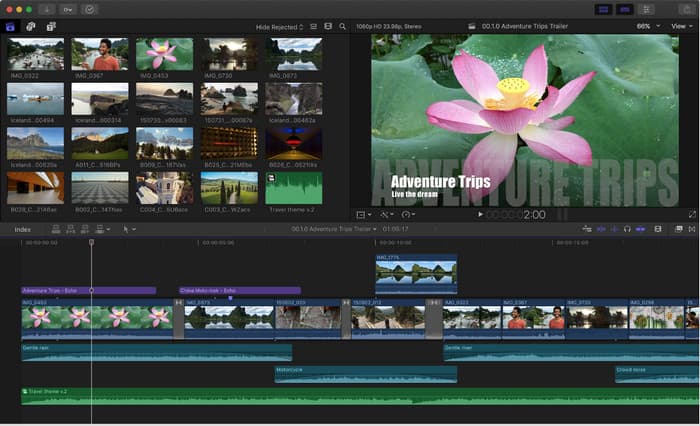
- Outstanding real-time application and reduced latency
- Magnetic timeline enhances speed when making fast structural edits
- One-time purchase advantages Mac users over time
- Not compatible with Linux or Windows
- A distinct editing process can be mastered with experience
Each tool is tested for performance, workflow, and features. Readers will learn which software is best for quick edits, long projects, or heavy video files. These reviews make it easier to pick the right tool for fast, clean, and reliable MP4 cutting.
Best Online MP4 Cutters (No Download Required)
Sometimes all you need is a quick cut. Online MP4 cutters work in the browser with no installation. This section reviews the best online tools for fast trimming, smooth exports, and simple use.
1. 123apps (online-video-cutter.com)
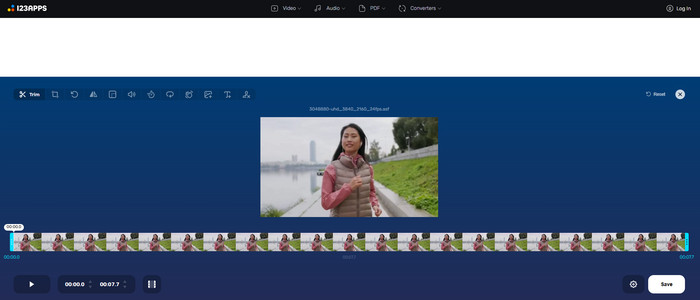
This browser tool keeps trimming fast and simple. 123apps works well as an MP4 cutter because users can upload a file, set their markers, and export in seconds. The layout is clear, and most tasks take only a few clicks.
- No account needed
- Simple trim controls
- Smooth export for short clips
- Few editing tools
- Large files upload slowly
2. FreeConvert
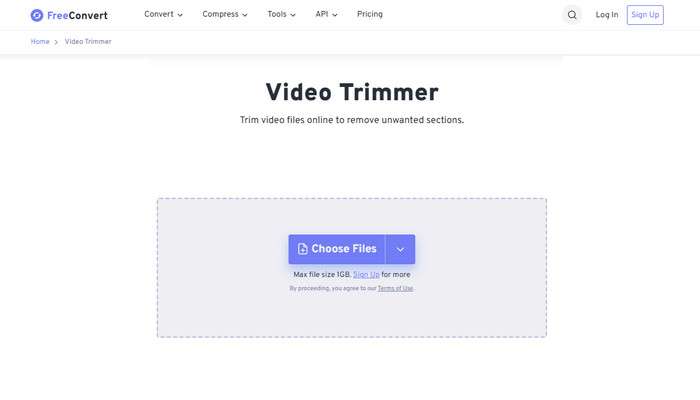
This site offers easy trimming and quick format changes. FreeConvert works as an MP4 cutter online for users who need a direct, no-install way to cut a clip and convert it. The controls are clear, and the process stays smooth.
- Cut and convert in one place
- Wide format support
- Cloud processing helps low-end devices
- File size limits in the free tier
- Peak times can slow exports
3. Clideo
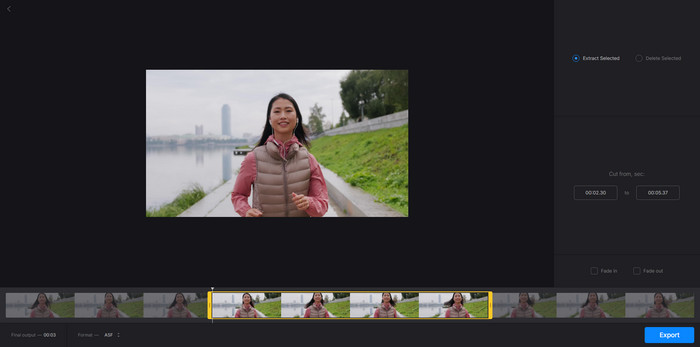
Clideo has a reputation for an easy-to-use interface and straightforward steps. It is an MP4 video cutter, which can enable a user to cut a clip quickly without the need to learn complicated tools. File uploads are steady, and the exporting has an appearance of being steady as well. Plus, you can rely on this web tool to create a 3D music video.
- Easy for beginners
- Works in any browser
- Good quality output
- Watermark on some free exports
- Full access needs a paid plan
4. InVideo AI
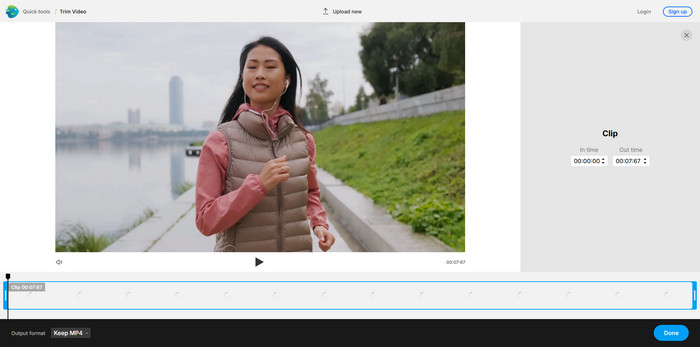
This tool adds smart scene detection to quick trimming. InVideo AI functions as an MP4 cutter free for short clips, social posts, and simple cuts. AI suggestions help users find clean cut points with little effort.
- AI-guided trim points
- Fast for short videos
- No software install needed
- AI may miss some details
- Best tools are locked behind paid plans
5. Zight
The Zight provides a cloud recording solution and an in-built trim to make quick edits. It is an MP4 cutter freeware that is used for fast edits of demos and screen captures. The system is uncomplicated, and exports remain unproblematic.
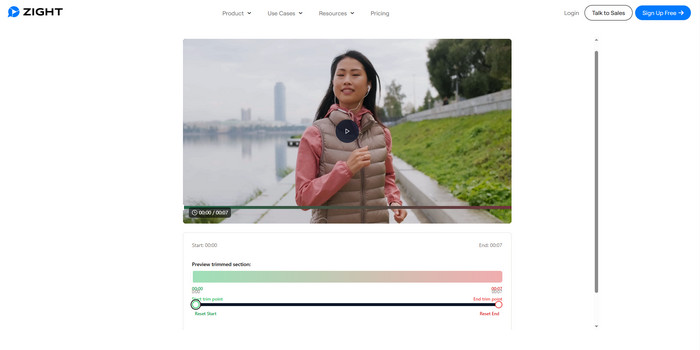
- Easy trimming for recordings
- Cloud access across devices
- Clean and direct interface
- The free plan has a constraint on the length of videos
- Uses brief clips and not lengthy edits
Every platform is put through a test of speed, accuracy and easy access. Readers will understand that this online cutter is the best when it comes to creating short clips, social media edits, or in-service video fixes.
Conclusion
Finally, you can easily reach and pick the best MP4 video cutter available on your platform to easily splice, cut, and trim the MP4 video you have saved. Through this review, we unveiled and made things easier for you in selecting which one is the best. Share your thoughts about this review!
More Reading



About the Author

 Click here to join the discussion and share your comments
 Tipard Video Converter Ultimate