

In this modern era where video reigns supreme, looking for the best video cutter is necessary. This kind of tool is perfect for seamlessly trimming, splitting, and refining your clips. It can even transform your raw video into a compelling story, yet with a vast array of choices from mobile apps to professional desktop suites. Well, if you are searching for the best video cutters, then there is a reason for you to read this article. You can read this post and discover all the best tools you can access to cut videos on your desktop, browser, and mobile phones. Without anything else, read here and learn more about the most reliable video cutting tools.

Part 1. Overview of the Best Video Cutter
Check the simple table below to take a peek at the best video cutting tool.
| Video Cutter | Best for | Ease of Use |
|---|---|---|
| Tipard Video Converter Ultimate | Primary video conversion, editing, & downloading. | Simple |
| VideoPad Video Editor | Perfect for video editing. | Complicated |
| DaVinci Resolve | Ideal for color grading. | Complicated |
| OpenShot | Good for a simple editing procedure. | Simple |
| Movavi Video Editor | Intuitive drag-and-drop desktop editing. | Simple |
| 123APPS | Quick, no-install browser trimming. | Simple |
| VEED | Online editing with auto-subtitles & collaboration. | Simple |
| FreeConvert Video Trimmer | Simple, ad-free online trim & convert. | Simple |
| Clideo | Straightforward online edit suite. | Simple |
| Canva | Design-forward videos & templates. | Simple |
| CapCut | Good for editing and offering templates. | Simple |
| InShot | Editing videos with filters and effects. | Simple |
| VivaVideo | Provide a friendly interface with accessible editing tools. | Simple |
| Show MoreShow Less | ||
Our Test Standards
To ensure fair and practical recommendations, we checked and evaluated each video cutter using a consistent set of real-world editing tasks. We check the tools by:
- Checking the core performance of the video cutter.
- Find out the ease of use and learning curve to have a smooth video-cutting procedure.
- We also tested all the advanced features, such as transitions, subtitles, and adding audio tracks, and more, to see if they are working well.
- We also checked the supported output quality, ensuring that you won't encounter any compatibility issues.
- We also value money. We tried to introduce all the tools that offer a free version for cutting videos.
Part 2. 5 Best Offline Video Cutters
If you prefer using an offline video cutting tool, come to this section.
1. Tipard Video Converter Ultimate
OS: Windows and Mac
Features:
- It can cut and trim videos in any area.
- The software is capable of transcoding videos to various formats.
- It can provide various video editing features.
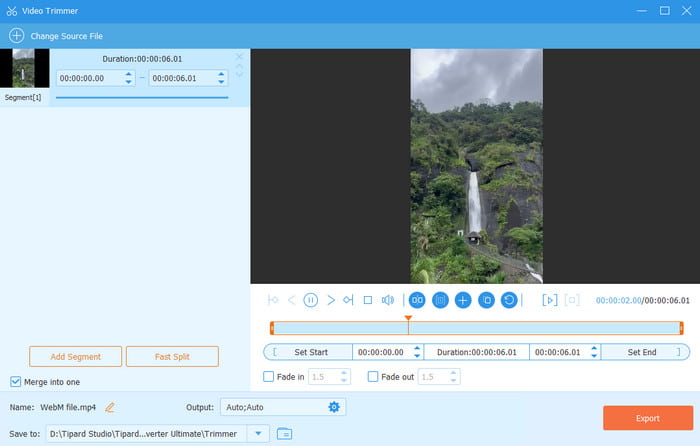
One of the free video clipping programs you can use is Tipard Video Converter Ultimate. With the Video Trimmer feature, you can cut and trim videos based on your preferences. Plus, you can even merge video clips, support various video formats, and use editing tools. The best part here is that the program can give you a fast export process.
- The layout of the software is simple.
- The program has all the necessary functions for effective video editing.
- It is free to access.
- For more advanced features, you must use its paid version.
Why We Selected It
This program is an ideal tool for all users. It can offer both basic and advanced video editing tools with a simple user interface. The best part here is that you can even save your video with the best quality for up to 4K, allowing you to experience a satisfying video playback.
2. VideoPad Video Editor
OS: Windows and Mac
Features:
- The trimming process is smooth.
- It supports multiple timeline layers.
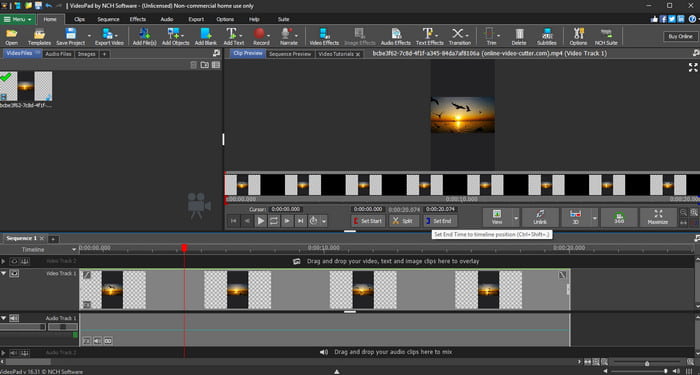
If you want the best software to split video files, then rely on VideoPad Video Editor. This software is ideal since it lets you cut your videos into any portion. You can even access more video editing tools to improve your overall output. You can even make reaction videos since this program has all the elements you need, making it one of the top choices for users.
- The program has a fast export process.
- It can provide numerous editing features.
- The main layout is a little bit complicated.
3. DaVinci Resolve
OS: Windows and Mac
Features:
- It can trim and cut videos while retaining the quality.
- It can offer various color grading tools to colorize videos.
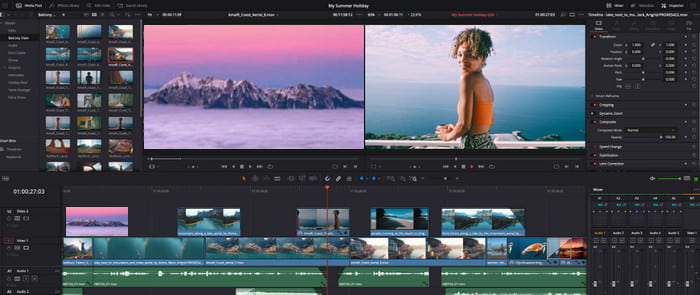
If you need a professional-grade video cutter, then try using DaVinci Resolve. When it comes to cutting videos, we can tell that this program is ideal since you can trim and cut your clips without any restrictions. You can also enhance the videos by relying on various video editing functions.
- The editor is perfect for advanced users since it has numerous advanced video editing tools.
- It can save the video in the best quality.
- It is resource-intensive.
- It might be confusing to non-professional users.
4. OpenShot Video Editor
OS: Windows and Mac
Features:
- The software can cut videos easily.
- It is a cross-platform editor.
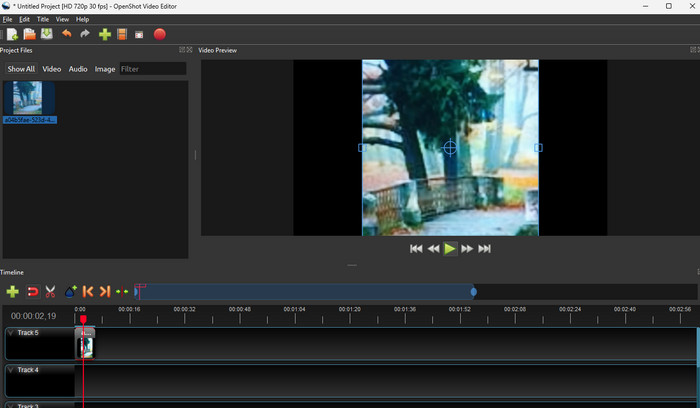
For beginners, you can cut videos using OpenShot Video Editor. Thanks to its simple UI, you can access all the functions you need to get your desired output.
- It can support various input and output formats.
- All the features are free to access.
- Some of the advanced features are not available.
5. Movavi Video Editor
OS: Windows and Mac
Features:
- It can trim a 4K video
- The tool can offer multiple audio layers and transitions.
One of the best video-splitting software programs to access is Movavi Screen Recorder. It is an ideal editor for all users, thanks to its simplicity. It can even be sure to give you an accurate result after the video-cutting procedure.
- The editor is simple to utilize.
- It has all the video editing tools you need to enhance videos.
- The free version has various limitations.
- Its paid version is expensive.
Part 3. Top 5 Free Online Video Cutters
Want the best and free online video cutter? Then, you must read all the details from this section and explore more.
1. 123APPS
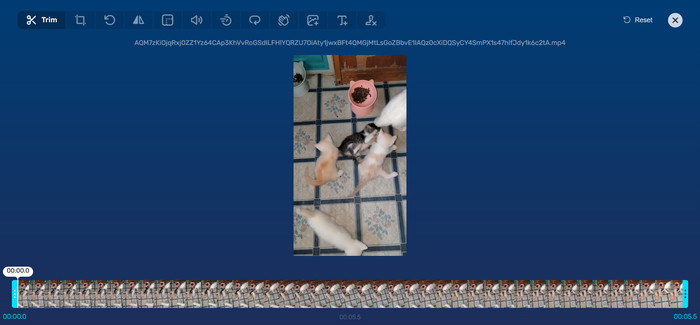
Features:
- Cut video smoothly.
- Offer various video editing tools.
- Offer a fast savings process.
If you want a free video clipping tool online, we suggest using 123APPS Video Cutter. It can even offer a simple user interface, making it ideal for all users. The good thing here is that you can access this tool on all web platforms.
- The layout of the tool is simple.
- It ensures a better video quality.
- It requires a fast internet connection.
2. VEED
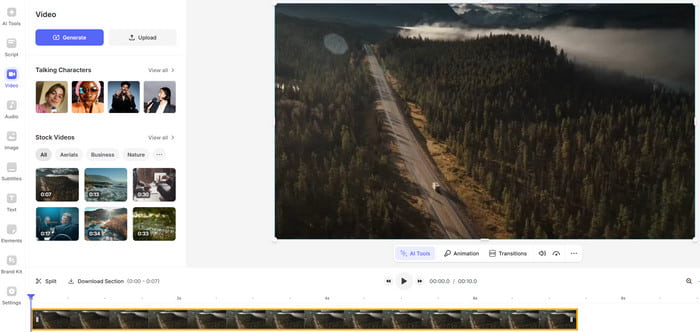
Features:
- The tool can provide various video editing tools.
- It is supported by AI-powered technology.
- It offers numerous stock videos.
VEED is another reliable online tool you can use to trim your videos effectively. What we like here is that you can access various features to achieve your desired output. You can also save the video to various output formats.
- It can cut videos without losing the quality.
- It can support various video formats.
- The tool's free version has various restrictions.
3. FreeConvert Video Trimmer
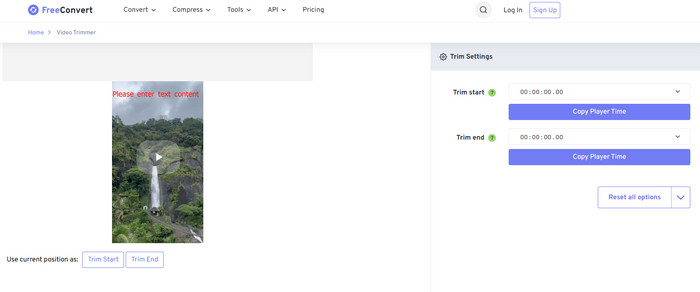
Features:
- It can trim video smoothly.
- Provide a simple layout.
Another free tool to cut videos you can access is FreeConvert Video Trimmer. This simple tool is perfect when it comes to trimming videos. You can even customize your own size, allowing you to get your desired output.
- The layout of the tool is comprehensive.
- Saving the final output is easy.
- There are disturbing ads showing up on the screen.
4. Clideo
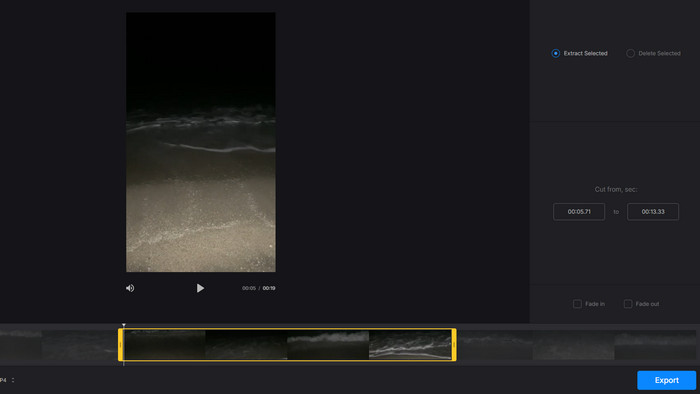
Features:
- It can support various output formats.
- The tool can provide fade effects.
Clideo is another tool that can help you trim videos based on your preferences. The best part here is that you can add a fade effect to the video for better video playback.
- The tool doesn't insert a watermark into the video.
- It can retain the quality of the video.
- It lacks advanced features for enhancing videos.
5. Canva
Features:
- The tool can provide different editing tools.
- It can save the video in various formats.
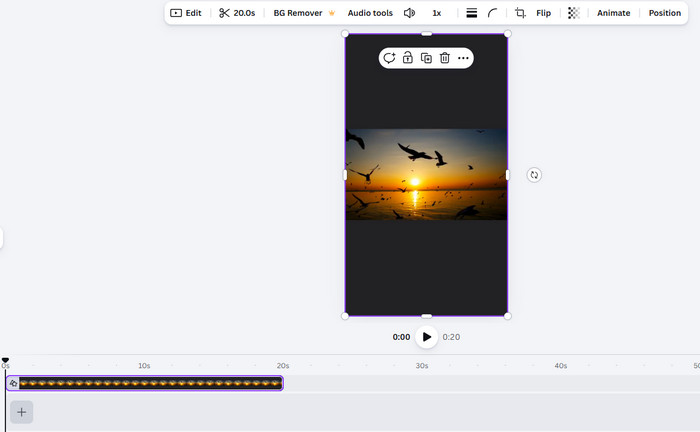
For the last online video cutter, you can rely on Canva. This advanced video editor is perfect since it can offer all the necessary features. You can even cut videos easily, making it suitable for all users. Plus, you can also access features to improve your video. You can merge videos online, add text, attach effects, and more.
- The tool has all the necessary features to cut and edit videos.
- It can offer a library for keeping edited videos.
- To access more features, use the tool's paid version.
Part 4. 3 Excellent Video Cutter for Android and iPhone
If you want to trim and cut your videos on your mobile phone, discover all the tools you can use in this section.
1. CapCut
OS: Android and iOS
Features:
- The tool is cross-platform.
- It can offer all the video editing tools.
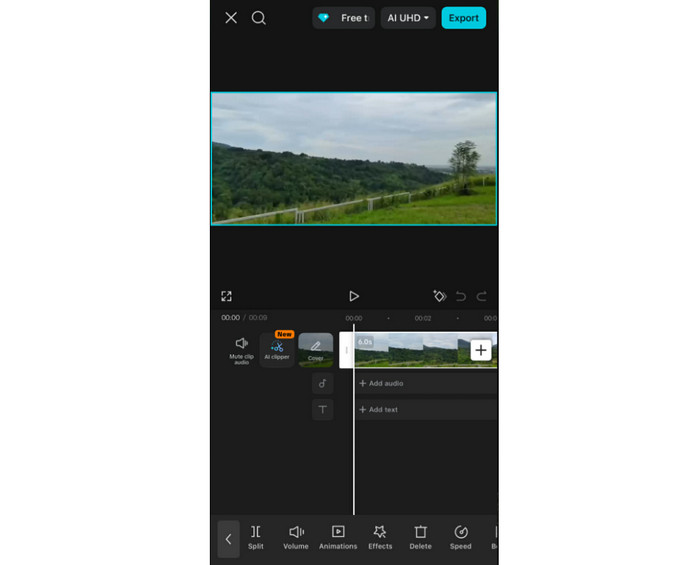
For iOS and Android, you can access CapCut to cut your videos based on your preferences. You can even combine all the trimmed clips and edit them using the tool's built-in editing tools.
- The tool has an elegant user interface.
- The tool lets you share the video directly to other platforms, like TikTok, Instagram, and more.
- When using the free version, it will insert its watermark.
2. InShot
OS: Android and iOS
Features:
- The tool has a precise splitting and cutting procedure.
- It can offer robust extra tools for editing videos.
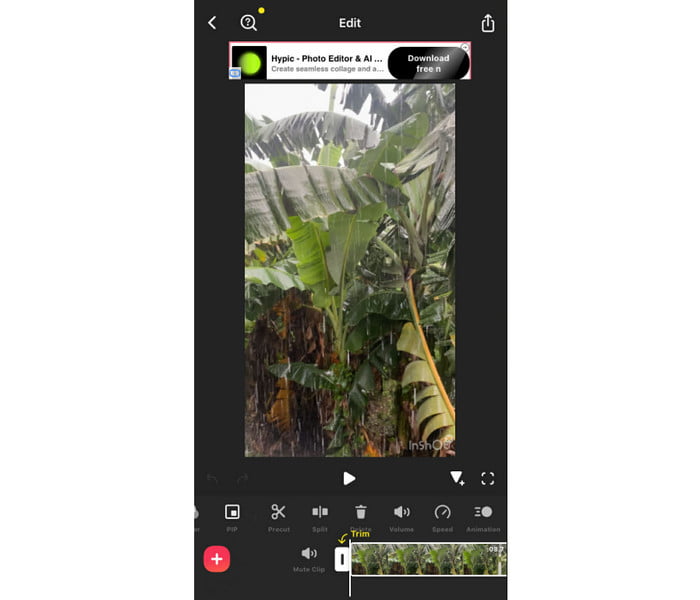
InShot is among the easiest video cutters to navigate. After adding the video, you can instantly cut it and edit to instantly achieve your preferred result.
- Even using the free version, you can still get a good video quality.
- It has a user-friendly interface.
- Some of the advanced features are accessible on the paid version.
3. VivaVideo
OS: Android and iOS
Features:
- It offers a multi-layer timeline.
- It has a huge collection of built-in video editing tools.
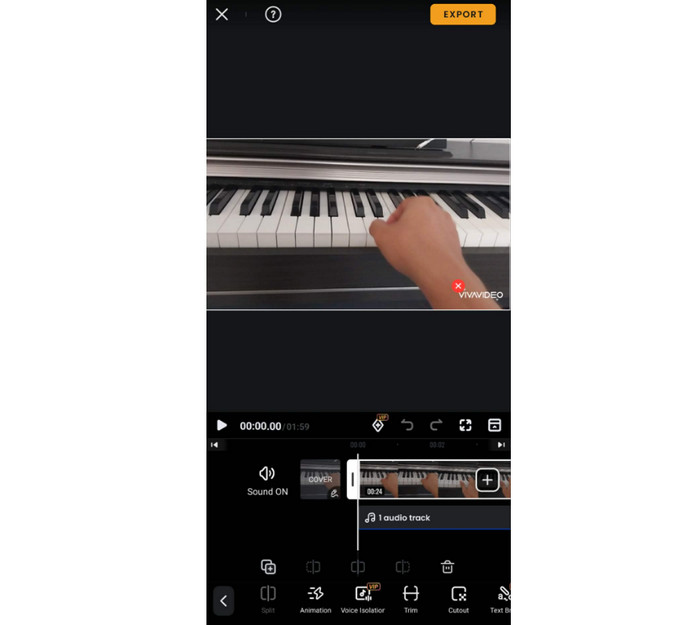
For your mobile-based video cutter, you can try accessing VivaVideo. This app is perfect since its Video Trimmer feature can let you cut, trim, and split videos easily and instantly. What makes it more ideal is that you can access more editing tools when using the free version.
- The app has a fast exporting process.
- It lets you attach background music.
- It has a watermark on the free version.
Conclusion
With these free video clipping tools, you can now start cutting all your videos to get your preferred output. Thus, to learn more about the video editors, start exploring this article. Plus, if you need the most reliable program, we prefer using Tipard Video Converter Ultimate. This software ensures that you can cut and trim your videos while offering the best video quality.
More Reading



About the Author

 Click here to join the discussion and share your comments
 Tipard Video Converter Ultimate