

Combining video clips is easy with the right video joiner. A good tool keeps videos smooth, keeps quality high, and works on any device. In this review, we tested several options to see which are fastest and easiest to use. You will see how each tool compares and get tips to choose the best one. First, we look at the top video joiner software for PC. Then, we cover online tools and mobile apps.

Part 1. Best Video Joiner Software for PC
Merging videos on a PC is easy with the right video joiner. The right software saves time and keeps your clips smooth and high-quality. In this section, we look at the best PC tools. You will see which programs are fast, support multiple formats, and include extra features to make editing simple and efficient.
1. Tipard Video Converter Ultimate
Looking for a video joiner that handles any project effortlessly? Tipard Video Converter Ultimate merges clips quickly while keeping the quality high. Beyond simple merging, it allows trimming, compressing, and adding subtitles. You can even adjust settings for resolution, format, and output quality. By its user-friendly interface, it is easy to use by both the layman and the professional who desires to be fast and in control at the same time.
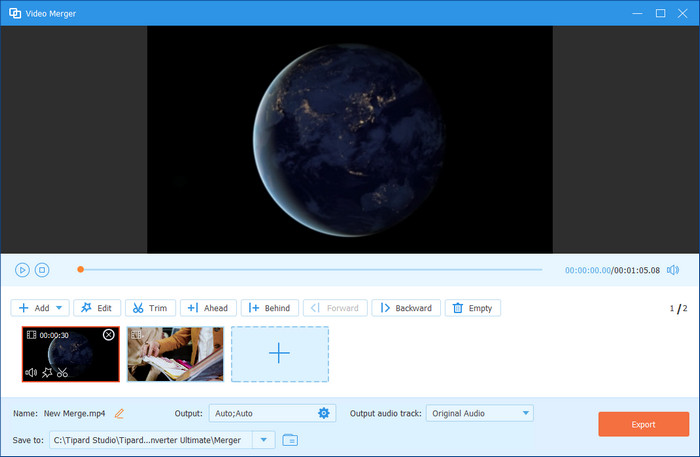
- High-quality, lossless merging
- Supports multiple formats
- Extra editing features
- No watermark added to the exported video
- Paid software
2. Shotcut
Shotcut is a free and flexible app to join videos. Its timeline editor is easy, but versatile, with the ability to combine clips, filter them, and export in a broad array of formats. Shotcut also handles 4K resolution and includes an expanding range of editing options, so it is a well-grounded option between amateur and hobby users. Although the interface may seem unorthodox at the very beginning, it is powerful and flexible enough to make it worth the learning.
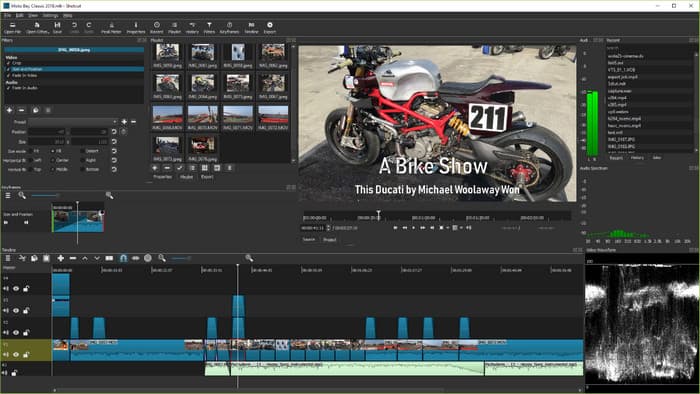
- Completely free
- Supports many file formats
- Beginner-friendly
- The interface may feel clunky
- Lacks some advanced effects
3. VLC Media Player
VLC is not only a media player, but a convenient free video joiner. It has convert and stream capabilities which enable you to make clips immediately without additional setups. Although it lacks visual effects and an editor of timelines, it is dependable for quick and bare-bones jobs.
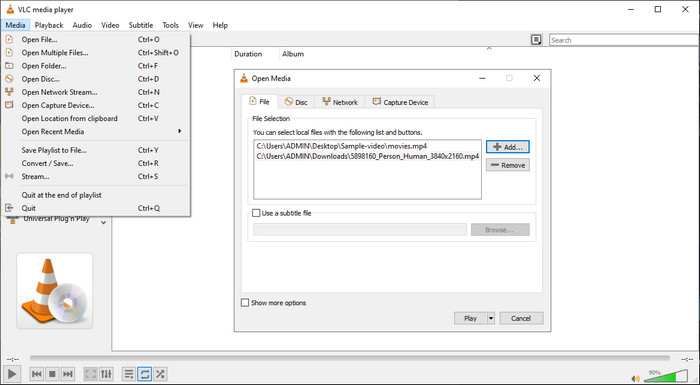
- Free and cross-platform
- Simple for quick merges
- Minimal system resources
- Limited editing features
- The setup for joining clips is not intuitive
4. Adobe Premiere Pro
Adobe Premiere Pro is a video clip joiner at a professional level. It is also in line with multi-track projects, advanced effects, and frame-accurate control as well and hence it best suits users who require the best possible output and the ability to customize its application creatively.
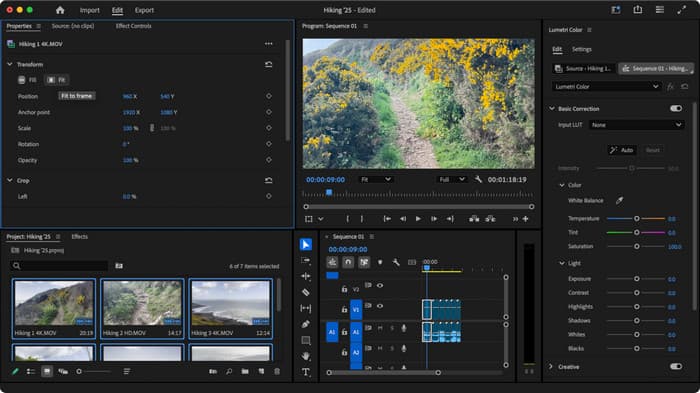
- Editing tools of industry standard
- Works on challenging major projects
- Precise control over output
- Expensive subscription
- Steeper learning curve for beginners
5. Bandicut
Bandicut is a fast and straightforward video joiner software. Its clean interface allows you to merge videos without losing quality, and you can cut or trim video clips quickly. Bandicut is recommended to casual users or even to those people who simply require a tool to produce fast and reliable results with not too long and complicated menus or settings.
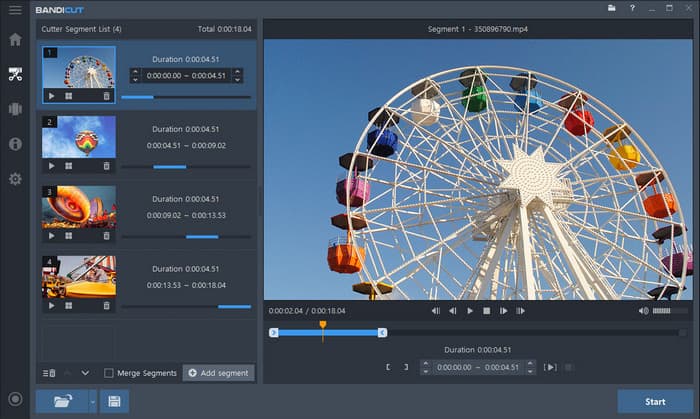
- Fast and simple interface
- Lossless video merging
- Good for quick edits
- Limited advanced editing
- Free version adds a watermark
Part 2. Best Online Video Joiner Tools
Need to merge videos without installing software? A browser-based video joiner online can help. These tools work on any device and let you combine clips quickly. In this section, we review the top online options, showing which are easy to use, support multiple formats, and offer helpful features to finish your videos fast.
1. Clideo
Clideo is a user-friendly video joiner online that works right in your browser. Upload clips, arrange them in any order, and merge them seamlessly. You can even adjust audio, add subtitles, or compress files before exporting. Clideo video editor has a drag-and-drop interface, making it ideal for quick projects or users who prefer not to install software.
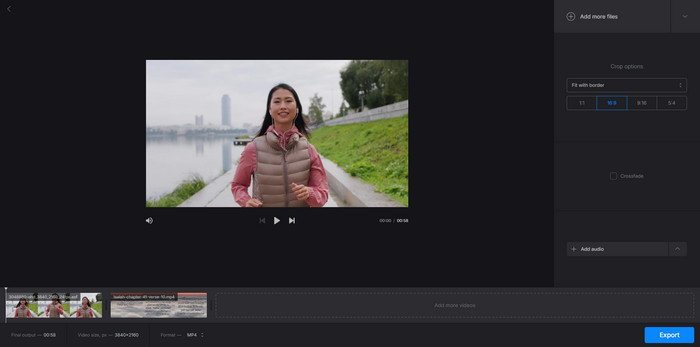
- No installation required
- Easy drag-and-drop interface
- Supports multiple formats
- Free version adds wata ermark
- Limited editing features
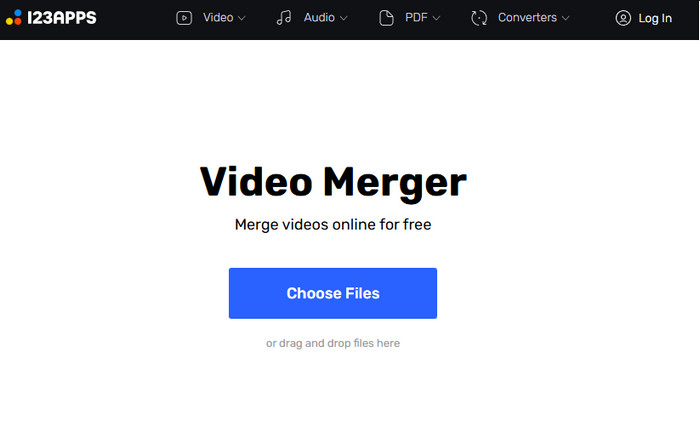
2. 123apps
123apps is a simple video joiner program online. Rearrange clips, combine files, and export within minutes. It is a rapid and browser-based solution that gives the user convenience without advanced editing control. Though it can not work on very big files, it is a good option when dealing with social media content, short tutorials or informal video works.
- Free to use
- Simple timeline adjustments
- Works on any device
- Limited output options
- Cannot handle very large files
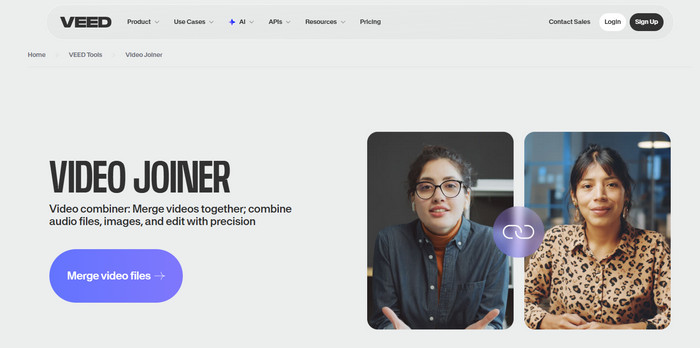
3. Veed
Veed is an intuitive video joiner freeware that runs entirely online. Add text, subtitles, merge clips, and add the simplest effects, without downloading anything. It suits content creators who desire additional features in a single place. Although there are advanced features, which are also subscribed to, the free plan will be sufficient to use when doing quick and professional-looking merges.
- Free to start
- Extra features like text and subtitles
- Works directly in the browser
- The free plan has export limits
- Some features require a paid subscription
Part 3. Best Video Joiner Apps for Android
A free video joiner app makes it easy to join videos on your phone. These applications allow you to combine clips, cut clips and apply effects anywhere. Here, we discuss the most useful Android applications for quick and simple video editing. You will find out what apps are easy to use and have some additional options to make your videos look professional.
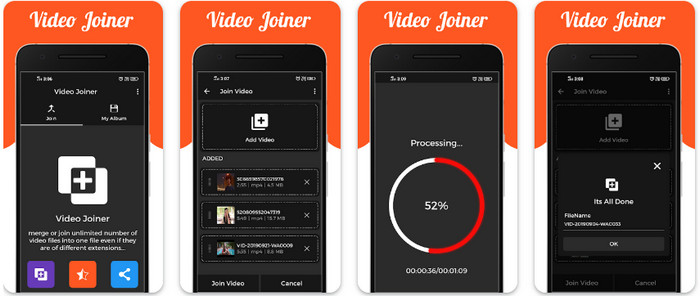
1. Video Joiner (Apps Cloud Zone)
Video Joiner is a straightforward free video joiner for Android. Immediately cut clips together, trim segments and export without any quality loss. Its simplicity is ideal where users have the need to mix videos simultaneously, be it in social media, school work or in casual editing. Although it is lightweight, it can work with several formats and make the process as quick and uncomplicated as possible.
- Easy to use
- Supports multiple formats
- Fast merging process
- Limited advanced editing features
- Ads in the free version
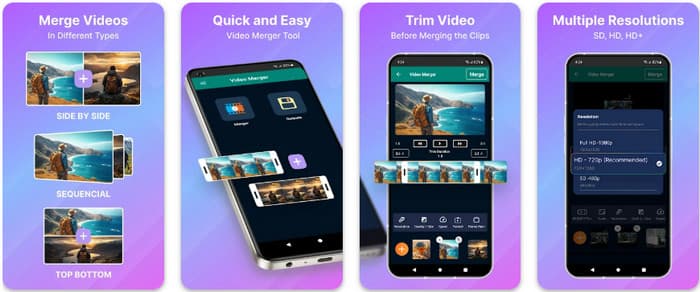
2. Video Merger, Joiner, Collage (Inverse AI)
This app is a versatile video clip joiner that also lets you create collages and add filters. Combine videos with a slick transition and use a creative filter to improve the result, and then export, all on your phone. Though other features lag behind in-app purchases, its free version suffices casual users who would wish to mix clips on the fly.
- Combines clips and adds effects
- User-friendly interface
- Offers collage options
- Some features require in-app purchases
- The free version has a watermark
Conclusion
Editing videos is simple when you have the right app to join videos. From powerful PC software to quick online tools and mobile apps, there is a solution for every project. Pick the tool that matches your workflow, combine clips smoothly, and keep your videos looking polished. With the right choice, merging videos becomes fast, easy, and hassle-free.
More Reading



About the Author

 Click here to join the discussion and share your comments
 Tipard Video Converter Ultimate