

Key Takeaways
- Top Performance Choice: Tipard Blu-ray Player stands out for its high-stability playback on Windows 11 and macOS, offering the best balance between hardware acceleration and user-friendly controls.
- Most Versatile (Open Source): VLC Media Player remains the gold standard for 100% free, ad-free playback, though it may require additional library configuration (AACS) for encrypted discs.
- Best for 4K/UHD Enthusiasts: 5KPlayer and Leawo provide superior support for ultra-high-definition content and ISO files without loss of metadata.
- Best for High-End Home Cinema: CyberLink PowerDVD is the go-to for users with large-screen setups, supporting advanced spatial audio and hardware optimization.
- Quick Compatibility Check: All recommended players support Windows 10/11 and macOS Monterey or later, ensuring smooth 1080p and 4K Blu-ray rendering.
Watching Blu-ray movies on a PC offers an unparalleled cinematic experience, yet navigating the sea of media software can be a technical minefield. Between intrusive malware risks and frustrating codec compatibility issues, finding a reliable solution is essential for 4K and UHD enthusiasts. In this 2026 updated guide, we evaluate the industry's most stable and free Blu-ray players for Windows 11 and macOS. From hardware-accelerated playback to seamless ISO folder navigation, we break down the features, pros, and cons of each top-tier tool to help you enjoy high-bitrate content without the lag.

Part 1. Comparison of the Top 7 Free Blu-ray Player Software
Before giving a detailed explanation about the best Blu-ray player, you can take a peek at the comparison table below to get a little bit of insight about the program.
| Free Blu-ray Player | 4K/UHD Support | Platform | Key Advantage | Crucial Limitation | CPU Usage |
|---|---|---|---|---|---|
| Tipard Blu-ray Player | Native & HDR10+ | Windows & Mac | Bypass advanced region codes & encryption; Zero lag playback. | No online streaming feature. | Ultra-Low |
| VLC Media Player | Limited | Windows & Mac | 100% Free, open-source, and completely ad-free. | Can't play commercial Blu-rays directly; requires manual AACS library config. | Medium |
| 5KPlayer | Native | Windows & Mac | Appealing UI; excellent support for high-bitrate M2TS/AVCHD files. | Highly resource-intensive and prone to occasional crashes. | High |
| PotPlayer | Native | Windows Only | Highly customizable; smooth playback with custom shader effects. | Official installer contains bundled third-party programs and pop-up ads. | Low |
| GOM Player | Limited | Windows Only | Automatically finds missing codecs; supports online live streaming. | Does not support Blu-ray menus; outdated interface. | Medium |
| Leawo Blu-ray Player | Native | Windows & Mac | Region-free playback; built-in handy snapshot tool. | Free version contains intrusive ad banners; menu failure happens randomly. | Medium |
| CyberLink PowerDVD | Native | Windows Only | Theater-like cinema experience; supports advanced spatial audio. | Premium version is highly expensive; lacks native macOS support. | High |
| Show MoreShow Less | |||||
Quick Guide: For Windows 11 users seeking a lightweight yet professional experience, Tipard is the top pick. If you prioritize open-source freedom and don't mind manual setup, VLC remains a classic choice.
Part 2. Detailed Review of 7 Best Free Blu-ray Players
As we have discussed, there are various Blu-ray players showing up everywhere. With that, if you have no idea what to choose, you have the chance to read this section. You will discover all the players you can access effectively, along with their features, pros, and cons.
1. Tipard Blu-ray Player (Windows and Mac)
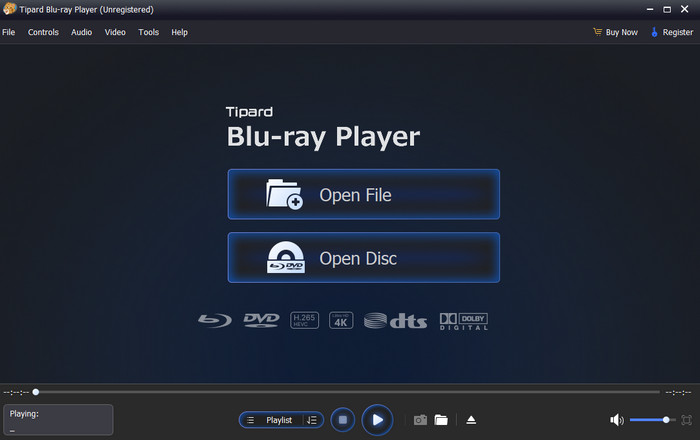
Key Features of Tipard Blu-ray Player:
- Support next-gen hardware acceleration to play Blu-rays with near-zero CPU load.
- Play Blu-ray disc, ISO, and Video_TS folder for free.
- Handle the latest Blu-ray encryption methods and region codes.
- Support HDR10, HDR10+, and Dolby Vision to bring cinema-grade visuals.
- Offer a simple layout for a smooth viewing experience.
One of the most powerful free Blu-ray players on Windows 11, 10, 8, and on Mac is Tipard Blu-ray Player. With its capability to play Blu-ray, you can ensure that you have a smooth video playback. Plus, it can offer a simple layout, allowing you to have a smooth experience when watching your favorite content. The good part here is that there are various playback controls you can access. Some of them are pause, play next, previous, and more. You can also attach subtitles, adjust playback speed, change video color, and more. With that, if you need an overall Blu-ray player, look no further than Tipard Blu-ray player.
It acts as a versatile common media player that can handle not only standard Blu-ray discs/folders/ISO files, but also high-bitrate HEVC, AV1, H.264, MKV, and MP4 streams flawlessly with cinematic audio effects.
- The player has a smooth video playback.
- It is simple to access and available on both Mac and Windows.
- It offers various editing functions for a little bit of video enhancement.
- If you want to access more features, you can try using its premium version.
You May Also Like:
2. VLC Media Player (Windows, Mac, and Linux)
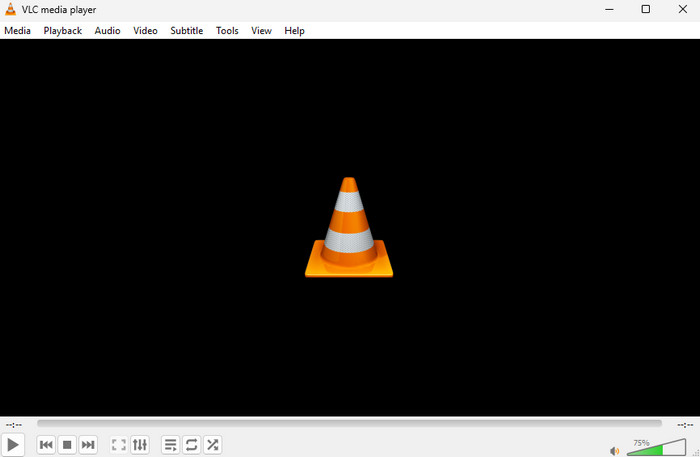
Key Features of VLC Media Player:
- It can support high-quality Blu-rays.
- The software can offer basic editing functions.
- It can handle various subtitles.
If you are looking for an open-source media player, then VLC Media Player can give you the result you need. This program is not only capable of playing digital media files. You can also rely on it when playing Blu-rays. It can even handle high-quality content, allowing you to experience better video playback.
- The interface is easy to understand and navigate.
- Support Blu-rays, DVDs, and many video and audio formats.
- It is totally free and open-source.
- Have good hardware decoding abilities to play large Blu-ray videos.
- Can’t play encrypted commercial Blu-ray discs unless you manually install decryption files.
- The interface is a bit outdated.
3. 5KPlayer (Windows and Mac)
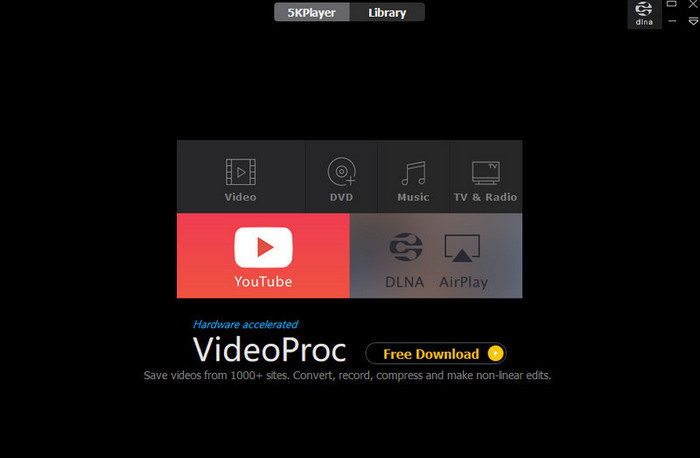
Key Features of 5KPlayer:
- It can play 4K content.
- The software has various playback controls.
- It supports different languages.
5KPlayer is a versatile multimedia player that supports Blu-ray discs, folders, and ISO files on Windows 10 and 11 - no activation key needed. It delivers smooth playback of Blu-ray movies on your PC without any hassle. Beyond Blu-ray, this player handles a wide range of video and audio formats, including M2TS, AVCHD, MKV, HEVC, MOD, MPEG-TS, MP4, and more. With that, if you need a free Blu-ray player on Mac and Windows, check this software.
- The user interface of the program is appealing.
- It supports shortcuts for easier video playback.
- The Blu-ray player is resource-intensive.
- There are times when it crashes.
4. PotPlayer (Windows Only)

Key Features of PotPlayer:
- It can offer a simple design.
- It can play Blu-ray discs, folders, and ISO files.
- The software supports various media formats, such as AVI, MOV, MP4, and more.
If you are a beginner, you can try using PotPlayer to watch Blu-ray content. With its simplicity, you can instantly watch the video since its user interface is comprehensive. What's more, installing this player is fast, so you can have it on your desktop without any struggles.
- What we like here is that the program has smooth video playback.
- It is free to use.
- It can offer various basic editing functions, such as effects, subtitles, and playback settings.
- Like VLC, its user interface looks outdated
- The official installer contains bundled third-party programs and
- occasionally triggers pop-up ads.
5. GOM Player (Windows and Mac)
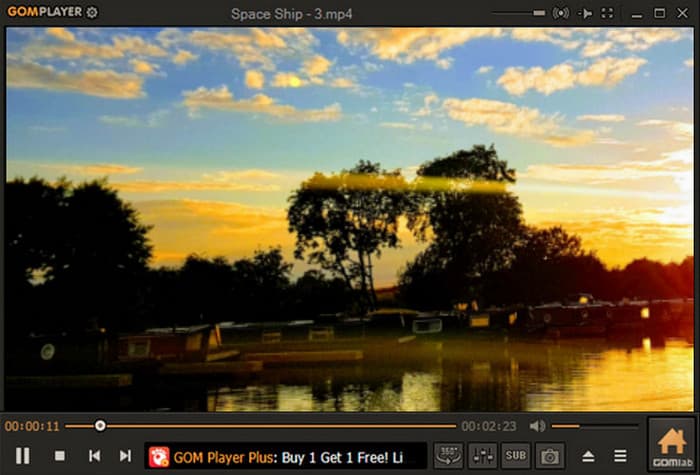
Key Features of GOM Player:
- It can play Blu-rays and other media formats,
- The software can livestream video and play online videos.
- It can provide engaging playback controls.
Another free Blu-ray player for Windows 10 and other OS versions is GOM Player. The good thing about this player is that it can give you a satisfying video and audio quality. It can also automatically find a missing codec from a certain file, making it reliable and powerful.
- The UI of the player is understandable.
- The program is 100% free to navigate.
- It can handle the latest codecs.
- It doesn't support Blu-ray menus.
- The software update is limited.
6. Leawo Blu-ray Player (Windows and Mac)

Key Features of Leawo Blu-ray Player:
- It supports full Blu-ray menu navigation.
- It has advanced audio support.
- The Snapshot tool is available.
If you want a slightly more advanced Blu-ray player, you can check Leawo Blu-ray Player. It is among the most powerful Blu-ray players since it can offer all the necessary features. The best part here is that it can even give you its Snapshot feature. With this feature, you can take a screenshot during video playback. With that, rely on this software if you need a free Blu-ray player software for Windows and Mac.
- The software is region-free, so you can play any Blu-ray content.
- It can handle Blu-ray discs, folders, and ISO files.
- The player can handle 4K content.
- You cannot access and customize the subtitle tracks.
- The free version contains permanent ad banners.
- It randomly fails to open the Blu-ray or DVD menu.
7. CyberLink PowerDVD (Windows Only)
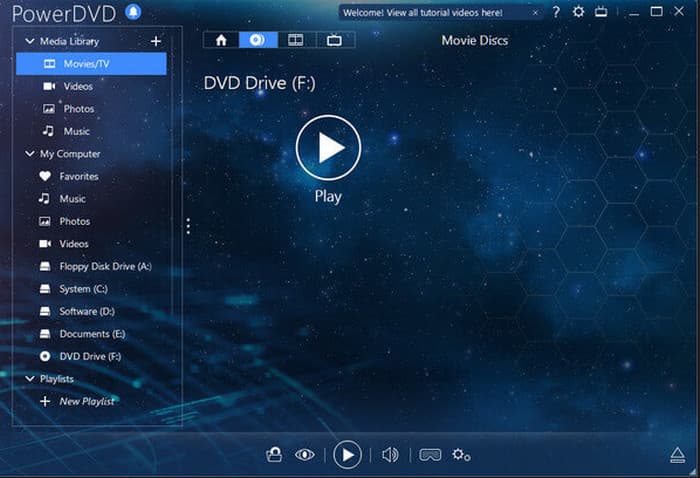
Key Features of CyberLink PowerDVD:
- It supports Blu-ray menus.
- The software can handle subtitles.
- It supports hardware acceleration for a smooth playback.
For our last Blu-ray player for PC, you can access CyberLink PowerDVD. This player can give you a smooth playback with its hardware acceleration feature. You can also enjoy watching since you can add 4K videos. You can even rely on this platform if you want to play Blu-ray on a wider screen, making it more ideal for all users.
- The player can play Blu-rays and DVDs smoothly.
- Software can give various playback controls for an engaging experience.
- It can play videos on a larger screen.
- Its premium version is expensive.
- It is resource-intensive software.
Part 3. How to Use a Free Blu-ray Player on Mac and Windows
Do you want to play your Blu-ray on your computer? In that case, you can check the methods below and learn how to play Blu-ray using Tipard Blu-ray Player.
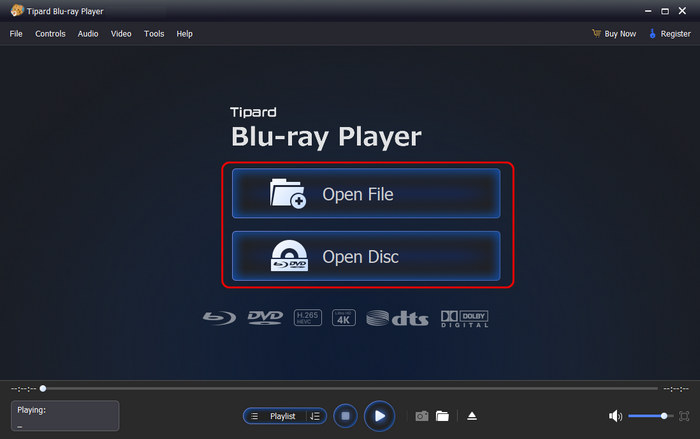
Step 1 Download Tipard Blu-ray Player on your Mac or Windows. After that, run it to begin the process.
Ensure that your Blu-ray is already connected to your desktop.
Step 2 After you open the main user interface, click the Open Disc option. When your file folder shows up, navigate to the Blu-ray file to open the content you want to watch.
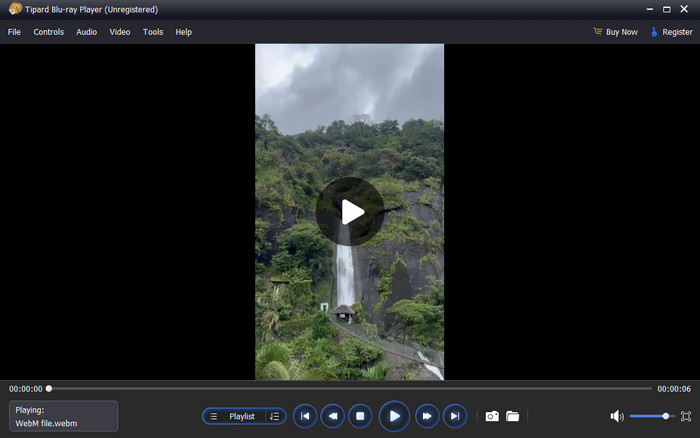
Step 3 Finally, you can now enjoy watching your Blu-ray content. You can also use all the playback controls below for a better playback experience.
Part 4. FAQs of Free Blu-ray Player
Why won't my free Blu-ray player read the disc?
Most 100% free open-source players (like VLC or PotPlayer) lack native decryption keys. For commercial encrypted Blu-rays, using a dedicated tool with built-in decryption like Tipard Blu-ray Player is the most hassle-free solution.
Which free Blu-ray player removes region codes?
Leawo and Tipard is both region-free, allowing you to play discs from Region A, B, or C seamlessly on Windows 11 and macOS.
Is there a Blu-ray player that plays everything?
No single media player can ensure to play "everything". If you want a Blu-ray disc player that has full decryption abilities, like AACS decoding, Tipard Blu-ray Player is a good choice. Moreover, it can play many popular and rare digital media formats.
Conclusion
There you go! If you want a free Blu-ray player software for Windows and Mac, you can use all the software we have introduced in this article. Plus, if you want to play your Blu-ray smoothly and perfectly, you can access Tipard Blu-ray Player. With this program, you can play any Blu-ray with a satisfying Blu-ray playback experience.

Play Blu-rays and multimedia files with the best video and audio quality
100% Clean & Safe
100% Clean & Safe

More Reading




About the Author

 Click here to join the discussion and share your comments
 Tipard Blu-ray Player