

Key Takeaways
Below are the main points from this guide. These will help you understand 4K Blu-ray players better and choose the right one with ease.
- Look for full 4K disc support, HDR quality, GPU acceleration, and strong audio support like Dolby and DTS.
- Tools like Tipard Blu-ray Player, PowerDVD 23, and PlayerFab give strong performance. Free tools like VLC Media Player and PotPlayer offer basic playback with limits.
- Problems like scratches, BD-100 layer errors, outdated firmware, and HDMI issues can stop playback. Simple cleaning and updates often fix them.
Have you ever tried watching a 4K movie, but it lags or looks unclear on your player? That is a common problem when the program is not built for high-quality video.
What you need is a 4K Blu-ray Player. It helps you play high-resolution movies without errors. It gives smooth playback and clear visuals.
You are lucky, as this write-up will show you the best 10 options. We will also guide you on what to look for in a player. This way, you will have a clear idea before choosing and can make a better decision at the end.
Part 1. Quick Glance at the 10 4K Blu-ray Players
| 4K Blu-ray Players | 4K Blu-ray Disc | Blu-ray Menu Support | Format Support | Price Type | OS support |
|---|---|---|---|---|---|
| Tipard Blu-ray Player | Full | Full | Wide | Free & Paid | Windows & Mac |
| PlayerFab Ultra HD Player | Full | Full | Wide | Paid | Windows & Mac |
| Leawo Blu-ray Player | Yes | Basic | Good | Free | Windows & Mac |
| Macgo Blu-ray Player | Yes | Basic | Medium | Paid | Windows & Mac |
| PowerDVD 23 | Full | Full | Wide | Paid | Windows & Mac |
| VLC Media Player | Limited | No Menu | Wide | Free | Windows, Mac & Linux |
| PotPlayer | Limited | No Menu | Wide | Free | Windows |
| 5KPlayer | Partial | Basic | Good | PaiFree | Windows & Mac |
| GOM Player | Weak | No Menu | Medium | Free | Windows & Mac |
| Aurora Blu-ray Media Player | Yes | Basic | Medium | Paid | Windows & Mac |
| Show MoreShow Less | |||||
Part 2. What to Look for in 4K Blu-ray Software
What makes a 4K Blu-ray player software really good for your movie setup? Below are the key things you should check before choosing one:
Full 4K disc support.
It should play commercial Blu-ray discs. It should also open ISO files and folders. It must handle standard, 3D, and 4K UHD discs without errors.
High video quality playback.
It should support 1080p, 4K, and even 8K videos. It gives sharp and clear visuals. HDR10 or Dolby Vision support is a big plus. It makes colors deeper and more real.
Smooth GPU acceleration.
The software should use your GPU, not only the CPU. It makes playback faster. It also reduces lag and freezing. It helps heavy 4K videos run better.
Strong audio support.
It should play high-quality sound. Dolby and DTS support is important. It gives clear, rich, and cinema-like audio.
Easy Blu-ray menu control.
It should let you open disc menus. You should be able to pick chapters easily. Simple controls make the experience better.
Wide format support.
It should play many video types. MP4, MKV, AVI, and more should work without extra tools.
Simple and clean interface.
The layout should be easy to use. Buttons should be clear. You should not get lost in settings.
System compatibility and price.
It should work on Windows and Mac. Some tools are free. Others are paid but give more features and better stability.
Part 3. Detailed Reviews of Top 10 4K Blu-ray Player Software
With the section above, you gained an idea of what to look for in 4K Blu-ray software. Now, it is time to apply that knowledge. Check which tools meet those requirements, so you can easily see which one stands out.
1. Tipard Blu-ray Player
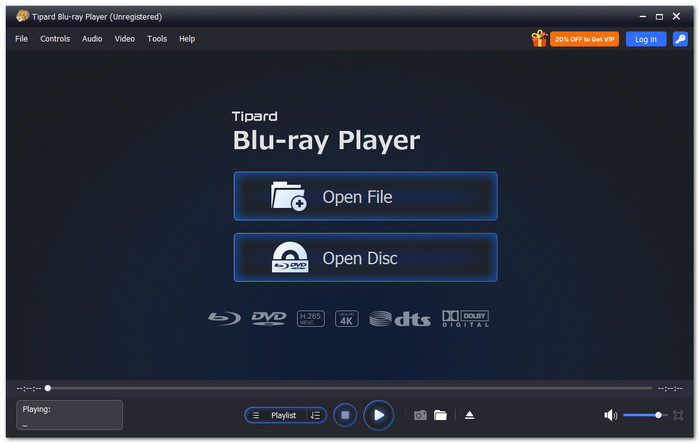
Tipard Blu-ray Player is a top choice for the top 4K Blu-ray Player software. It uses full GPU acceleration to open Blu-rays and DVDs faster and more smoothly. It supports standard, 3D, and 4K Blu-rays with clear video quality. It also gives easy controls and a simple menu system for quick movie access.
Key Features:
- Plays 4K UHD, 1080p, HD, and 8K resolution videos.
- Uses DTS and Dolby audio codecs to produce immersive sound.
- Offers playlist control and chapter selection.
- Uses GPU acceleration for faster and smoother playback.
- Supports Blu-ray discs, folders, and ISO files.
- The snapshot feature saves key movie scenes.
- Adjustable screen size and aspect ratio.
- Paid version needed for full features.
2. PlayerFab Ultra HD Player

PlayerFab Ultra HD Player is a strong 4K Ultra HD Blu-ray player built for smooth disc playback across all regions. It handles ISO files and folders with ease. It also supports HDR10 visuals and advanced audio.
Key Features:
- Region-free disc playback support.
- ISO and folder loading.
- HDR10 and Dolby Vision support.
- GPU hardware decoding boost.
- Plays 4K UHD discs smoothly.
- Rich audio and video support.
- Clean media library system.
- Paid license required.
- Learning curve for beginners.
3. Leawo Blu-ray Player
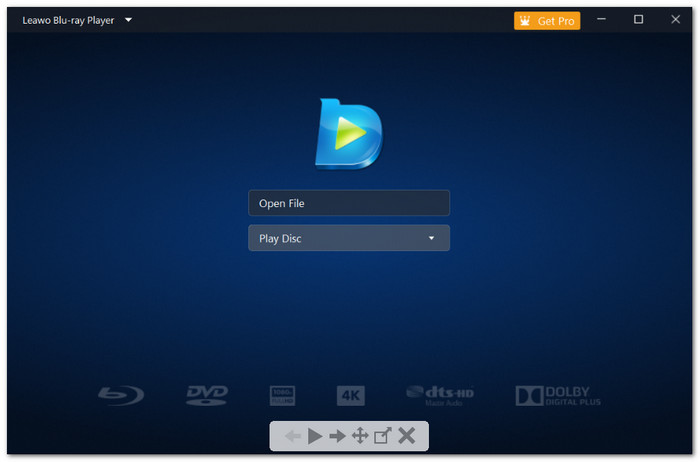
Leawo Blu-ray Player is a free Blu-ray player for Windows and Mac with wide format support. It plays discs, ISO, and HD videos without cost. It is often used by people looking for the best 4K Ultra HD Blu-ray player option on a computer setup. It focuses on simple use and stable playback. It makes it a solid choice for users who want free and flexible media viewing.
Key Features:
- Free Blu-ray and DVD playback.
- ISO and folder support.
- Subtitle and audio track control.
- HD video format support.
- Completely free to use.
- Works on Mac and Windows.
- Easy disc playback control.
- Occasional playback lag.
- Limited advanced features.
4. Macgo Blu-ray Player
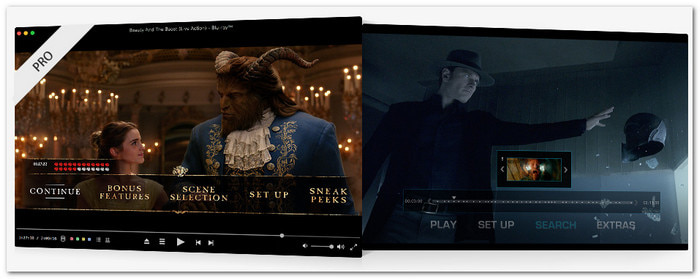
Macgo Blu-ray Player is made for easy disc playback with full menus. It works with ISO files and Blu-ray discs. It also uses hardware acceleration for smooth and steady video quality. But it is mainly for Mac users who want simple Blu-ray viewing without a hard setup.
Key Features:
- Blu-ray menu navigation is supported.
- Option to play ISO files.
- High-quality video output.
- Hardware acceleration support.
- Smooth Mac performance.
- Easy plug-and-play setup.
- Keeps original disc menus.
- No 4K UHD disc support.
- Paid Pro version needed.
5. PowerDVD 23
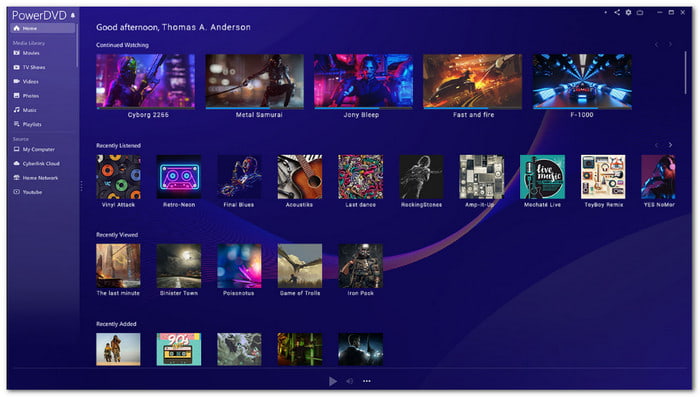
PowerDVD 23 is often considered one of the best 4K UHD Blu-ray players for users who want a premium home theater experience. It supports 4K and 8K Blu-ray playback with strong AI tools. It also adds karaoke mode and smart video enhancements. It is made for users who want a full cinema-like experience at home.
Key Features:
- 4K and 8K UHD playback support.
- AI vocal removal karaoke mode.
- TrueTheater video enhancement tech.
- YouTube offline viewing tools.
- High-quality cinema-style playback.
- Strong AI media features.
- Supports streaming and casting.
- Requires a paid license.
- Uses large system resources.
6. VLC Media Player
A free, open-source player that handles almost every video format is VLC Media Player. Many users even use VLC to play Blu-ray discs with the right setup. It is popular because of its flexibility and zero cost. It can play discs and online streams, although Blu-ray support may need extra steps or additional configuration for full playback.
Key Features:
- Wide format compatibility.
- Cross-platform support.
- Streaming playback support.
- Custom codec integration.
- Completely free program.
- Plays almost all formats.
- No ads or tracking.
- No native Blu-ray support.
- Set up needed for discs.
7. PotPlayer
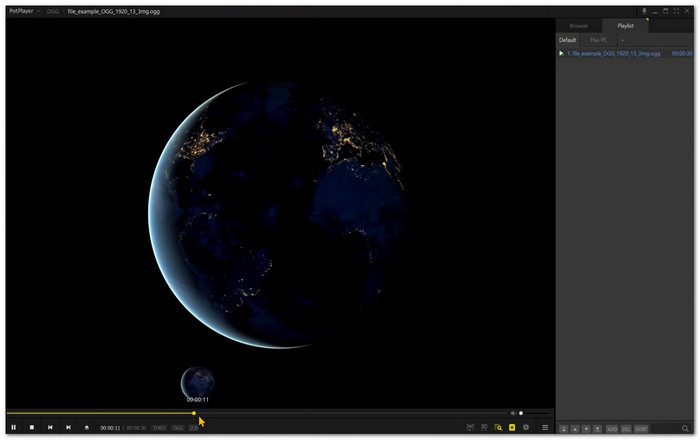
A powerful Windows media player built for advanced users is PotPlayer. It supports 4K playback, subtitles, and deep customization. It is lightweight but strong in performance. It is ideal for users who want full control over playback settings and video quality adjustments.
Key Features:
- Advanced playback settings.
- 4K and HDR support.
- Subtitle customization tools.
- Hardware acceleration support.
- Very lightweight performance.
- Highly customizable interface.
- Smooth high-resolution playback.
- Windows only platform.
- Many hidden settings.
8. 5KPlayer
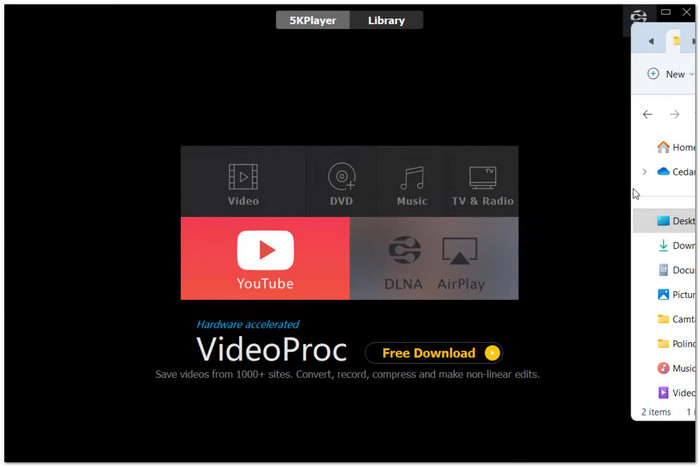
An all-in-one media player that handles 4K videos, DVDs, and Blu-ray content is 5KPlayer, making it a solid option for users looking for a 4K UHD Blu-ray player experience on their devices. It also supports online video downloads and wireless streaming. It is designed for users who want both playback and media downloading in one simple tool.
Key Features:
- 4K and 8K video support.
- Built-in video downloader.
- AirPlay and DLNA streaming.
- DVD and Blu-ray playback.
- Supports streaming features.
- Handles many video formats.
- Easy media sharing tools.
- Contains ads in the interface.
- Limited Blu-ray menu control.
9. GOM Player

A feature-rich player that supports many video formats and includes subtitle tools is GOM Player. It works well for 4K videos and VR content, and it can also function as a 4K Ultra HD Blu-ray player option for high-quality playback. It is popular for its codec support and subtitle features, but the free version includes ads during use.
Key Features:
- Wide codec format support.
- Subtitle search and sync tools.
- 4K and VR playback support.
- Custom playback settings.
- Strong subtitle features.
- Supports many formats.
- Good 4K performance.
- Interface can feel busy.
- Occasional pop-ups appear.
10. Aurora Blu-ray Media Player
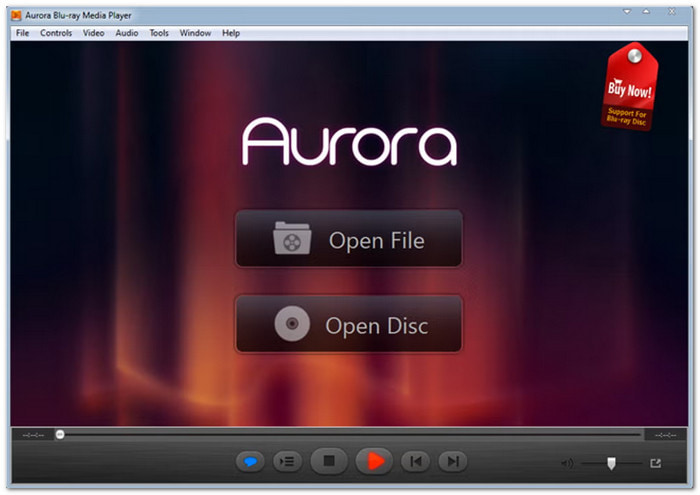
A lightweight Blu-ray player designed for simple movie playback on Windows and Mac is the Aurora Blu-ray Media Player. It supports Blu-ray discs, can play ISO files, and common video formats. It focuses on easy use and basic playback features without heavy system requirements.
Key Features:
- Blu-ray disc playback support.
- ISO and video file support.
- Simple playback controls.
- Cross-platform use.
- Lightweight software design.
- Easy to install and use.
- Supports basic Blu-ray menus.
- Limited updates recently.
- Weak 4K disc support.
Part 4. Troubleshooting: Why Won't Your 4K Disc Play
It can be challenging to read 4K discs. They require clean data and robust hardware. Minor problems may halt playback. The typical issues and solutions are listed below:
1. Errors in disc reading, such as smudges or scratches.
A lot of data is stored on 4K discs. Even a tiny fingerprint can cause errors. The player might freeze or skip.
Fix: Clean the disc gently. Use a soft microfiber cloth. Wipe from the center outward. Do not use circles. For heavy dirt, use mild soap and water. Then, dry it carefully.
2. BD-100 layer transition problem.
Triple-layer discs are used in some 4K films. During playback, the player has to switch between layers. At the same time, it may result in freezing.
Fix: Clean the disc again. If the issue stays, the disc may be damaged. Try another copy if possible.
3. Old firmware.
Playback problems can happen when the system software is not up to date. Older firmware may not work well with newer discs.
Fix: Connect your device to the internet. Go to settings. Check for updates. Install the latest firmware.
4. Cache or storage glitches.
Stored data can slow down playback. It can also cause freezing or visual glitches.
Fix: Clear the cache. Restart the device. For consoles, do a full power reset. For players, try a factory reset if needed.
5. Hardware or HDMI problems.
Strong HDMI support is needed for 4K video. Bad cables or wrong ports can cause playback problems.
Fix: Use High-Speed or Ultra High-Speed HDMI cables. Plug into HDMI 2.0 or 2.1 ports. Enable "Enhanced Mode" or "UHD Color" on your TV.
Part 5. FAQs of 4K Blu-ray Player Software
Is it possible for a Blu-ray player to also read and play standard DVDs?
Can a Blu-ray player play a DVD? Depends, but most Blu-ray players can also play DVDs. They are built for both formats. You can use one device for many discs.
How much data can be stored on a 4K Blu-ray?
A 4K Blu-ray disc can store a lot of data. It usually comes in 50 GB, 66 GB, or 100 GB sizes.
How to connect a 4K Blu-ray player to a TV?
Use an HDMI cable for the best quality. Plug it into the HDMI port on your player and TV. Make sure the cable is High Speed HDMI. It helps you get a clear 4K picture and sound.
Conclusion
Which of the best 4k Blu-ray players gets your attention? Let us know in the comments section.
If you are still unsure, we recommend Tipard Blu-ray Player. It really checks all the things you need for a 4k Blu-ray player. Download it now and try it for yourself, so you can explore and enjoy your movies in better clarity.

Play Blu-rays and multimedia files with the best video and audio quality
100% Clean & Safe
100% Clean & Safe

More Reading


About the Author

 Click here to join the discussion and share your comments
 Tipard Blu-ray Player