

Key Takeaways:
We tested over 20 DVD and Blu-ray decoders and finally selected the top 5 free DVD decoders here. For seamless playback of your disc collections, choose Tipard Blu-ray Player. It can decode all types of DVDs and Blu-rays even with encryptions and region codes. If you prefer a free DVD decoder without needing decryption features, VLC Media Player is a good choice. They can help you easily open DVDs and Blu-rays on new or legacy Windows computers and system versions.
A DVD decoder is required for the DVDs on the computer or any other multimedia device. If not present, your system failed to decode video and audio data coded in a DVD, resulting in playback errors or no response. Whether watching movies, managing official files or viewing home videos, a good decoder will enable smooth and effective decoding on your device. In this guide, we will detail why you need it, the best decoder softwares you can use and how to decode using this softwares.

Part 1. Why Do You Need a DVD Decoder?
A DVD decoder is not simply a technical necessity; it is the link to enable your computer or device to comprehend DVDs and play what you have on the disk. DVDs employ a compression format like MPEG-2 to store video and audio files on compact disks. However, most devices don’t have built-in software or hardware to decode this data, so playback issues arise. Here’s why you need a DVD decoder:
1. Enable DVD Playback:
Standard DVD data is stored in an encoded format that cannot be rendered or played back without a compatible decoder. A DVD decoder translates these compressed streams into a viewable format, allowing you to watch movies or access content.
2. Ensure Compatibility:
The formats and protections of DVDs are different for all DVDs. These formats refer to the specific ways of storing information in a coded form, and a decoder assists in converting these formats into a language more digestible to your media player.
3. Optimize Video and Audio Quality:
It also means that enhanced decoders enhance the quality of picture and sound during the viewing process, providing the best view.
4. Fix Compatible DVD Decoder Not Installed Issue:
Some OS versions of Windows and macOS do not come with a built-in DVD decoder, leading to playback issues when trying to watch DVDs. In that case, you just need to install a DVD decoder (player) rather than reinstall an OS or purchase a license.
Part 2: Top 5 Best DVD Decoder Software on Windows and Mac
1. Tipard Blu-ray Player - Best Overall DVD Player to Use
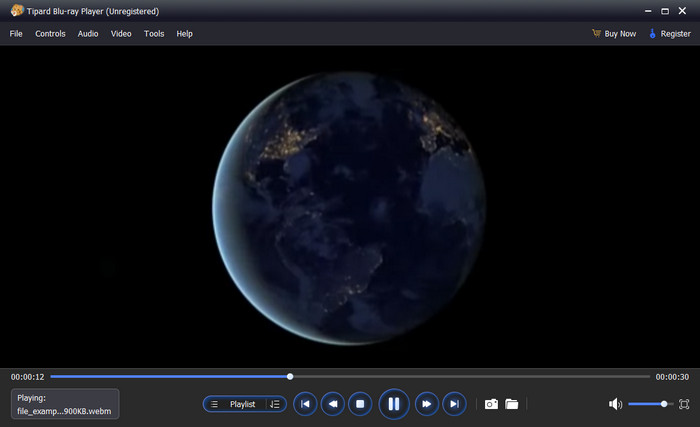
Tipard Blu-ray Player is an elegant DVD decoder on Windows XP for free download that can be used to appreciate DVDs and discs. The converter supports DVDs, folders, and ISO files with perfect video and audio quality. Besides entertainment, this single app also supports media player options for 4K UHD and 1080p HD videos, thus making this option unbeatable for users looking for versatility and high performance.
Here, the most important features are convenient and intuitive navigation through the application, enhanced controls during the playback and compatibility with any type of media. It also provides users with controls for video effects, subtitle selection and taking screenshots. Regarding DVD or Blu-ray movies, Tipard promises a perfect and interruption-free visualization.
- Well-defined audio that is accompanied by high resolutions up to 4K.
- It incorporates DVD, Blu-ray, ISO, and support in multiple formats of video files.
- Options for controlling video playback while watching.
- It offers quick access for screenshotting a video frame.
- Organize a library of videos to play accordingly or by shuffle.
- The premium version offers an advanced feature for video playing.
2. PowerDVD by CyberLink
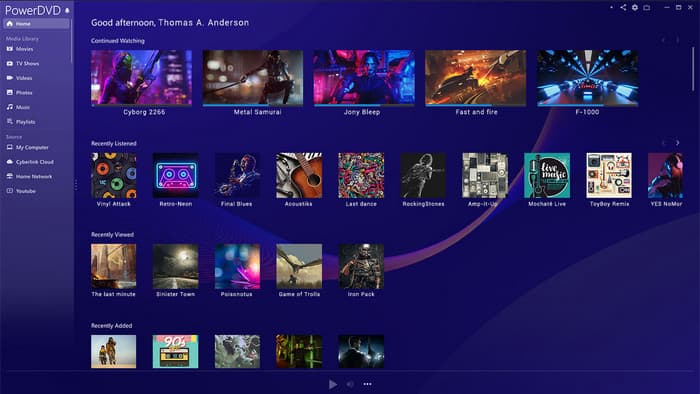
PowerDVD is one of the best media players to download and use, as the primary aim of installing PowerDVD is to provide you with the big screen feel right in your house. It supports Blu-ray, DVD, 4K Ultra HD playback, Dolby Atmos and DTS:X audio for immersive sound. In addition to playing DVDs, PowerDVD can decode and stream full HD videos online and cast content to larger displays. Others include TrueTheater enhancements that help to deliver brighter visuals accompanied by sharper images and better sound output.
- High-quality 4K video and sound with Dolby.
- Detailed support refers to DVDs, Blu-rays, and streaming media.
- Bi-directional synchronization with the library for easy access to media.
- Slightly higher prices than the rival companies.
- Some added features may be complex for any user, especially first-time users.
3. VLC Media Player
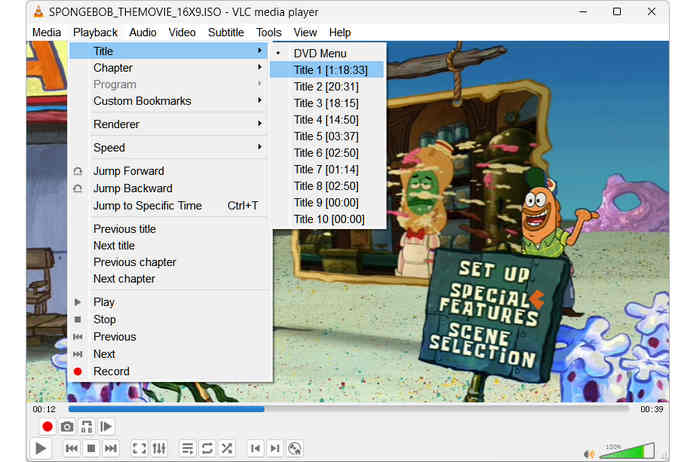
VLC Media Player is a powerhouse in the open-source world, serving as a comprehensive DVD and Blu-ray decoding solution. Unlike standard players that rely on external codecs, VLC comes with a built-in library, libdvdcss, allowing it to seamlessly decrypt and play CSS-protected commercial DVDs. It supports virtually every video and audio codec (from MPEG-2 to high-fidelity DTS audio), ensuring smooth, hardware-accelerated playback on Windows, macOS, and Linux without requiring any third-party packs.
- It can directly open a DVD/Blu-ray disc, ISO image, or Video_TS and BDMV folder
- Lightweight and free-to-use.
- Provide many playback effects like 3D effects, deinterlacing, and filters.
- Support advanced hardware decoding to play large DVDs and Blu-rays with low CPU usage.
- This DVD decoder doesn't have advanced decryption capabilities.
- It may fail to open homemade DVDs or Blu-rays that have deep customization.
4. 5KPlayer
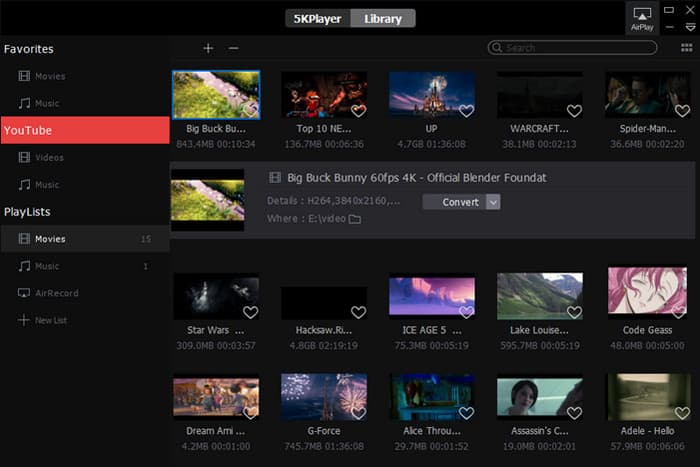
5KPlayer is a comprehensive multimedia solution featuring a powerful built-in DVD decoder that ensures seamless playback of both home-made and encrypted physical discs. This DVD decoder can also stand out as a high-performance hub for users who demand a single, robust application for high-quality decoding and media management. Leveraging advanced hardware acceleration, it serves as a versatile video player for all formats, delivering smooth 4K and DVD rendering. Furthermore, its cross-platform synergy through AirPlay support makes it an ideal choice for streaming decoded content between PC and Apple devices.
- Free with no hidden costs.
- Has streaming and video downloading options here.
- Ads may appear occasionally.
- While many of these features are powerful and impressive, some have a rough edge that needs to be added to paid software.
5. Leawo Blu-ray Player
Leawo Blu-ray Player is the alternative DVD decoder for Windows Media Player that supports almost all kinds of Blu-ray, DVD and even ISO files. The free version has excellent playback solutions, such as crystal-clear audio quality and subtitles in multiple languages. The program has a pro option and more options, such as the Blu-ray to MP4 converter.
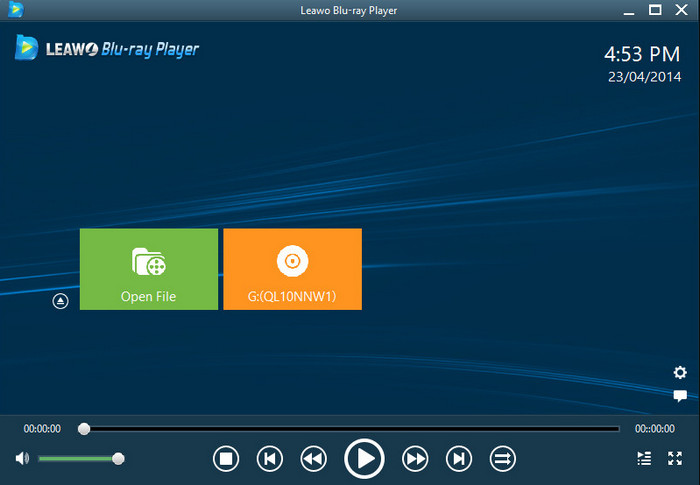
- Clear sound to play back DVDs and Blu-rays.
- It is also possible to download a free version of the program with many functions.
- The interface looks stiff compared to other selections.
- Sometimes, performance is affected on its other versions.
| Features | Tipard Blu-ray Player | PowerDVD | VLC Media Player | 5KPlayer | Leawo Blu-ray Player |
|---|---|---|---|---|---|
| Decryption | Strong; Bypass Region Codes and Encryptions (CSS, ACCS, 99-Title, Sony ARccOS, RipGuard, and more) | Limited; Cannot Bypass Most Region Codes and Encryptions | Medium; Bypass CSS and Region Codes; Cannot Deal with Advanced Encryptions. | Good; Deal with Sony ARccOS, Disney 99-title, and other Strong Encryptions. | Strong; Good at Handling Encryptions on BD. |
| 4K UHD support | Supported | Supported | Unsupported | Supported | Supported |
| Best for | Premium Style All-in-One Disc and Multimedia Player | Advanced Video Player | Basic DVD Playback Player | Free DVD Player | All-in DVD Player |
Part 3. How to Decode DVDs to Watch DVD Content on Your PC
If you want to watch a film on a DVD without going through the hassle, follow the guide we will teach you. We will now use the Tipard Blu-ray Player to decode the DVD video content you want to watch on your PC.
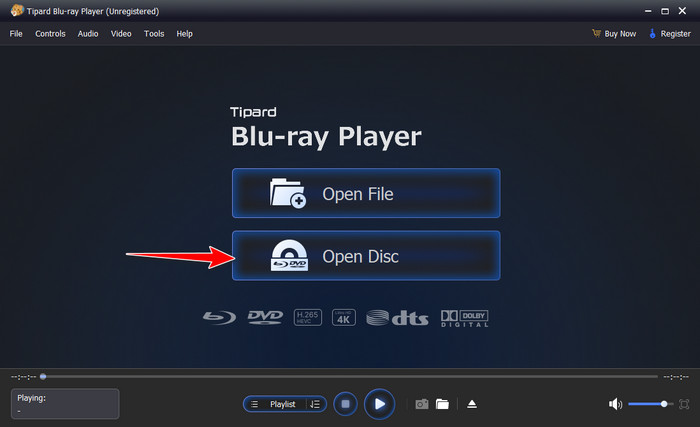
Step 1 After you have downloaded the app, launch it. Then, click the Open Disc after you put the DVD into your optical drive plugged or built-in on your PC. When a file folder appears, click the DVD and open it.
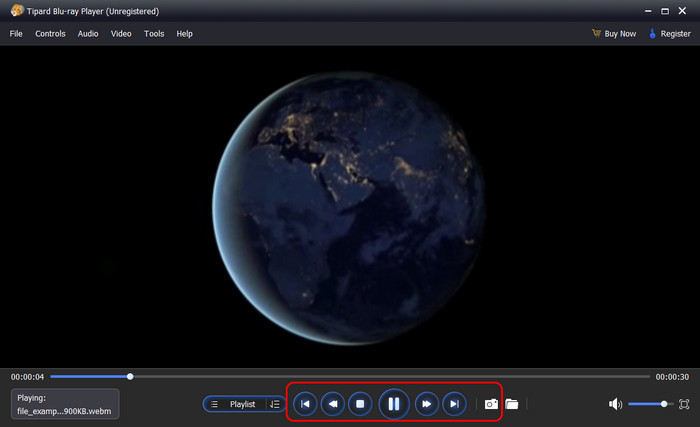
Step 2 As the DVD video plays, you can take a quick snap of the film or take control of its playback with the options available here.
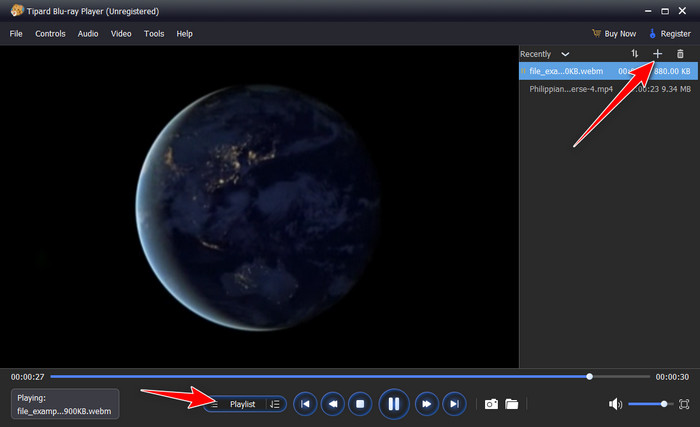
Step 3 If you want to select the title and chapter of a DVD or Blu-ray movie, click the Playlist button to expand the structure of your DVD. Then, you can select and play a desired title or chapter.
Part 4. FAQs of DVD Decoder
What is the best way to convert DVDs to digital?
Tipard DVD Ripper is the best way to convert DVDs to digital formats while maintaining high quality. It can transcode your DVDs into MP4, MKV, MOV, AVI, ProRes, and more foramts with high compression rate while keeping the best video and audio quality. If you prefer lossless ripping, it cna also remux DVDs to MKV or MPG format with original files and structure.
What DVD player will play all DVDs?
Tipard Blu-ray Player is the best DVD decoder and player to open all types of DVDs and Blu-rays. It can automatically open DVD-5, DVD-9, BD-25, and BD-50 discs without any restriction. It can also bypass region codes and encryptions easily.
Is it worth keeping DVDs anymore?
Although DVD and Blu-ray are being phased out, they still have their place for collectors and those who prefer physical media. However, digital formats offer convenience and accessibility that make them a more practical choice for everyday use.
Conclusion
With the best DVD decoders listed here, you can open DVDs and Blu-rays on your Windows or Mac computer without any restriction or playback issue. The functions are much richer than the default media player on your computer. Tipard Blu-ray Player is the best DVD decoder if you prefer playing both DVDs and Blu-rays. It can easily open homemade, commercial, and deeply customized discs, ISO images, and disc folders, with full GPU acceleration and very little CPU usage. You can enjoy your movies without any hassle.
More Reading

About the Author

 Click here to join the discussion and share your comments
 Tipard Blu-ray Player