

Convert MOV to MP4 easily using the right converter for your needs, whether you prefer desktop software or online tools. This guide compares the best MOV to MP4 converters, highlighting speed, quality, features, pros, cons, and real user reviews.

Part 1. Quick Shot of Top 12 MOV to MP4 Converters
In case you want a versatile desktop solution, a free open-source tool, or a simple browser tool, this roundup covers the best MOV to MP4 solutions.
1. Best Overall: Tipard Video Converter Ultimate
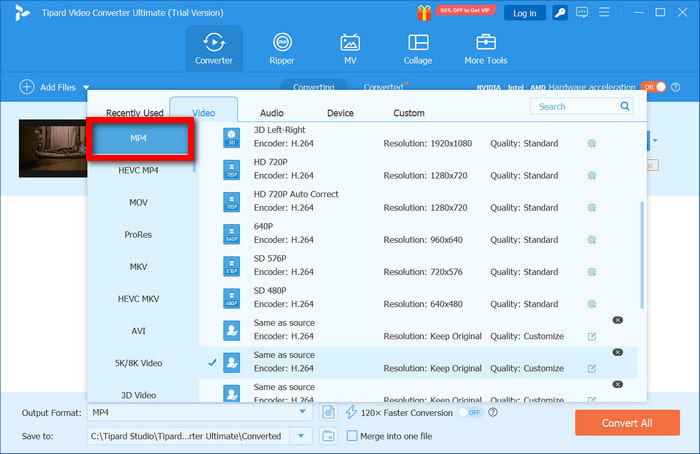
Perhaps the fastest MOV to MP4 converter, this tool is valuable to professionals and casual users due to its performance, additional editing features, and accelerated hardware.
2. Best Free Option: HandBrake
This free, open-source alternative is reliable and offers complete control over the codec, bitrate, and filter.
3. Best for Windows Users: Freemake Video Converter
Simple and intuitive Windows-only tool with presets and batch conversion that makes MOV to MP4 easy.
4. Best All-Around Desktop Freebie: VLC Media Player
There are other tools to convert MOV files that might even be more powerful, but only a few can match its broad compatibility and codec support.
5. Best for Mac Users: QuickTime Player
This is a fast way to export a file to MP4, and the fastest way to accomplish this is to use a tool that comes pre-installed with the operating system.
6. Best Online Converter: CloudConvert
This is a dependable web browser service with quality control to prevent files from being over-compressed, and it offers more control over files being trimmed and over any other features related to file quality.
7. Best for Deep Online Tweaking: Online-Convert
This is the best site for tweaking, for those who appreciate the opportunity to customize the desired output.
8. Best for Simple Web Conversion: Zamzar
Convert, upload, and download, without having to install any software. It is ideal for straightforward online tasks.
9. Best for Privacy-Focused Online Use: ConvertFiles
Fast online conversions are processed with zero sign-ups and minimal clicks, and this site will delete your files after you finish.
10. Best for Batch Online Conversions: FreeConvert
This site allows larger files and batch uploads and has user-selectable output quality.
11. Best for Small File Tasks: FileZigZag
This site is email-based and perfect for quick MOV to MP4 conversions.
12. Best Cross-Platform Mobile + Desktop Free: VLC (Mobile/Desktop)
If you want the same free converter on both phone and PC, VLC is hard to beat.
Comparison Table: Top MOV to MP4 Converters
| Converter | HD / 4K | Batch | Editing | Beginner-Friendly | Speed | File Size Optimization | Customization |
|---|---|---|---|---|---|---|---|
| Tipard Video Converter Ultimate |  |
|
|
|
|
|
|
| HandBrake | |
|
|
 |
|
|
|
| Freemake Video Converter | |
|
|
|
|
|
|
| VLC Media Player | |
|
|
|
|
|
|
| QuickTime Player | |
|
|
|
|
|
|
| CloudConvert | |
|
|
|
|
|
|
| Online-Convert | |
|
|
|
|
|
|
| Zamzar | |
|
|
|
|
|
|
| ConvertFiles | |
|
|
|
|
|
|
| FreeConvert | |
|
|
|
|
|
|
| FileZigZag | |
|
|
|
|
|
|
| VLC (Mobile) | |
|
|
|
|
|
|
Part 2. Review of the 12 Best MOV to MP4 Converters
1. Tipard Video Converter Ultimate
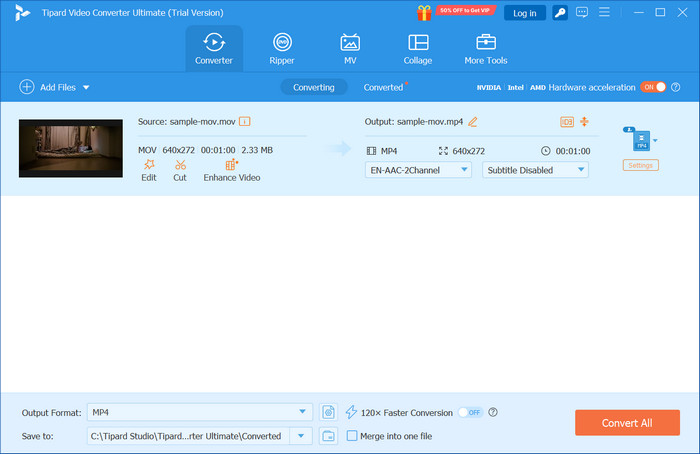
Why I selected it: Tipard Video Converter Ultimate combines blazing speed, broad format support, powerful editing tools, and DVD ripping, making it the most complete MOV to MP4 solution, whether you are a beginner or advanced user.
Features:
- Support batch conversion at 120× faster speed with GPU acceleration.
- Support a wide range of MOV formats and MP4 output presets.
- Remux or re-encode MOV files to MP4 efficiently.
- Enhance video resolution and adjust codecs, including H.264, HEVC, and AV1.
- Offer comprehensive video editing tools: rotate, clip, crop, apply filters, and more.
- Very quick conversion through the use of a GPU.
- Excellent quality is retained.
- Great variety of editing tools.
- Some features may be overwhelming for beginners.
Score: 4.9 / 5 (G2, Capterra)
- S. Brown: The output quality of 8K videos is preserved. It is incredible how fast one can convert.
- J. Smith: I use it for my MOV to MP4 conversions. It is great for effortless editing.
2. Movavi Video Converter
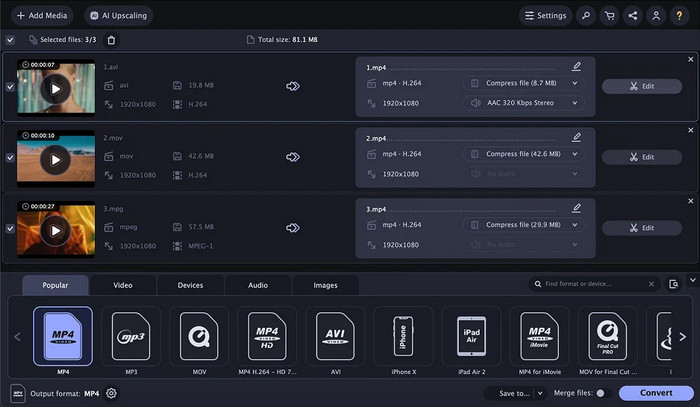
Movavi Video Converter is perfect for everyday quick conversions of MOV to MP4. It is fast, user-friendly and has multiple formats and devices.
Features:
- Over 180 formats available.
- Batch conversion is available.
- Device presets available.
- Basic editing functions: trim, crop, and aid the user.
- Great for users who are just beginning.
- Low quality and fast conversions are issues of the past.
- Advanced features are not available without purchasing them.
- Watermarks on outputs show up in the free version.
Score: 4.5 / 5 (G2, Capterra)
- L. Johnson: It is very intuitive, and a quick conversion is done while HD quality is preserved.
- M. Davis: Lacks option for advanced editing; it is only good for basic conversions.
3. CloudConvert
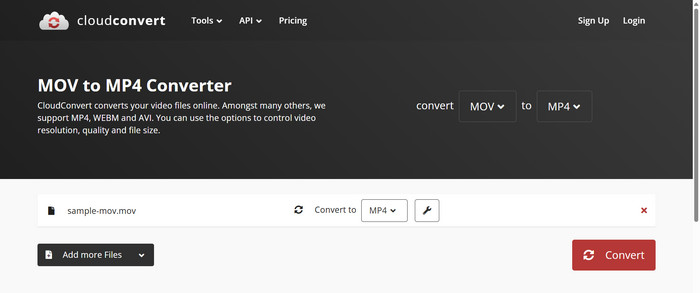
FreeConvert is for anyone who wants to avoid downloading, as it allows conversion of MOV to MP4 directly through the browser. Quality control and cloud storage are great bonuses.
Features:
- Works via your browser.
- More than 200 formats are available.
- Users can control quality and resolution.
- Google Drive/Dropbox support.
- Does not need installation.
- Produces quality output.
- The free plan allows a smaller file size.
- Uploads slower when on bad internet.
Score: 4.4 / 5 (G2, Software Advice)
- T. Wilson: Great for online conversions quickly; helpful customization of settings.
- K. Martinez: Convenient, but for larger videos, the uploading can take a long time.
4. HandBrake
HandBrake is open-source for complete free control over the settings for encoding, allowing for the greatest control of high-quality and customizable MOV to MP4 conversions for no cost.
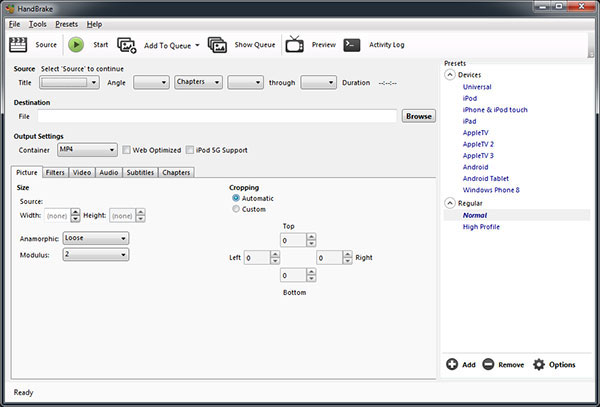
Features:
- Free and open-source.
- Custom codecs & bitrate.
- Presets for devices.
- Queue for batch processing.
- Can run on Windows, macOS, and Linux.
- Tons of customization.
- It takes a lot of time to learn.
- Slower with larger files.
Score: 4.6 / 5 (G2, SlashDot)
- A. Thompson: Powerful & free; for advanced users, the perfect fit to have full control.
- R. Garcia: Takes time, but after setup, it is consistent.
5. FreeConvert
FreeConvert is great in the online space with supporting batches and customizable output settings, providing a good mix of flexibility and ease of use for MOV to MP4 conversions.
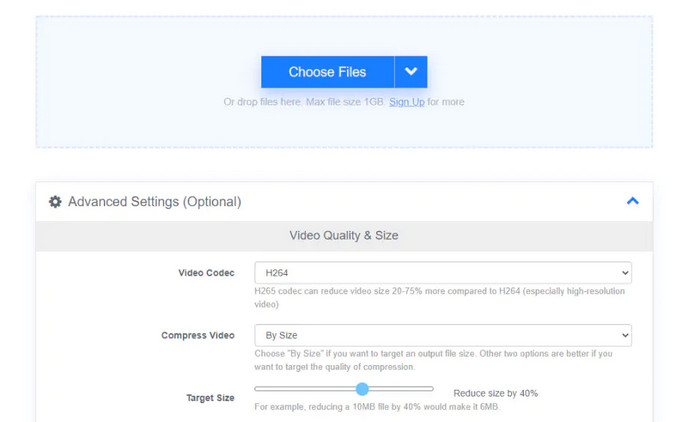
Features:
- Online batch conversion.
- Custom bitrate/quality.
- Over 500 formats available.
- The browser interface is easy to use.
- Batch support.
- The free plan has size limits.
- The free version contains ads.
Score: 4.3 / 5 (G2, Google Workspace)
- P. Robinson: Very quick for small tasks. I loved the accessibility that the online version provided.
- C. Lee: Good service, but large files come with a fee.
6. Freemake Video Converter
Freemake Video Converter is a basic Windows desktop application that performs quick conversions from MOV to MP4, which is perfect for individuals who want quick, no-hassle conversions.
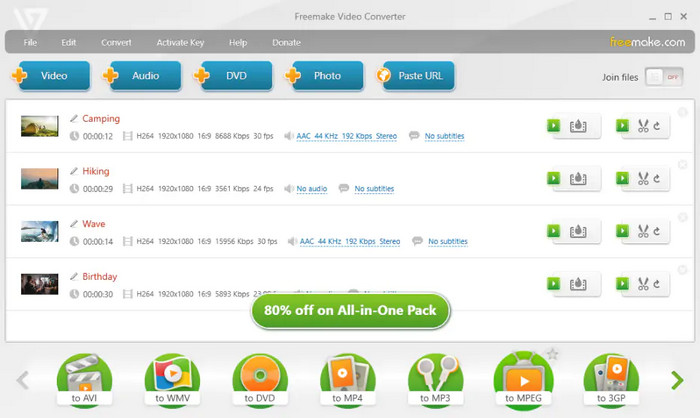
Features:
- Batch conversion is available for Windows.
- Exports to iTunes.
- Basic editing (cutting, joining, rotating, adding subtitles).
- Friendly for users.
- The results are of decent quality.
- Only available on Windows.
- Some features are paid-only activations.
Score: 4.2 / 5 (Software Advice, G2)
- B. Walker: Nice and quick for basic conversions on Windows. Simple to work with.
- D. Hall: An effective service, but there is not much in the way of advanced editing.
7. Online‑Convert
Online-Convert is the perfect tool for the customer-oriented MOV to MP4 converter, aimed at those who desire fundamental control over audio and video settings in the browser.
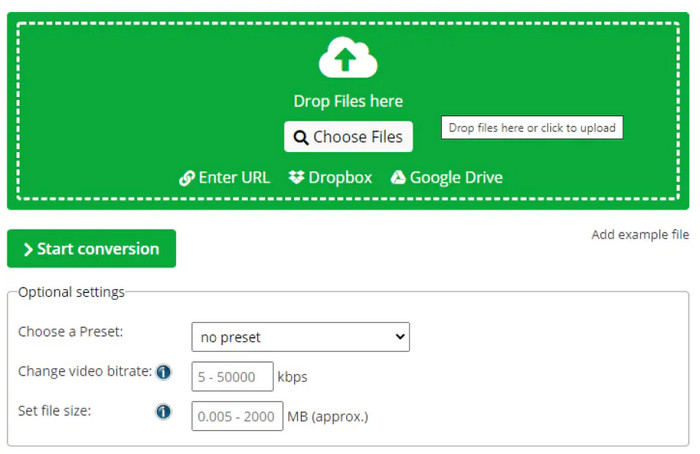
Features:
- Conversion directly in the browser.
- Options for screen size, bitrate, and rotation.
- Supports video, audio, and image formats.
- Highly customizable.
- Installation not needed.
- Larger files will experience some sluggishness.
- Some users may find the UI support to be cluttered.
Score: 4.3 / 5 (G2, Sitejabber)
- Allen: Very precise with adjusting and controlling the output. I love that level of control.
- H. Young: Good service. I rely on it frequently, but converting large files is time-consuming.
8. VLC Media Player
For those looking to convert file types while still keeping a media player to use for playback, VLC could be just what you are looking for. VLC is a free media player and converter with built-in conversion features.
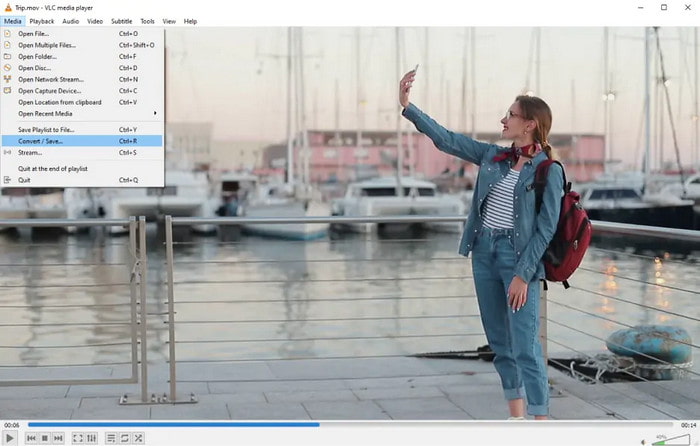
Features:
- Conversion of MOV files to MP4 and many other formats.
- No additional codec packs necessary.
- Has extensions.
- Multi-platform support.
- Completely free.
- Conversion User Interface is rather unintuitive.
- No processing through multiple files at once.
Score: 4.3 / 5 (G2, Microsoft Store)
- G. King: Simple and effective, perfect for occasional conversions.
- J. Wright: Versatile, but UI can be confusing for new users.
9. Zamzar
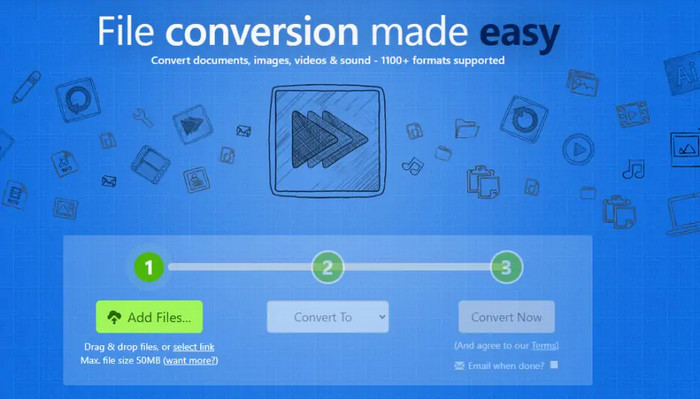
Zamzar is a straightforward service providing quick, hassle-free conversions with zero installations. This service does not have you jumping through hoops for a simple conversion.
Features:
- No software installation is necessary.
- Email notifications when the conversion is complete.
- Uses a simple upload, convert, and download flow.
- Fast and easy service.
- Works on any device.
- Slow with larger files.
- There are daily limits on the free plan.
Score: 4.2 / 5 (Capterra, G2)
- N. Scott: Easy to use, and I can convert videos anywhere.
- K. Adams: Very convenient, but limited to the free version.
10. FileZigZag
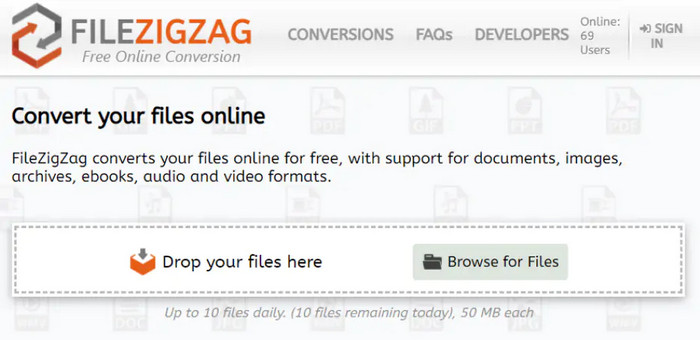
A small and simple to use online tool, FileZigZag, sends converted files to your email. Nice for small mov to MP4 conversions and for doing quick tasks when you are busy.
Features:
- Supports over 5,000 formats.
- File conversion via email.
- No installation is necessary.
- Very user-friendly.
- Compatible with any gadget.
- Free Plan: maximum of 50MB per file.
- Conversions per day are limited.
Score: 4.1 / 5 (G2, Softonic)
- L. Baker: Very easy to use, perfect for quick small conversions.
- M. Nelson: Great for simple tasks, but not for bigger files.
11. QuickTime Player
QuickTime Player is a standard macOS application that can perform a very basic conversion of MOV to MP4. This program will not lead to any other programs, making it very useful for quick and easy exports of simple videos, and it can work alongside a video resolution converter when basic size or quality adjustments are needed.

Features:
- Exports MOV to MP4.
- Simple frame capture (Pro).
- Has basic trimming and playback.
- MacOS has it pre-installed.
- Very fast and works reliably.
- Not many advanced features.
- Batch processing is not supported.
Score: 4.2 / 5 (Topsevenreviews, Softonic)
- T. Carter: Quick and reliable, fits perfectly into macOS workflow.
- S. Evans: Does basic conversions well, but does not feature‑rich.
12. ConvertFiles
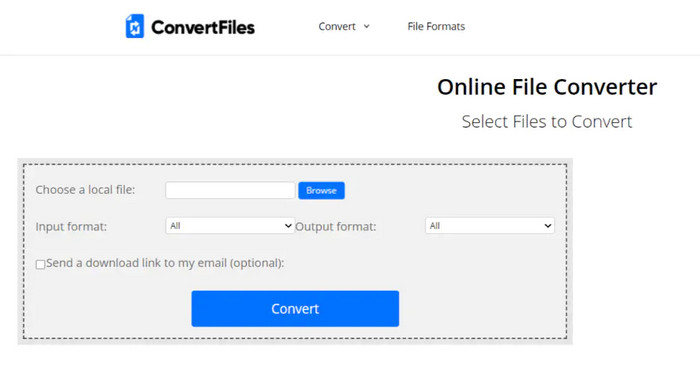
ConvertFiles is a fast, basic, and free online MOV to MP4 converter. It suits users who do not need registration and can also pair well with an app to combine videos for simple editing tasks.
Features:
- Support for 300+ formats.
- Registration is not needed.
- File size limit is 250 MB.
- Very quick and easy to use.
- Free and can be accessed online.
- Does not offer many advanced options.
- Not suitable for large jobs or batch conversion.
Score: 4.1 / 5 (G2, Sitejabber)
- P. Mitchell: Good for quick conversions, simple interface.
- A. Perez: Easy to use, but not for larger files.
Part 3. How We Test Those MOV to MP4 Converters
For our reviews focusing on the best MOV to MP4 converters, we consider practical, real-life applicability. This includes:
- Speed of the conversion: How quickly the program or online tool converts MOV files to MP4, or how quickly it completes a batch.
- Quality of the output: Retention of HD, accurate colors, synced audio and video, minimal artifacts.
- Software and device compatibility: The number of input/out formats it supports, and if there are presets available for popular devices like iPhones and Samsung devices, or 4k televisions.
- Editing and customizing tools: The presence of and ease of trimming, cropping, rotating, applying filters, changing the codec, and other such adjustments.
- User experience: How quickly the program responds, how easy the interface is to use, if the setup runs smoothly, and how clear and thoughtful the guidance is for steps in the process.
- Other features: Additional useful capabilities, such as ripping from DVDs, creating GIFs, editing metadata, or cloud backup.
- Pricing: How functional the free version is. If the paid version is worth it based on additional features, the speed of operations, or additional customer support.
Conclusion
MOV to MP4 converter choices vary by speed, features, and ease of use, but selecting the right tool ensures smooth playback, smaller file sizes, and high-quality results across devices for everyday or professional needs.
More Reading
About the Author

 Click here to join the discussion and share your comments
 Tipard Video Converter Ultimate