

Key Takeaways
After testing dozens of tools, we handpicked the top 7 online video editors for this guide, with CapCut being our top recommendation. It perfectly balances essential features, like auto-captions and background removal, with ByteDance's advanced Seedance AI video generation model. This powerful built-in AI allows you to instantly turn text prompts or images into realistic, high-quality video clips, making CapCut the most capable tool for modern content creators.
You don't need expensive software to polish your videos; a reliable online video editor can do the job right from your browser. To help you choose the best tool, we have tested and reviewed the top online video editors on the market. Below, you’ll find an honest breakdown of their features, pricing, advantages, and limitations. We also recommend a top-tier offline editor for Windows and Mac users who prefer desktop performance.

Part 1. Comparison of the 7 Online Video Editors
| Online Video Editor | AI Features | Output Quality (Free Plan) | Customization Options | Watermark (Free Plan) | Best For |
|---|---|---|---|---|---|
| CapCut | Seedance, Auto-captions, voice changers | Up to 1080p | High (Tons of effects, filters, and filters) | No Watermark | TikTok, Reels, & Short Videos |
| Canva | Magic design, auto-resize, translate text | Up to 1080p | Medium (Strong focus on graphics & layouts) | No Watermark | Marketing & Brand Design |
| Adobe Express | Text-to-image, auto-caption, quick resize | Up to 1080p | Medium (Great template-based customization) | No Watermark | Small Businesses & Marketers |
| Clipchamp | Text-to-speech, auto-captions | Up to 1080p | Medium (Standard filters, text, and transitions) | No Watermark | Windows Users & Daily Vlogs |
| VEED.io | Highly accurate subtitles, clean audio, eye contact fix | Up to 720p | High (Excellent subtitle styling options) | Yes (VEED watermark) | Social Media Ads & Subtitles |
| Kapwing | Smart cut (removes silence), text-to-video | Up to 720p | High (Great control over layers and elements) | Yes (Kapwing watermark) | Team Collaboration & Memes |
| FlexClip | AI script generator, text-to-video | Up to 720p | Medium (Lots of rich overlay elements) | Yes (Includes a 3-second brand intro) | Beginners & Promo Videos |
| Show MoreShow Less | |||||
Part 2. Master Review of the 7 Online Video Editors
1. CapCut Online Video Editor
CapCut is a highly popular, cloud-based video editing platform developed by ByteDance. This online video editor is widely used by content creators to make short-form videos for platforms like TikTok, Instagram Reels, and YouTube Shorts. The tool brings advanced mobile editing features straight into your web browser. Moreover, with Seedance 2.0, CapCut has become one of the best AI video editing tools. You can use your prompts to directly create a video.
Key Features of CapCut Online Video Editor:
- Provide some one-click tools like background removal and auto-captions.
- Provide thousands of trending music clips, sound effects, stickers, and text templates.
- Offer AI enhancement features and easy-to-use and practical editing tools.
- Integrated with Seedance 2.0 to easily create videos.
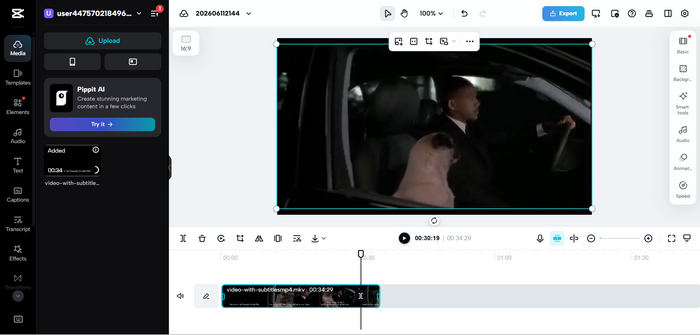
- This online video editor lets you export 1080p videos for free.
- It has excellent integration with social media platforms, like TikTok, YouTube, and IG.
- The timeline can feel crowded on smaller screens.
- CapCut online video editor has potential privacy concerns for sensitive enterprise data.
2. Canva Online Video Editor
The next helpful online tool that can help you edit videos is Canva. With this tool, you can effectively produce fantastic video output after editing. The editing features include croppers, drawing tools, elements, logos, and more. You can even use this online video editor tool to collaborate with other users. All you need to do is share the link; you can already give access to others for better engagement. This online video editor is a good choice for teams that focus on brand design. If you already use Canva online video editor for graphics and presentations, this tool allows you to create social media clips, ads, and presentation videos within the same workspace using simple drag-and-drop actions.
Key Features of Canva Online Video Editor:
- Save your team's specific fonts, logos, and colors for instant video styling.
- Instantly change a single video design into multiple formats (e.g., from horizontal to vertical).
- Multiple team members can edit videos and leave comments at the same time.
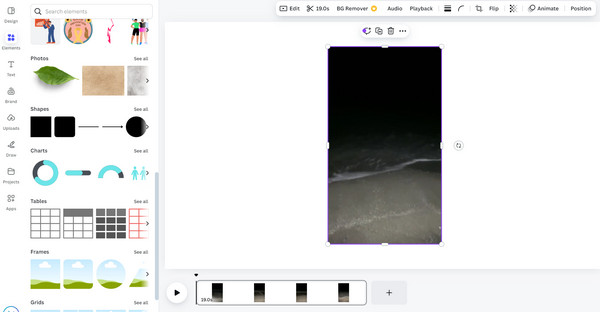
- It is more than an online video editor but an advanced workspace.
- It offers many AI models to edit and enhance your videos.
- You need a premium account to export high-quality videos.
- Lacks frame-by-frame precision for tight cuts.
You May Also Like:
3. Adobe Express Online Video Editor
Adobe Express is an excellent online video editor to help you perfect your videos. It brings the power of Adobe's creative tools into a beginner-friendly browser experience. It is ideal for small business owners, freelancers, and marketers who need professional results quickly from an online video editor.
Key Features of Adobe Express Online Video Editor:
- Provide AI tools like caption generator, auto-resizing, and background eraser.
- Offer millions of high-quality image and video samples.
- The text-to-video editor can generate structured video drafts.
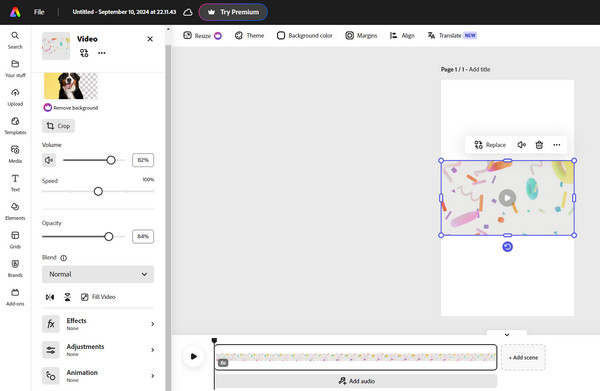
- Work smoothly across both desktop (Windows and Mac), mobile (iOS and Android), and web.
- Adobe online video editor lacks multitrack editing for audio.
- Heavy features can occasionally slow down old computers and web browsers.
4. Clipchamp Online Video Editor
Clipchamp is Microsoft’s official web-based video editor, which comes built into Windows 11 but is fully accessible online. This online video editor behaves like a traditional desktop editor but runs entirely in the cloud, making it a reliable choice for daily vlogs, presentations, and tutorials.
Key Features of Clipchamp Online Video Editor:
- Provide practical video editing features like trimming, rotating, cropping ,etc.
- Offer AI editing features like text-to-speech.
- Easily drag and drop your video and audio files.
- Provide other features like screen recording to quickly create a video podcast.
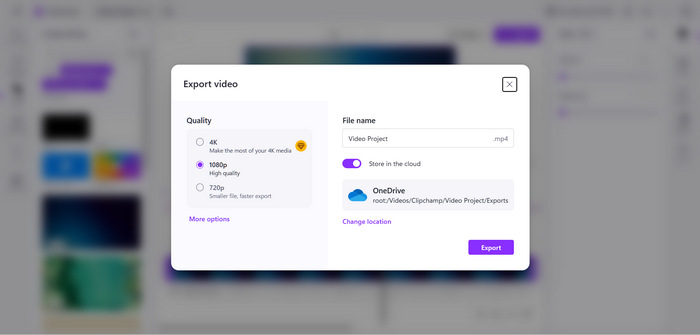
- No watermarks on free 1080p video exports.
- This online video editor is completely free.
- It is only fully compatible with Google Chrome and Microsoft Edge.
- This online video editor can buffer frequently when loading large video files.
5. VEED.io Online Video Editor
VEED.io is a powerful online video editor designed specifically for fast-paced content marketing. It specializes in automated tasks like video transcription. This online video editor is the go-to tool for creating social media content, webinars, and educational explainer videos with subtitles.
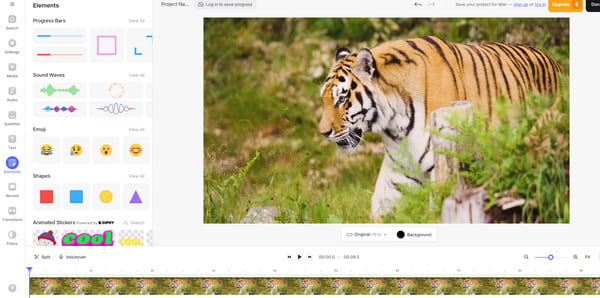
Key Features of VEED.io Online Video Editor:
- Provide many editing tools and customization options.
- Provide smart AI features for voiceover, caption generator, and auto-dubbing.
- Offer different output options and standard presets.
- It offers fast rendering and processing speeds in the cloud.
- It is the best free online video editor to customize the subtitles.
- There is an obvious watermark in the output video if you use the free plan.
- The price of this video editor is too high.
6. Kapwing Online Video Editor
Kapwing is one of the most common online video editors you can use to edit your videos. It can offer various helpful functions you can use effectively. Its features include a cropper, trimmer, splitter, video speed changer, and more. Aside from that, it can offer advanced editing functions, such as transitions, adding audio background, subtitles, and more. So, when it comes to making an engaging output, we can tell that Kapwing online video editor can provide almost everything.
Key Features of Kapwing Online Video Editor:
- Provide many basic and advanced video editing features.
- Provide live cursor collaboration to see what your members are doing.
- Offer an AI tool to automatically cut videos.
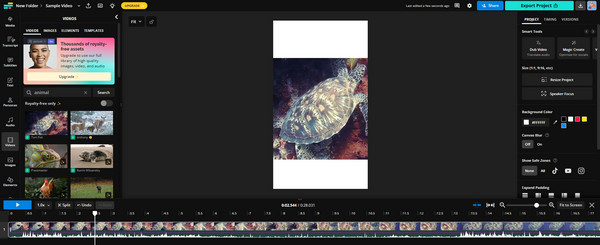
- It provides an AI video enhancer and subtitle generator.
- It's a cool video editor online, free for remote teams.
- It has a simple layout that requires almost zero learning curve.
- This online video editor lets you edit videos while uploading.
- This video editor can lag or stall on heavy, long-form videos.
- The free account has too many limitations, like a forced watermark.
7. FlexClip Online Video Editor
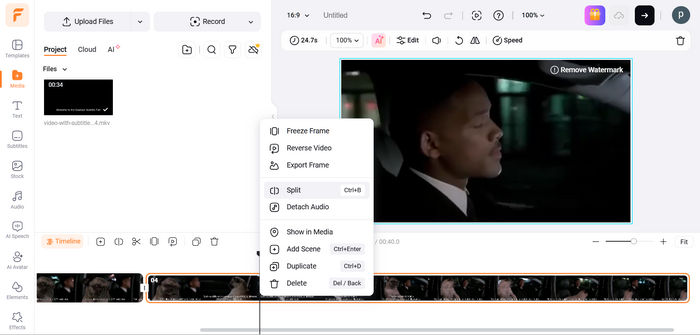
FlexClip online AI video editor is a straightforward, budget-friendly browser editor that balances classic storyboard editing with modern generative AI features. This good AI online video editor is great for solo entrepreneurs and small teams who want to build promotional or marketing videos without complex timelines.
Key Features of FlexClip Online Video Editor:
- Provide a powerful and smart text-to-video generator with your prompts.
- Choose between a simple storyboard view for fast assembly or a timeline view for precision.
- Provide basic video editing features and stylish them templates.
- Highly affordable premium plans for small budgets.
- Very easy to use for beginners.
- The free version cannot export 1080p or higher resolutions.
- Free plan includes a mandatory 3-second brand intro.
- The loading speed is a bit slow compared with other AI video editors online.
Part 3. Limitations of Video Editors Online
Although online video editors don't require downloading and installation, this so-called convenience is far less competitive today because many of them have integrated with many AI features, which cause lag and buffer on many PCs and Macs. Moreover, it has some apparent drawbacks:
- Hidden Format & Parameter Limits: Most online video editors do not clearly state which video formats, frame rates, or bitrates they support, which can lead to unexpected upload failures.
- Heavy Reliance on Internet Speed: The editing process depends entirely on your network connection. Slow or unstable Wi-Fi can cause lag, slow preview rendering, and long upload or download times, especially when you use AI features.
- Paid & Limited Export Options: Upgrading or customizing your export parameters (like 4K resolution, specific formats, or high bitrates) usually requires a paid subscription, and the options remain very basic compared to desktop video editor software.
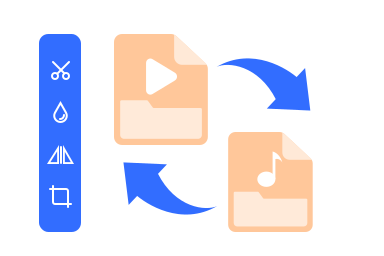
The convenience gap between desktop and online video editors is increasingly narrowing. If you need a versatile and feature-rich video editor, maybe a desktop tool is more reliable. Tipard Video Converter Ultimate is a good choice. It can support almost all types of input video formats, like MP4, MKV, WebM, WMV, MOV, AVI, and codecs, like AV1, HEVC, H.264, VP9, ProRes, etc. You can easily use those basic video editing features, like trim, crop, rotate, filters, and AI features, like auto upscaling, noise remover, enhancer, and more, with a seamless and fast workflow.
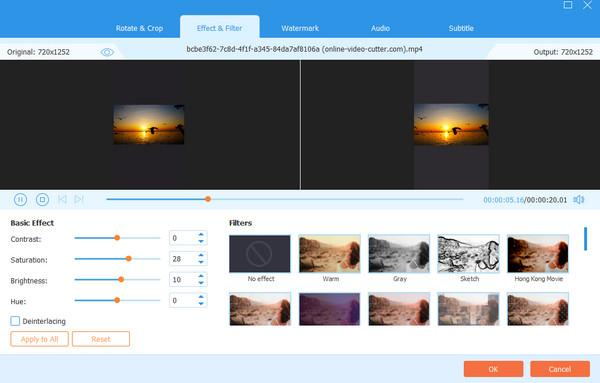
Moreover, Tipard Video Converter Ultimate provides many output options and customization features. You can easily adjust the video resolution (up to 4K and 8K), codec, bitrate (up to 40 Mbps), frame rate, and more parameters. If you are tired of the lag and buffer in online video editors, maybe you can try Tipard Video Converter Ultimate.

- Protect your data and privacy security.
- Work seamlessly with basic and AI-based video editing features.
- It is lightweight and offers a simple workflow.
- Export your video to 1080p, 4K, and even 8K without restrictions.
Part 4. How We Tested the Online Video Editors
To keep our reviews accurate and practical, we tested every online video editor using the exact same environment and files. Here is our testing process:
- Test Video Files: We used a standard 1080p MP4 video file (3 minutes long, 30 fps, H.264 codec) and a 4K MOV video file (1 minute long, 60 fps) to check upload speeds, editing performance, and rendering times.
- Test Browsers: All tests were performed on the latest stable versions of Google Chrome and Microsoft Edge under a standard 100 Mbps internet connection.
- Evaluation Criteria: We focused closely on timeline smoothness, AI subtitle accuracy, free export limitations (resolution and watermarks), and how easy the interface is for beginners to navigate.
- Our Promise: All our reviews are conducted completely fairly, objectively, and independently. We do not accept any paid advertisements or sponsorships from any software brands mentioned in this post.
Part 5. FAQs of Online Video Editor
What is Advanced Kaltura Video Editor Online?
The Advanced Kaltura Video Editor Online is a browser-based, cloud-powered video creation tool integrated directly into enterprise and educational platforms (like Canvas and Blackboard). It combines essential timeline editing features with robust interactive tools.
Does InShot have an online video editor?
No, InShot doesn't have an online video editor. It only has mobile versions on iOS and Android.
Is there an official YouTube video editor online?
Yes, but it is built directly into YouTube Studio. While the classic, standalone YouTube Video Editor was discontinued years ago, YouTube currently provides a native, web-based tool called YouTube Editor inside your channel dashboard. It allows you to make essential, lossless edits to your videos after they have been uploaded and published, without losing your original video URL, view count, or comments.
What is replacing CapCut?
There's no video editor (online, on mobile, or on desktop) that can fully replace CapCut, but it does have many competitors. On mobile, VN Video Editor and Canva can be good alternatives. On desktop, Premiere Pro and DaVinci Resolve are still the best professional editors. As for online video editors, Canva should be the most powerful competitor.
Is it safe to use online video editors?
It depends. We cannot ensure that those online video editors can fully protect your data and privacy. Therefore, if you take your privacy in high consideration, you can resort to offline desktop editors, like Tipard Video Converter Ultimate and OpenShot Video Editor.
Conclusion
This post collects 7 best video editors online. Those editors have strong and rich video editing features. You can also use the AI models to enhance and even create videos. For example, CapCut supports Seedance to help you do text-to-video generation. However, with many features integrated, those online video editors are becoming less convenient. If what you need is rich video editing features, why not choose a desktop video editor directly? Tipard Video Converter Ultimate is a good choice. It is lightweight and stable, offering practical video editing features and AI video enhancement. You can also enjoy rich video output presets and rich customization options.
All-in-one video toolbox: convert, edit, upscale, enhance, and compress your videos easily
100% Clean & Safe
100% Clean & Safe

More Reading

About the Author

 Click here to join the discussion and share your comments
 Tipard Video Converter Ultimate