

A free music player allows you to enjoy music without cost, but not all players perform the same. Some are ideal for streaming, while others handle local files more smoothly. Knowing the differences helps you make the right choice. Here, we review five top streaming players, four local music players, and compare all nine to give a clear overview.
Part 1. Top 5 Free Music Players (Support Streaming)
1. Freefy
Freefy is a versatile free music player that works on Android, iOS, and the web. You can look up songs, artists and albums, watch music videos and create playlists without problems. The music can be played without interruptions, and this makes it ideal provided one would like to have an ad-free music player experience.
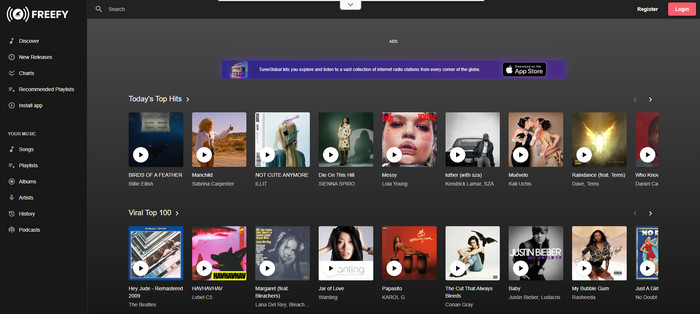
Platform Supported: Android, iOS, and Web
- Free music player with search and streaming
- Create playlists and save favorite tracks
- Minimal interruption from ads
- Works on multiple platforms
- Limited offline playback
- Streams mostly YouTube content
- Visual ads may appear
2. StreamSquid
StreamSquid is a web-based free music player that allows easy music streaming from a large online library. You can make your own playlists, bring YouTube playlists and find out which tracks are popular in genres. It has web access, which makes it one of the simplest methods to download free MP3 player music without software installation.
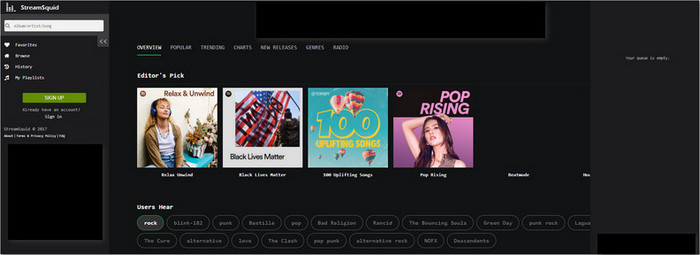
Platform Supported: Web
- Access from any device with a browser
- Import playlists from YouTube
- Discover music from a wide library
- Free with optional premium features
- Requires an internet connection
- Limited offline playback
- No dedicated mobile app
3. Audials Play
Audials Play is a robust Android and iOS music player that is a combination of streaming capabilities, radio, and record-casting. You are able to tune in to online radio, podcasts, and control music on gadgets. It is the most exceptional free music player application on Android available to individuals who desire streaming and recording capabilities.
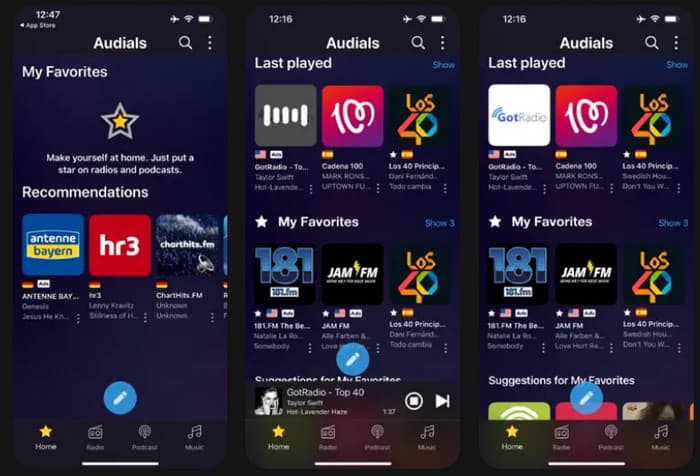
Platform Supported: Android, iOS
- Stream online radio and podcasts
- Record multiple radio stations simultaneously
- Sync music across devices or the cloud
- Auto-tag songs with cover art and metadata
- Some streaming sources are not available on mobile
- Radio stations may include ads
4. MusicBee
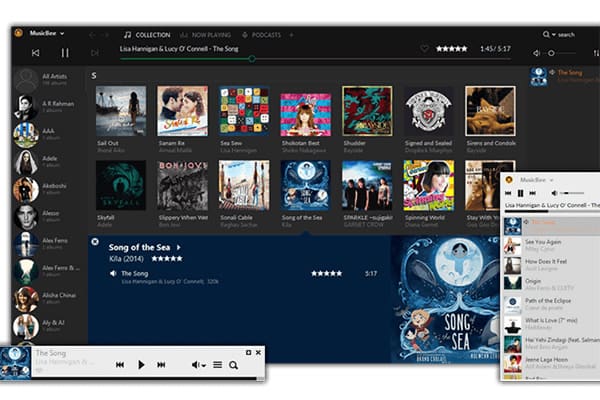
MusicBee is a free music player for Windows that also supports streaming from SoundCloud and Last.fm. You can manage large music libraries, smart-tag songs, and even add plugins for enhanced playback. It is widely regarded as the best free music player for Android alternative for desktop users who want streaming integration.
Platform Supported: Windows
- Stream music from SoundCloud and Last.fm
- Organize large music collections
- Smart tagging with album art and lyrics
- Supports add-ons and plugins
- Only available for Windows
- It can be complex for beginners
- Limited music discovery features beyond streaming
5. Pi Music Player
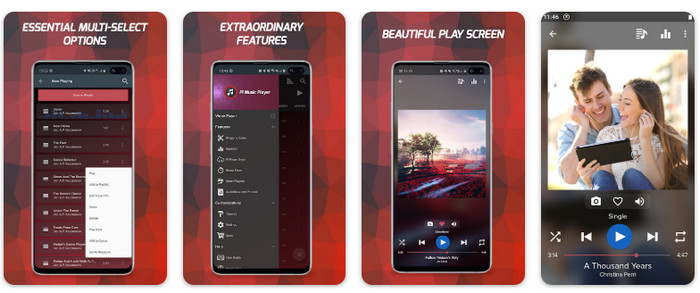
Pi Music Player is an Android music player that is free, handling both local files and streaming services to some extent. It has an integrated equalizer, sound profiles, as well as playlist management. It is commonly suggested as a good free music player on Android as a replacement for iOS users who need that experience.
Platform Supported: Android
- Free and feature-rich music player
- Built-in equalizer and sound profiles
- Playlist organization and music sharing
- Lightweight and mobile-friendly
- Android only
- Streaming is restricted compared to dedicated apps
- Has advertisements and in-app purchases
Part 2. Top 4 Free Music Players (Play Local Music)
1. Tipard Blu-ray Player
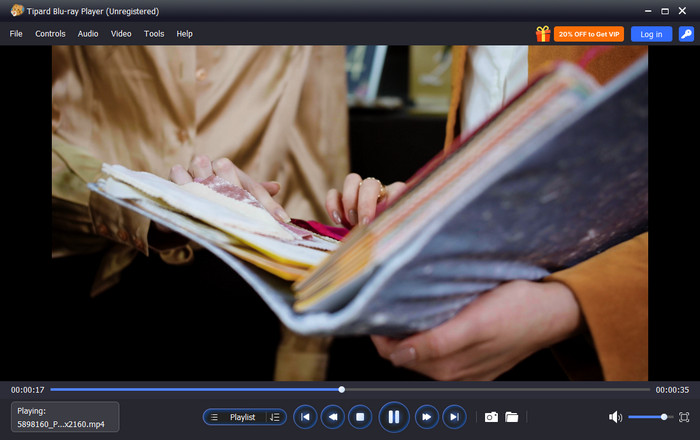
One of the most suitable options for listening to the local music files on the computer is Tipard Blu-ray Player. This free music player supports all famous types of music, such as MP3, FLAC and ALAC and provides audio to play with clarity and precision. Its user-friendly playlist system allows one to add their songs in just a few seconds, and the advanced audio workstation provides high-quality and rich sound to all of its tracks. Whether you are listening to a single song or an entire library, the FLAC player makes managing and enjoying local music effortless and enjoyable.
Platform Supported: Windows, Mac
- Plays all major audio formats like MP3, FLAC, ALAC and more
- Easy-to-use playlist management
- Superior sound for playback on the high fidelity level
- High performance regardless of large libraries
- Does not support online streaming
- Advanced settings are limited in the free version
- Desktop-only application
2. AIMP
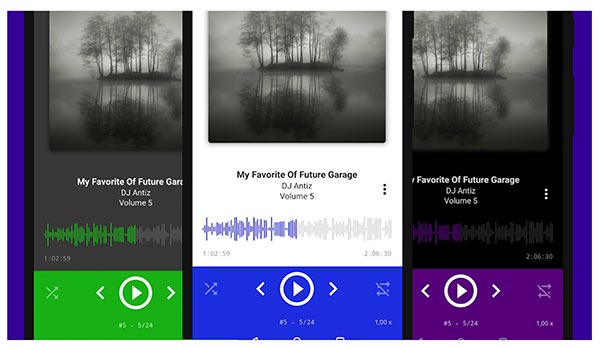
AIMP is a lightweight desktop free music player designed for smooth local playback. It has a large number of supported audio formats and is performance-oriented, stable, and sound-oriented. The interface is also easy to use, and it can be used by users who do not need to be distracted during listening.
Platform Supported: Windows
- Supports many audio formats
- Very lightweight and fast
- Clear and stable audio playback
- Interface feels basic
- No built-in streaming features
3. VLC Media Player
VLC Media Player is a universally recognized free song player that works with both sound and video files. It is a good local audio player that plays its music consistently without the need for the internet and accommodates practically all audio formats. It has the advantage of being simple and also offline, hence reliable for listening to local music. Plus, you can also use it as music video editing software to trim, merge, and compress files quickly.
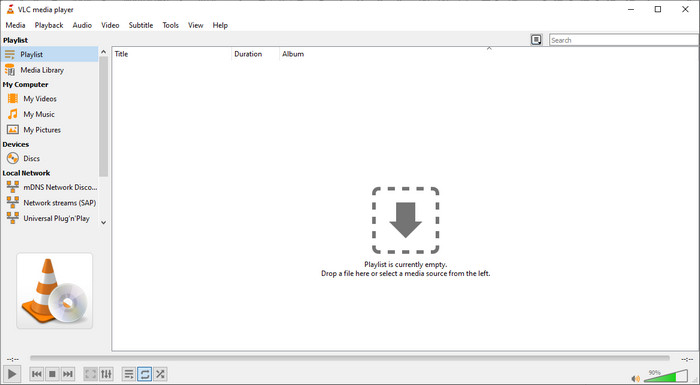
Platform Supported: Windows, Mac, Linux, Android, iOS
- Supports nearly all audio formats
- Works fully offline
- Completely free and open-source
- Music library management is basic
- The interface not designed for music-focused users
4. Foobar 2000
Foobar 2000 is a free desktop song player that is compatible with many formats such as MP3, FLAC and AAC, among others. It provides a customizable playback and a simple interface, which makes it ideal in terms of users who desire a free music player when offline to use local files.
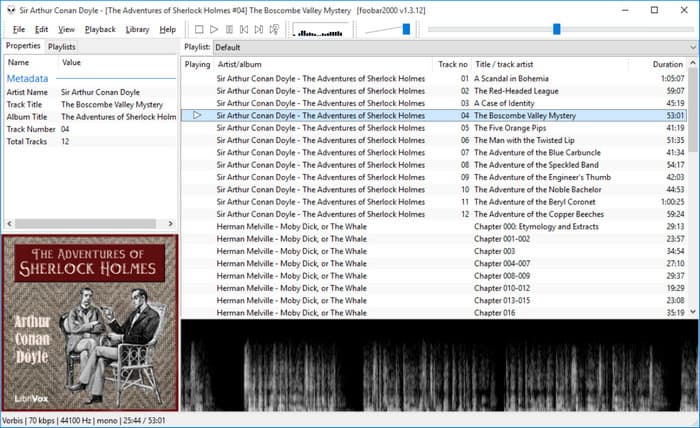
Platform Supported: Windows, Mac, Android, iOS
- Supports many audio formats
- Customizable playback options
- Works offline
- The interface is basic
- No streaming features
Part 3. Comparison of the 9 Free Music Players
Here is a quick comparison of the nine free song players that we have reviewed. Take a closer look if you have not yet decided what to use for your music-playing needs.
| Players | Ease of Setup | Offline Playback Quality | Customization Level | Playlist Portability | Update Frequency for New Features Added |
|---|---|---|---|---|---|
| Freefy | Easy | Low | Low | Low | Average |
| Stream Squid | Easy | Low | Low | Low | Average |
| Audials Play | Average | Low | Average | Average | High |
| MusicBee | Average | Average | High | High | Average |
| Pi Music Player | Easy | High | Average | High | Average |
| Tipard Blu-ray Player | Easiest | Highehst | Highest | Highest | Always Up-to-Date |
| AIMP | Easy | High | High | High | Average |
| VLC Media Player | Easy | High | Low | High | High |
| Foobar 2000 | Average | High | Low | High | Average |
| Show MoreShow Less | |||||
Finding the perfect free music player means balancing feature-rich software with system performance. To give you honest and accurate recommendations, we tested dozens of players across two distinct categories: Online Streaming Capabilities and Local Audio Playback.
- Testing Environment: A random Dell Windows laptop, MacBook Pro with Apple M4, Samsung S23, iPhone 16 Pro.
- Testing Samples: High-quality songs bought from Apple Music and their converted versions, in MP3, AAC, ALAC, WAV, FLAC, and more.
- How We Evaluated: We test how many udio formats they support; how smoothly they connect to free streaming directories, internet radio stations, and cloud storage (like Google Drive or OneDrive), and monitor background battery drain and data usage during a continuous 2-hour streaming session.
Conclusion
A free online music player surely gives you a simple music player, but most of us want more than a basic one. That is why we reviewed a variety of tools that you can choose to use for playing music extensively. Not only enjoy the music, but also create a customized playlist with it.

Play Blu-rays and multimedia files with the best video and audio quality
100% Clean & Safe
100% Clean & Safe

More Reading



About the Author

 Click here to join the discussion and share your comments
 Tipard Blu-ray Player