

LoiLo Game Recorder often comes to mind when you want to capture a quick gameplay clip without complicated settings. Imagine launching your favorite game, hitting a record, and focusing only on playing. This article reviews its features, limitations, and the best alternatives for smoother recording for modern gamers today.
Part 1. Main Features of LoiLo Game Recorder
LoiLo Game Recorder is a free tool for recording gameplay for Windows users. The Game Recorder is free, simple, and lightweight. The main aspects of the recorder include easy use, a fully stable performance, and the ability to run on a wide range of games.
1. High-Resolution Recording
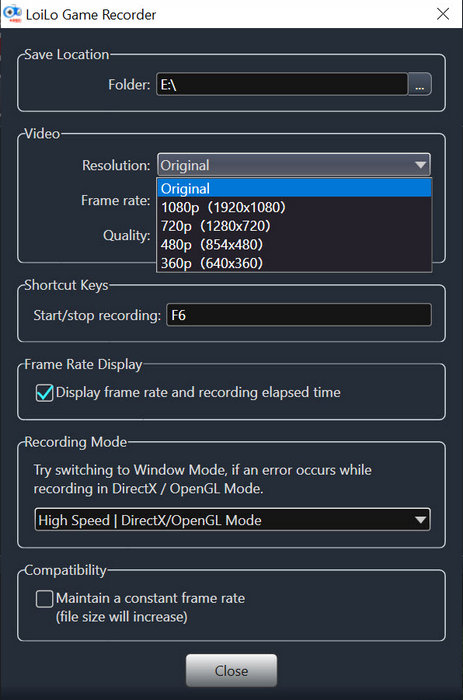
Users should be able to record videos of themselves playing games in full HD, therefore capable of recording high-resolution videos. Game Recorders should support Motion-JPEG formats to allow users to record higher-quality videos while using less storage.
2. Easy-to-Use Interface
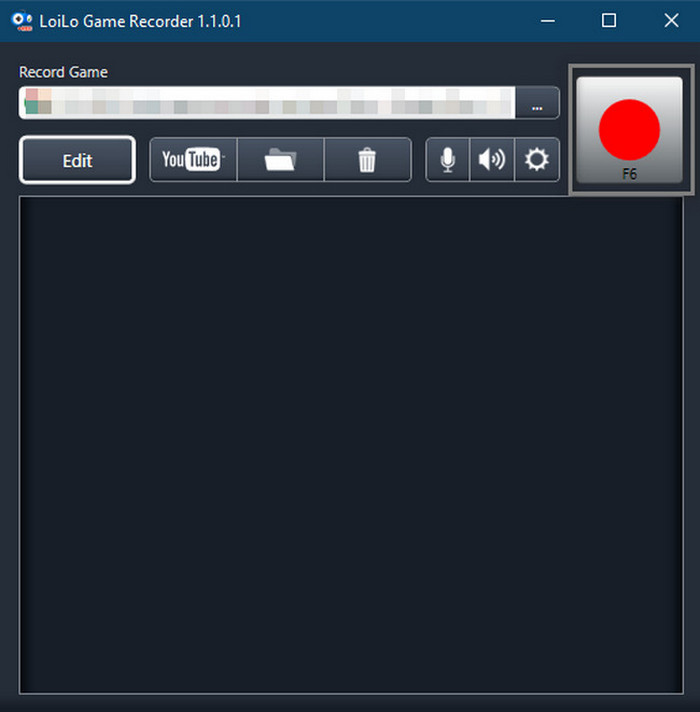
Users should be able to record the gameplay in simple steps. They must get the recorder, record the game they want to play, and press the record button to get the full experience. Initiating the record should be the only intuitive step, and all users should be able to follow the rest of the steps in a reliable way.
3. Consistent Performance
In comparison to the other Game Recorders, users should expect less lag and drop in performance. While running demanding games, the drops in performance should be minimal, and the record should still be high quality.
4. Wide Game Compatibility
LoiLo supports many popular games such as Battlefield 4, Call of Duty: Ghosts, and Minecraft. It also works with:
- Browser-based games.
- DirectX 9, 10, and 11 games.
- OpenGL-compatible games.
5. Microphone Support
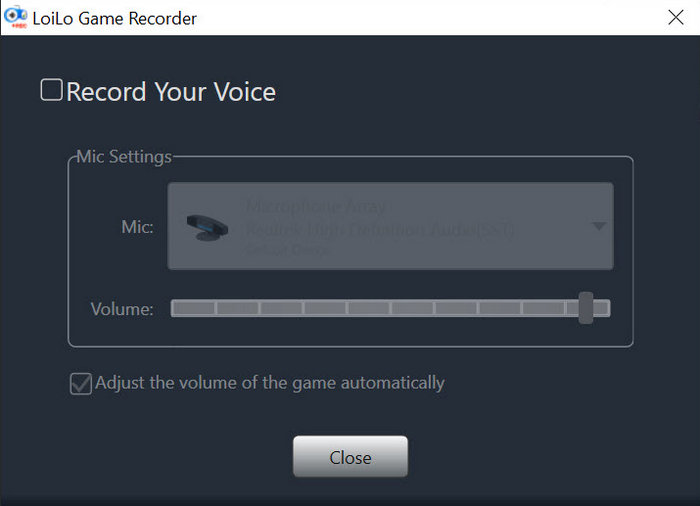
You can enable microphone recording with a single click, allowing you to capture voice commentary together with gameplay audio.
Part 2. Detailed Review of LoiLo Game Recorder
Technical Specifications
- Operating System: Windows 7, 8, and 10
- Processor & RAM: Minimum Core i3 with 2GB RAM
- Storage Space: At least 5GB free HDD space
- Installer Size: 71.3 MB
- Video Format: Motion-JPEG
- Recording Type: Gameplay window detection with audio and microphone support
User Experience
LoiLo Game Recorder is easy to use.
- It is easy to install, and customizing requires little work.
- Starting, pausing, and stopping a recording is as easy as window selection.
- Even less powerful computers will work fine with the app, given that settings are optimized.
User Reviews
Based on typical user feedback reflected in your reference:
- Users appreciate its simplicity and free access.
- It is commonly praised for its stable recording performance.
- Beginners find it easy to learn without tutorials.
Ratings (Overall Impression)
Although a numerical value is not given in the reference, the majority of the comments say:
- It is good for people who are new to the hobby.
- It is not very unusual for people who create content professionally.
Common Issues & Troubleshooting
1. Performance Lag on Low-End PCs
- Lower the recording resolution.
- Reduce frame rate.
- Close background applications.
2. Large File Sizes
- Adjust bitrate and quality settings.
- Record at lower resolutions if storage is limited.
3. Recording Stability Issues
- Update graphics and system drivers.
- Ensure sufficient free disk space before recording.
4. Limited Features: If you require more advanced features, you could try alternatives like DemoCreator, which also has gameplay recording, but more modern features.
Part 3. Top 3 Alternatives to LoiLo Game Recorder
1. Tipard Screen Capture (Best Overall Alternative)
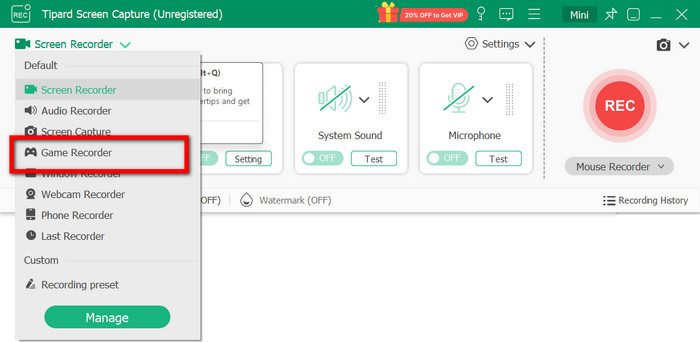
Platform: Windows, macOS
Compared to LoiLo Game Recorder, Tipard Screen Capture offers better flexibility and compatibility as a screen and game recorder. It meets the recording standards for any season, making it compatible with most contemporary devices and operating systems.
Key Advantages:
- The webcam overlay feature allows recording of gameplay and recording of your face simultaneously for reaction videos, tutorials, and streams.
- Relatively recent video codecs, HEVC (H.265) and AV1, are supported, which makes it possible to record videos of good quality with a smaller volume of memory.
- Perfectly compatible with contemporary operating systems and devices, which makes it good for the most recent versions of Windows and macOS
- It captures gameplay, screen, window, system sound, and microphone at the same time.
- It gives a wide range of output formats such as MP4, MKV, WMV, MP3, FLAC, and GIF
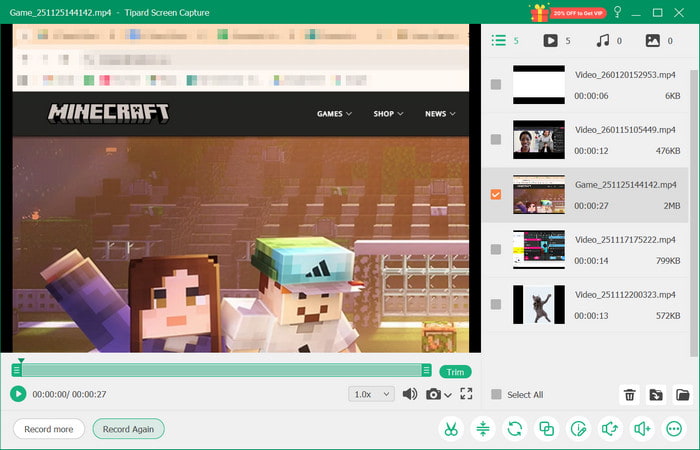
- Webcam overlay, advanced codecs (HEVC & AV1), more features than LoiLo Game Recorder.
- Great recording quality with efficient storage.
- Compatible with the latest Windows and Mac OS versions.
- Great for recording streams, tutorials, meetings, and gaming.
- Beginners may find it more complicated than LoiLo since it has more advanced options.
Tipard Screen Capture vs. LoiLo Game Recorder
| Feature | Tipard Screen Capture | LoiLo Game Recorder |
|---|---|---|
| Platform | Windows & macOS | Windows only |
| Webcam Overlay | Supported | Not Supported |
| Video Codecs | HEVC (H.265), AV1, MP4, MKV | Motion-JPEG only |
| OS Compatibility | Modern Windows & macOS | Older Windows versions |
| Recording Modes | Screen, game, window, webcam, audio | Game window only |
| Editing Tools | Basic built-in tools | None |
| Best For | Modern creators & gamers | Beginners, casual users |
| Show MoreShow Less | ||
2. OBS Studio
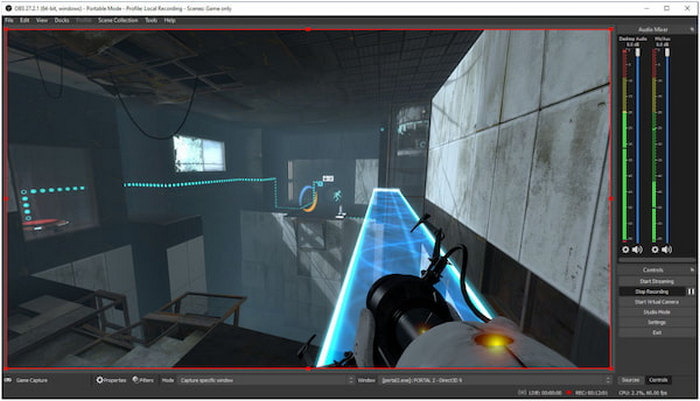
Platform: Windows, macOS, Linux
For its versatility, customization, and high-quality recording functionalities, OBS Studio has attained great popularity among content creators and streamers and is an extensive open-source recording and streaming software.
- No costs, fully open-source software
- Multiple sources can be recorded and/or streamed live
- With advanced recording capabilities, the software offers great customization through plugins, scenes, and transitions.
- High initial effort to learn for novices
- It can be very demanding on computers with limited hardware
- Suboptimal setup requires extensive manual configuration
Best for: Advanced users looking for extensive customization and flexible control over a complex game recording software setup.
3. Bandicam
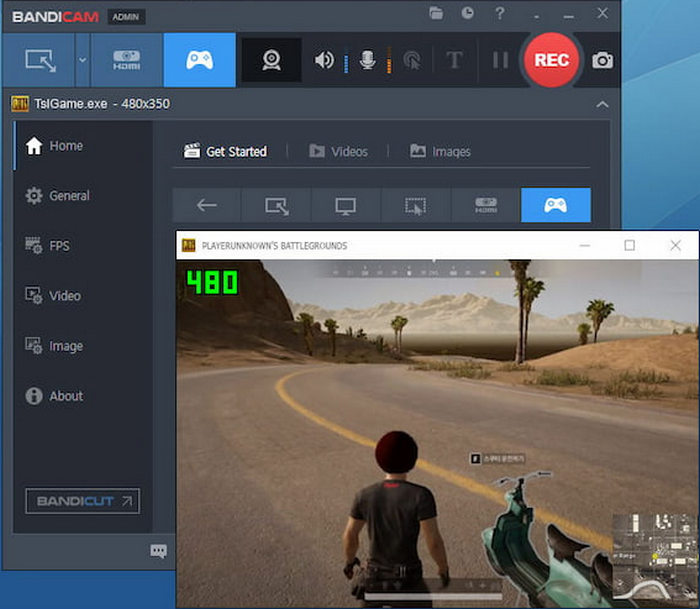
Platform: Windows
Widely known for simple and effective screen recording, Bandicam includes extensive optimization for performance recording, the strongest hardware acceleration support, and high-quality video compression while using minimal system resources.
- Extensive optimization for game recording
- High-quality outputs with minimized file size
- Hardware acceleration support
- The free version includes a watermark.
- Windows-only.
- Limited editing tools.
Best for: Windows gamers who want extensive optimization, want to record VR gameplay, and are open to purchasing the premium version.
Conclusion
All in all, LoiLo Screen Recorder is a reliable choice for beginners who need simple gameplay recording on Windows without a complex setup. While it handles basic recording well, its limited features make alternatives like Tipard Screen Capture better for modern creators seeking higher quality, advanced tools, and broader device and codec support in 2026.
More Reading



About the Author

 Click here to join the discussion and share your comments
 Tipard Screen Capture