

Movavi Screen Recorder is among the top choices when it comes to recording/capturing your computer screen. However, there are times when the tool is not working well. There are also lots of restrictions when using its free version. In addition to that, some of its functions are hard to locate. So, if you are looking for the best screen recorders that can replace Movavi, we are here for you. We will introduce various recorders you can access on your devices. We will also include their pros, cons, features, process, and other details to give you more insights. Without anything else, see this article and learn more about the best alternatives for Movavi Screen Recorder.
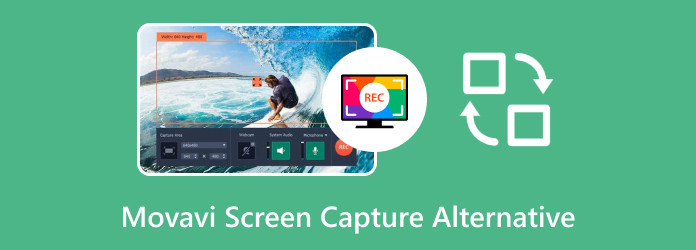
Part 1. Why Do You Need a Movavi Screen Capture Alternative
Movavi Screen Capture Studio is a well-known tool for capturing on-screen activity. This tool can provide helpful features like scheduled recordings, webcam integration, and quick export options that make it appealing for both professional and casual users. However, there are times when you need to replace the screen recorder for some reasons, such as:
Features:
- The editing tools from the software are limited.
- Its paid version is expensive.
- The program is resource-intensive.
- There are times when the recorder is not performing well.
Part 2. Top 7 Alternatives to Movavi Screen Recorder
If you want an alternative to Movavi Screen Recorder for Mac, Windows, and browsers, you can check all the tools we have provided in this section.
1. Tipard Screen Capture
Operating System: Windows and Mac
Price: Starts at $24.00
Features:
- It can offer a smooth recording process.
- It supports various output formats.
- The recorder can provide annotation tools.
- It can record video with the best quality.
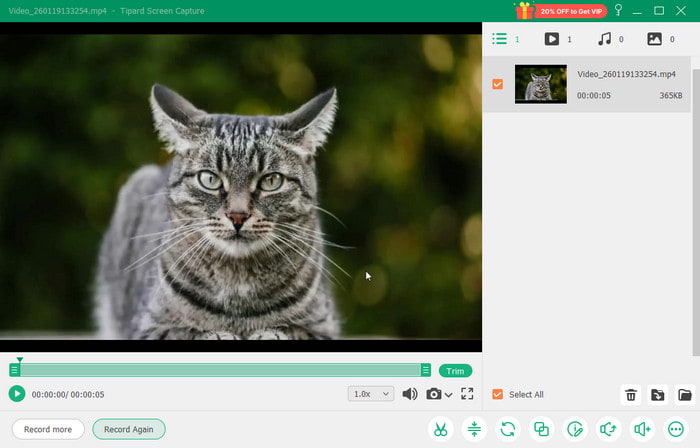
If you want an excellent screen recorder that can replace Movavi, we suggest using Tipard Screen Capture. This lightweight software can record any content on your screen. You can also capture a video with 4K resolution and 120 FPS. It can even support HEVC and V1 codec, which can help you prevent compatibility issues. The best part here is that the program can organize your recordings and share them easily. Thus, if you need an exceptional screen recorder, consider using this platform.
- Navigating all the functions is easy.
- Its free version is already good for recording.
- The recorded content is easy to share.
- For more features, you must get the paid version.
To see more insights about Tipard Screen Capture and Movavi Screen Recorder, see the table below.
| Tipard Screen Capture | vs. | Movavi Screen Recorder |
|---|---|---|
| Simple | Ease of use | Complicated |
| Basic and Advanced | Editing Features | Basic |
| Beginners and Skilled | Best for | Skilled |
| MP4, MKV, WMV, AVI, FLV, and more. | Supported output formats | MP4, MOV, FLV, AVI, GIF, and more. |
| Windows and Mac | Compatibility | Windows and Mac |
2. OBS Studio
Operating System: Windows and Mac
Price: Free
Features:
- It can record the screen.
- The software can offer basic editing tools.
- It offers a good video quality.
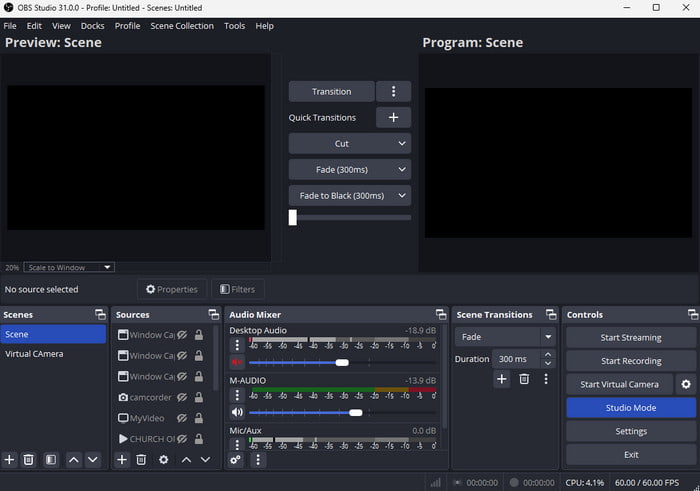
Another alternative to Movavi Screen Recorder Studio for Mac and Windows is OBS Studio. This free software is perfect since it ensures that it records all the content from your screen. What we like here is that you can also save the recorded content in various formats with the best quality. It is also easy to access, which makes it an ideal tool for all users.
- It ensures to offer the best result after the recording process.
- It can record various content, such as vlogs, movies, gameplay, and more.
- The main interface of the recorder is confusing.
3. Bandicam
Operating System: Windows
Price: Starts at $2.78
Features:
- It can record video with audio.
- The recorder can record various content from the screen.
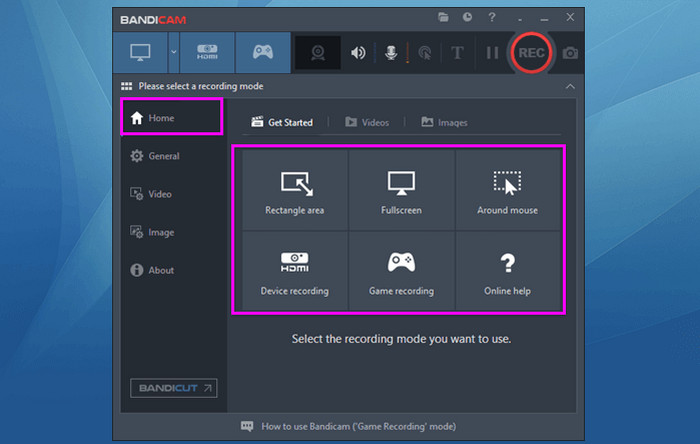
For Windows users, you can use Bandicam as an alternative to Movavi. You can even record your screen based on your preferences. You can capture/record a certain area or the entire screen. What we like here is that you can also use this tool to record GIFs, making it an ideal GIF recorder out there.
- The main layout of the tool is comprehensive.
- Its free version is perfect for testing its capabilities.
- When dealing with the free version, you can only record your screen for up to 10 minutes.
4. ShareX
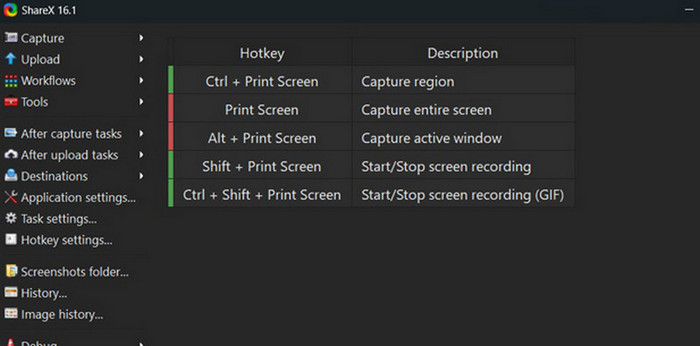
Operating System: Windows
Price: Free
Features:
- It can record the screen smoothly.
- The recorder can support various shortcut keys.
If you are still looking for an excellent screen recorder that can replace Movavi, you can try using ShareX. This tool is ideal when it comes to recording your screen since it can give you a recorded file with the best quality.
- The tool is free to access.
- The process of recording the computer screen is easy.
- The Mac version is not available.
5. Clideo
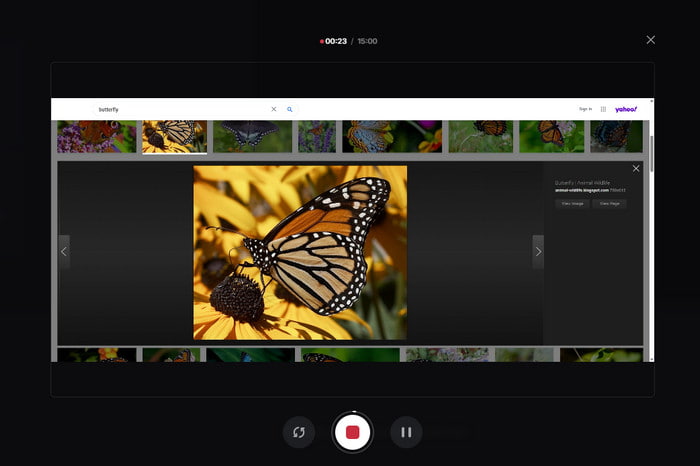
Operating System: Browser
Price: Starts at $9.00
Features:
- The tool can record any tab or window on the screen.
- It can offer various editing features to enhance the recorded video.
Do you prefer an online-based screen recorder? Then, we suggest using Clideo. This tool is ideal if you want to record your screen with a satisfying quality. What we like here is that you can also access various editing tools to improve the video before the saving process.
- The main layout is easy to navigate.
- It is available on all web browsers.
- The tool requires a fast internet connection to record the screen.
6. VEED
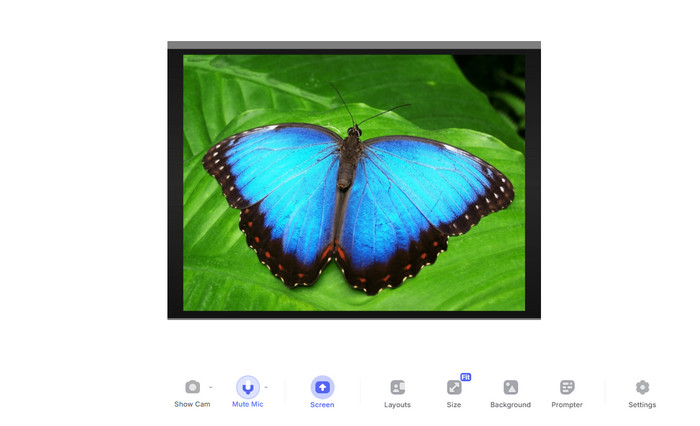
Operating System: Browser
Price: Starts at $9.00
Features:
- Record videos, gameplay, vlogs, and other content.
- The webcam is available.
VEED is another alternative to Movavi Screen Recorder for Chrome and other browsers. With its capability to record the screen, there is no doubt that this can help you capture any information during the process. You can also edit and show your cam during the process for an engaging recording procedure.
- The main layout is easy to navigate.
- It is available on all web browsers.
- When using the free version, the tool will insert a watermark into the video.
7. 123APPS Screen Recorder
Operating System: Browser
Price: Free
Features:
- It can record video without affecting the quality.
- The tool can offer basic editing functions.
If you are into simplicity, then try accessing 123APPS Screen Recorder. With its simple UI, you can record anything on your screen. What makes it reliable is that when recording a video, you can retain the quality for better playback. You can also use this tool to record audio on your PC, Mac, iPhone, and Android.
- The tool can record both video and audio at the same time.
- It ensures to offer a nice quality after the recording process.
- A poor recording might occur when the internet is poor and slow.
Part 3. How to Choose a Good Movavi Screen Capture Alternative
To choose the best alternative for Movavi Screen Capture, see the tips we have included in this section.
- Always identify your needs when choosing a screen recorder. Some recorders are perfect for recording videos, gameplay, documentaries, and more.
- Look for a tool that can offer good quality for better video playback.
- It would be best to choose a recorder that can offer editing features to improve the video instantly.
- Check the pricing model of the recorder and compare it to other recorders.
How We Test Movavi Screen Recorder Alternatives
- Our team checks the video and audio quality across different frame rates and resolutions.
- Evaluate how users can start recording the screen without encountering steep learning curves.
- Check if annotations, trimming, and other editing functions are available and working.
- Assess supported formats and sharing options.
Conclusion
If you need the best alternative to Movavi Screen Recorder, feel free to access all the screen recorders mentioned in this article. You can even check their features, pros, cons, and pricing for more insights. Plus, if you are still unsure what recorder to use, we recommend using Tipard Screen Capture. This screen recorder can capture all the content on your screen with the best quality for up to 4K, allowing you to have a satisfying viewing experience.
More Reading



About the Author

 Click here to join the discussion and share your comments
 Tipard Screen Capture