

- Part 1. Shortlist of 10 Best DVD Player Software
- Part 2. How We Tested the 10 DVD Player Software
- Part 3. Side-by-Side Comparison of 10 Best DVD Players
- Part 4. Master Review of the 10 DVD Player Software
- Part 5. Troubleshooting Common DVD and Blu-ray Playback Issues
- Part 6. FAQs of Best DVD Player Software
DVDs are still not dead. Many people still use them today. If you have a DVD collection, you can still watch them on your computer. You only need DVD player software.
But we know that choosing the right software can be hard. There are many options. Each one has different features.
But do not worry; this guide will make everything easy for you. We will present the 10 best DVD player software you can use. All you need to do is pick the one that fits your needs best.

- Part 1. Shortlist of 10 Best DVD Player Software
- Part 2. How We Tested the 10 DVD Player Software
- Part 3. Side-by-Side Comparison of 10 Best DVD Players
- Part 4. Master Review of the 10 DVD Player Software
- Part 5. Troubleshooting Common DVD and Blu-ray Playback Issues
- Part 6. FAQs of Best DVD Player Software
Part 1. Shortlist of 10 Best DVD Player Software
Check the top DVD player software you can try for smooth movie playback and good video quality.
- Tipard Blu-ray Player - Best all-in-one player with smooth DVD and Blu-ray playback.
- PowerDVD - Premium player with cinema-style 4K video quality.
- Leawo Blu-ray Player - A simple tool for basic DVD and Blu-ray viewing.
- 5KPlayer - Free player with good video and media support.
- VLC Media Player - Free open-source player with wide format support.
- PotPlayer - Advanced player with strong control settings.
- Macgo Player - DVD and Blu-ray player software made for Mac and Windows users.
- Kodi - Media center for organizing and playing videos.
- GOM Player - Easy player with subtitle and format support.
- KMPlayer - Feature-rich player with 4K and 3D support.
Part 2. How We Tested the 10 DVD Player Software
Below is a simple guide on how we tested the 10 DVD player program. It is based on real use and easy checks. It follows a fair and basic review process. Each tool was tested the same way to keep results clear and honest.
Testing Environment
We used common devices to test the DVD player software. Both Mac and Windows computers are included. Our hardware was mid-range, with a standard CPU and RAM. Additionally, we examined playback from digital video, ISO, Blu-ray, and DVD files. We made sure the setup is similar to that of everyday users.
Methods and Standards
We tested each software by playing different videos and discs. We checked loading speed, playback smoothness, and video clarity. We also tested audio quality, like surround sound and sync. We looked at format support, menu control, and ease of use. Each tool was judged fairly using the same video files and conditions.
Why Trust Us
We based the review on real use and simple testing steps. We compared each software side-by-side. Instead of just making claims, we concentrated on actual performance. We also looked at how easy it was for both novices and experts to use. It helps make the review clear, honest, and easy to trust.
Part 3. Side-by-Side Comparison of 10 Best DVD Players
Here is a clear side-by-side comparison of the 10 best DVD player programs. It shows necessary factors like operating system support, ease of use, formats, video clarity, audio, pricing, and best use.
| Best DVD Players | Supported Operating System | Ease of Use | Supported Formats | Video Quality | Audio Support |
|---|---|---|---|---|---|
| Tipard Blu-ray Player | Windows, Mac | Easy | DVD, Blu-ray, ISO, folders | Up to 8K with AI upscaling | Dolby Atmos, DTS:X, 7.1 surround |
| PowerDVD 22 | Windows | Easy | DVD, Blu-ray, 4K files | 4K Ultra HD | High-end surround sound |
| Leawo Blu-ray Player | Windows, Mac | Easy | DVD, Blu-ray, ISO | HD playback | Standard surround sound |
| 5KPlayer | Windows, Mac | Easy | DVD, MP4, MKV, 4K | Good HD/4K quality | Good audio support |
| VLC Media Player | Windows, Mac, Linux | Moderate | Most formats | Good HD playback | Basic codec support |
| PotPlayer | Windows | Moderate | Wide format support | High-quality playback | Strong codec support |
| Macgo Player | Mac, Windows | Easy | DVD, Blu-ray | HD quality | Good surround sound |
| Kodi | Windows, Mac, Linux | Complex | Media files, add-ons | Depends on setup | Good with add-ons |
| GOM Player | Windows, Mac | Easy | Many formats | Good HD playback | Basic audio support |
| KMPlayer | Windows, Mac | Moderate | Wide format + 3D | 4K and 3D support | Good surround sound |
| Show MoreShow Less | |||||
Part 4. Master Review of the 10 DVD Player Software
1. Tipard Blu-ray Player
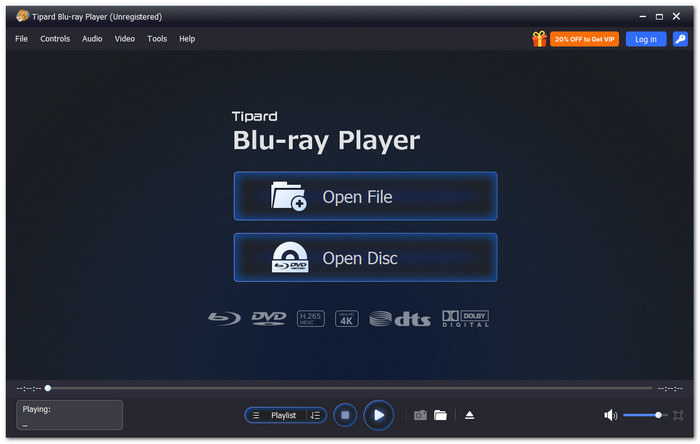
Your first DVD player software option is Tipard Blu-ray Player. It plays all disc types like DVD, Blu-ray, ISO files, and folders. It provides lag-free, fluid playback, making watching effortless. To improve video clarity, it also employs AI upscaling. It improves the clarity and sharpness of old DVDs on your screen.
Moreover, it has a simple menu system. You can immediately click and pick titles or chapters. It gives fast control and a better viewing experience.
Core Features:
- Plays crisp videos in 4K UHD, 1080p HD, and up to 8K.
- MP4, MKV, AVI, WMV, FLV, and MTS are among the formats supported.
- Provides 7.1 surround sound, Dolby Atmos, TrueHD, DTS-HD, and DTS:X.
- Uses GPU acceleration for faster playback and lighter CPU load.
- Lets you create playlists and choose chapters from discs, ISO, or folders.
- Plays Blu-ray, DVD, ISO, and folders smoothly.
- The Snapshot feature saves scenes as JPEG, PNG, or BMP.
- Adjusts brightness, contrast, hue, saturation, and gamma.
- Supports screen sizes like Full Screen, 16:9, and 4:3.
- Full features need a paid upgrade, either monthly or lifetime.
2. PowerDVD 22
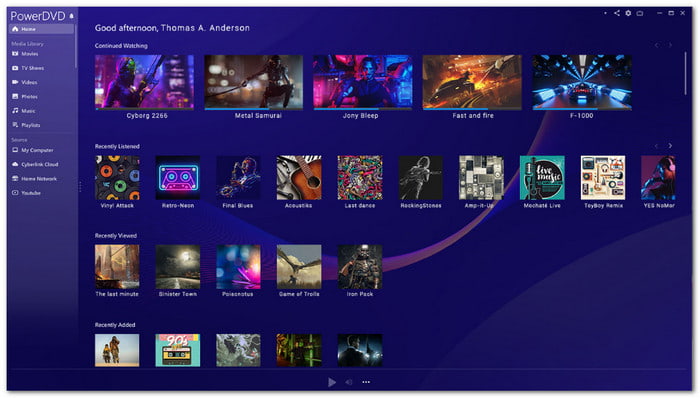
PowerDVD player software is a full media hub that manages disc and digital playback in one system. It handles high-quality video and online streaming with smooth output. It also allows easy switching between PC and TV viewing modes for flexible use at home or on the go.
Core Features:
- TrueTheater HDR and motion enhancement.
- 8K and Ultra HD disc playback.
- Cloud video access from major platforms.
- TV casting with smart device support.
- Easy TV and PC navigation.
- Strong disc format compatibility.
- High-quality upscaling output.
- No casting for protected media.
- Some tools are locked in the premium version.
3. Leawo Blu-ray Player
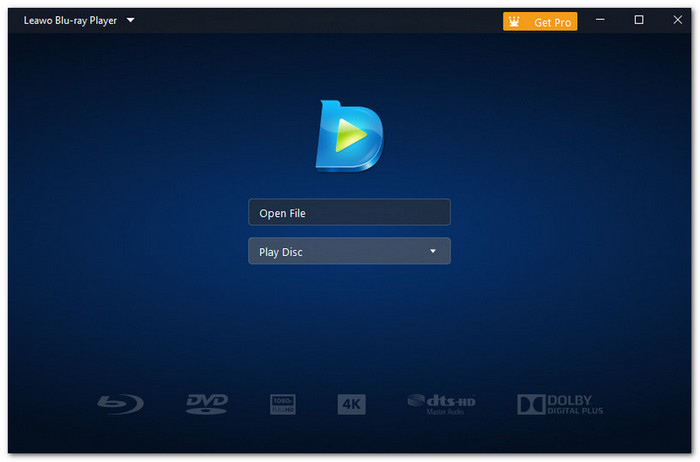
This DVD player program for Mac and Windows runs with low system demand while keeping playback steady. It provides easy control over audio, scene navigation, and subtitles. The configuration remains simple. The interface remains simple to learn.
Core Features:
- Low CPU usage playback engine.
- Custom skins and backgrounds.
- Dolby and DTS HD audio support.
- Multi-language interface options.
- Low CPU usage.
- Simple playback controls.
- Battery saving support.
- No video upscaling support.
- No BD-Live disc features.
4. 5KPlayer
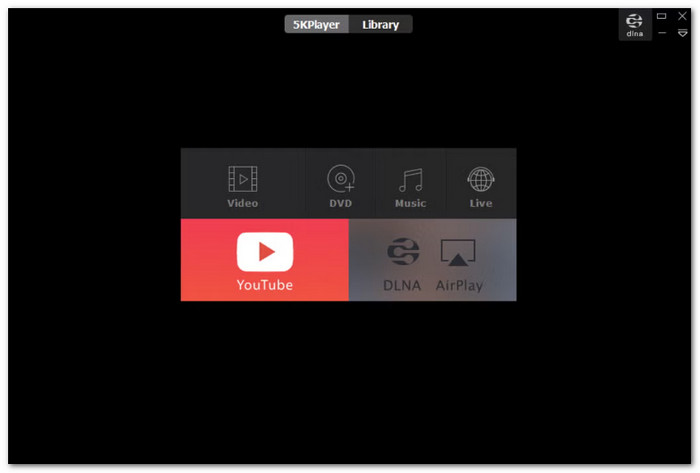
A combined player that mixes DVD playback, video downloading, and radio streaming. It supports high-resolution files and works with common formats. It also plays online videos while offering download options for offline viewing across different sources and devices.
Core Features:
- 5K UHD video playback support.
- Built-in online video downloader.
- Satellite radio streaming function.
- DLNA casting support.
- Fast video handling.
- Simple interface layout.
- Built-in downloader tool.
- Difficult uninstall reports.
- Background processes may run.
5. VLC Media Player
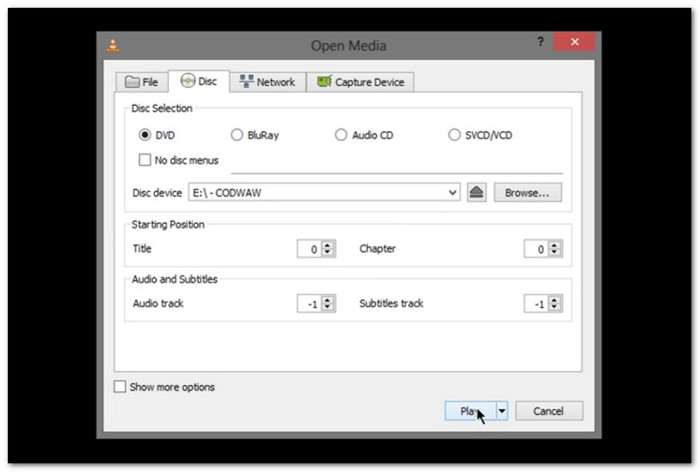
VLC Media Player is a free DVD player program that handles almost all video and disc formats. It supports DVDs, streaming links, and downloading files in progress. It also works across systems with strong subtitle and audio tools for everyday media playback needs.
Core Features:
- Hardware decoding acceleration.
- 8K resolution video playback support.
- Custom skins and filters.
- Subtitle plugin system.
- Very lightweight system use.
- Free open-source software.
- Plays rare formats easily.
- No Blu-ray support.
- Steep learning curve.
6. PotPlayer
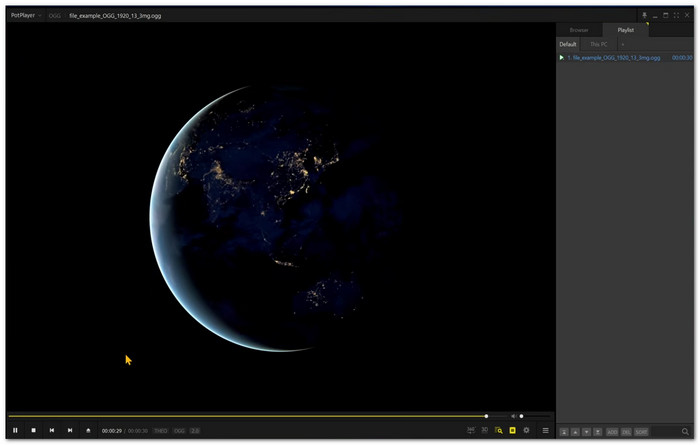
This DVD player software for Windows 10 is a high-performance player focused on smooth playback and deep customization. It supports 3D, VR, and subtitle control. It also allows real-time adjustments for brightness and contrast while playing large or damaged media files without interruption or delay.
Core Features:
- 3D and VR playback engine.
- Subtitle synchronization tools.
- Bookmark scene function.
- Advanced video tuning controls.
- Very fast playback engine.
- Highly customizable interface.
- Strong format compatibility.
- No streaming support.
- Slight learning curve.
7. Macgo Player
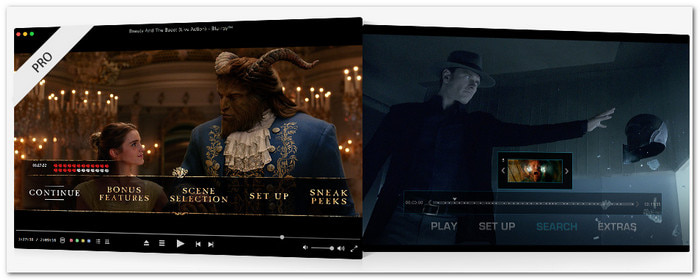
Macgo Player is a simple DVD player software for Mac that focuses on smooth video and strong audio output. It uses hardware acceleration for stable performance. It also provides immediate adjustments for brightness, speed, and color while keeping playback fast and responsive for daily viewing tasks.
Core Features:
- Hardware acceleration support.
- DTS and Dolby audio decoding.
- Built-in subtitle support.
- Basic video adjustment tools.
- Fast and smooth playback.
- Lightweight system usage.
- Clean audio output.
- Limited feature set.
8. Kodi
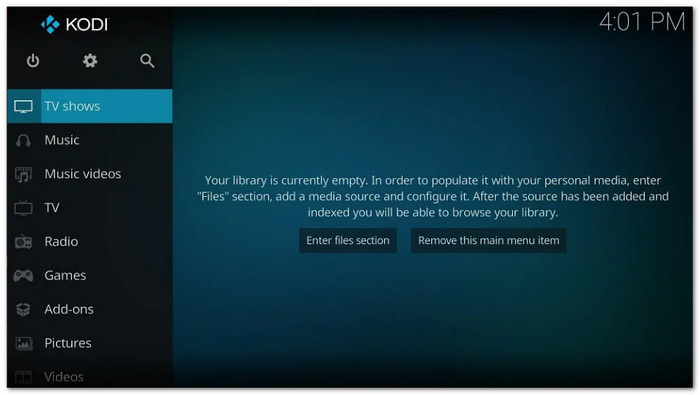
A media hub that organizes videos, music, photos, and more in one platform is Kodi. It supports DVD playback and live TV features. This Linux DVD player software lets users install add-ons for games, streaming, and radio while managing a full media library with detailed content control for better viewing and management.
Core Features:
- Add-on ecosystem support.
- Live TV recording feature.
- Custom media library system.
- Game controller support.
- Strong media organization tools.
- Highly customizable platform.
- Wide add-on support.
- Can slow with add-ons.
- Complex for beginners.
9. GOM Player
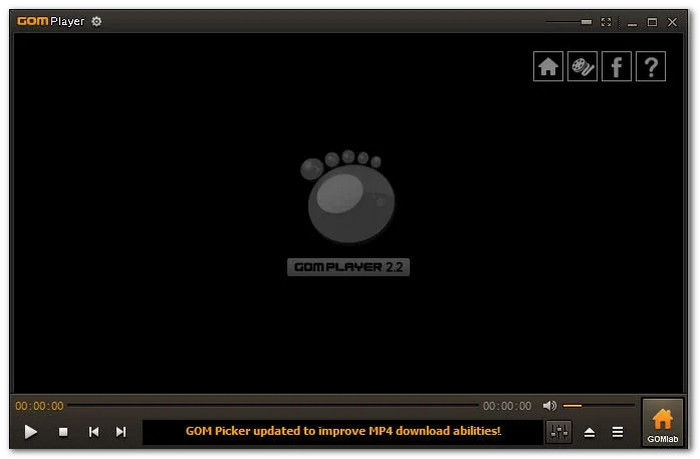
This DVD media player software is built for strong subtitle handling and smooth playback control. It automatically finds subtitles online and syncs them. It also supports VR videos and high-resolution playback while giving users full control over speed, brightness, and format handling.
Core Features:
- Online subtitle search system.
- 8K VR video support.
- Codec library access.
- Playback speed control.
- Strong subtitle system.
- Easy media controls.
- Built-in codec support.
- The installer adds extra apps.
- Free version includes ads.
10. KMPlayer
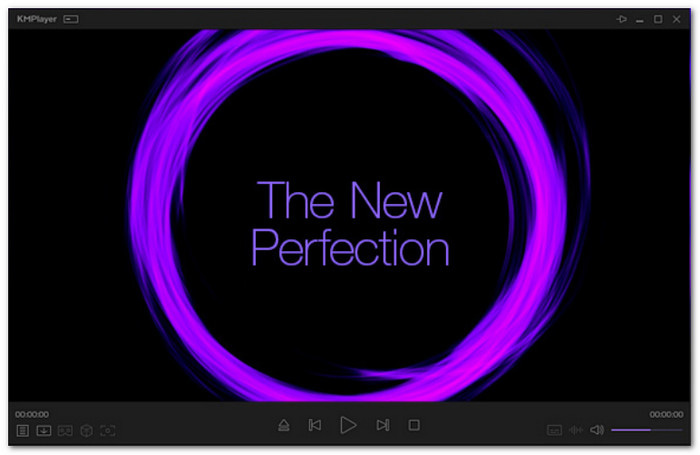
KMPlayer is a feature-rich playback program that supports DVDs and high-resolution formats on one platform. It plays 4K, 8K, VR, and 3D content smoothly. You can edit playback settings, manage playlists, and create animated images with simple controls for a better viewing experience.
Core Features:
- GIF creation tool.
- Multi-language support.
- Playlist management system.
- 360-degree video playback.
- Rich feature set.
- Modern interface design.
- Strong format support.
- Heavy system usage.
- Not beginner-friendly.
Part 5. Troubleshooting Common DVD and Blu-ray Playback Issues
If you ever run into problems while playing your DVD or Blu-ray, do not worry. Let us quickly go through some easy fixes you can try right away!
- Disc not playing: Clean the disc and check for scratches. Try another disc to test the player.
- No video or black screen: Restart the software or your computer. Update your DVD player software.
- The video is lagging or freezing: Turn on hardware acceleration. Close other apps to free system power.
- No sound or low volume: Check your audio settings. Make sure the right speakers or output device is selected.
- Unsupported format error: Use a player that supports more formats, like Tipard Blu-ray Player.
- Subtitle not showing: Enable subtitles in settings or load a subtitle file manually.
Part 6. FAQs of Best DVD Player Software
What qualifications should I look for in DVD player software?
Look for wide format support like DVD, Blu-ray, and ISO. Check for smooth playback and good video quality. Audio support like Dolby and DTS is also important. Easy controls and menu navigation are helpful too.
Are DVDs becoming obsolete?
Yes, DVDs are less used now. Most people use digital files and streaming. But DVDs are still useful for collecting movies and offline viewing.
What is the best format to convert a DVD to digital?
Converting DVD to MP4 is the best choice. It works on most devices. It gives good quality with a smaller file size.
Conclusion
You do not need a portable DVD player anymore. Your computer is enough for smooth playback. Just use a trusted software player, like Tipard Blu-ray Player. It can play DVD, Blu-ray, ISO files, folders, and many video formats. It gives stable and clear playback with no issues!

Play Blu-rays and multimedia files with the best video and audio quality
100% Clean & Safe
100% Clean & Safe

More Reading



About the Author

 Click here to join the discussion and share your comments
 Tipard Blu-ray Player