

WinX DVD Ripper Platinum is a go-to solution when you need to quickly convert a scratched or copy-protected DVD into digital formats. Whether preserving family movies or backing up purchased discs, understanding its features and alternatives ensures smooth ripping.
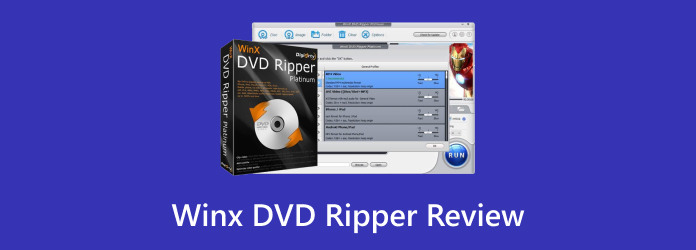
Part 1. WinX DVD Ripper vs WinX DVD Ripper Platinum
The WinX DVD Ripper has a free and paid version, each of which has the same goal of ripping DVDs but has different levels of capabilities.
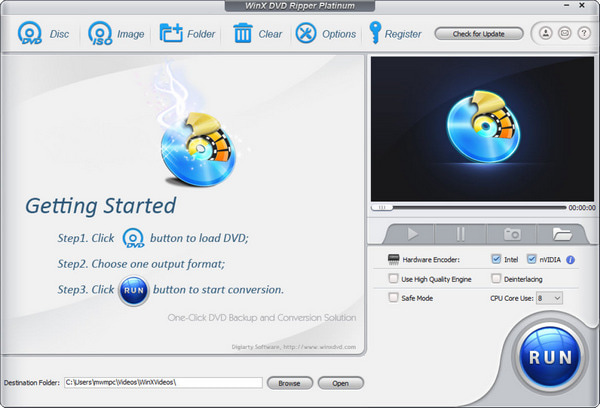
WinX DVD Ripper (Free Edition): It is more suited for people on a more casual basis, as it does have some limitations like being able only to bypass certain basic protections like CSS and RC, being only able to convert for the first five minutes, and does have some incomplete features like a lack of ISO creation and a full bypass of DRM.
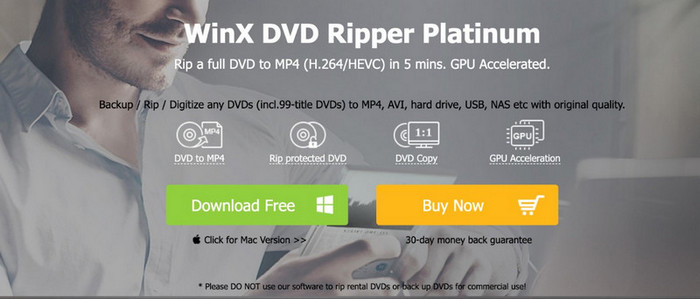
WinX DVD Ripper Platinum: The paid and complete version has a minimum of 450 device presets and complete features of ripping DVDs to all formats, ISO creation, full DRM removal, and is able to do all of this with some top-of-the-line speed due to level 3 hardware acceleration with compatible GPUs made for faster conversions.
Part 2. Detailed Review of WinX DVD Ripper Platinum
Key Features
- Profiling While Versatile DVDs: DVD burning, modifying, and reading with versatile and dual-layer DVDs, DVD folders, rewritable disks, and ISO images.
- Output Formats and Presets: Supports MP4, AVI, MKV, MOV, MPEG, and audio formats like MP3, AAC, AC3, and has hundreds of device presets to optimize playback.
- Decryption Capacity: Supports and frequently updates to keep up with new DVDs protected by CSS, RCE, APS, UOP, Sony ARccOS, and Disney X-project.
- Level-3 Hardware Acceleration: Supports faster real-time decoding/processing/encoding with Intel QSV and NVIDIA NVENC/NVDEC/CUDA.
Performance and Workflow
Step 1 You insert the DVD, folder, or ISO, and the software detects the main title.
Step 2 Select a video or audio format or a device preset to optimize the output format.
Step 3 Customize the output to your needs to keep: output values of closed intervals, increase, filter, crop, or rotate the output.
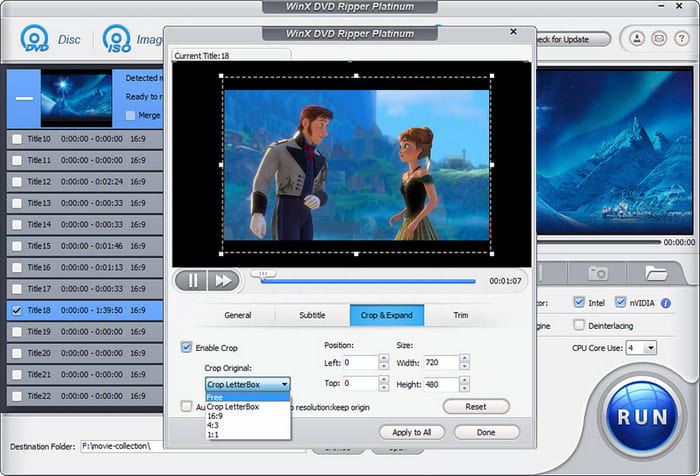
Step 4 Enable hardware acceleration if you have Intel QSV, NVIDIA NVENC/NVDEC.
Step 5 Then hit the conversion button, but if the disc software is complicated, or your hardware is old, this will make the process slow.
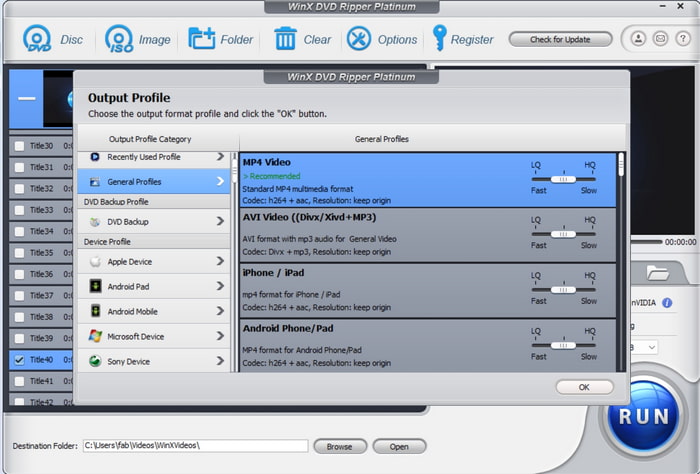
Step 6 After completion, the ripped file will be saved in your chosen location, ready to rip DVD to MKV for playback or further use.
How We Tested
- Test Disc: a 2-hour Disney X-project The 24 title encrypted DVD.
- Metrics: Time to rip, audio and video quality retention through the rip, successful output with DRM bypass, output file stable through the process, and size of the output file.
- Results: The main movie was ripped at 98% quality. On older hardware, GPU acceleration was partially engaged, resulting in a 43-minute rip for the main title. ISO and Video_TS backup features were inconsistent.
Part 3. Limitations and Final Verdict of WinX DVD Ripper
Limitations
The free version only rips five-minute segments of a DVD. There is an option to run in Safe Mode, which makes the program run more slowly but works better on certain discs. There is only one media source that can be imported at a time, which makes working on a large project tedious.
Pros and Cons
- Comprehensive DRM and DVD support.
- Multiple output formats and device presets.
- Automatic title detection.
- User-friendly interface.
- Free edition functionality is heavily limited, making the Platinum version the best DVD ripper.
- Not all features that are promised, such as ISO/Video_TS backup, actually function properly.
- To achieve full acceleration, strong hardware is required.
Reviews & Ratings
- CNET: 4/5 - Easy to use with robust features; hardware-dependent performance.
- TechRadar: 3.5/5 - Powerful for advanced users; free version is limited.
- PCMag: 4/5 - Strong decryption capabilities; GPU acceleration works best on modern systems.
Final Verdict
If users want fast DVD ripping while also having reliable performance, the DVD Ripper Platinum option is for you. The free version is just a preview of the full features and is good for just getting a feel for the software, but the full Platinum version is meant for professional use. For users with older systems or complex discs, alternatives like DVDneXtCOPY DVD Ripper may offer more consistent speed and stability.
Part 4. The Best Alternative to WinX DVD Ripper
Finding a feature-rich DVD ripper program that is fast and reliable can prove challenging. However, considering Tipard DVD Ripper is a great alternative to WinX DVD Ripper. It is flexible, offers an array of output resolution options, and allows for more customization than most. For that reason, users can better control what part of the DVD and what content they wish to rip. It is great regarding format support, options, and output resolution.

- Tipard backs up DVDs as ISO or folders and converts to 500+ formats.
- AI upscaling boosts DVDs to 1080p, 4K, or 8K with smooth playback.
- Presets optimize DVDs for phones, tablets, TVs, and consoles.
- Editing tools trim, crop, rotate, flip, and add filters or watermarks.
- Audio and subtitles can be customized or exported separately.

Step 1 Download and Install Tipard DVD Ripper
Visit Tipard's official website to access either the Windows or Mac version of Tipard DVD Ripper for your system. Open the installer to begin the installation process, and follow the prompts to finish.
Step 2 Load Your DVD
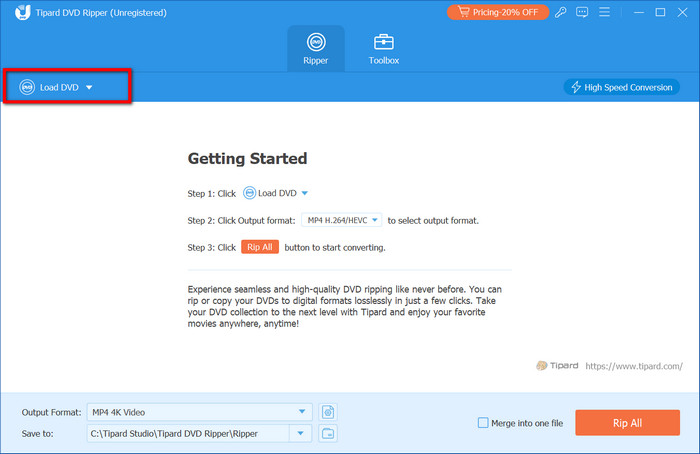
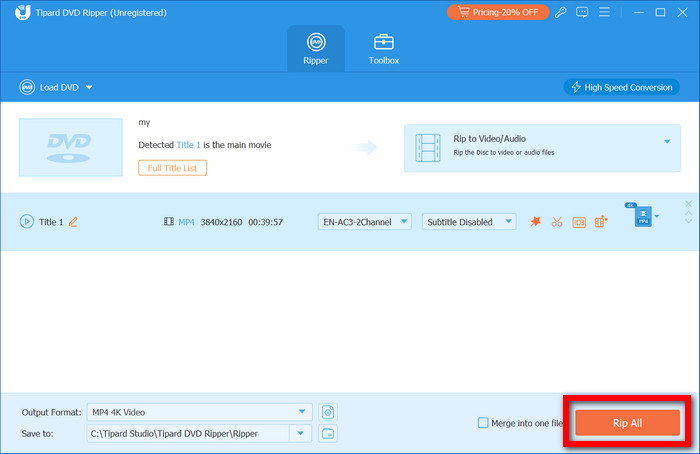
Open Tipard DVD Ripper to start the program, then click the Load DVD button to import the DVD you wish to rip, along with any DVDs you may have in ISO or DVD folder format. Otherwise, to rip DVDs, the software will automatically detect the main titles.
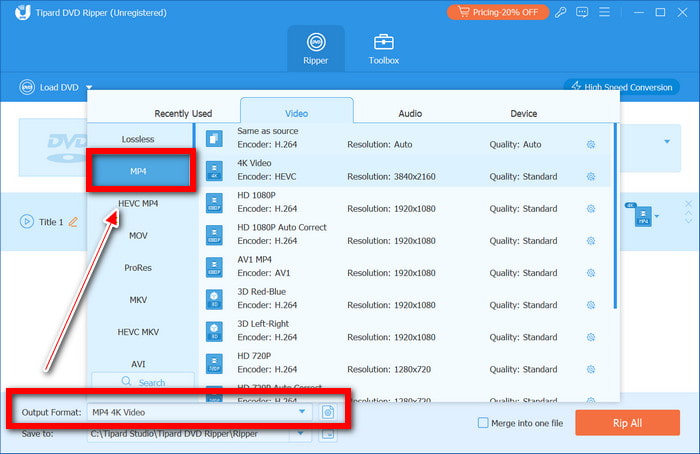
Step 3 Choose Output Format or Preset
Begin selecting the titles you wish to rip, then either select a format for the video or audio, or select a device preset. Additionally, you may choose a resolution such as 1080p, 4K, or higher.
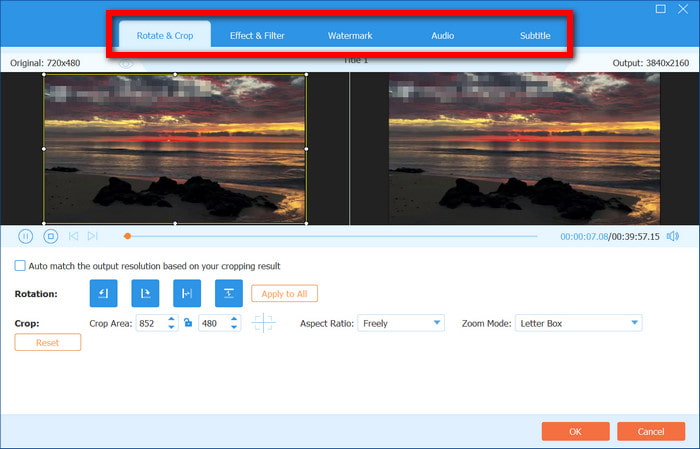
Step 4 Apply Optional Edits
With its Edit button, you can trim, rotate, or flip your video, add a filter or watermark, and crop the video as you wish. If you wish to, you can edit the audio tracks and subtitles as well.
Step 5 Rip the DVD
Click Save To to choose the output folder and then press Rip All to start the process. It is possible to do batch conversions. It is possible to do multiple titles and multiple DVDs at a time.
Comparison Table
| Feature / Parameter | Tipard DVD Ripper | WinX DVD Ripper (Free) | WinX DVD Ripper Platinum |
|---|---|---|---|
| Supported OS | Windows & Mac | Windows 7+ | Windows Vista to 11 |
| Price | Paid (30-day guarantee) | Free | $39.95/year or $59.95 lifetime |
| Output Formats | 500+ video/audio formats | Limited | MP4, MKV, AVI, MOV |
| DVD Backup | ISO, DVD Folder | First 5 min only | ISO, limited MPEG2 copy |
| High-Resolution Support | Upscale DVDs to 4K/5K/8K | 1080p presets | Mainly 1080p & device presets |
| DRM & Copy Protection | CSS, APS, AACS, region codes | CSS/RC | Advanced DRM, including Disney X-project |
| Hardware Acceleration | NVIDIA CUDA, AMD APP, multi-core CPU | Limited | Level-3 (Intel QSV & NVIDIA NVENC) |
| Editing Tools | Trim, crop, rotate, filters, watermark | None | Basic editing |
| Show MoreShow Less | |||
Conclusion
This WinX DVD Ripper review shows that while the Platinum edition offers fast ripping, DRM support, and advanced features, users with older hardware or complex discs may prefer alternatives like Tipard DVD Ripper for more consistent performance and flexibility.
More Reading




About the Author

 Click here to join the discussion and share your comments
 Tipard DVD Ripper