








About | Privacy Policy | Terms of Use | Support | Contact Us
Copyright © 2026 Tipard Studio. All Rights Reserved.
Convert your DVD collections to lossless digital media or upscaled video files with 1080p, 2K, and 4K quality.
 [4.9] 1888 Reviews
100% Clean & Safe
30-Day Money Back Guarantee
100% Clean & Safe
30-Day Money Back Guarantee
 DVD Ripper for Mac
Tipard DVD Ripper for Mac can convert any DVD to many video and audio formats, including MOV (QuickTime), MP4, MKV, WebM, WMV, AAC, MP3, ALAC, and more. It can help you copy DVDs to lossless MKV or MPG format (with 1:1 quality and original structure) or transcode DVDs to modern video configurations, including 1080P and 4K video resolution, H.264 and HEVC codecs, and presets optimized for iPhone, iPad, Samsung, LG, Roku, Sony, Panasonic, and other popular devices and displays. You can also rip a DVD to audio formats with the AC3 codec and 5.1 channels.
You can enjoy your DVD movie whenever and wherever you want. It adopts Hyper-threading and Super Encode Engine based on MMX-SSE & 3D to improve ripping speed and image quality. Feel free to use Tipard DVD Ripper for Mac, for it allows you to adjust the output video and audio settings. Do it yourself to enhance your DVD movie to the ultimate level for extreme entertainment!
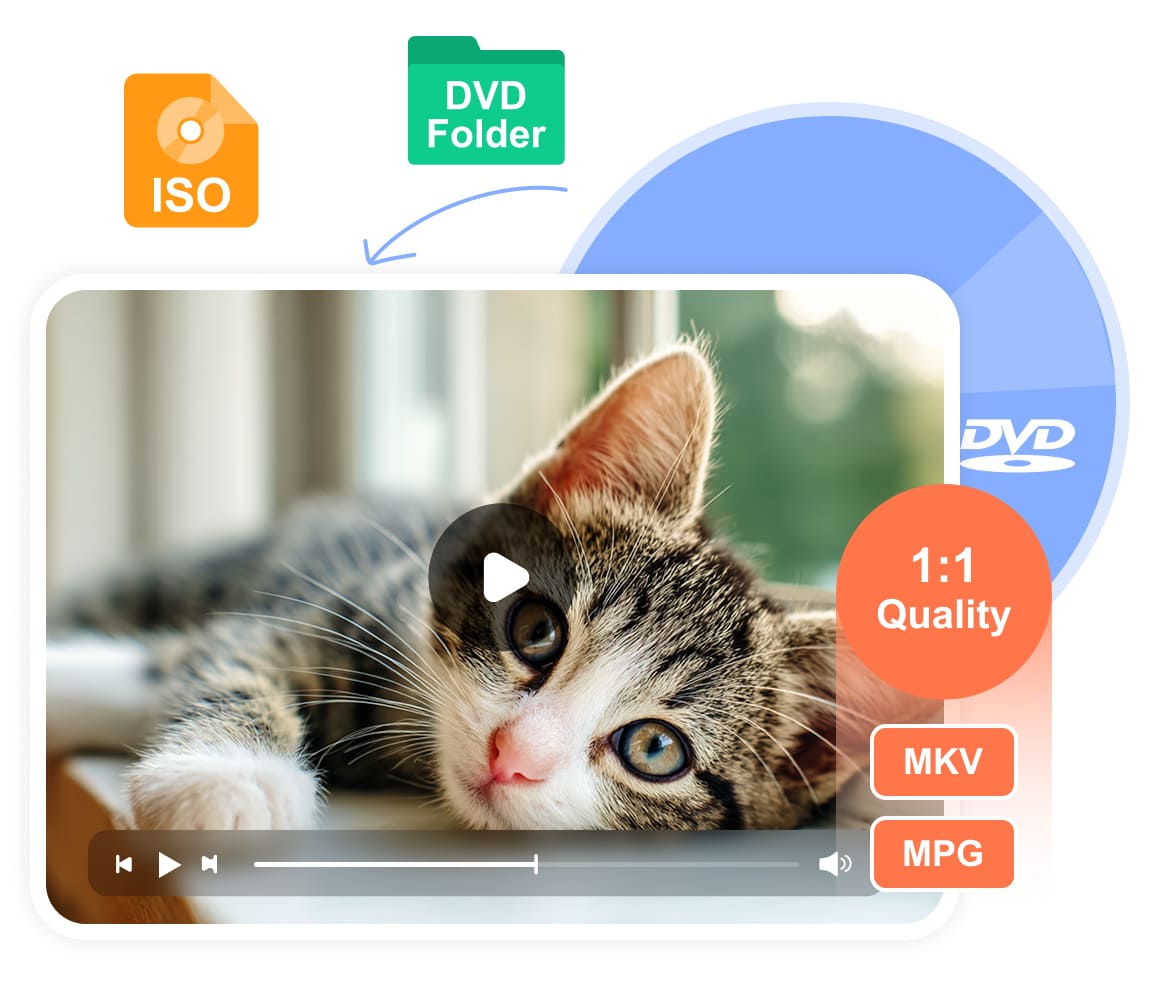
You can use Tipard DVD Ripper for Mac to rip a DVD disc, ISO image, and DVD folder easily. It can not only convert DVD to popular video and audio formats, but also rip a DVD disc to ISO image and DVD folder, which outperforms most competitors. It's really a good idea to back up a DVD to ISO or a folder to keep the original DVD structure. including VIDEO_TS and AUDIO_TS folders.
Tipard DVD Ripper for Mac also supports lossless MKV and MPG output formats. You can rip your DVD disc, ISO image, or folder to lossless MKV and MPG formats, enjoying the original quality and amazing watching experience on any player or device. Moreover, you can also enhance the DVD movie or video, such as video resolution upscale, in Tipard DVD Ripper for Mac.
Tipard DVD Ripper for Mac is engineered to harness the full power of M1 through M5 Pro and Max chips. By leveraging native hardware acceleration and Neural Engine integration, it delivers up to 30× faster ripping speeds, transforming your physical DVD collection into high-performance digital archives in mere minutes.
Though it's a professional DVD ripping tool, it's very easy to use even if you are a beginner. With the user-friendly interface and on-screen guide, you can easily figure out what you should do. Then you can use a few clicks to copy the DVD content to files encoded in MP4, AVI, FLV, MOV, MPEG, and other video formats with ease. You can convert a DVD to any video with a few simple clicks. This best DVD ripper for Mac will offer you a highly smooth and relaxing experience.
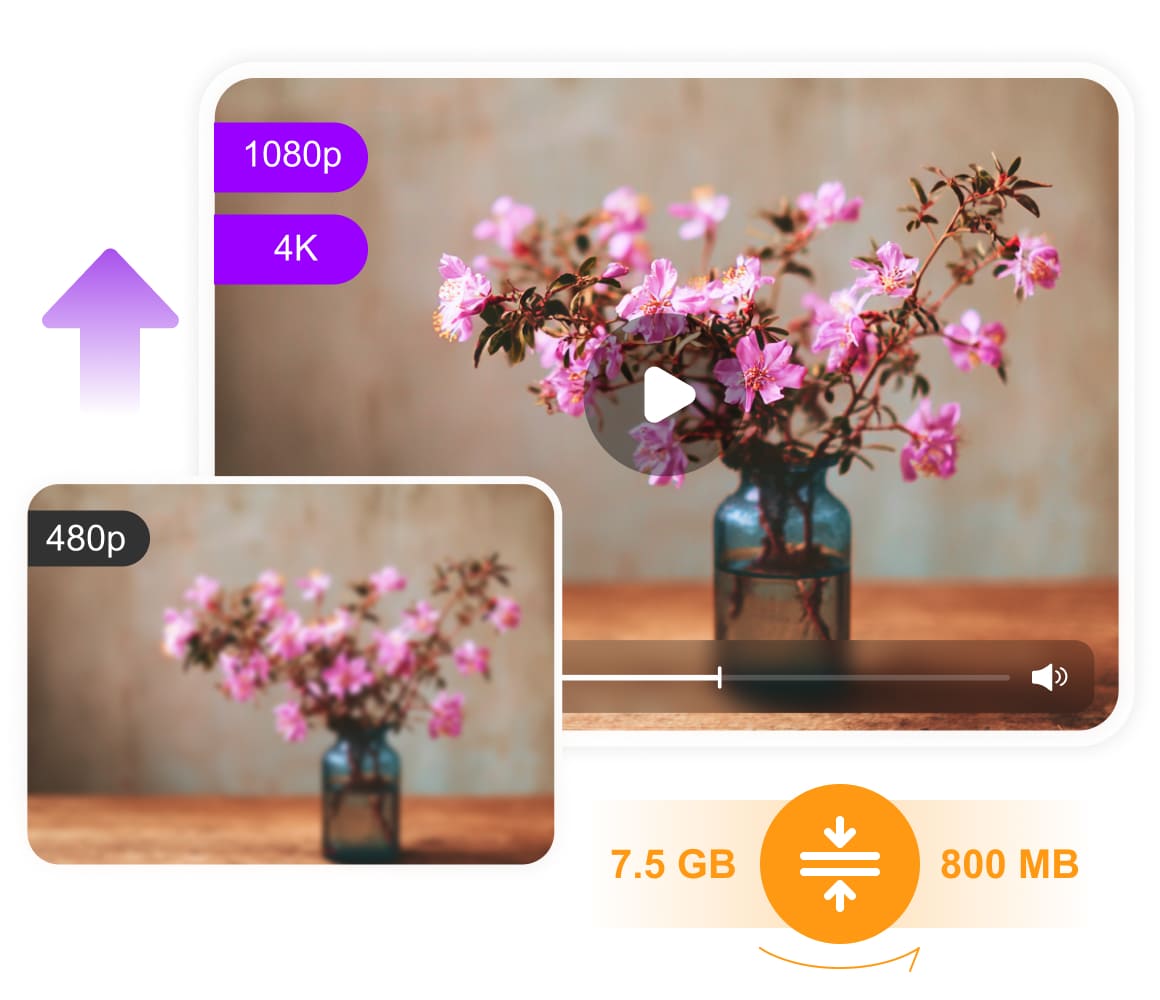
Standard DVD resolution (480P) often looks pixelated on today’s high-density Retina displays and 4K Pro Display XDRs. Tipard DVD Ripper for Mac bridges this gap using advanced Neural-Network-based upscaling. It intelligently reconstructs missing textures and sharpens edges, transforming your 480P discs into stunning 1080P, 4K, or even 8K masterpieces. Furthermore, our AI Frame Interpolation technology can boost frame rates to 60fps or higher, delivering fluid, cinematic motion that feels
If you want to store a DVD movie in your iPhone or iPad, Tipard DVD Ripper for Mac can also help you highly compress DVDs to a smaller size for mobile storage. It can convert and compress DVDs to MOV or MP4 format with H.265 or H.264 codec. A dual-layered 8.5 GB DVD can be compressed to a 1.5 GB video. You can store and watch the DVD movie with clear quality and seamless playback.
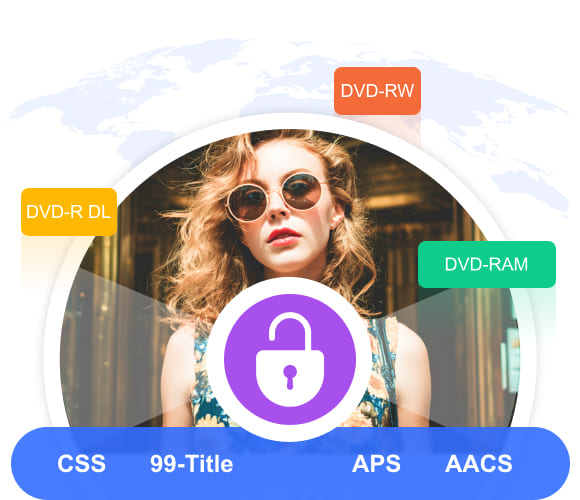
Tipard DVD Ripper for Mac can bypass all region codes on your DVD and export region-free DVD movies or videos. You can watch DVDs from all over the world without restriction. Any old or new DVD discs can be ripped successfully. It can also bypass many popular copy protections, like 99-Title, CSS, APS, and AACS. However, you can only rip encrypted DVDs for fair use, which makes you free from legal issues.
This program can support different types of DVD discs with different capacities, including DVD-5 and DVD-9. Ripping DVD R, DVD RAM, RW, and more types of discs is also very easy for this Mac DVD ripper. Feel free to use this program if you need to rip homemade, commercial, or even scratched/damaged DVDs.
Besides the powerful DVD ripping function, Tipard DVD Ripper for Mac has multiple editing features to ensure you get the perfect output video and watching experience.
Rotate & Flip
You can rotate or flip a DVD video to make amazing effects. If you want to make your DVD movie refreshing, you can try horizontal flipping. Angel changes can make your video entirely different.
Crop DVD Video
If you want to edit your DVD video, you must need a video cropping feature. You can crop out unwanted part on your video or change the aspect ratio so that it can fit specific platforms or devices.
Adjust Audio and Subtitle
When you rip a DVD, you can change the audio and subtitle tracks. Add your desired audio and subtitle files from your computer so that you can customize your DVD movie and video playback.
Watermark
Tipard DVD Ripper for Mac allows you to add a text or image watermark to your DVD video. After you rip a DVD and want to post it, don't forget to add your own watermark as your copyright.
Create 3D and GIF
Tipard DVD Ripper for Mac can upgrade your DVD videos to 3D videos. Wear your VR glasses to enjoy an immersive watching experience. You can also make GIFs from your videos and images.
Enhance Video
You can use many one-click AI-driven video enhancement techniques, including video noise reduction, video shaking removal, brightness & contrast adjustment, and resolution upscaling.
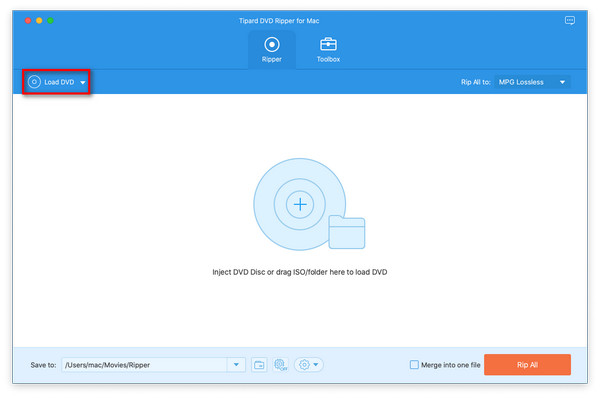
1. Load DVD
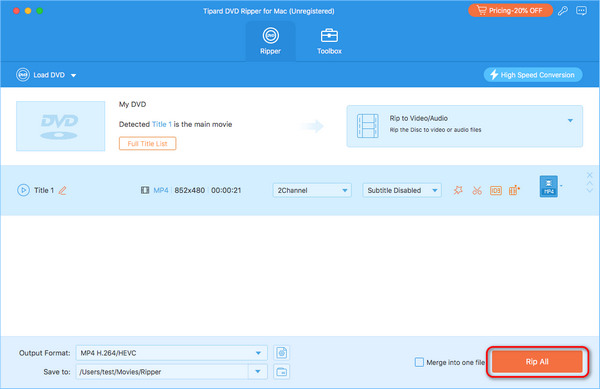
Click the Load DVD button to load your DVD. You can also import DVD ISO or a folder.
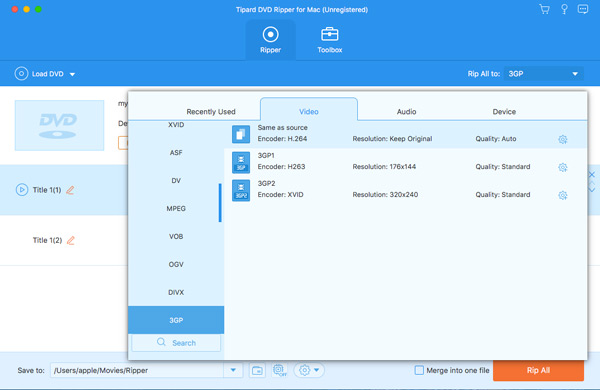
2. Choose Output Format
You can rip the DVD to ISO or folder. You can also choose a desired video format.
3. Rip DVD
Click Rip All button to rip DVD to a video, or ISO image, or DVD folder.

Justin
Amateur

I've never seen such powerful DVD ripping software. It can rip my DVD to many formats. What impresses me most is the ripping speed and video quality. By now, I still want to keep it on my MacBook.

Samuel
Student
I assume Tipard DVD Ripper is better than MacX DVD ripper. This software has a neat interface and is stable and has a fast ripping speed. After all, I just want to rip my DVD quickly and Tipard can make it.

Geraldine
Videophile
It can rip and upscale my DVD movie to 4K! It even supports 5K and 8K even though I don't need that high resolution. Now, the DVD video can fit my MacBook's high res screen.
Does it support the latest macOS and Apple Silicon?
Yes. Tipard DVD Ripper for Mac is fully compatible with the latest macOS (including Tahoe and Sequoia). It runs natively on Apple Silicon (M5, M5 Pro, and M5 Max) and Intel-based legacy Macs, ensuring maximum stability and performance.
How fast is the DVD ripping process on Mac?
By leveraging Hyper-Threading and Hardware Acceleration (VideoToolbox), our software can rip a full-length DVD in as little as 5 to 10 minutes, depending on your hardware and output settings.
Is Tipard DVD Ripper for Mac safe to use?
Yes. Tipard DVD Ripper for Mac is 100% clean and safe. It won't harm or steal your data, privacy, discs, Mac, system, etc.
Does Tipard Blu-ray Ripper for Mac leave a watermark?
No. Tipard DVD Ripper for Mac won't leave a watermark on the ripped videos.
What's the best format to rip a DVD on macOS?
On macOS, MOV and ProRes are most favored because they are more compatible with the Apple ecosystem than MP4 or MKV.
The Best DVD Ripper on Mac
100% Clean & Safe
30-Day Money Back Guarantee
100% Clean & Safe
30-Day Money Back Guarantee